How to Check Real-Time Server Latency in the PUBG HUD

Enable PUBG’s network statistics HUD to monitor ping and packet loss in a match. See where to find it, what the numbers mean, and what they cannot diagnose.
To connect an Xbox controller to a Smart TV, put a Bluetooth-capable controller in pairing mode, open the TV’s controller or Bluetooth accessories menu, then select Xbox Wireless Controller. The exact menu depends on the TV brand and model. Pairing only establishes the connection: the TV model and the app or game must also support controller input.
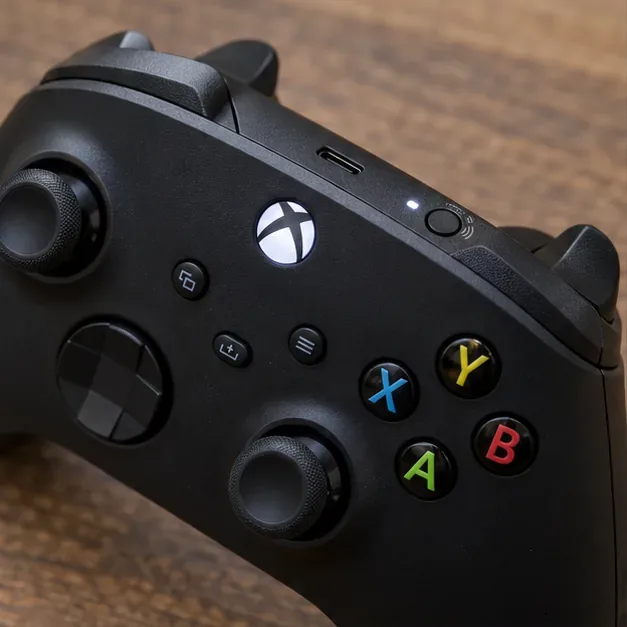
Microsoft’s Xbox controller on Smart TV instructions describe pairing through supported smart TV and streaming-device apps. For model-specific details, see Xbox’s smart TV controller setup guide and Xbox Bluetooth setup and troubleshooting.
Keep the controller near the TV while pairing. If it was previously connected to a console, phone, or PC, turn off Bluetooth on nearby devices temporarily so it does not reconnect elsewhere during the scan.
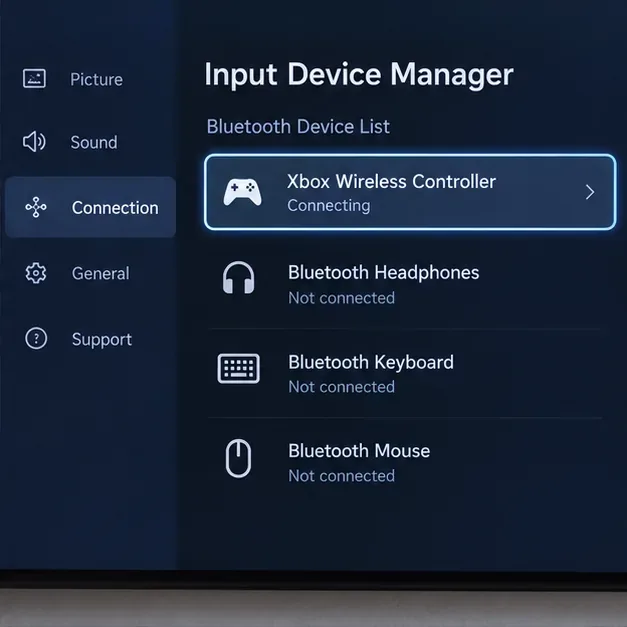
On many Samsung TVs, open Settings > Connection > External Device Manager > Input Device Manager > Bluetooth Device List. Put the controller in pairing mode, wait for Xbox Wireless Controller to appear, and select it. Some models use a slightly different route or label; Samsung’s support page shows the controller pairing process for compatible TVs: Samsung’s controller pairing instructions.
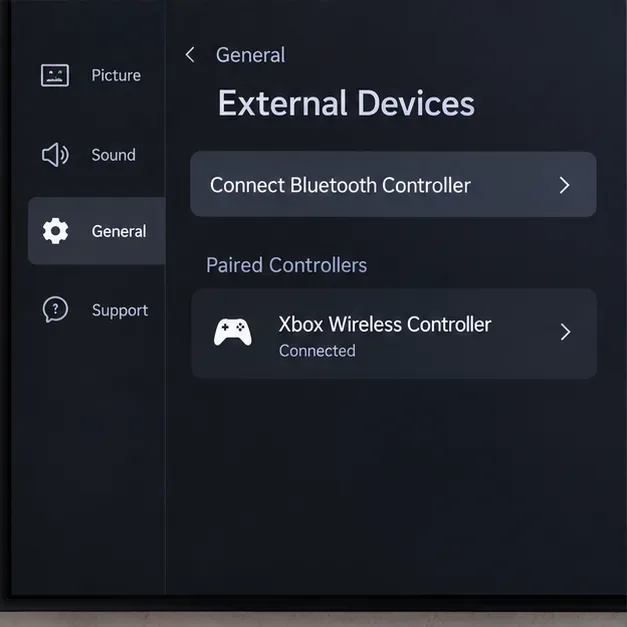
LG’s controller menu changes with webOS version. Start with the path that matches your TV:
Choose the controller when it appears. LG lists Xbox One S and Xbox Series X controllers among supported Bluetooth gamepads in its compatibility information, but it also says support depends on the TV model. Check LG’s current Bluetooth input-device guide or your exact model’s manual if the menu is missing.
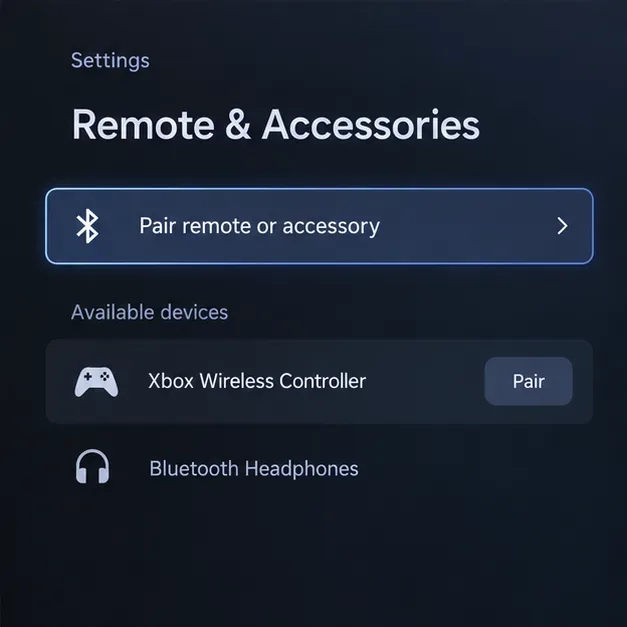
On Google TV, open Settings from the profile menu, then select Remote & Accessories > Pair remote or accessory. Put the Xbox controller in pairing mode, select it from the list, and choose Pair on the confirmation screen. To reconnect a previously paired controller, open Remote & Accessories, choose the device, and select Connect. Google’s instructions also recommend disconnecting unused accessories or restarting the TV if pairing fails: Google TV’s Bluetooth pairing steps.
On Android TV, the path is usually Settings > Remote & Accessories > Add accessory. Menu wording varies among TV manufacturers, so use the TV’s own manual if you do not see that option. See Android TV gamepad setup for Android TV gamepad setup.
On Fire TV, open Settings > Controllers & Bluetooth Devices > Game Controllers > Add New Game Controller. Put the Xbox controller into pairing mode and select it when it appears. Pairing support and app compatibility still depend on the Fire TV device and the game; Amazon’s instructions are here: Amazon’s Fire TV controller instructions.
For Roku TVs and other systems, check the exact model’s supported-input list. A Bluetooth menu intended for headphones or phones is not proof that the TV accepts a gamepad. A USB cable or an Xbox Wireless Adapter made for a PC is not a guaranteed workaround; use wired input only if the TV manufacturer documents support for that controller and app.
| What you see | What to check |
|---|---|
| The TV cannot find the controller | Confirm the controller supports Bluetooth, hold Pair until the Xbox button flashes, and disconnect it from a nearby phone or computer. Restart the scan and check that the TV supports Bluetooth gamepads. |
| The controller appears but will not pair | Turn the controller off and on, remove an old saved entry from the TV, then pair again. On Google TV, unplug the TV for about 10 seconds and retry if a restart does not help. |
| It pairs, but buttons do nothing in an app | Check the app’s controller support and test in a game that accepts gamepads. This usually points to app compatibility, not a failed Bluetooth connection. |
| Controls feel delayed or disconnect | Move closer to the TV, replace or recharge batteries, reduce nearby wireless interference, and re-pair. TV Game Mode can reduce display processing delay, but it will not fix a weak Bluetooth link or cloud-streaming network lag. |
A successful connection should let a supported game respond to the controller’s buttons and sticks. Some TVs may allow basic menu navigation; others accept the controller only inside compatible gaming apps. Features such as vibration, headset audio through the controller, and multiple-controller play are not universal on Smart TVs. If you need the most reliable gamepad support, verify the TV and app compatibility before buying an adapter or troubleshooting the controller further.
Enable PUBG’s network statistics HUD to monitor ping and packet loss in a match. See where to find it, what the numbers mean, and what they cannot diagnose.
Learn how to import VALORANT crosshair codes, compare presets with manual settings and spectator copy, and fix common import issues.
Choose Dota 2 minimap size, hero icons, team colors, and background settings by readability, fewer misclicks, and clear results on your own display.
Fix Fortnite texture pop-in on PC with official steps for GPU drivers, file verification, DirectX 12, high-resolution textures, VRAM, SSDs, and stutter.
Learn what Heroes of the Storm minimap size and position options are verified, improve readability, and choose camera-click controls that suit you.
Set Super Smash Bros. Ultimate Quickplay to prefer hazards-off stages. Follow the Preferred Rules menu steps and learn why matchmaking may not always honor them.
Enable Server Latency and Packet Loss in Warzone to monitor connection quality, read the overlay, and use recurring spikes to guide troubleshooting.
Learn how to carry from mid lane in League of Legends by setting up waves, choosing safe roam windows, reading side lanes, and converting pressure into objectives.
Fix Minecraft Evoker spell problems with a safe vanilla test, version checks, log review, and a step-by-step way to isolate mod or datapack conflicts.
Fix PUBG stuck on Initializing on Steam with a focused checklist for PC service notices, launch options, game files, downloads, and connection issues.








