How to Bind Camera Position Keys in Dota 2: Save and Revisit Map Locations

Save Dota 2 camera spots to keys, jump back to lanes or objectives, and troubleshoot missing or conflicting camera position binds.
Imagine crushing your favorite games on your phone with the precision of a PlayStation controller. No more fumbling with touch controls—whether you're on iPhone or Android, connecting PlayStation controller to iPhone and Android devices is a game-changer for mobile gamers. This guide delivers straightforward steps, troubleshooting tips, and pro hacks to get your DualSense or DualShock 4 paired effortlessly. Ready to level up? Let's dive in! 🚀
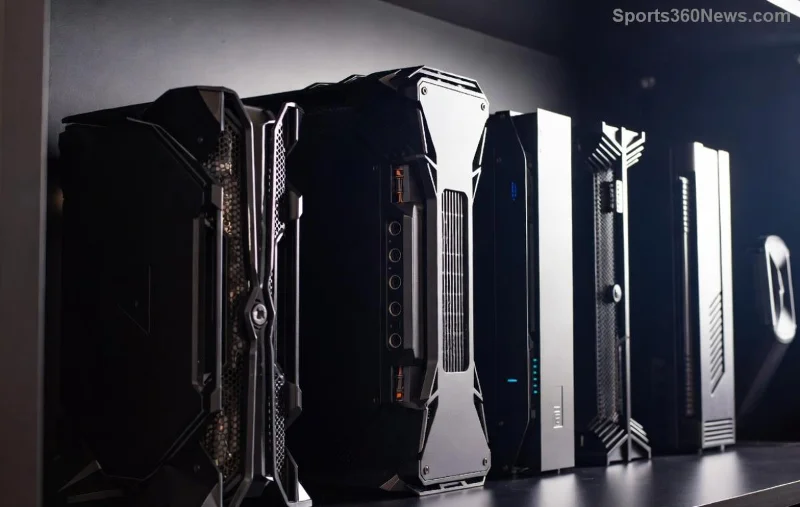
The DualSense (PS5) and DualShock 4 (PS4) offer haptic feedback, adaptive triggers, and ergonomic design that touchscreens can't match. Perfect for genres like racing, shooters, and RPGs. Recent updates ensure rock-solid Bluetooth compatibility across iOS and Android, making PlayStation controller Android and iPhone setups smoother than ever. You'll feel like a pro gamer anywhere! 😎
Not all controllers work equally well, but here's the lineup:
| Controller | iPhone (iOS 13+) | Android (8.0+) | Key Features |
|---|---|---|---|
| DualSense (PS5) | ✅ Full support | ✅ Full support | Haptics, adaptive triggers |
| DualShock 4 (PS4) | ✅ Full support | ✅ Full support | Precision sticks, light bar |
Pro Tip: Ensure your controller is updated via PS console or PC app for the latest firmware. Bluetooth 4.0+ on your device is ideal. No wires needed—pure wireless freedom! 👍
Apple's seamless Bluetooth makes DualSense iPhone or DualShock 4 pairing a breeze. Follow these steps:
Done in under 60 seconds! iOS handles vibrations and button mapping automatically. Apple's official guide confirms full native support.
Android's flexibility shines for DualSense Android and DualShock 4. Slight variations by manufacturer (Samsung, Google Pixel, etc.), but core steps are universal:
For enhanced features on Android, apps like Octopus or Mantis Gamepad Pro offer key mapping. Google's latest Bluetooth stack ensures low latency. Check Google's Bluetooth help for device-specific tweaks.
Stuck? Common fixes keep you gaming:
| Issue | iPhone Fix | Android Fix |
|---|---|---|
| No vibration | Enable in Settings > Sounds | App-dependent |
| Pairing fails | Reset controller (small hole) | Clear Bluetooth cache |
Sony's official pairing page has more. 99% of issues resolved here!
Once connected, dominate these:
Hacks: Use a controller stand for comfort. Customize via PS Remote Play app for streaming. Share your epic wins—tag us! 👏
Connecting PlayStation controller to iPhone and Android has never been easier. With these steps, you're set for immersive sessions anytime. Got questions? Drop a comment below—we're all gamers here! Keep exploring for more guides on controllers, emulators, and beyond. Game on! 🏆
Save Dota 2 camera spots to keys, jump back to lanes or objectives, and troubleshoot missing or conflicting camera position binds.
Fix a TFT Mobile black screen after loading with official server checks, updates, cache troubleshooting, compatibility guidance, and safe reinstall steps.
Reduce Marvel Rivals DirectX 12 shader stutter with preload, driver, cache, and file checks. Learn when a cache reset helps and which older advice to avoid.
Enable PUBG’s network statistics HUD to monitor ping and packet loss in a match. See where to find it, what the numbers mean, and what they cannot diagnose.
Learn how to import VALORANT crosshair codes, compare presets with manual settings and spectator copy, and fix common import issues.
Choose Dota 2 minimap size, hero icons, team colors, and background settings by readability, fewer misclicks, and clear results on your own display.
Fix Fortnite texture pop-in on PC with official steps for GPU drivers, file verification, DirectX 12, high-resolution textures, VRAM, SSDs, and stutter.
Learn what Heroes of the Storm minimap size and position options are verified, improve readability, and choose camera-click controls that suit you.
Set Super Smash Bros. Ultimate Quickplay to prefer hazards-off stages. Follow the Preferred Rules menu steps and learn why matchmaking may not always honor them.
Enable Server Latency and Packet Loss in Warzone to monitor connection quality, read the overlay, and use recurring spikes to guide troubleshooting.








