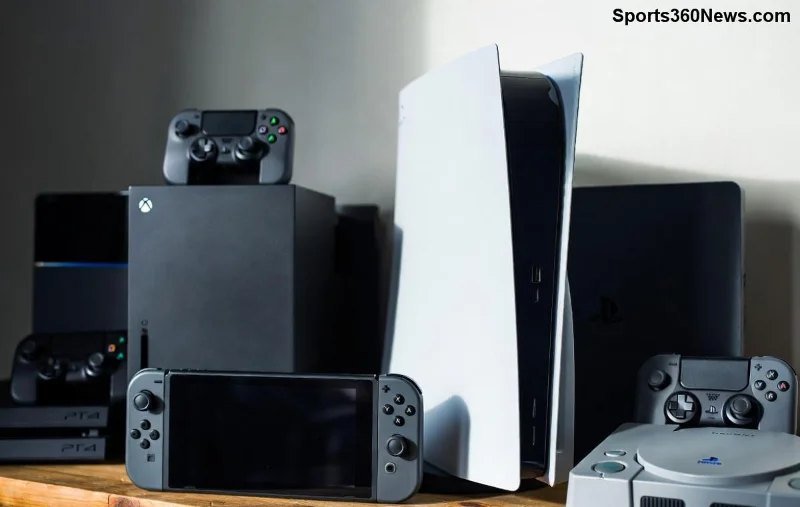
Imagine crushing PS5 games remotely from your couch, office, or even vacation spot – no console in sight. Whether you're dodging spoilers or just craving that DualSense haptic magic on the go, choosing the best way to play PS5 games remotely unlocks endless freedom. But with options like PS Remote Play, PlayStation Portal, and cloud streaming, which one reigns supreme? We'll break it down step-by-step, so you can dive into your favorites hassle-free. Ready to level up? Let's go! 🚀
Why Play PS5 Games Remotely? The Game-Changer for Modern Gamers
Remote gaming isn't just convenient – it's a lifeline for busy players. Picture this: Your PS5 streams high-fidelity action to your phone, tablet, or PC over Wi-Fi or mobile data. No more being chained to your TV. Key perks include:
- ✅ Flexibility: Game anywhere with a stable connection.
- ⭐ Cost savings: Use existing devices, no extra hardware needed.
- 🎮 Full PS5 power: 4K resolution, 120fps, and adaptive triggers intact.
But success hinges on your setup. Need lightning-fast internet? Prioritize wired PS5 connections. Mobile gamer? Battery life matters. We'll compare top methods next to help you choose the best way to play PS5 games remotely.
Method 1: PS Remote Play – The Free, Official Powerhouse
Sony's flagship for PS5 remote play. Download the free app on iOS, Android, PC, Mac, or PS Vita, link to your console, and stream instantly. It's evolved with the latest updates for buttery-smooth performance up to 1080p/60fps (or higher on strong networks).
Pros:
- 1️⃣ Zero cost – just your PS5 and device.
- 2️⃣ Supports DualSense controllers via Bluetooth.
- 3️⃣ Customizable bitrate for optimal quality.
Cons:
- ❌ Requires PS5 powered on or in Rest Mode.
- ❌ Network-dependent; lag spikes on weak Wi-Fi.
Pro tip: Enable Remote Play in PS5 settings (Settings > System > Remote Play), use a strong 5GHz Wi-Fi, and you're golden. Perfect for home streaming! For setup guide, check Sony's official page: PlayStation Remote Play.
PlayStation Portal: Handheld Heaven for Remote PS5 Gaming
![PlayStation Portal streaming PS5 games remotely]()
Enter the PlayStation Portal – Sony's 2023 handheld (still the latest dedicated remote player). This 8-inch LCD beast streams PS5 games remotely exclusively from your console, with DualSense controls built-in. Recent firmware boosts stability and adds features like Share Screen.
Pros:
- 1️⃣ Immersive 1080p screen with haptic feedback.
- 2️⃣ Up to 12 hours battery – couch-to-bed seamless.
- 3️⃣ Plug-and-play; no app fiddling.
Cons:
- ❌ $200 price tag.
- ❌ Still needs PS5 online; no offline play.
- ❌ Wi-Fi only, no cellular.
Ideal for dedicated fans wanting console-like feel away from TV. Users rave about low-latency in reviews – it's like your PS5 shrunk to pocket size! 👏
Method 3: PS Plus Cloud Streaming – Console-Free Cloud Gaming
With PS Plus Premium, stream hundreds of PS5 games remotely from Sony's servers. No PS5 required – pure cloud magic, updated with more titles and 4K trials in the latest rollout.
Pros:
- 1️⃣ Play anywhere, anytime – global servers minimize lag.
- 2️⃣ $18/month unlocks library + streaming.
- 3️⃣ Supports phones, PCs, and Portal.
Cons:
- ❌ Subscription needed.
- ❌ Limited to PS Plus catalog (not your full library).
- ❌ Variable quality based on region.
For travelers, this is unbeatable. Test with a trial via PS Plus.
Comparison Table: Choosing the Best Way to Play PS5 Games Remotely
| Feature |
PS Remote Play |
PlayStation Portal |
PS Plus Cloud |
| Cost |
Free |
$200 one-time |
$18/month |
| Resolution/FPS |
Up to 1080p/60 (4K capable) |
1080p/60 |
Up to 4K/60 |
| Needs PS5? |
Yes |
Yes |
No |
| Device Support |
Phone/PC/Mac |
Handheld only |
Any + app |
| Latency |
Low (home network) |
Very low |
Low (cloud optimized) |
| Best For |
Budget home use |
Portable immersion |
Travel/no console |
This table simplifies PS5 remote play choices. Spot your winner? Keep reading for tweaks! 📊
Optimize Your Setup for Lag-Free Remote PS5 Gaming
Whatever method, nail these for peak performance:
- 1️⃣ Internet speed: 15Mbps+ upload/download. Test with Speedtest.net.
- 2️⃣ Wire your PS5 via Ethernet for stability.
- 3️⃣ Use 5GHz Wi-Fi; enable UPnP in router settings.
- 4️⃣ Controller pairing: Bluetooth for mobile, USB for PC.
Troubleshooting lag? Lower resolution or bitrate. Common fix: Restart PS5 Remote Play service. Real gamers report 5ms latency at home – game-changing! 😎
Third-Party Alternatives: Worth It?
For power users, tools like Chiaki (open-source PS Remote Play) or Moonlight (NVIDIA streaming) offer tweaks. But stick to official for reliability – Sony's ecosystem wins for most.
Which is the Best Way to Play PS5 Games Remotely for You?
No one-size-fits-all, but here's the verdict:
- Budget/home: PS Remote Play ⭐⭐⭐⭐⭐
- Portable pro: PlayStation Portal ⭐⭐⭐⭐⭐
- Cloud nomad: PS Plus Premium ⭐⭐⭐⭐
Start with free Remote Play today. Your first remote raid awaits – what game will you conquer first? Drop thoughts below and share your setup wins! 🎉
Mastered choosing the best way to play PS5 games remotely? You've got the edge. Game on! 🚀