How to Check Real-Time Server Latency in the PUBG HUD

Enable PUBG’s network statistics HUD to monitor ping and packet loss in a match. See where to find it, what the numbers mean, and what they cannot diagnose.
The best games to play using an Xbox controller are the ones built around analog movement, steering, camera control, and quick button combinations. Start with Forza Horizon 5 for racing, Elden Ring for action RPG combat, Rocket League for competitive sports, or Hades for fast runs. This shortlist covers Xbox console editions and Windows PC releases whose official store pages identify controller support.
The Xbox controller is especially comfortable when you need two sticks, pressure-sensitive triggers, and several easy-to-reach face buttons. These recommendations are selected for how naturally those inputs fit the game, not from a new hands-on benchmark. On PC, controller support can differ by launcher and edition, so use the store listing for the version you plan to play.
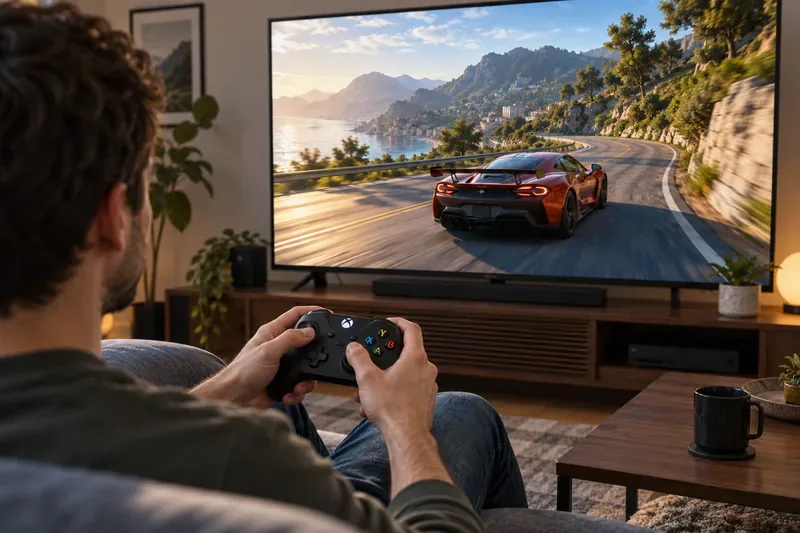
The PC label below is the current support signal shown by each publisher or storefront. “Partial” means the store does not mark every part of the PC experience as fully controller-supported; keep a keyboard or mouse nearby if you want access to every menu or action.
| Game | Best for | PC storefront support signal |
|---|---|---|
| Forza Horizon 5 | Open-world racing | Steam: Full controller support |
| Elden Ring | Action RPG combat | Steam: Full controller support |
| Cyberpunk 2077 | First-person RPG and driving | Steam: Full controller support |
| Hades | Fast roguelike runs | Steam: Full controller support |
| Rocket League | Arcade sports and online play | Epic Games Store: Controller support |
| Street Fighter 6 | Fighting games | Steam: Partial controller support |
| DOOM Eternal | Fast first-person action | Steam: Partial controller support |
| Ori and the Will of the Wisps | Precision platforming | Steam: Full controller support |
| The Witcher 3: Wild Hunt | Long-form fantasy RPG | Steam: Partial controller support |
| Hollow Knight | 2D exploration and combat | Steam: Full controller support |
Forza Horizon 5 makes the clearest case for using a gamepad. The triggers let you ease into acceleration and braking, while the left stick gives you continuous steering instead of the all-or-nothing input of a keyboard. That helps with corner corrections, controlled slides, and relaxed cruising through its open-world roads. The Xbox edition is available on Xbox consoles and PC, and Steam lists full controller support for its PC build. Check the Xbox store page or Steam listing for the edition you use.
Elden Ring maps naturally to a controller: move and adjust the camera with the sticks, then dodge, guard, attack, and use items without leaving the thumb controls for long. Lock-on helps keep a target in view while you learn an enemy’s timing. Steam identifies Xbox controllers and full controller support for its PC version. It is a strong pick if you want deliberate combat and exploration on an Xbox console or PC. See the Xbox edition and Steam listing.
Night City combines first-person movement, gunplay, menus, and vehicle handling. A controller is a comfortable choice for story-focused play and driving, while a mouse can feel more precise for long-range aiming on PC. Steam lists full controller support. If you are choosing an Xbox edition, pay attention to the generation: Microsoft says the Xbox One base game stopped receiving patches after November 8, 2022; Xbox Series X|S is required for later patches and the Phantom Liberty expansion. Check the Xbox store notice and Steam PC page.
Hades is a strong gamepad match when you are dodging through crowds, chaining attacks, and choosing upgrades between attempts. The left stick keeps movement direct, and the face buttons make it easy to combine attacks, casts, and dashes. Short runs also make it a good choice for handheld PC play or a quick session on a couch. Steam lists full Xbox controller support. See the Xbox page and Steam listing.
Rocket League asks you to steer, jump, boost, and make quick corrections in the air. Analog steering and familiar face-button placement make it easier to build consistent muscle memory than with keyboard steering. The Epic Games Store lists controller support, and the game remains free to play there; its official Xbox release is available for console players. Start with the Epic Games Store page or Xbox listing.
A controller gives you a D-pad or stick for directional inputs and face buttons for attacks, making Street Fighter 6 an approachable fighter to play from the couch. Its official Xbox listing describes Classic, Modern, and Dynamic control types, so new players can choose a simpler starting scheme and change later. Steam currently marks the PC build as partial controller support, so check its listing if you need every PC menu to work without a keyboard. Compare the Xbox product page with the Steam listing.
DOOM Eternal’s movement, jump, dash, and weapon switching make it a good console gamepad pick if you like keeping all actions under your thumbs. For PC, aiming with a mouse may suit players who prioritize fine reticle control, and Steam labels its controller support as partial. Choose the input style that feels best to you, and confirm the current PC support tag before buying. The official Xbox release announcement and Steam page cover the console and PC editions.
Ori’s jumps, dashes, and midair corrections reward smooth directional control. A controller’s left stick or D-pad can make small platforming adjustments feel natural, while the face buttons keep movement abilities close at hand. The Xbox store lists it for Xbox and PC, and Steam marks its PC version as fully controller-supported. View the Xbox store page or Steam listing.
Exploration, horseback travel, swordplay, and signs all work well with an Xbox controller’s sticks, triggers, and face buttons. It is a good fit when you want to settle into a long story without sitting at a desk. The current Steam page marks the PC build as partial controller support, so check the exact PC edition if you expect a keyboard-free experience. Xbox players can use the Xbox edition page; PC players should also review the Steam listing.
Hollow Knight’s tight rooms and boss encounters depend on reliable movement, jumps, and well-timed attacks. A controller makes it easy to keep your thumb on movement while tapping jump or strike, and Steam lists full controller support for the PC version. If you like side-scrolling exploration with a demanding combat loop, it is one of the safest picks in this guide. See the Xbox product page and Steam listing.
On a Windows PC, the standard Xbox Wireless Controller can connect by Bluetooth on compatible models or by cable; exact options depend on the controller revision and device. Microsoft documents supported devices and connection details on its Xbox Wireless Controller page. Steam also maintains an official list of input devices supported through Steam Input. Before you buy or troubleshoot, check the product page for your exact launcher, because Steam, Epic, and Xbox PC versions may show different support details.
These Xbox controller games for PC and Xbox consoles span racing, RPGs, platformers, fighters, and competitive sports. If comfort and familiar button prompts matter most, start with Forza Horizon 5, Hades, or Ori. If you want a hybrid of controller and mouse precision, try Cyberpunk 2077 or DOOM Eternal and switch inputs when the task calls for it.
Enable PUBG’s network statistics HUD to monitor ping and packet loss in a match. See where to find it, what the numbers mean, and what they cannot diagnose.
Learn how to import VALORANT crosshair codes, compare presets with manual settings and spectator copy, and fix common import issues.
Choose Dota 2 minimap size, hero icons, team colors, and background settings by readability, fewer misclicks, and clear results on your own display.
Fix Fortnite texture pop-in on PC with official steps for GPU drivers, file verification, DirectX 12, high-resolution textures, VRAM, SSDs, and stutter.
Learn what Heroes of the Storm minimap size and position options are verified, improve readability, and choose camera-click controls that suit you.
Set Super Smash Bros. Ultimate Quickplay to prefer hazards-off stages. Follow the Preferred Rules menu steps and learn why matchmaking may not always honor them.
Enable Server Latency and Packet Loss in Warzone to monitor connection quality, read the overlay, and use recurring spikes to guide troubleshooting.
Learn how to carry from mid lane in League of Legends by setting up waves, choosing safe roam windows, reading side lanes, and converting pressure into objectives.
Fix Minecraft Evoker spell problems with a safe vanilla test, version checks, log review, and a step-by-step way to isolate mod or datapack conflicts.
Fix PUBG stuck on Initializing on Steam with a focused checklist for PC service notices, launch options, game files, downloads, and connection issues.








