How to Check Real-Time Server Latency in the PUBG HUD

Enable PUBG’s network statistics HUD to monitor ping and packet loss in a match. See where to find it, what the numbers mean, and what they cannot diagnose.
If you and a friend want a worthwhile co-op session, start with the Cluckin’ Bell Farm Raid for a low-barrier story run, or the Fleeca Job when you want a heist designed around exactly two people. Established duos can move on to Cayo Perico, the new Kortz Center Heist, the Diamond Casino Heist, or The Doomsday Heist if you already own the property each one needs.
There is no reliable “$X every 20 minutes” answer for every crew. Rockstar’s October 1, 2026 Title Update 1.73 changed several payout rules: some finales now have a weekly completion bonus tied to the host, repeated finales can pay less within that week, and Cayo Perico’s target values and refresh cadence were adjusted. Use the in-game board and payout screen for the current amount rather than an old guide’s fixed estimate. Rockstar’s Title Update 1.73 notes list the changes.
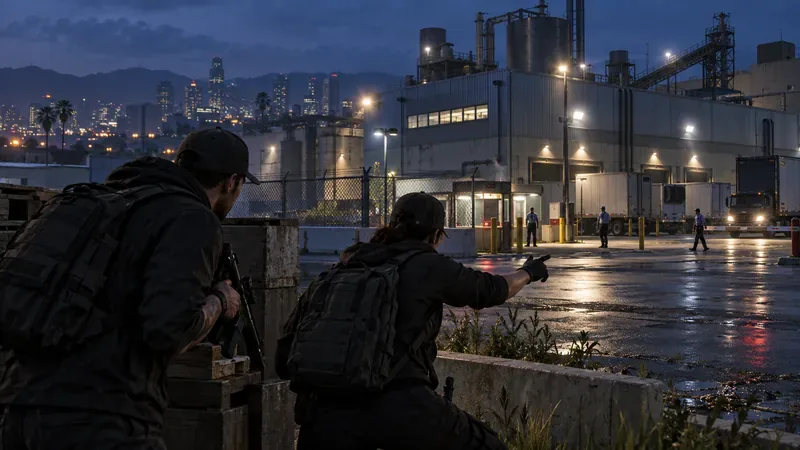
| Mission | Best for | What the host needs |
|---|---|---|
| Cluckin’ Bell Farm Raid | Accessible co-op story missions | Start through Vincent; six missions support 1–4 players |
| Fleeca Job | A classic two-player heist | Rank 12 and a high-end apartment to host |
| Kortz Center Heist | Newer, multi-prep art theft | An owned Mansion with the Art Studio |
| Cayo Perico Heist | Stealth, loot routes, and flexible crew size | Kosatka submarine |
| Diamond Casino Heist | Approach variety and coordinated roles | Arcade |
| The Doomsday Heist | A longer, harder multi-act challenge | Facility |
This is the strongest first recommendation for a pair without a collection of expensive businesses. Rockstar describes the raid as six story missions for one to four players, and the operation begins after Vincent gets in touch. That makes it a natural way to play together without needing to recruit a full lobby. One player can focus on the objective and route while the other watches enemy positions and handles pressure during the escape.
It also remains relevant for grinding: Title Update 1.73 added a weekly completion bonus to the Scene of the Crime finale when the host has not yet completed that finale during the current weekly period. The same update says repeat completions by that host pay less during that week, so check the current reward before you repeat it. See Rockstar’s Cluckin’ Bell announcement and the mission details in the title update notes.
If your search is specifically for a two-player GTA Online heist, Fleeca is the cleanest fit. It splits the work between two roles, so agree in advance who will handle the hacking and who will drive or cover the getaway. It is a useful first heist for learning the planning board, setup-to-finale flow, and payout split before taking on more elaborate jobs.
Hosting has a gate: Rockstar says the leader needs Rank 12 and a high-end apartment. A friend who does not meet those requirements can still join an invitation from a qualified host. Fleeca is also among the finales with the new weekly completion bonus, so an old cash estimate may be out of date. Read Rockstar’s heist access requirements.
Added in July 2026, the Kortz Center Heist sends a crew through a series of preparation missions before a finale involving stolen artwork. Rockstar confirms that it supports one to four players, so a duo can run it without filling the remaining slots. It is a strong pick when both players want a longer planning loop and stealth choices, but it is not the cheap first stop: the host needs an owned Mansion and must purchase its Art Studio to unlock the heist.
For a two-person plan, have one player track the approach and security route while the other handles the immediate objective. Rockstar’s current update notes confirm the property requirement and crew size.
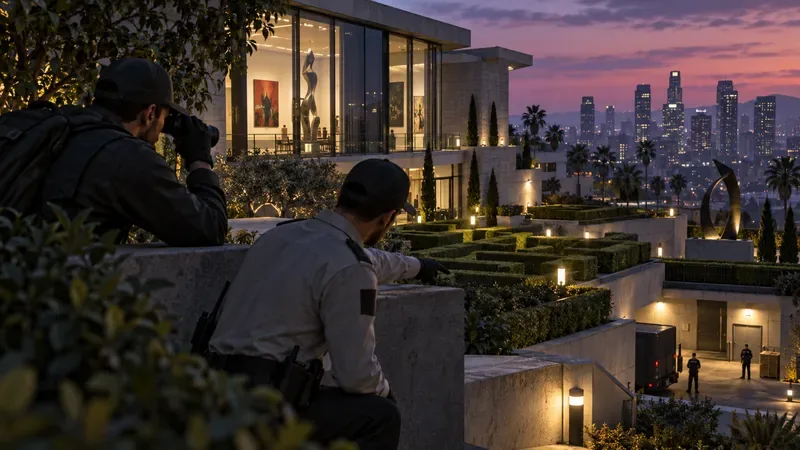
Cayo Perico is playable completely solo, but two people can make different parts of the finale easier. Rockstar’s Cayo Perico guide notes that some areas require two players to access and that each player has a limited loot bag. That makes a partner useful for opening restricted rooms and collecting secondary loot, although the take is divided between the host and crew. The host must own a Kosatka to plan the heist.
Use the prep phase to agree on whether you are prioritizing the primary target, optional loot, or a clean escape. The October 2026 update changed the target values and synchronized the refresh cadence for repeated runs with the weekly cycle, so check the live board rather than assuming the same target will appear on every attempt. See Rockstar’s Cayo Perico tips.

If one of you owns an Arcade, the Casino Heist is a good next step for a duo that likes choosing an approach and dividing specific tasks. The host can invest time in optional prep work, while the pair agrees on who will move through the vault and who will manage the route out. Rockstar’s starter guide says an Arcade is needed to begin planning.
Before the finale, confirm the cut on the planning screen. Rockstar Support says that if the leader does not accept the percentage amount before the timer reaches zero, the payout returns to the default 15% cut. The Casino finale also appears on Update 1.73’s list of activities with a weekly completion bonus. Review Rockstar’s starter tips and the official Casino payout support note.
For a pair that wants a more demanding operation than Fleeca, Doomsday offers three distinct acts and a longer chain of setups and finales. Its Facility requirement makes it a poor first purchase if you only want one evening of co-op, but a good use of the property if you already own it. Rockstar Support says a leader needs a Facility, must register as a VIP, CEO, or MC President, and must pay the setup cost; invited crew members can join without paying that setup cost.
All three Doomsday finales are listed in Update 1.73’s weekly completion-bonus rules, and Rockstar also increased setup-mission rewards for the original and Doomsday heists. Check the Doomsday start requirements before the host commits.
Quick pick: choose Cluckin’ Bell for accessible co-op, Fleeca for a true two-person starter heist, Cayo Perico for stealth and loot, or Kortz Center for the newer, property-gated experience. For every finale, judge the payout shown in-game that week rather than relying on fixed cash figures from older GTA Online guides.
Enable PUBG’s network statistics HUD to monitor ping and packet loss in a match. See where to find it, what the numbers mean, and what they cannot diagnose.
Learn how to import VALORANT crosshair codes, compare presets with manual settings and spectator copy, and fix common import issues.
Choose Dota 2 minimap size, hero icons, team colors, and background settings by readability, fewer misclicks, and clear results on your own display.
Fix Fortnite texture pop-in on PC with official steps for GPU drivers, file verification, DirectX 12, high-resolution textures, VRAM, SSDs, and stutter.
Learn what Heroes of the Storm minimap size and position options are verified, improve readability, and choose camera-click controls that suit you.
Set Super Smash Bros. Ultimate Quickplay to prefer hazards-off stages. Follow the Preferred Rules menu steps and learn why matchmaking may not always honor them.
Enable Server Latency and Packet Loss in Warzone to monitor connection quality, read the overlay, and use recurring spikes to guide troubleshooting.
Learn how to carry from mid lane in League of Legends by setting up waves, choosing safe roam windows, reading side lanes, and converting pressure into objectives.
Fix Minecraft Evoker spell problems with a safe vanilla test, version checks, log review, and a step-by-step way to isolate mod or datapack conflicts.
Fix PUBG stuck on Initializing on Steam with a focused checklist for PC service notices, launch options, game files, downloads, and connection issues.








