How to Check Real-Time Server Latency in the PUBG HUD

Enable PUBG’s network statistics HUD to monitor ping and packet loss in a match. See where to find it, what the numbers mean, and what they cannot diagnose.
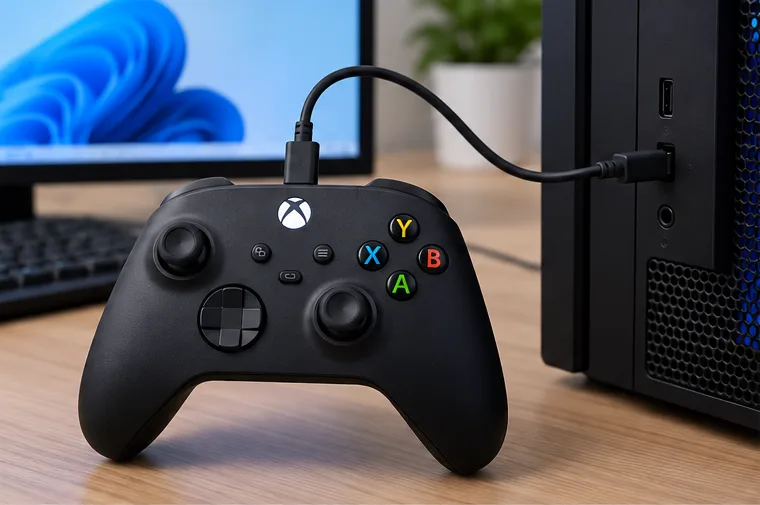
To use an Xbox controller on Steam, connect it to your PC with a data-capable USB cable or pair a Bluetooth-capable model through Windows, then open Steam and launch your game. Most Xbox controllers are recognized by Windows as gamepads, so you can often play without changing any Steam settings. Turn on Steam Input when you want per-game remapping, a community layout, or help with a game that does not handle your controller as expected.
This guide covers wired and wireless connections, Steam Input layouts, Big Picture Mode, and the fixes that address the most common detection and pairing problems. Menu labels can change as Steam and Windows update.
“Xbox controller” covers several generations. Newer Xbox Wireless Controllers support Bluetooth, while some older Xbox One models do not. Xbox 360 wireless controllers use a dedicated receiver rather than Bluetooth. If you are unsure whether your model supports Bluetooth, check its model information or use USB; a controller that lacks Bluetooth will not appear in Windows’ Bluetooth list.
Microsoft’s Xbox controller PC connection guide covers USB, Bluetooth, and Xbox Wireless Adapter options.
USB is a reliable first test because it removes Bluetooth pairing and radio interference from the setup. It is also the quickest way to determine whether the issue is wireless pairing or game configuration.
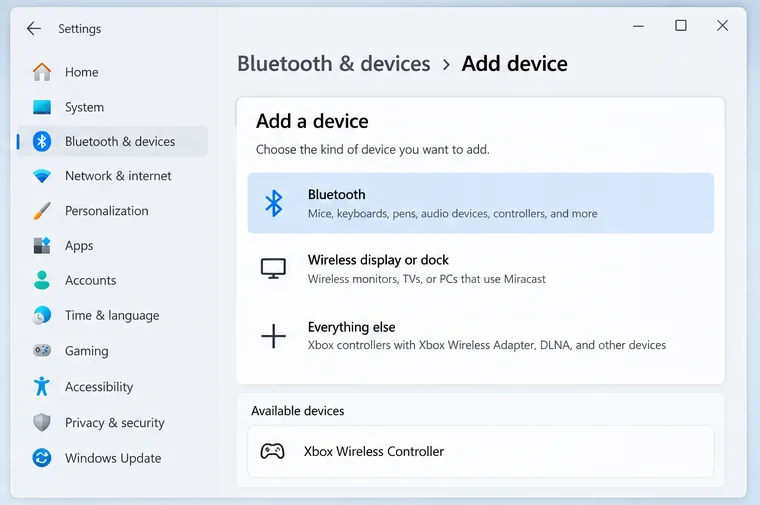
Keep the controller close to the PC during pairing. Microsoft’s Bluetooth setup instructions describe pairing mode and model-specific behavior. If the controller never appears, confirm that your model has Bluetooth; try USB or the Xbox Wireless Adapter for a model that does not.
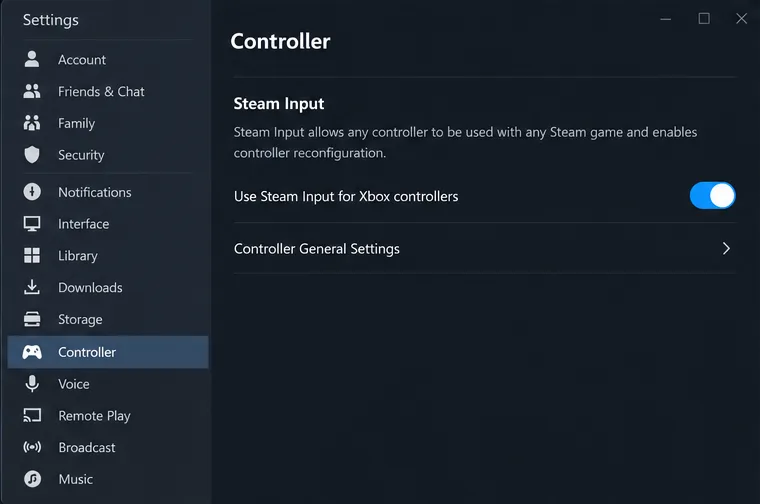
In the Steam desktop client, open Steam > Settings > Controller. Check that the controller appears in the controller area. For basic play, you may not need to change anything: many games read an Xbox controller through standard XInput support.
Steam Input is Steam’s controller configuration layer. It can translate or remap controller inputs for a game, and lets you use per-game or community-created layouts. In Settings > Controller, turn on the Xbox controller Steam Input option if you want those features or if a game needs Steam Input. If a game already works correctly, leave its current/default behavior alone. Steam’s Steam Input overview explains the difference between native action support and legacy remapping.
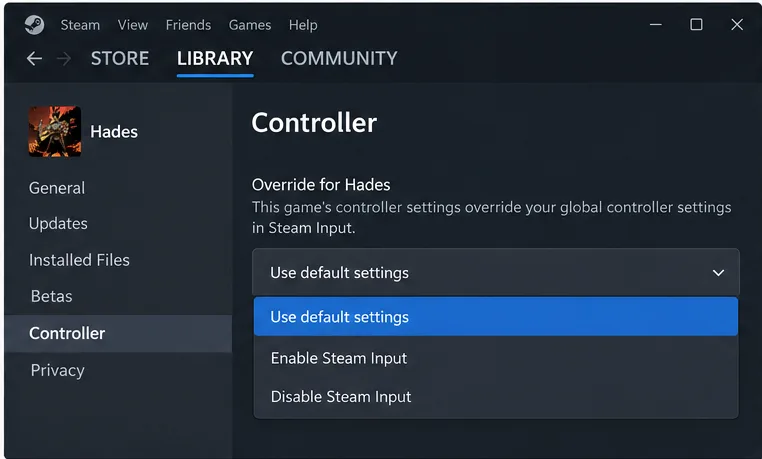
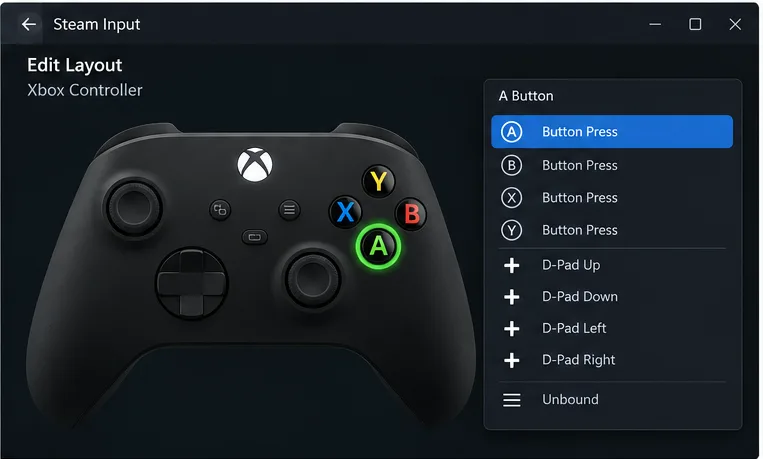
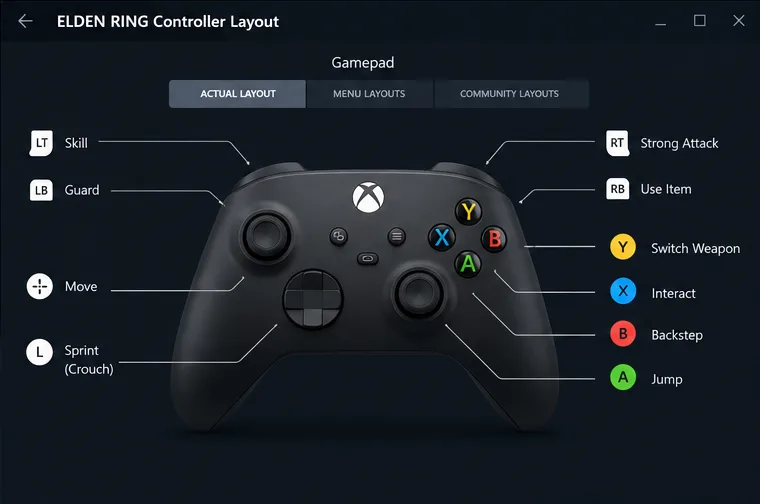
Start with a single game, because a Steam Input change can affect only that title. From the game’s Library page, open its controller settings or layout editor. Depending on the Steam interface version, this may be available from the controller icon, the game’s properties, or its manage menu.
The available actions depend on the game and the layout it supports. Some games expose named in-game actions; other layouts map physical buttons to gamepad, keyboard, or mouse inputs. An Xbox controller does not generally provide gyro aiming, so do not expect gyro controls in a standard Xbox layout.
Steam’s Big Picture Mode presents the Steam library and menus in a full-screen, controller-friendly interface. Open it from the Steam client and navigate with your connected Xbox controller. It changes how you browse Steam, but it does not make an unsupported game controller-compatible. See Steam’s Big Picture controller information for supported controller details.
| Problem | What to try |
|---|---|
| Steam does not detect the controller | Check first whether Windows sees it. Reconnect USB, try a known data cable or another port, or remove and re-pair the Bluetooth device. Restart Steam after Windows has connected the controller. |
| Windows sees it, but the game does not | Confirm the game supports controllers and launch it from Steam. Check the game’s per-title Controller setting; compare its default behavior with Steam Input enabled. |
| Bluetooth pairing fails or drops | Charge the controller, put it back into pairing mode, and remove the old Xbox Wireless Controller entry before pairing again. Update the PC’s Bluetooth driver and reduce nearby wireless or USB interference. If it remains unstable, try USB or the Xbox Wireless Adapter. |
| Buttons register twice or act strangely | Close any third-party controller remapping utility, restart Steam, and test with only one controller connected. Avoid having multiple remappers translate the same physical input. |
| Controls work, but on-screen button icons look different | Button prompts are chosen by the game. A Steam Input layout can change the input a game receives without changing the artwork the game displays. |
| Stick movement drifts | Check the game’s deadzone settings, test the controller in another game, and install any available controller firmware update. If drift remains across games, the controller may need hardware service. |
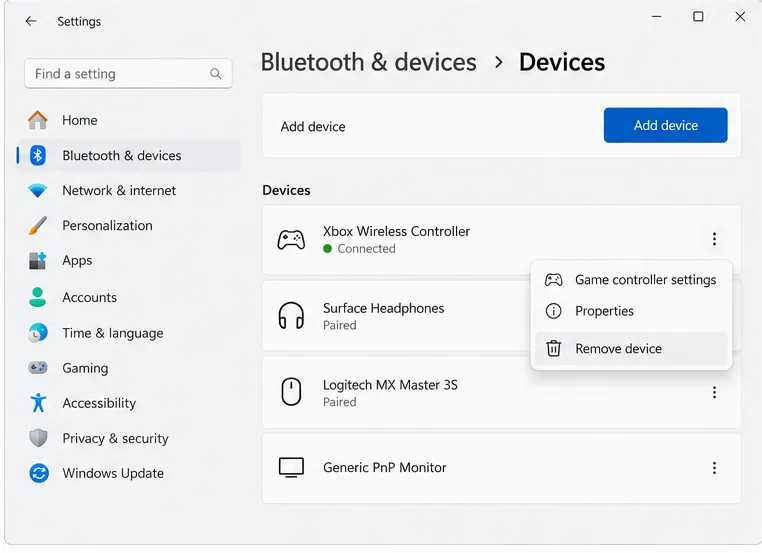
For a Bluetooth device that is already saved in Windows, open Settings > Bluetooth & devices > Devices, choose the controller’s More options menu, and remove it before pairing again. Microsoft’s Windows Bluetooth troubleshooting guide also recommends checking Bluetooth status, device discovery, and drivers.
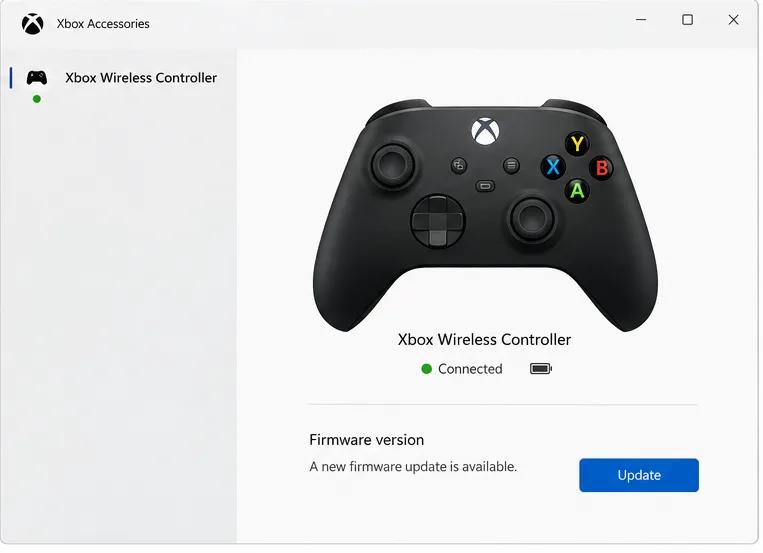
If pairing or game compatibility remains unreliable, check the controller firmware in the Xbox Accessories app. Connect it using USB or the Xbox Wireless Adapter and follow the app’s update prompt; Xbox controller firmware updates are not performed over Bluetooth. Read Microsoft’s Xbox Wireless Controller update instructions.
Not always. Many Steam games can use an Xbox controller directly. Enable Steam Input when you want Steam remapping, a community layout, or a per-game compatibility fix.
Yes, with a compatible Xbox Wireless Adapter. Older controller generations may require the appropriate receiver, so check the model’s documentation before buying or pairing an adapter.
The connection route and controller support depend on the operating system, controller generation, and game. Pair through that system’s device settings or test USB first, then check Steam > Settings > Controller. The Windows menu path in this guide does not apply to macOS or Linux.
That is the practical way to use an Xbox controller on Steam: make the connection at the Windows level, let Steam detect it, and customize only the games that need a different layout.
Enable PUBG’s network statistics HUD to monitor ping and packet loss in a match. See where to find it, what the numbers mean, and what they cannot diagnose.
Learn how to import VALORANT crosshair codes, compare presets with manual settings and spectator copy, and fix common import issues.
Choose Dota 2 minimap size, hero icons, team colors, and background settings by readability, fewer misclicks, and clear results on your own display.
Fix Fortnite texture pop-in on PC with official steps for GPU drivers, file verification, DirectX 12, high-resolution textures, VRAM, SSDs, and stutter.
Learn what Heroes of the Storm minimap size and position options are verified, improve readability, and choose camera-click controls that suit you.
Set Super Smash Bros. Ultimate Quickplay to prefer hazards-off stages. Follow the Preferred Rules menu steps and learn why matchmaking may not always honor them.
Enable Server Latency and Packet Loss in Warzone to monitor connection quality, read the overlay, and use recurring spikes to guide troubleshooting.
Learn how to carry from mid lane in League of Legends by setting up waves, choosing safe roam windows, reading side lanes, and converting pressure into objectives.
Fix Minecraft Evoker spell problems with a safe vanilla test, version checks, log review, and a step-by-step way to isolate mod or datapack conflicts.
Fix PUBG stuck on Initializing on Steam with a focused checklist for PC service notices, launch options, game files, downloads, and connection issues.








