The Honor of Kings Ranking System, Explained (2026)
The Honor of Kings ranking system in the English Global client starts at Bronze and climbs through Silver, Gold, Platinum, Diamond, Master, and Grandmaster. At the top, star milestones use the names Mythic, Epic, and Legend. Ranked progress is tracked with stars and Tier Points, and match performance can affect how much progress you gain or lose. The details below reflect Global Season 16, which began on September 23, 2026. The publisher scheduled the rollout for 00:00–01:00 UTC that day in its official update notice.
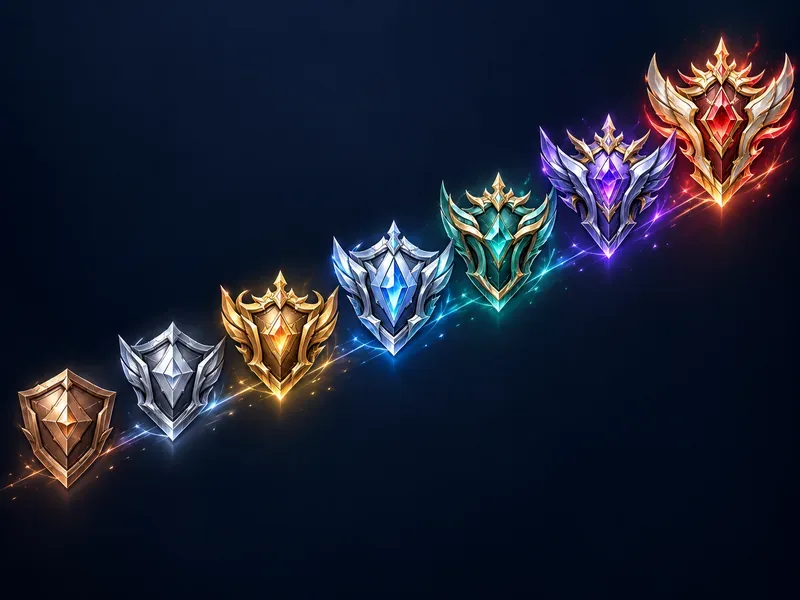
Honor of Kings ranks in order
Each major tier below Grandmaster is divided into smaller divisions. The Roman numeral marks your division within that tier; move toward Division I to reach the next major tier.
| Rank tier | Divisions |
|---|---|
| Bronze | III, II, I |
| Silver | III, II, I |
| Gold | IV, III, II, I |
| Platinum | IV, III, II, I |
| Diamond | V, IV, III, II, I |
| Master | V, IV, III, II, I |
| Grandmaster | Star-based progression |
After Master, ranked play becomes a longer star climb. The current Global ladder uses higher-star labels, including Mythic, Epic, and Legend. That is why older guides that describe “King of Glory” as the top Global rank can be misleading: the official Global Season 16 notes use Grandmaster and the higher-star labels above.
How stars and Tier Points work
A star is the visible marker of rank progress, but a match does not always translate into a simple one-star win or one-star loss. A Global server update introduced a Tier Points system: 100 Tier Points convert into one star, regardless of your current tier, as described in the official June 2025 update. The same update upgraded post-match evaluation so that performance can change the progress awarded. A strong match may add more progress after a win or reduce, and in some cases prevent, star loss after a defeat. Check the results screen after each match to see the actual adjustment.
In practical terms, wins remain the most reliable way to climb, but the result is not always a flat “win = one star, loss = one star lost.” Your Tier Points, the match rating, and the rank boundary all matter. When the progress bar reaches the next division or tier requirement, the game advances your rank. Read the current progress display instead of relying on old guides that describe Bravery Points or a guaranteed promotion match; those rules may refer to earlier versions.

What happens after a loss?
A defeat can reduce your Tier Points and put a star or division at risk. The exact result depends on your progress and the protection rules active in your build. Performance-based adjustments are not a promise that every MVP or high score will save a star. Review the post-match rank panel for the points gained or deducted, and the ranked screen for any protection currently available.
High-star ranks in Global Season 16
The September 2026 Season 16 patch notes describe the upper end through star bands in the seasonal transfer table. The bands show how the game classifies high finishes when it calculates a new season’s starting rank:
| Season 15 finish | Season 16 starting rank |
|---|---|
| Grandmaster, 0–9 stars | Diamond IV |
| Grandmaster, 10–19 stars | Diamond III |
| Grandmaster/Mythic, 20–29 stars | Diamond II |
| Mythic, 30–39 stars | Diamond I |
| Mythic, 40–49 stars | Master V |
| Epic, 50–74 stars | Master IV |
| Epic, 75–99 stars | Master III |
| Legend, 100 or more stars | Master II |
This is a season-transfer table, not a guarantee that future seasons will use the same cutoffs. It also shows why players may see both Grandmaster and Mythic around the 20-star range: the published transfer band is labeled “Grandmaster/Mythic.” For exact promotion labels and your current threshold, follow the rank badge and star counter shown in your live game.

Season resets and ranked rewards
Ranked runs in seasons, and your finish affects where you start after the reset. Season 16 began on September 23, 2026; the official patch notes show that the reset does not return every player to Bronze. Instead, the new starting rank depends on the previous season’s tier and star band. For example, a 0–9-star Grandmaster finish moved to Diamond IV, while a Legend finish at 100 or more stars moved to Master II.
Season 16 also introduced the Rise to Honor system. The official notes list special privilege rewards at 10-, 20-, 30-, 40-, and 50-star Grandmaster milestones. Reward items and eligibility can change by season, so open the in-game ranked or season rewards page before the reset to confirm what your account can claim. Do not assume that a past season’s skin, frame, or currency reward will return unchanged.
How to make your ranked climb steadier
- Track Tier Points after every match. The post-match screen explains why your progress changed, including when performance modifies a win or loss.
- Use a small, flexible hero pool. Learn a few heroes well across your preferred role and a backup role, so you can adapt when the draft changes.
- Play for the match objective. Protecting towers, taking neutral objectives, and helping teammates can matter more than chasing kills, and match evaluation considers overall play.
- Stop when focus drops. A short break after a frustrating loss is usually more useful than queueing while tilted.
- Check season notices before the deadline. Reset mappings and milestone rewards are season-specific. The Season 16 table is a reference for that season, not a permanent rule.
Common questions about the Honor of Kings ranking system
What is the highest Honor of Kings rank?
For the English Global client, the Season 16 transfer table lists Legend at 100 or more stars as the highest named band. The China edition and older articles may use different rank names, so check that a guide matches your game version.
Do wins always give one star?
No. In the Global Tier Points system, 100 points convert to one star. Post-match performance can also increase or reduce the progress associated with a result, so check the rank panel rather than assuming every match changes your stars by exactly one.
Does Honor of Kings reset your rank each season?
Yes. A season reset assigns a new starting rank based on your previous finish. The exact transfer chart changes; Season 16 used the star bands published in its September 2026 patch notes.
How do I unlock Ranked Match?
Ranked unlocks after your account meets the current level and hero requirements. Some older guides quote fixed thresholds such as Level 6 and five heroes, but the current in-game lock message is the reliable guide for your client and server. Select the locked Ranked option to see what your account still needs.
For current rules, read the official Season 16 patch notes and the official Tier Points system update. For notices from later seasons, use the Honor of Kings Global news page.









