🎮 Tired of staring at that endless download bar on your PlayStation? You've got the next big game queued up, but PlayStation storage woes are killing your vibe. The good news? Mastering PlayStation storage management can slash your wait times and get you gaming faster. In this guide, we'll arm you with practical, up-to-date steps to reclaim space and boost faster downloads. Ready to level up? Let's dive in! 👆
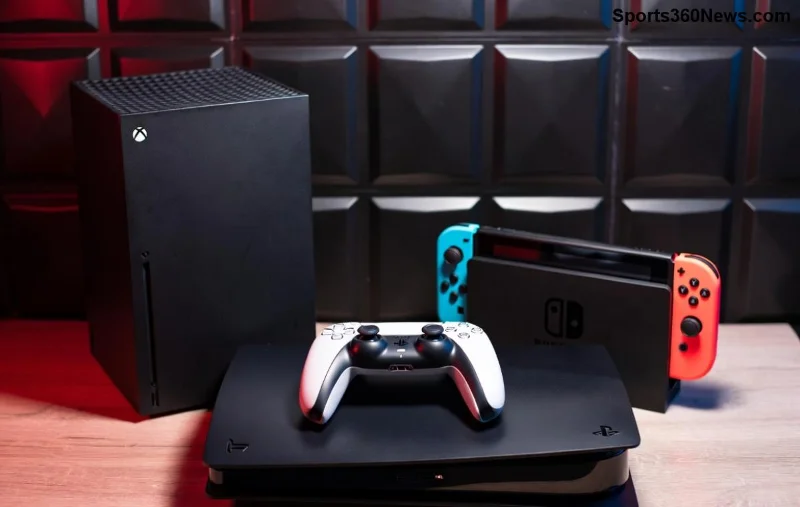
Why Managing PlayStation Storage Unlocks Faster Downloads
Your PS5 thrives on free space. When your internal SSD (around 667GB usable on standard models) fills up, downloads slow to a crawl. Why? The system juggles installs, updates, and caches inefficiently. Keeping at least 20-30% free ensures smooth operations, quicker installs, and even better performance in games.
Pro tip: Full storage triggers automatic pauses or reallocations, turning a 30-minute download into hours. By optimizing now, you'll notice faster PlayStation downloads immediately. But how much space do you really need? Stick around for the exact steps. ⭐
Step 1: Check Your Current PlayStation Storage Status
First things first—know what's hogging your drive. On your PS5:
- Go to Settings > Storage.
- Select Console Storage to see a breakdown: Games & Apps, Captures, and more.
- Sort by size to spot the culprits. 🎯
PS5 Pro users get even more headroom with expanded SSD options, but the process is identical. Screenshot this for before-and-after motivation!
Step 2: Ruthlessly Free Up Space – Delete What You Don't Play
Games are storage vampires. A single AAA title like the latest open-world epic can gobble 100GB+. Here's your battle plan:
- Delete Unplayed Games: Rarely touch that 2018 launch title? Uninstall it. Re-download later via your library—no save data lost.
- Clear Captures: Those epic clips? Move or delete old ones. Go to Settings > Captured Gallery > Delete.
- Remove Unused Apps: Streaming services or demos? Gone in seconds.
Quick win: Aim to free 100GB right away. You'll feel the speed boost on your next update. Next up: Smarter storage solutions. 🚀
| Storage Hog |
Average Size |
Action |
| AAA Games |
80-150GB |
Uninstall & redownload |
| Captures/Clips |
10-50GB |
Upload to cloud or delete |
| Media Apps |
1-5GB |
Reinstall as needed |
| Patches/Updates |
5-20GB |
Delete game to clear |
Advanced Tactics: Leverage External and Cloud Storage
![External USB drive connected to PS5 for expanded storage]()
Don't stop at deletions—expand horizons. PS5 supports USB extended storage for games:
- Format a USB 3.0+ drive (3.5-inch or 2.5-inch HDD/SSD, 250GB min) via Settings > Storage > Extended Storage.
- Move games: Select Games and Apps > Move to Extended Storage.
- Play directly from external—no copying needed for most titles.
For saves, sync to PlayStation Plus Cloud Storage (up to 100GB free for Essential tier). This keeps your internal SSD lean for faster downloads.
Bonus: SSD external drives outperform HDDs for load times. Invest in one under $100 for massive gains! 😎
Optimize Settings for Peak Performance and Speed
Beyond space, tweak for efficiency:
- Auto-Install Updates: Enable in Settings > Saved Data and Game/App Settings to avoid bulk downloads.
- Power Save Downloads: Download in rest mode for non-peak speeds.
- Clear Cache: Settings > Storage > Clear Cache (safe, quick reset).
- Disable Auto-Uploads: Pause share features during downloads.
These tweaks compound: Free space + smart settings = downloads flying at max bandwidth. But wait—there's more for ultimate speed. 👇
Pro Tips: Maximize Faster PlayStation Downloads Beyond Storage
Storage is king, but pair it with these:
- Use Wired Ethernet: Ditch Wi-Fi for 2-5x speeds.
- Download During Off-Peak: Early mornings or late nights crush queues.
- PS Plus Benefits: Premium downloads pre-installed faster.
- Monitor Network: Close bandwidth hogs like other devices.
Real-world result? Users report 50-70% faster installs post-optimization. Test it yourself!
Common Pitfalls to Avoid in PS5 Storage Management
❌ Don't delete saves—always cloud backup first.
❌ Skip cheap, slow externals—stick to certified speeds.
❌ Ignore updates—they bloat space over time.
Avoid these, and your setup stays flawless. Feeling pumped? Wrap it up with our final checklist. 🏆
Quick-Start Checklist: Your Path to Faster Downloads
| Task |
Time |
Space Saved |
| Check Storage |
1 min |
N/A |
| Delete 5+ Games |
5 min |
200GB+ |
| Setup External |
10 min |
Unlimited |
| Cloud Sync |
2 min |
10-50GB |
| Tweak Settings |
3 min |
N/A |
Game On: Reclaim Your PlayStation Glory
Congrats, gamer! You've got the blueprint to manage PlayStation storage like a pro, unlocking faster PlayStation downloads and endless playtime. Implement these today—your next raid or race awaits without the wait. Share your wins in the comments and keep the momentum going. What's your biggest storage saver? 🎉
For official details, check PlayStation Support.