How to Import Custom Crosshair Codes in VALORANT: Steps, Options, and Fixes

Learn how to import VALORANT crosshair codes, compare presets with manual settings and spectator copy, and fix common import issues.
If PSN is down, you can still play many downloaded single-player games on a PS5 or PS4, provided the title supports offline play and the console is already set up to use its license offline. On PS5, check Console Sharing and Offline Play; on PS4, activate the console as your Primary PS4. Install and update the game before an outage. Online-only games, multiplayer servers, cloud streaming, and other server-dependent features will remain unavailable.
You do not need a universal “offline mode” switch, and unplugging your console from the internet will not make an online-only game work. A PSN outage can affect PlayStation services while your home internet is still working. Check the official PlayStation Network status page to see which services are affected.
Offline access depends on the specific game, the type of license, and whether its required files are installed. A “single-player” label is a useful clue, but it does not guarantee that every feature or even the first launch works without a connection. Check the game’s PlayStation Store listing, package, and publisher support page for online requirements.
| Game or access type | What to expect during an outage |
|---|---|
| Purchased digital game with a solo mode | Often playable after it is downloaded and the console is configured for offline access; title-specific checks can still apply. |
| Disc-based game | Often playable if the game is installed, the disc is inserted, and the title does not require an online connection. |
| Online-only or live-service game | Usually unavailable when its servers or account services cannot be reached. |
| PlayStation Plus or streamed game | A downloaded game may depend on an active subscription and the applicable license. Cloud streaming requires a connection; don’t count on renewing or validating access during an outage. |
PlayStation Plus does not turn an online-only game into an offline game. Sony says selected Plus benefits can be shared through the PS5 console-sharing setting or a primary PS4, but subscription access and each game’s requirements still apply. See Sony’s PlayStation Plus sharing guide.
If the outage has already started and you never enabled offline access, you may not be able to change account or license settings until PlayStation services return. Prepare while online: sign in to the account that owns the game, finish its download and updates, and launch it once so any initial setup can complete. Download needed add-ons too. Keep enough free storage for the game and its updates.
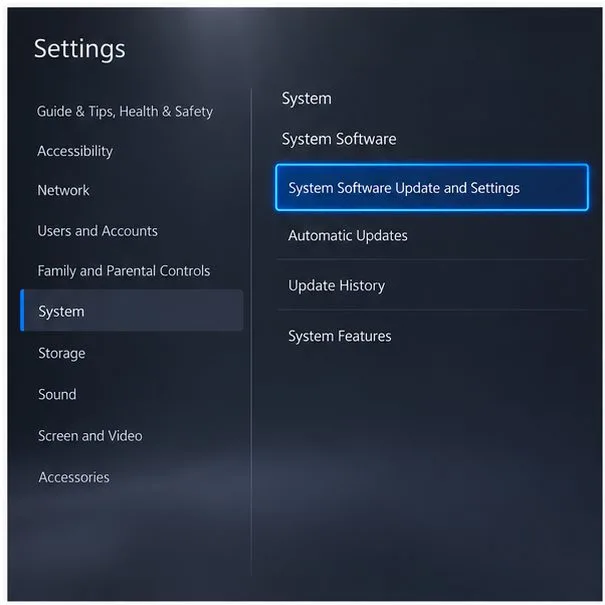
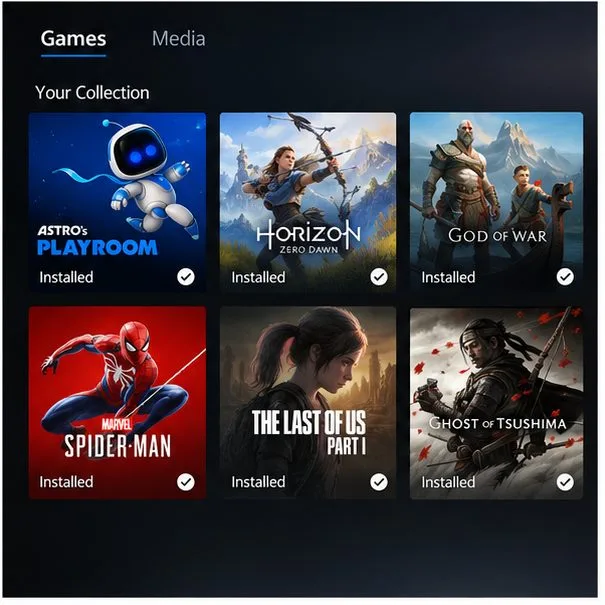
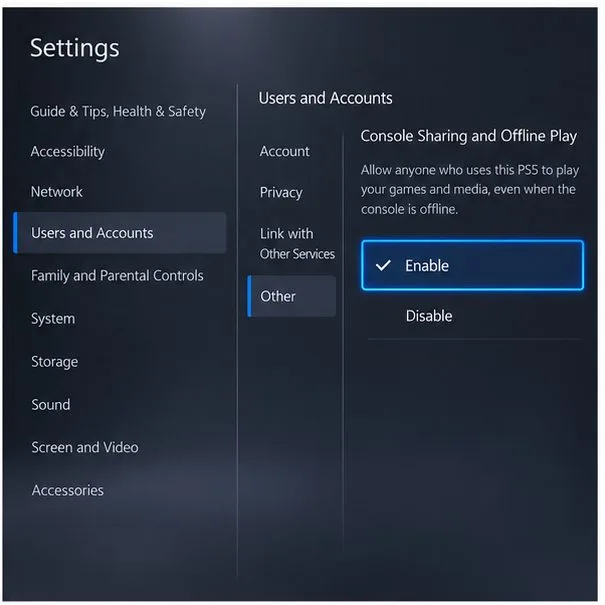
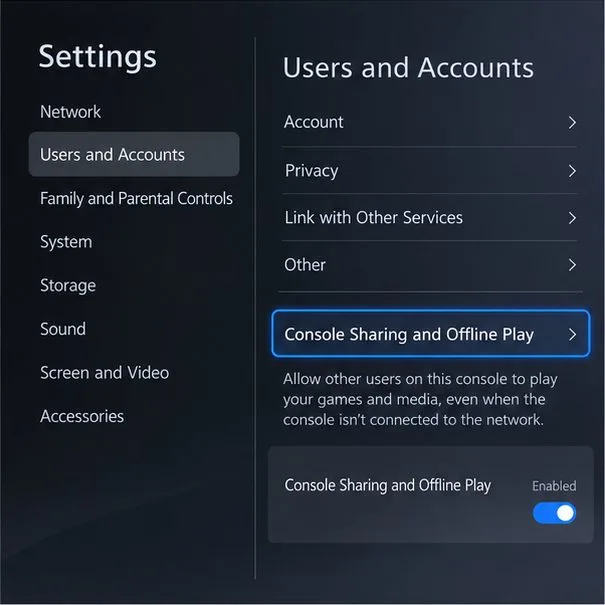
On the PS5 you plan to use, open Settings > Users and Accounts > Other > Console Sharing and Offline Play, then choose Enable. Sony notes that this setting is automatically allowed on the first PS5 used to sign in to PlayStation, so check its status even if you do not remember turning it on. It can be enabled on one PS5 at a time for your account.
This setting allows users of that console to play your purchased and downloaded games while it is offline. If you change to another PS5, sort out the activation while you can reach the account and console services; changing it during an outage may fail. Follow Sony’s current PS5 Console Sharing and Offline Play instructions.
On the PS4, go to Settings > Account Management > Activate as Your Primary PlayStation 4, then select Activate. Each account can have one primary PS4. If another PS4 is already activated, change the setting while you are online. Sony permits one activated PS5 and one primary PS4 on the same account; the PS5 and PS4 settings are separate.
Primary activation is especially important when other profiles on that PS4 need to use games owned by your account. See Sony’s primary PS4 activation guide.
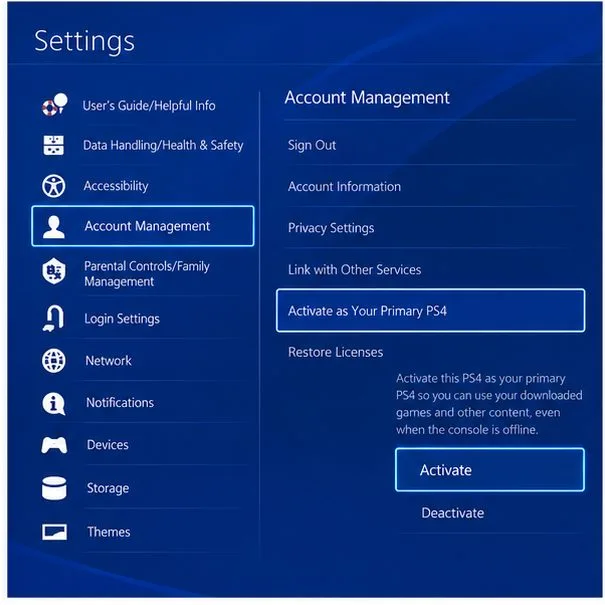
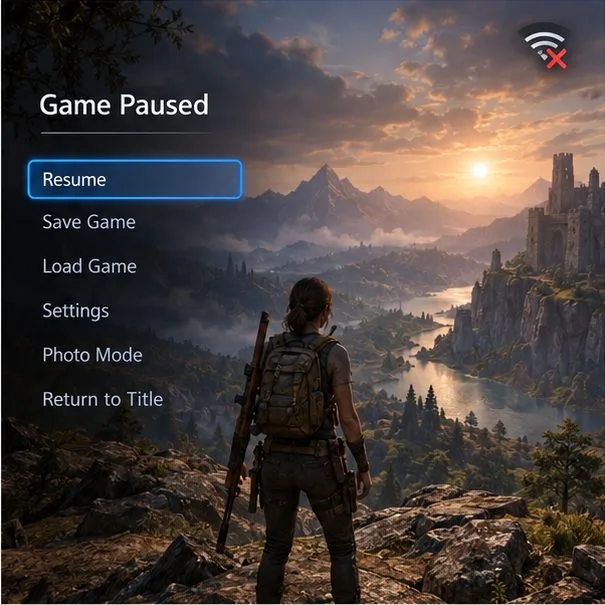
Open a game that is already installed and choose its offline or solo mode. Leave the console connected to your home network if your internet still works; an outage limited to PSN does not require you to disable Wi-Fi. If the internet itself is down, local gameplay can still work, but store downloads, multiplayer, cloud features, and server-based authentication cannot.
For a disc game, insert the disc and keep it in the drive while playing. On either console, local saves can continue to record progress, but cloud syncing and online trophy features may wait until the connection returns. Some games require servers for their menus, campaign, or first-time setup, so a disc or single-player label is not a universal guarantee.
If a digital game shows a padlock or refuses to start, first confirm you are signed in to the account that purchased it. If another household member owns it, confirm their sharing or primary-console setting is active. For a PlayStation Plus title, check that the membership is active and the game remains available under that membership.
When PlayStation services are back, try restoring the license. On PS5, go to Settings > Users and Accounts > Other > Restore Licenses. On PS4, go to Settings > Account Management > Restore Licenses. Sony says restoring licenses does not affect saved data. During a confirmed outage, wait rather than repeatedly changing activations or deleting and reinstalling the game; those actions may need account or download services and will not fix a server-dependent title.
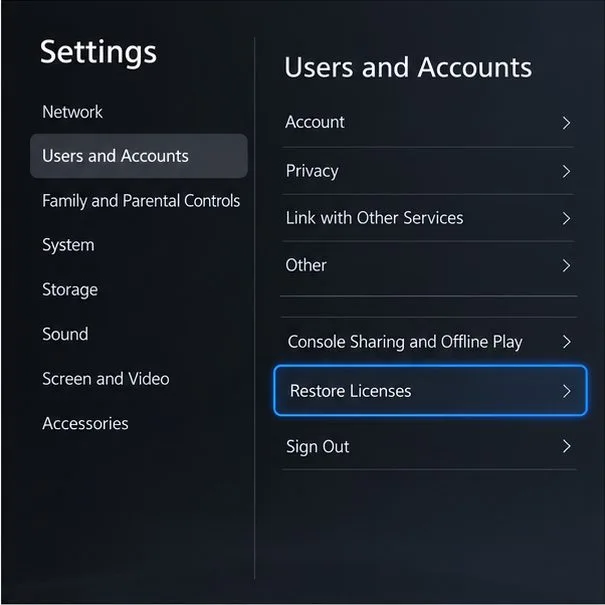
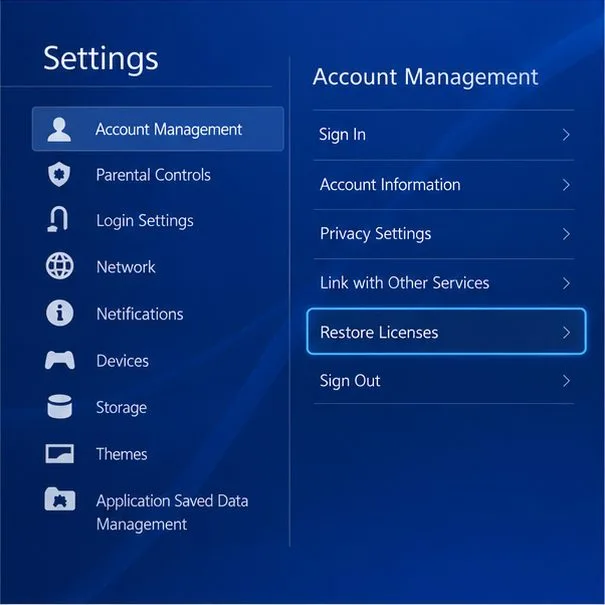
If the game remains locked after the service is restored, use Sony’s PS5 and PS4 license-restoration steps and game launch troubleshooting guide. The practical offline checklist is simple: install and test the game ahead of time, enable the correct console setting, and choose a title whose solo mode does not depend on an online service.
Learn how to import VALORANT crosshair codes, compare presets with manual settings and spectator copy, and fix common import issues.
Choose Dota 2 minimap size, hero icons, team colors, and background settings by readability, fewer misclicks, and clear results on your own display.
Fix Fortnite texture pop-in on PC with official steps for GPU drivers, file verification, DirectX 12, high-resolution textures, VRAM, SSDs, and stutter.
Learn what Heroes of the Storm minimap size and position options are verified, improve readability, and choose camera-click controls that suit you.
Set Super Smash Bros. Ultimate Quickplay to prefer hazards-off stages. Follow the Preferred Rules menu steps and learn why matchmaking may not always honor them.
Enable Server Latency and Packet Loss in Warzone to monitor connection quality, read the overlay, and use recurring spikes to guide troubleshooting.
Learn how to carry from mid lane in League of Legends by setting up waves, choosing safe roam windows, reading side lanes, and converting pressure into objectives.
Fix Minecraft Evoker spell problems with a safe vanilla test, version checks, log review, and a step-by-step way to isolate mod or datapack conflicts.
Fix PUBG stuck on Initializing on Steam with a focused checklist for PC service notices, launch options, game files, downloads, and connection issues.
Fix Brawl Stars stuck at 92% loading with an ordered checklist for service notices, network tests, safe updates, Android cache, and account-safe reinstalling.








