Nothing stings quite like firing up your PS5 or PS4, only to hit a wall with a PlayStation Network outage. Those loading screens that never load? We've all been there, controller in hand, staring at the dreaded error message. But fear not, fellow gamer! A PSN outage isn't the end of your session—it's a golden opportunity to dive into offline adventures, level up your setup, or bond with friends IRL. This guide packs what to do when PSN is down with practical, mood-boosting tips to turn frustration into fun. Let's keep those thumbs twitching! 😎

👉 Step 1: Verify It's a Widespread PSN Outage
Before troubleshooting your setup, confirm if it's you or everyone. Head to the official PlayStation Network Status page. It shows real-time updates on services like account management, gaming, and PlayStation Store.
- 🔍 Green: All good—check your internet.
- 🟡 Yellow: Partial issues.
- 🔴 Red: Full PSN outage. Sit tight!
Pro tip: Follow @AskPlayStation on X (formerly Twitter) for instant alerts. Knowing it's not just you eases the salt and lets you pivot to Plan B. ⭐
🎮 Dive into Single-Player Masterpieces
The best silver lining of any PlayStation Network outage? Your library of offline gems shines brighter than ever. Dust off these no-internet-needed titles and lose yourself in epic stories.
| Game | Why It's Perfect Offline | PlayStation Exclusive Perk |
|---|---|---|
| The Last of Us Part II | Gripping narrative, no multiplayer needed | Remastered visuals on PS5 |
| God of War Ragnarök | Mythic action-adventure | Haptic feedback magic |
| Spider-Man 2 | Open-world swinging bliss | PS5 ray-tracing |
| Horizon Forbidden West | Stunning robo-dino hunts | Ultra-high settings |
| Elden Ring | Souls-like exploration (offline mode) | Seamless world-building |
Enable offline play in settings: Go to Settings > Users and Accounts > Other > Console Sharing and Offline Play. Boom—your digital hoard is ready. These picks aren't just time-killers; they're therapy for PSN down blues. Which one's your go-to? Keep reading for more! 🚀
👥 Fire Up Local Multiplayer Mayhem
Grab a buddy (or family) and turn your couch into a battleground. PSN outage? No problem for split-screen legends:
- It Takes Two: Co-op puzzle gold—pass a controller!
- Sackboy: A Big Adventure: Platforming party for all ages.
- FIFA/EA FC or Madden: Local matches beat online lag anyway.
- Street Fighter 6: Arcade fights, no net required.
It's not just gaming—it's bonding. Laugh off those cheap kills and create memories that outlast any server hiccup. 😄
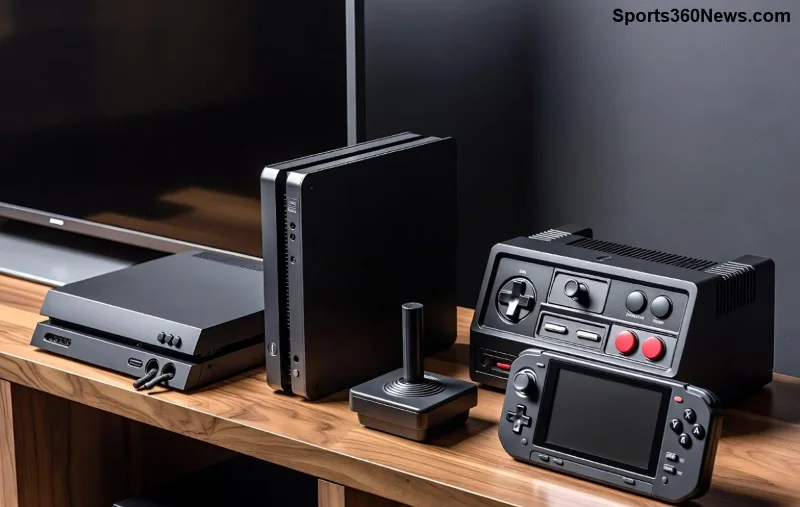
🧹 Level Up Your Gaming Setup
Use downtime productively. A PlayStation Network outage is prime time for maintenance that pays off big when servers return.
- 🧼 Clean your console: Compressed air for vents—prevents overheating.
- 📂 Organize games: Delete unplayed titles, rebuild database (Safe Mode option 5).
- 🎧 Test peripherals: Update controllers via USB if needed.
- 💾 Backup saves: USB drive to the rescue (Settings > System > Back Up and Restore).
Feeling fancy? Customize your home screen with themes or folders. Your rig will purr like new. 👌
📱 Join the Offline Gaming Community
Gamers unite! While PSN is down, forums buzz with shared vibes.
- Reddit's r/PlayStation or r/PS5: Meme the outage, share offline recs.
- Discord servers: Voice chat strategies for single-player bosses.
- TikTok/YouTube: Search "PSN outage offline challenges" for laughs.
Turn solo frustration into collective hype. Pro gamers drop clutch tips there too. Stay connected off-network! 🌐
🌟 Explore Non-PlayStation Options
Broaden horizons without betraying Sony. A PSN outage is your cue to:
- 🔥 PC Gaming: Steam offline mode for backlog busters.
- 📺 Nintendo Switch: Portable single-player heaven.
- 🎲 Board Games: Monopoly or Cards Against Humanity with squad.
- 📖 Gaming Books/Podcasts: Dive into lore via Audible or PDFs.
It's a mini-vacation that reignites your PlayStation passion. Return fresher! ✈️
⚙️ Troubleshoot Like a Pro (Just in Case)
Not a full outage? Quick fixes for what to do when PSN is down on your end:
| Issue | Fix |
|---|---|
| Connection drops | Restart router, change DNS to 8.8.8.8 |
| NAT Type error | Enable UPnP or port forward |
| Slow speeds | Wired Ethernet over Wi-Fi |
Test via Settings > Network > Test Internet Connection. 90% of "outages" are local gremlins. 🛠️
📈 Prepare for Future PSN Outages
Be outage-proof:
- ⭐ Download big updates pre-emptively.
- 📱 Install PS Remote Play app for phone streaming (when up).
- 💳 Keep extra storage: External SSD for 100+ games offline.
- 🔔 Enable notifications on the status page.
Sony's network is robust, but glitches happen—like recent spikes from high-traffic events. Stay ahead! 💪
😢 When It's Time to Chill (Non-Gaming Wins)
Sometimes, log off entirely. Binge Netflix (PS app works offline), hit the gym, or cook that epic meal. Balance restores gaming zen. A PlayStation Network outage reminds us: life's more than pixels. But don't worry—we'll be back online soon! 🌈
🚀 Final Boss: Make the Most of It
A PSN outage tests true gamers, but with these tips, you'll emerge victorious. From offline epics to setup glow-ups, what to do when PSN is down just got leveled up. Bookmark this, share with your crew, and drop a comment: What's your ultimate offline game? Servers will rise again—keep the fire lit! 🎉



