Nothing kills the vibe like your PS5 shutting down due to heat right when you're dominating in your favorite game. 😤 We've all been there—frantic button-mashing turns to frustration as the screen goes black. But don't toss your controller yet! This guide delivers straightforward troubleshooting for PS5 heat issues, backed by the latest console insights. Follow these steps to diagnose, fix, and prevent PS5 overheating, so you can game marathon-style without interruptions. Let's dive in and get your rig roaring back to life! 🚀

Why Is Your PS5 Shutting Down Due to Heat? Common Culprits ⭐
Understanding the root causes of PS5 shutting down due to heat issues is your first power-up. The PS5's powerful hardware generates serious heat, especially during intense sessions. Here's what typically triggers automatic shutdowns to protect internals:
- Dust Buildup: The #1 villain. Dust clogs vents, blocking airflow. After months of play, it turns your console into a toaster. 🛑
- Poor Ventilation: Cramming it in a tight cabinet or on carpet? Instant heat trap.
- High Room Temps: Gaming in a stuffy room above 80°F (27°C) amps up internal stress.
- Heavy Workloads: 4K ray-tracing games like Spider-Man 2 or God of War Ragnarök push the CPU/GPU to limits.
- Faulty Fans or Paste: Rare, but degraded thermal paste or fan issues in older units can spike temps.
Pro tip: PS5 Slim models run 20-30% cooler than originals thanks to refined cooling, but all variants need TLC. Spot symptoms like loud fans, warning pop-ups, or random freezes? Time to troubleshoot! 👇
Step-by-Step Troubleshooting: Fix PS5 Overheating Now! 🔧
Grab a screwdriver and let's troubleshoot PS5 heat issues systematically. Start simple—no need for a tech degree. Power off, unplug, and work safely to avoid static damage.
- 1️⃣ Improve Ventilation Immediately
Relocate your PS5 to an open space: vertical stand on hard surface, at least 4 inches clearance on all sides. Avoid enclosed shelves. Test run a demanding game—temps should drop 10-15°C. Quick win for 80% of cases! - 2️⃣ Clean the Vents and Fans
Use compressed air (canned air from Amazon). Hold PS5 horizontal, blast vents gently for 2-3 minutes. Never vacuum—static risk! For deep clean, remove side panels (screws on bottom). Repeat monthly. PS5 shutting down due to heat? Dust is often guilty. - 3️⃣ Check and Update System Software
Boot to Safe Mode (hold power button 7 seconds). Select "Update System Software." Latest firmware optimizes fan curves for better cooling. Also, rebuild database to fix glitches. - 4️⃣ Monitor Temperatures
Download free tools like PS5 telemetry apps or use in-game overlays. Normal idle: 40-50°C; load: under 85°C. Over 90°C? Escalate. - 5️⃣ Test in Cooler Conditions
Run in an air-conditioned room. Use a desk fan aimed at vents for temporary relief. If it persists, suspect hardware.

Quick Reference: Symptoms vs. Fixes Table 📊
For at-a-glance PS5 overheating fix mastery, here's a handy table:
| Symptom | Likely Cause | Fix Priority |
|---|---|---|
| Sudden shutdowns during play | Dust/vent blockage | 🟢 High (Clean now!) |
| Loud fan noise + heat | Poor airflow | 🟡 Medium (Reposition) |
| Overheat warning on screen | Software glitch | 🟢 High (Update firmware) |
| Consistent high temps >90°C | Hardware fault | 🔴 Low (RMA needed) |
Stuck? Official PlayStation support confirms these steps resolve most cases without warranty voiding.
Advanced Fixes and Prevention: Game Strong Forever! 💪
Once fixed, lock in wins with these PS5 cooling tips:
- Vertical Stand + Base: Official Sony stand promotes airflow. Add rubber feet for stability.
- Third-Party Coolers: Clip-on fans like Noctua or PS5-specific coolers boost exhaust by 20%. Check compatibility!
- Thermal Paste Refresh: For pros—disassemble and reapply high-quality paste (e.g., Arctic MX-6). Voids warranty, so DIY at own risk.
- Game Habits: Limit 8+ hour sessions; pause for 10-min cool-downs. Enable Rest Mode fans.
- Room Setup: AC to 72°F (22°C), away from radiators. Dust weekly with microfiber.
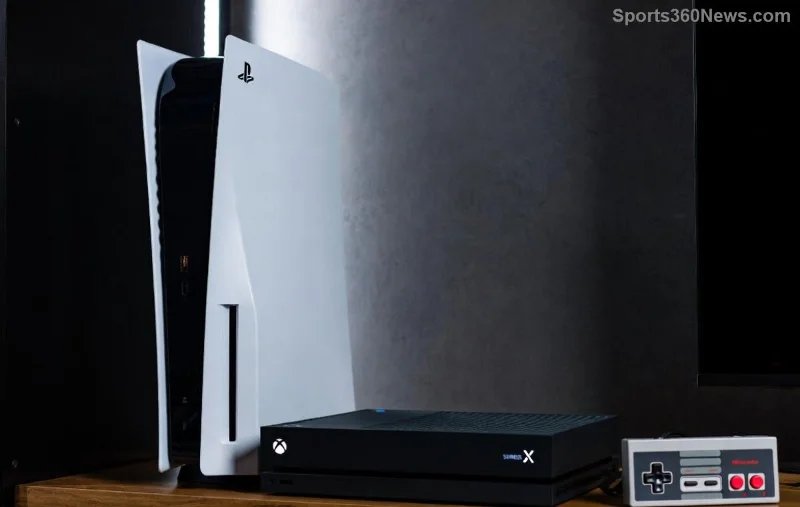
Bonus: PS5 Pro rumors hint at even better liquid metal cooling, but your current beast can thrive with these tweaks. Track progress with apps—watch temps plummet! 📉
When to Call in the Pros (or Sony) ⚠️
If troubleshooting fails after full clean/update, it might be a defective fan or power supply. Contact Sony Support for RMA—still under warranty? Free fix! Describe "PS5 shutting down due to heat" exactly for fast triage. 👍
Your PS5 is built tough, but heat hates fun. Apply these steps, and you'll be back to epic wins. Share your fix stories in comments—what saved your setup? Game on, legends! 🎉









