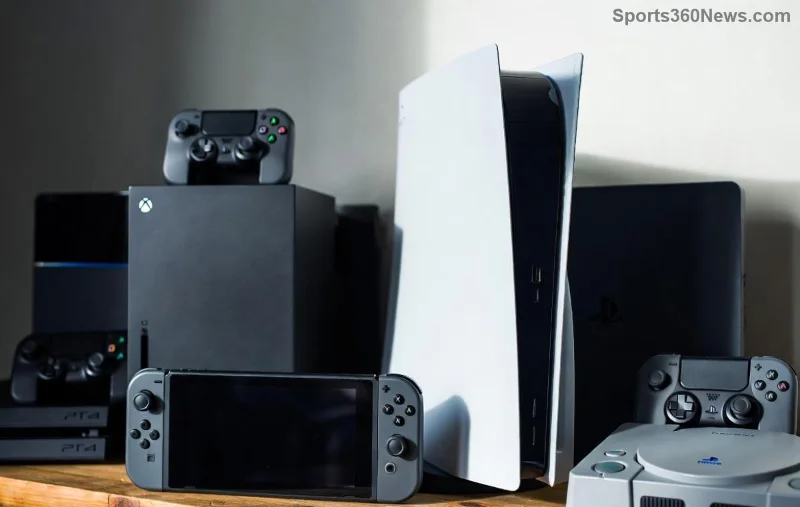
Hey, fellow gamer! 😎 Nothing kills the vibe like your PS5 choking on dust, leading to loud fans, throttling, and those dreaded crashes mid-boss fight. But fear not – you can clean dust out of your PS5 without opening it safely and effectively. This guide keeps your console pristine, boosts performance, and lets you dive back into games like God of War Ragnarök or Call of Duty without downtime. Ready to reclaim your gaming throne? Let's blast that dust away! 👊
Why Dust Builds Up on Your PS5 (And Why You Must Act Now)
Your PS5 is a dust magnet thanks to its powerful fans sucking in air through vents. Over time, this clogs the cooling system, causing:
- 🔥 Overheating and thermal throttling
- 📢 Noisy fans screaming like a horror game
- ⚠️ Random shutdowns or reduced FPS
- 📉 Shorter console lifespan
Cleaning without disassembly is Sony-recommended for warranty safety. Pro tip: Do this every 3-6 months, depending on your setup (carpeted rooms = dust hell). Feel the difference – smoother gameplay awaits! 🚀
Gear Up: Essential Tools for PS5 Dust Cleaning Without Opening
No fancy gadgets required. Here's your starter kit in a handy table:
| 🛠️ Tool |
Why It's Essential |
Where to Get It |
| Compressed air can (e.g., Dust-Off) |
Main weapon for blasting vents |
Amazon or electronics stores (~$5-10) |
| Microfiber cloth |
Gentle exterior wipe-down |
Any store (~$2) |
| Soft brush (paintbrush or anti-static) |
Loosens stubborn dust |
Household or online (~$3) |
| Isopropyl alcohol (70%) |
Safe for plastic smudges |
Pharmacy (~$4) |
Budget total: Under $25. You're set for multiple cleans! ⭐
Step-by-Step: How to Clean Dust Out of Your PS5 Without Opening It
Power off your PS5 completely, unplug all cables, and work in a well-ventilated area. Time: 15-30 minutes. Follow these steps religiously for max results.
- 1️⃣ Prep and Position
Place your PS5 upright (vertical stand if using) on a flat, dust-free surface. Remove the dust cover if attached. Why upright? Vents align perfectly for airflow. Pro gamer move: Do this outdoors or near a window for easy dust escape.
- 2️⃣ Exterior Wipe-Down
Dampen (not soak!) your microfiber cloth with isopropyl alcohol. Gently wipe the top, sides, and bottom. Avoid buttons and ports – no liquids inside! This removes greasy fingerprints that trap more dust. ✨ Your console will gleam like new.
![Close-up of PS5 vents being cleaned with compressed air]()
- 3️⃣ Vacuum Loose Dust (Optional but Smart)
Use a brush attachment on low-suction vacuum. Hover (don't touch!) over vents to suck away surface fluff. Warning: Never use regular vacuum – static zap risk! 😱
- 4️⃣ Blast the Vents with Compressed Air – The Magic Step
This is where the dust flies! 👉
- Hold can upright, nozzle at 45° angle.
- Short bursts (2-3 seconds) into side/top vents. Rotate console for all angles.
- Front USB/ports: Quick puff, no deep probe.
- Back exhaust: Biggest dust hub – blast firmly!
Tip: Shake can between bursts. Hear the whoosh? Dust is surrendering!
- 5️⃣ Brush and Repeat
Use soft brush to dislodge clumps, then re-blast with air. Patience pays – multiple passes = deeper clean.
- 6️⃣ Final Check and Reassemble
Let dry 5-10 mins. Wipe once more, plug in, and test. Fans quieter? Temps lower? Victory! 🎉
![Sparkling clean PS5 after dust removal]()
Pro Tips to Keep Your PS5 Dust-Free Longer
Don't stop at one clean – level up your maintenance:
- 👉 Elevate your PS5 4-6 inches off surfaces with feet or stand for better airflow.
- ⭐ Place away from carpets, pets, or smoking areas.
- 😊 Use dust filters (third-party, ~$10 on Amazon) on intakes.
- 📡 Monitor temps with free apps like Sony's PS5 health checks.
Bonus: Vertical orientation reduces dust intake by 20-30% per user reports. Game on cooler!
Common Mistakes to Avoid When Cleaning PS5 Dust
| ❌ Mistake |
Why It's Bad |
Fix It |
| Tilting compressed air can |
Leaks liquid, damages internals |
Always upright! |
| High-suction vacuum direct contact |
Static electricity fries components |
Hover only |
| Cleaning while powered on |
Shock or short-circuit risk |
Unplug first |
| Skipping exterior clean |
Dust returns faster |
Wipe every time |
The Payoff: Why Gamers Love This Dust-Cleaning Hack
Post-clean, expect 10-20°C cooler temps, whisper-quiet fans, and buttery-smooth 120FPS gaming. One reader shared: "My PS5 went from jet engine to library – back to Elden Ring marathons!" Your turn to feel that rush. Still lagging? Deep clean every quarter or check vents monthly.
Got questions? Drop in comments below – let's keep our PS5s epic. Share this guide with your squad and thumbs up if it saved your session! 👍 Ready for more? Check our PS5 optimization tips next. Game harder! 🎮