How to Import Custom Crosshair Codes in VALORANT: Steps, Options, and Fixes

Learn how to import VALORANT crosshair codes, compare presets with manual settings and spectator copy, and fix common import issues.
If your PS5 controller battery drains quickly or the controller shuts off soon after unplugging, first rule out a charging cable or USB port problem. If the battery still cannot hold a charge, replacing it may help—but the correct battery and opening steps depend on the DualSense revision. Check your exact model before ordering or opening the controller.
This guide covers the standard DualSense wireless controller, not the DualSense Edge. The repair is a careful electronics task, not a guaranteed “in minutes” fix. Sony’s instruction manual warns against disassembling the controller unless the manual authorizes it and says unauthorized modification can affect the manufacturer’s guarantee. Check your warranty and local repair options first.
Connect the controller to the PS5 with the included cable, or another cable that supports charging and data. Try a different console USB port as well. Sony notes that charge-only cables and some USB chargers may not work with the DualSense. Press the PS button, open Control Center > Accessories, and check whether the battery icon animates while charging and reaches three bars.
If charging still behaves strangely, reset the controller before opening it: turn off the PS5, disconnect the controller, press and hold the small reset button in the hole on the back for at least five seconds, then connect it to the console with a USB cable and press the PS button. Follow Sony’s DualSense troubleshooting instructions. A damaged USB-C port or charging circuit can mimic a worn battery, so a battery swap is not a guaranteed fix.
Sony has released several standard DualSense internal revisions. Repair references identify boards such as BDM-010, BDM-020, BDM-030, BDM-040, and BDM-050; the case-opening sequence and battery connection can differ. Use the serial/model information on the controller and a version-identification reference to select the correct repair guide. If the revision is still unclear, stop before ordering.
Buy a DualSense battery replacement specifically listed for your controller revision. Compare the replacement’s connector, cable orientation, physical dimensions, voltage, and battery part number with the pack specified by a trusted guide or the original label. Do not choose a pack only because a listing says “PS5 battery” or advertises a larger mAh number. A connector that looks close can still be incompatible.
For a typical repair, set out a small Phillips precision screwdriver, a plastic opening pick or spudger, tweezers, and a tray or mat to keep screws in order. The exact driver and disassembly sequence depend on the controller version, so use the matching guide before removing any screw or trim. Avoid metal tools against the shell and board.
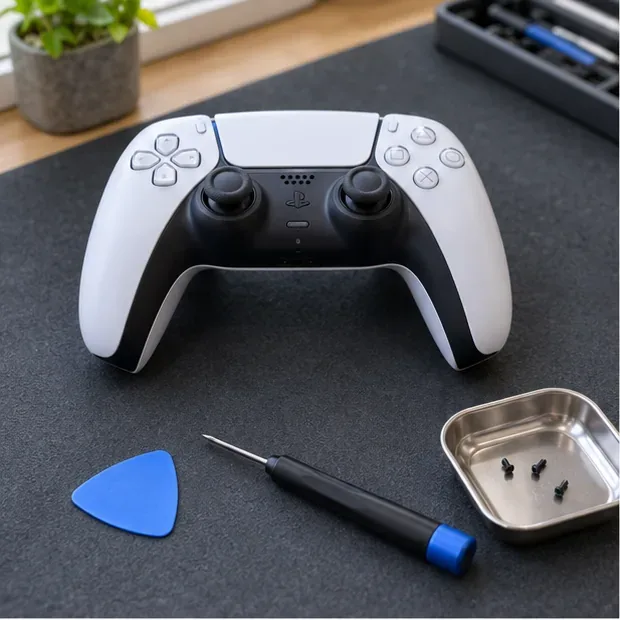
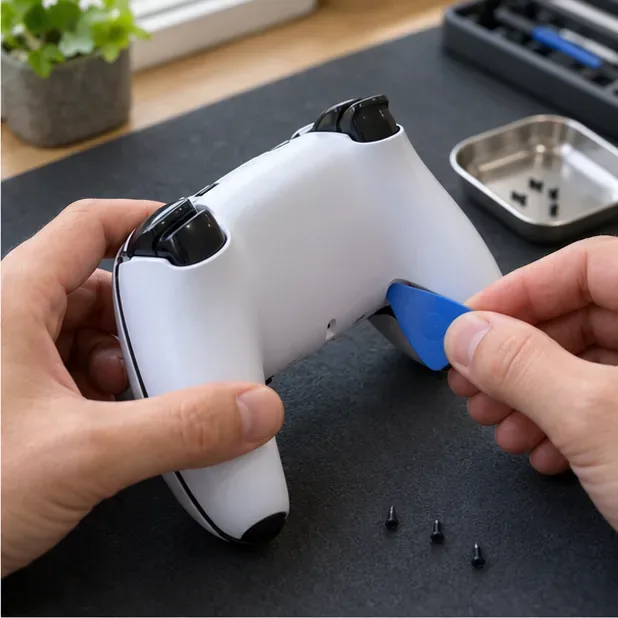
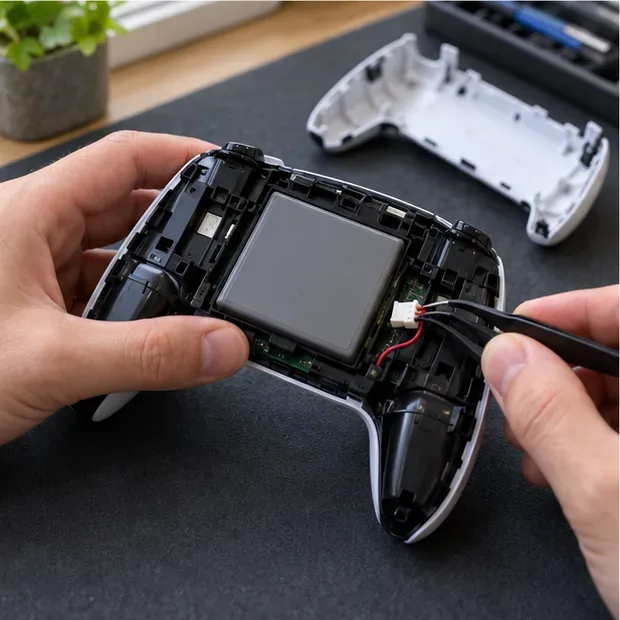
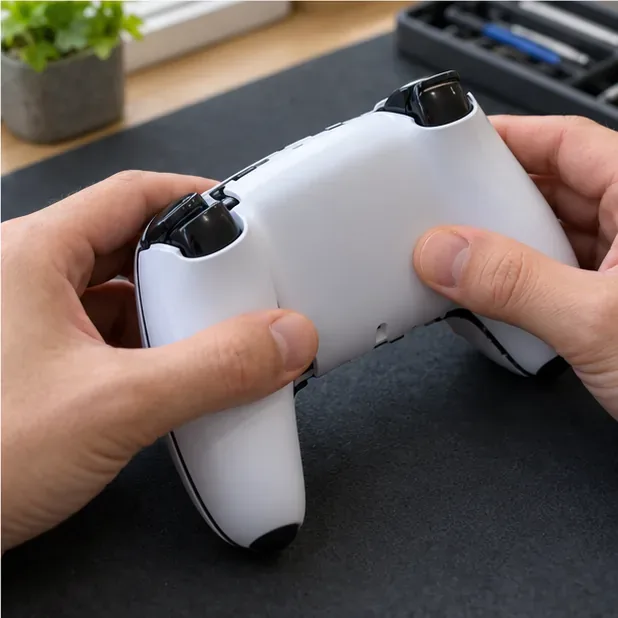
Battery capacity gradually declines with age and repeated use, and runtime varies with settings, games, and conditions. After a successful PS5 controller battery replacement, charge and use the controller normally. Sony recommends keeping charging within the temperature range in its manual and avoiding prolonged charging when the controller is not in use; there is no need to deliberately drain a new battery to zero as a routine calibration step.
Before starting, compare your controller version with a repair reference. iFixit provides separate instructions for several revisions, including its V1-style DualSense battery replacement guide, V2 battery replacement guide, and V5 battery replacement guide. Its DualSense repair page lists revision information and additional repair references. For official charging, safety, and service options, see Sony’s DualSense support page, controller instruction manual, and Hardware & Repairs support.
A correctly matched battery can restore usable runtime when the original cell has worn down. Careful revision identification, safe handling, and a final charging check matter more than rushing the repair.
Learn how to import VALORANT crosshair codes, compare presets with manual settings and spectator copy, and fix common import issues.
Choose Dota 2 minimap size, hero icons, team colors, and background settings by readability, fewer misclicks, and clear results on your own display.
Fix Fortnite texture pop-in on PC with official steps for GPU drivers, file verification, DirectX 12, high-resolution textures, VRAM, SSDs, and stutter.
Learn what Heroes of the Storm minimap size and position options are verified, improve readability, and choose camera-click controls that suit you.
Set Super Smash Bros. Ultimate Quickplay to prefer hazards-off stages. Follow the Preferred Rules menu steps and learn why matchmaking may not always honor them.
Enable Server Latency and Packet Loss in Warzone to monitor connection quality, read the overlay, and use recurring spikes to guide troubleshooting.
Learn how to carry from mid lane in League of Legends by setting up waves, choosing safe roam windows, reading side lanes, and converting pressure into objectives.
Fix Minecraft Evoker spell problems with a safe vanilla test, version checks, log review, and a step-by-step way to isolate mod or datapack conflicts.
Fix PUBG stuck on Initializing on Steam with a focused checklist for PC service notices, launch options, game files, downloads, and connection issues.
Fix Brawl Stars stuck at 92% loading with an ordered checklist for service notices, network tests, safe updates, Android cache, and account-safe reinstalling.








