How to Import Custom Crosshair Codes in VALORANT: Steps, Options, and Fixes

Learn how to import VALORANT crosshair codes, compare presets with manual settings and spectator copy, and fix common import issues.
A second controller, a better headset, or more game storage can each improve a PlayStation 5 setup, but the checkout total depends on the accessory and finish you choose. This PS5 accessories price guide lists current U.S. dollar prices checked on October 16, 2026. Prices below are before sales tax and shipping; sale prices, stock, and color availability can change. Most figures are current PlayStation Direct U.S. listings. The DualSense Edge figure is Sony’s published U.S. suggested retail price, so confirm the live price before ordering.
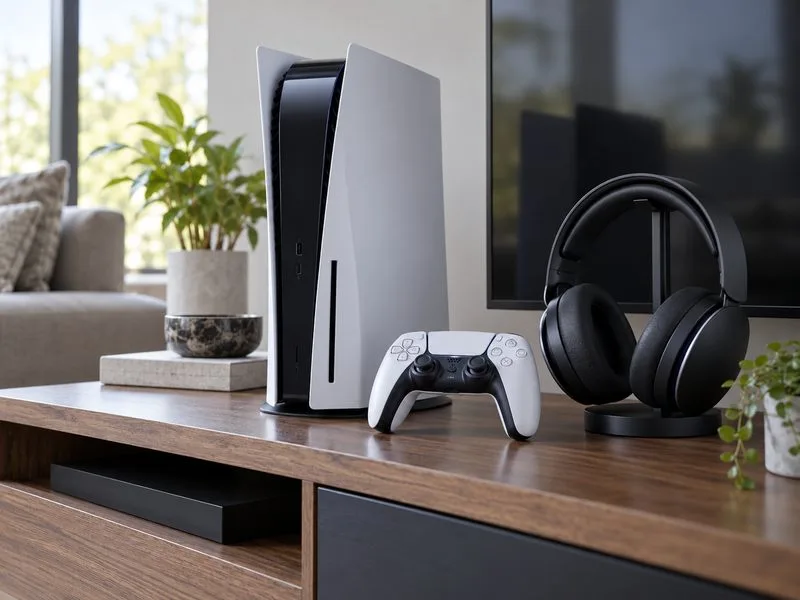
| Accessory | U.S. price | What to know |
|---|---|---|
| DualSense wireless controller | $74–$84 | Current Direct prices vary by color and finish. |
| DualSense Edge wireless controller | $199.99 MSRP | Custom profiles, back buttons, and replaceable stick modules. |
| PULSE Elite wireless headset | $149 | Wireless PlayStation Link, planar magnetic drivers, and up to 30 hours of battery life. |
| PULSE Explore wireless earbuds | $149 | A compact wireless audio option with a charging case. |
| DualSense Charging Station | $29 | Charges two DualSense or Edge controllers. |
| Vertical Stand for PS5 consoles | $29 | Official stand for supported PS5 models and PS5 Pro. |
| Media Remote | $29 | Dedicated controls for navigating streaming and media apps. |
| Disc Drive for compatible Digital Edition consoles | $79 | Confirm your console model is compatible before buying. |
| PlayStation Link USB adapter | $24 | Useful for connecting supported PlayStation Link audio devices. |
Prices are not interchangeable across colors, bundles, and refurbished products. PlayStation Direct currently lists standard DualSense finishes in a range, while special editions can cost more. Sony announced a $199.99 U.S. suggested price for the DualSense Edge; check the current store listing for any change or promotion. See the official PS5 accessories catalog, DualSense listing, and Sony’s DualSense Edge price announcement for product details.
For most players, the standard PS5 controller price is the more practical spend. A DualSense includes adaptive triggers, haptic feedback, a built-in microphone, and motion controls, with game support determining which features are used. At $74–$84, buying a second controller is the straightforward choice for local multiplayer or a backup while the first one charges.
The DualSense Edge is a specialist upgrade at a $199.99 suggested price. It adds configurable back buttons, adjustable trigger travel, control profiles, and replaceable stick modules. Those options can help players who want customized inputs or easier stick replacement, but they do not make it a necessary purchase for everyday play. Replacement stick modules are a separate cost; PlayStation Direct currently lists one for $19.
The $29 charging station is optional. It can dock and charge two compatible controllers without using the console’s USB ports. If you only own one controller, the USB-C cable supplied with the console may be enough, so you can put that $29 toward a headset or storage instead.
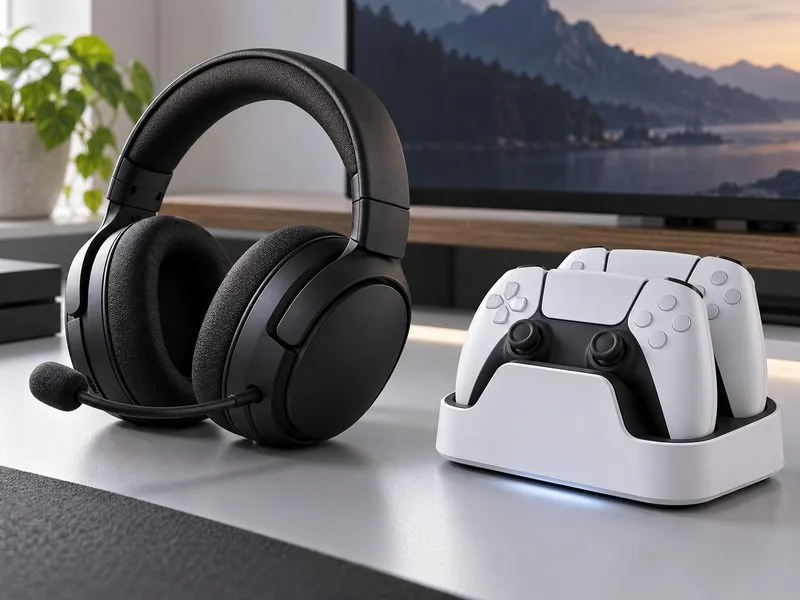
The official PS5 headset cost for PULSE Elite is $149. Sony lists planar magnetic drivers, PlayStation Link wireless connectivity, a retractable microphone, multi-device connectivity, and up to 30 hours of battery life. PULSE Explore wireless earbuds are also listed at $149, making them an alternative for players who prefer an in-ear fit. Neither is required to use a PS5: compare comfort, microphone needs, battery life, and the devices you want to connect before paying for wireless features.
When considering a third-party headset or controller, check the exact model’s PS5 support and whether it is officially licensed. A USB connection or a generic “gaming” label does not guarantee that every console feature will work. PlayStation’s licensed-products information is a useful starting point; verify the manufacturer’s compatibility notes before purchase.
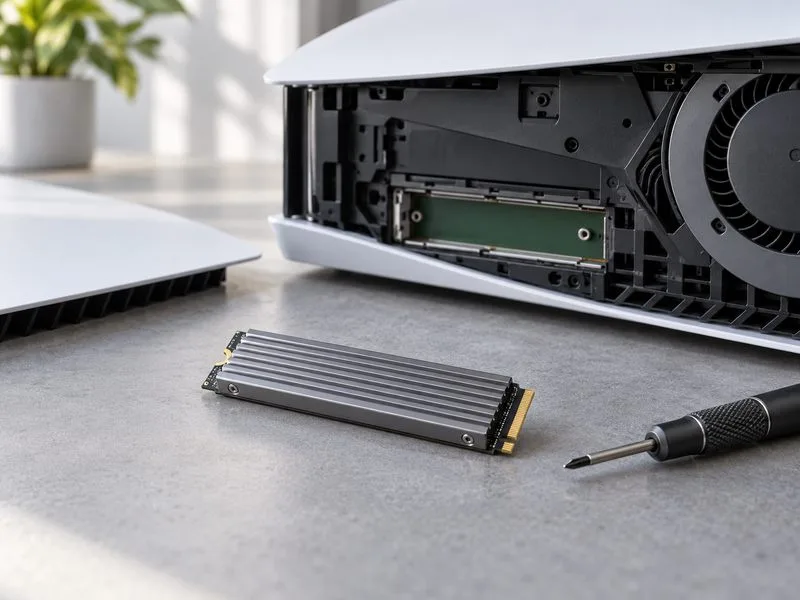
Storage is where the old “one SSD price” shortcut becomes misleading. As a specific current reference, the PlayStation Direct U.S. storage page lists the SANDISK Optimus GX PRO 850P family at $309.99 for 1TB, $609.99 for 2TB, $1,139.99 for 4TB, and $2,249.99 for 8TB. Those are prices for one premium product line, not a universal cost for every compatible PS5 SSD. Compare capacity, heatsink dimensions, and retailer listings instead of assuming a particular model is the only option.
Before ordering any M.2 drive, use Sony’s compatibility guide. It specifies a PCIe Gen4 x4 NVMe drive, 250GB to 8TB capacity, supported physical sizes, and a cooling structure such as a heatsink. Sony recommends sequential read speeds of at least 5,500 MB/s; the heatsink must fit within the console’s stated width, length, and thickness limits. M.2 SATA drives are unsupported. After installation, the console prompts you to format the drive, which erases data already on it. Review the current PS5 M.2 SSD requirements and installation guide before you buy or open the console.
The $29 Media Remote is aimed at people who regularly use the PS5 for streaming or video playback; it adds dedicated playback and app controls. The $29 Vertical Stand is for owners who want to position a supported console upright. The $79 Disc Drive is only for compatible Digital Edition consoles, so check the model number and official compatibility notes before adding it to your cart. Each is a convenience purchase, not a required part of a working PS5 setup.
PlayStation Direct also lists the PlayStation Link USB adapter for $24. Add one only if your audio setup benefits from connecting a supported PlayStation Link headset or earbuds to another device. Check whether the adapter is already included with the headset you plan to buy so you do not pay twice for the same connection option.
These totals use the listed prices in this guide and exclude tax, shipping, bundles, and discounts. Your final PlayStation 5 accessories cost depends most on whether you need extra controls, wireless audio, or storage. Start with the feature you will use often, confirm compatibility on the official product page, then compare the current checkout price before buying.
Learn how to import VALORANT crosshair codes, compare presets with manual settings and spectator copy, and fix common import issues.
Choose Dota 2 minimap size, hero icons, team colors, and background settings by readability, fewer misclicks, and clear results on your own display.
Fix Fortnite texture pop-in on PC with official steps for GPU drivers, file verification, DirectX 12, high-resolution textures, VRAM, SSDs, and stutter.
Learn what Heroes of the Storm minimap size and position options are verified, improve readability, and choose camera-click controls that suit you.
Set Super Smash Bros. Ultimate Quickplay to prefer hazards-off stages. Follow the Preferred Rules menu steps and learn why matchmaking may not always honor them.
Enable Server Latency and Packet Loss in Warzone to monitor connection quality, read the overlay, and use recurring spikes to guide troubleshooting.
Learn how to carry from mid lane in League of Legends by setting up waves, choosing safe roam windows, reading side lanes, and converting pressure into objectives.
Fix Minecraft Evoker spell problems with a safe vanilla test, version checks, log review, and a step-by-step way to isolate mod or datapack conflicts.
Fix PUBG stuck on Initializing on Steam with a focused checklist for PC service notices, launch options, game files, downloads, and connection issues.
Fix Brawl Stars stuck at 92% loading with an ordered checklist for service notices, network tests, safe updates, Android cache, and account-safe reinstalling.








