Overpower Damage in Diablo 4, Explained (2026): How Stacks Work
Overpower damage in Diablo 4 works through a temporary stackable buff in the current game. The older explanation—an approximately 3% random proc whose bonus grew with your Life and Fortify—describes an earlier version. In the 2026 system, skills and item effects grant Overpower stacks; other effects let you hold, increase, or spend them to strengthen attacks. That makes the key build question practical: how reliably can you generate the stacks, and which skill gets the payoff?
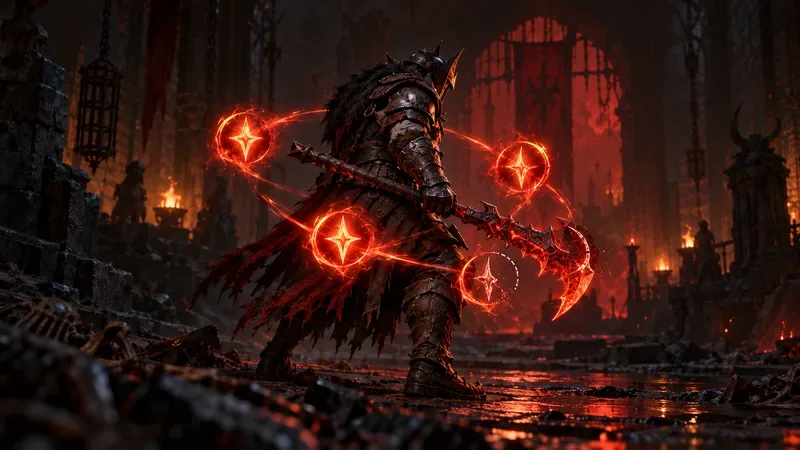
What Overpower means in Diablo 4 now
With the Lord of Hatred era game update, Overpower changed from a rare hit outcome into a stack system. Each stack adds damage while it is active, and the effects that grant Overpower determine how quickly you build it and what happens when you use it. Some skills benefit from having stacks available; some skill upgrades, Aspects, or Unique powers consume stacks for a stronger cast.
Blizzard’s current seasonal notes describe the intended loop as generating and spending Overpower stacks. For example, the Season of Hell’s Legacy update changed the Necromancer’s Red Blessing so Blood Orbs grant stacks and Blood Skills can consume a stack for a large damage bonus. That is an example of one item interaction, not a universal rule for every class. Read the exact wording on your skill and equipped effects because stack caps, generation, and spending are build-specific. See Blizzard’s Season of Hell’s Legacy notes for the current example.
What changed from the old Overpower formula?
Older guides often combine two different versions of the mechanic. Before the expansion-era redesign, an attack could randomly Overpower, with guaranteed triggers supplied by certain skills and effects. Earlier still, Overpower bonus damage was tied to Life and Fortify. Blizzard removed that built-in Life-and-Fortify damage portion in patch 2.3, while retaining an Overpower hit bonus at that time. So even the “health pool equals more Overpower damage” advice had already become outdated before the stack system arrived.
| Older guide says | Current reading |
|---|---|
| Overpower is a roughly 3% random proc. | Build and track Overpower stacks from explicit skill and item effects. |
| Maximum Life and Fortify directly feed the Overpower bonus. | They no longer add an automatic Overpower damage bonus. They matter if a specific effect says they do, and remain valuable for defense. |
| Stack Overpower Chance to trigger more often. | Prioritize reliable stack generation, stack-specific damage, and the skill that uses or spends those stacks. |
The timeline matters: Blizzard’s patch 2.3 notes explicitly removed the inherent additive damage based on Life and Fortify. The expansion-era patch 3.0 notes cover the update that launched Lord of Hatred and the new stack-based skill behavior. The old “third hit type” wording is therefore not a useful guide to building around Overpower today.
How Overpower stacks work in a fight
- Generate stacks. Use a skill, upgrade, Aspect, Unique, or other effect whose tooltip specifically grants Overpower. A skill may add one or more stacks, or raise your maximum; the source decides.
- Watch their duration and cap. Overpower stacks are a temporary combat resource in many builds. If you keep generating while already at the limit, an extra stack may be wasted. If the buff expires before your spender lands, you lose the planned damage window.
- Spend or capitalize on them. Use the attack that consumes stacks or receives the strongest benefit while your damage buffs and target debuffs are active. Some effects spend stacks; others increase damage per stack without consuming them.
That means the biggest number does not come simply from having a large Life pool. It comes from connecting the stack source to the right payoff. Patch notes continue to tune those effects: Blizzard’s 3.1 notes adjust stack counts and damage-per-stack values on specific skills, gear, and tempers. Treat numbers copied from a build made for another season as provisional, then compare them with the current tooltip.

Overpower damage vs. Overpower chance
These terms belong to the older proc-focused explanation and can confuse returning players. Under the current stack model, “chance” is not the central way to plan Overpower output. Check whether an effect grants stacks, increases your maximum, extends or refreshes them, increases damage per stack, or consumes them for a stronger attack. Those are distinct functions. A bonus to damage per stack will not automatically give you more stacks unless its tooltip says so.
Also be careful with old gem recommendations. The 3.0 update changed the Ruby’s weapon bonus from Overpower Damage to Fire and Holy Damage. That is one clear sign that advice built around the former stat lineup may no longer match the live game. Use your current item, skill, and Paragon descriptions rather than assuming every old “Overpower Damage” affix or socket priority still applies.
How to build around Overpower damage
- Start with the spender. Pick the skill you want to empower, then choose stack sources that feed it reliably. A high stack count is less useful if the build has no good attack to cash it in.
- Make the timing repeatable. Look at cooldowns, resource costs, and how long stacks last. Use a rotation you can execute consistently against elites and bosses, not only a perfect target dummy setup.
- Read every stack modifier literally. Separate “gain stacks,” “maximum stacks,” “damage per stack,” and “consume stacks.” These phrases describe different parts of the build.
- Keep other damage multipliers in view. Critical Strike, Vulnerable, skill-specific bonuses, and enemy debuffs are separate considerations. Do not assume that an Overpower stack is itself a guaranteed critical hit.
- Choose Life and Fortify for their real benefits. They still support survivability and may interact with a particular skill or item, but they are no longer automatic Overpower damage multipliers.
A simple boss sequence is to enter the encounter with the relevant generator ready, build stacks without sitting at the cap too long, then use the intended spender during your strongest damage window. For general clearing, a stack-consuming area skill may feel better than saving everything for one target. Which option is stronger depends on your class, skill variants, gear, and the current patch.
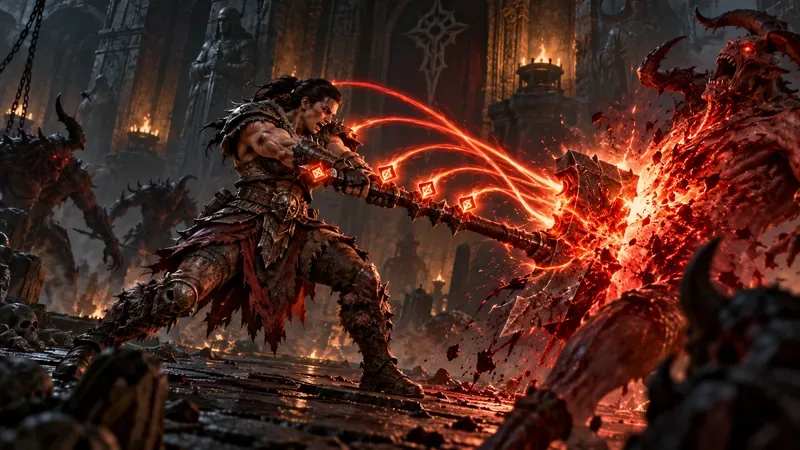
Common Overpower misconceptions
- “More Life always means more Overpower damage.” Not in the current baseline formula; only follow Life-based scaling if a specific effect names it.
- “I need to raise a 3% chance.” That is legacy advice. Current builds look for stack sources and stack payoffs.
- “Every skill automatically spends my stacks.” No. Consumption is determined by the skill or item text.
- “A bigger maximum is always better.” Extra capacity helps only if your rotation can generate and use the stacks before they expire.
Frequently asked questions
Does Overpower damage still scale with Life and Fortify?
Not as an automatic part of the current system. Blizzard removed the inherent Life-and-Fortify damage contribution in patch 2.3, and the later stack redesign changed how players build Overpower damage.
Does Overpower Chance still work like the old 3% proc?
The old random-proc model is not the current core loop. In current Diablo 4, focus on effects that generate or spend Overpower stacks and read their live tooltips.
What should I prioritize for an Overpower build?
Prioritize a reliable stack generator, the intended spender or damage-per-stack effect, and a rotation that uses stacks before they expire. Add survivability and other damage bonuses when your specific build benefits from them.
Current patch context
This guide reflects the live game as of October 16, 2026. Blizzard’s latest listed live notes are for patch 3.2.3, dated October 14, 2026. Overpower values and individual sources can still change with balance updates, so confirm exact stack counts and damage values in the current skill and item tooltips before copying a seasonal build. Start with the official Diablo IV patch notes and the linked seasonal notes when checking for changes.









