How to Check Real-Time Server Latency in the PUBG HUD

Enable PUBG’s network statistics HUD to monitor ping and packet loss in a match. See where to find it, what the numbers mean, and what they cannot diagnose.
To fix a Minecraft unknown registry key error, identify the exact key in the log, then make sure the client, server, mod loader, mods, datapacks, and saved world are using compatible data. A key such as examplemod:custom_block is a clue: find which mod or pack provides that namespace, restore the correct compatible content, and test on a copy of the world before changing the live save.
The phrase “Keys Unknown With Registries Send Server” is often a search description rather than one universal Minecraft error message. Logs can report unknown keys while a server starts, while a world loads, or when a client joins. Those situations need different checks, so begin with the exact log line instead of deleting cache folders or changing unrelated network settings.
A registry is Minecraft’s lookup table for game data identified by namespaced IDs. In namespace:path, the part before the colon points to a content namespace; it may suggest a mod or datapack, but it does not prove which file is responsible. Fabric’s documentation distinguishes startup registries from dynamic registries whose JSON entries come from datapacks and are loaded with a world. It also explains that a mod can synchronize registry data when a client joins. That is why the same broad symptom can come from a missing mod, an incompatible pack, or world-specific data.
Use the moment the error appears to narrow the cause:
| When it happens | First place to investigate |
|---|---|
| Server stops during startup | Server mod list, loader, and datapack loading errors |
| Only one player is disconnected on join | That player’s client version, loader, modpack build, and client log |
| Only one older world fails | That world’s datapacks or content from a mod that was removed or changed |
| A fresh world and existing worlds both fail | The current server installation or a shared mod/loader mismatch |
Open the client or server log and copy the complete error line, including the registry type and namespaced key. For the standard Minecraft Launcher, Fabric documents the client log as logs/latest.log inside the game directory; third-party launchers may keep a separate log for each instance. On Windows, the standard directory is usually %appdata%\.minecraft; macOS and Linux use different locations. Read a few lines before the error too: the first failed load or missing dependency is often more useful than later follow-up messages.
Write down whether the error appears at server startup, during world loading, or only when a particular client connects. If it happens only to one player, collect that client’s log as well as the server log. The visible disconnect message may be shorter than the detail recorded in either log.
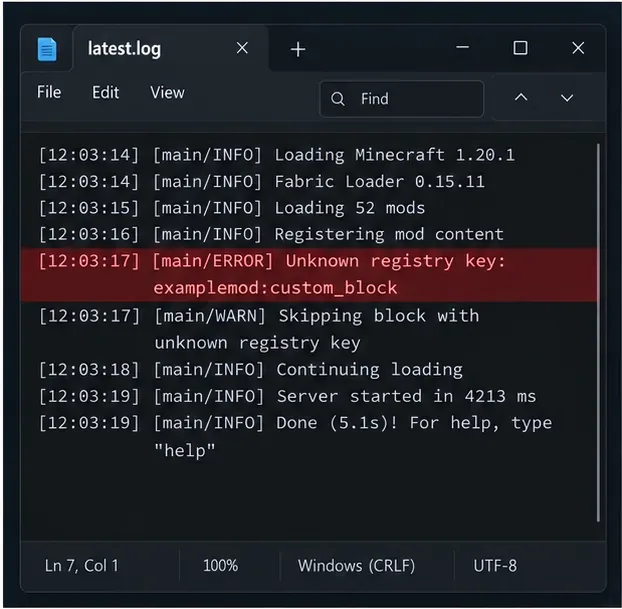
Confirm that everyone is using the Minecraft Java Edition version required by the server’s modpack. For a modded server, also check the loader (such as Fabric, Forge, or NeoForge), the pack release, and each mod’s supported game version. A newer client or a mod built for a different loader is not automatically compatible. Fabric’s current mod installation guidance specifically calls out the game version, loader, and Java Edition as checks when selecting a mod.
Compare the server’s installed pack with the exact client profile or modpack export. Restore the pack’s intended versions and required dependencies instead of updating only one side. Some mods are client-only or server-only, so do not copy every JAR to both folders blindly; follow the modpack manifest or the mod author’s installation notes.
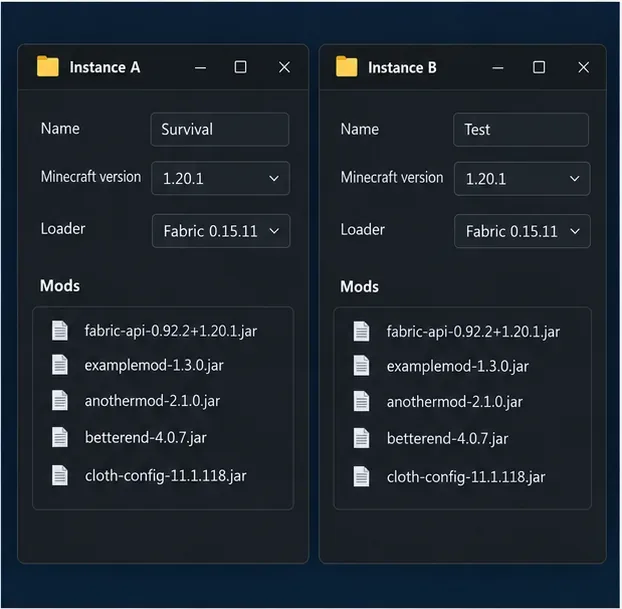
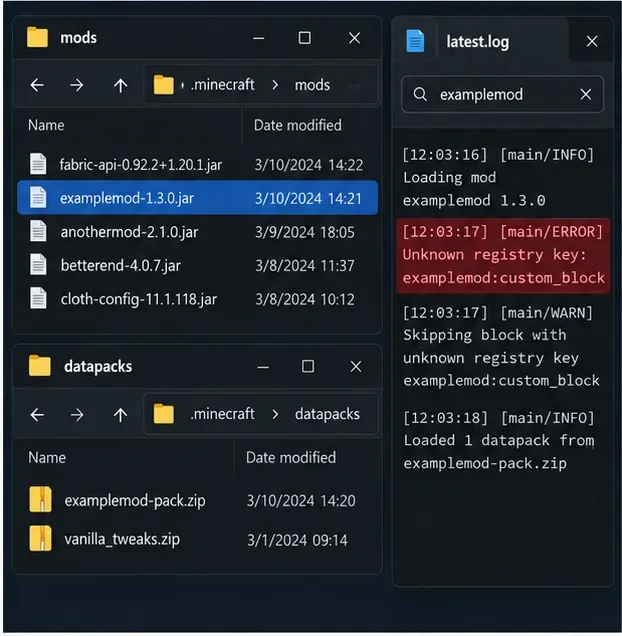
Search the startup log for the namespace from the missing key. Look for the corresponding mod ID in the loaded-mod list, a failed dependency, or a datapack that was recently installed, removed, or updated. If the key begins with a custom namespace, check the mod or pack that owns that content before touching vanilla files. A missing entry can also be caused by a pack whose data no longer matches the Minecraft version or the installed mod.
If you find a likely cause, stop the server before changing files. Restore the expected compatible mod or datapack from the same pack release, or test by temporarily removing only that suspected item from a separate copy. Change one thing at a time and restart so you can tell which change matters. Use a trusted source and the project’s own version notes when replacing a mod.
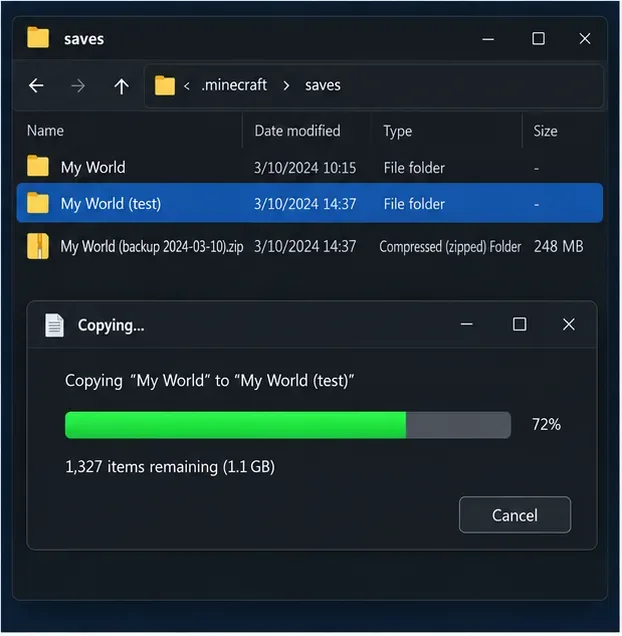
If the failure is limited to one saved world, make a backup before changing its datapacks or mod set. For a single-player Java world, Minecraft’s official help page explains the in-game Make Backup option. For a dedicated server, stop it cleanly and copy the complete world folder and relevant server files; do not copy a world while the server is writing to it.
Run a test copy with the suspected datapack or mod restored, updated, or isolated. You can also start a temporary new world using the same server build. If the new world works but the old one does not, focus on world-specific data and the pack history for that save. Do not delete playerdata, the live world, or guessed “registry cache” folders. Removing a mod that supplied blocks, entities, or other saved content can change what the world loads, so keep an untouched backup and restore the original modpack if needed.
Restart the server and client with the intended versions, then repeat the same join or world-load action. If the error remains, capture the current latest.log from both sides and any crash report. Fabric’s log guide explains where the standard launcher stores logs and how to share them for troubleshooting. Include the Minecraft version, loader and version, modpack release, the full missing key, and whether a fresh test world works.
Before posting logs publicly, remove account tokens, private server addresses, IP addresses, or personal file paths. A clean, complete log is more useful than a cropped screenshot because it preserves the first error and the context around it.
server.properties options. Settings such as secure-profile enforcement do not supply missing registry definitions.A reliable fix starts with the full unknown registry key, not a guessed cache or network setting. Match the software that supplies the key, preserve the world, and make one controlled change at a time.
Enable PUBG’s network statistics HUD to monitor ping and packet loss in a match. See where to find it, what the numbers mean, and what they cannot diagnose.
Learn how to import VALORANT crosshair codes, compare presets with manual settings and spectator copy, and fix common import issues.
Choose Dota 2 minimap size, hero icons, team colors, and background settings by readability, fewer misclicks, and clear results on your own display.
Fix Fortnite texture pop-in on PC with official steps for GPU drivers, file verification, DirectX 12, high-resolution textures, VRAM, SSDs, and stutter.
Learn what Heroes of the Storm minimap size and position options are verified, improve readability, and choose camera-click controls that suit you.
Set Super Smash Bros. Ultimate Quickplay to prefer hazards-off stages. Follow the Preferred Rules menu steps and learn why matchmaking may not always honor them.
Enable Server Latency and Packet Loss in Warzone to monitor connection quality, read the overlay, and use recurring spikes to guide troubleshooting.
Learn how to carry from mid lane in League of Legends by setting up waves, choosing safe roam windows, reading side lanes, and converting pressure into objectives.
Fix Minecraft Evoker spell problems with a safe vanilla test, version checks, log review, and a step-by-step way to isolate mod or datapack conflicts.
Fix PUBG stuck on Initializing on Steam with a focused checklist for PC service notices, launch options, game files, downloads, and connection issues.








