How to Check Real-Time Server Latency in the PUBG HUD

Enable PUBG’s network statistics HUD to monitor ping and packet loss in a match. See where to find it, what the numbers mean, and what they cannot diagnose.
A Minecraft Data NBT loading error usually means the game, server, or a mod could not read part of a saved world. The phrase is a broad troubleshooting label, not one universal error code shared by every Minecraft edition. Protect the save first: stop retrying it, make a separate copy, identify whether you use Java or Bedrock, and read the full error before changing data. Most players should try a known-good backup or isolate a recent version, mod, or add-on change before manually editing tags.
NBT means Named Binary Tag, a structured data format used by Minecraft Java Edition for information such as world settings and entity or block data. A malformed tag is one possible cause, but a loading failure can also come from incompatible mods, changed datapacks, an incomplete transfer, or a damaged save. The visible message varies by edition and software version, so there is no safe one-click fix for every “tag troubles” report.
Look at when the failure began and what changed immediately beforehand. A single world failing after an update points toward that save or its content; every world failing after a launcher or mod-loader change points toward the installation or profile. These are clues, not proof. Compare them with the complete log or crash report.
| What you notice | What it may suggest | First check |
|---|---|---|
| One world fails; other worlds open | A world-specific save, datapack, add-on, or mod dependency | Recent world changes and the first relevant exception in the log |
| Several worlds fail in one profile | A loader, mod, resource, or installation issue | Try a fresh test world in the same profile, then compare with a clean profile |
| The issue began after a game or mod update | A version or data-format compatibility problem | Record the exact game, loader, and mod versions; restore a pre-update copy if needed |
| A transfer or shutdown was interrupted | An incomplete copy or damaged file is possible | Compare with an earlier backup and check that the copied world is complete |
A missing item texture or an entity disappearing does not, by itself, prove an NBT error. Do not diagnose a corrupted tag from visual symptoms alone.
Close Minecraft and, for a server, stop it cleanly before copying files. Do not keep loading the original, delete files, or test a repair on the only copy. Put a duplicate somewhere outside the active world folder, ideally on another drive or secure storage. Give it a clear name and keep the original untouched.
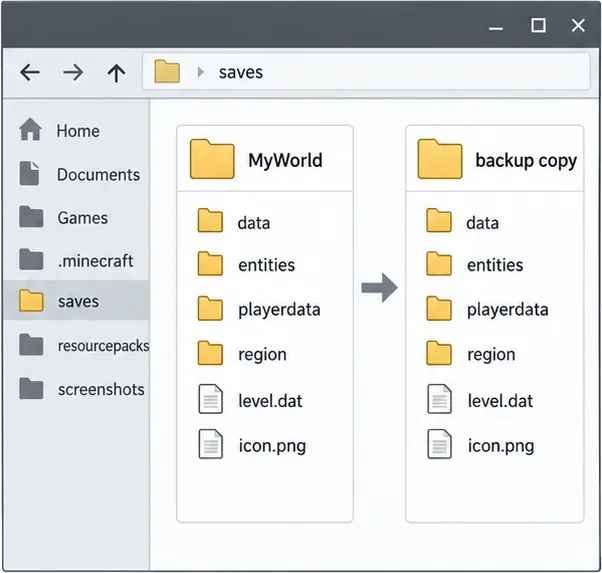
For Java single-player, Minecraft’s support instructions describe selecting a world, choosing Edit, and using Make Backup; the resulting backup is a dated ZIP. You can also make a separate copy of the entire world folder. For Bedrock on Windows, use the in-game world export workflow where available. On consoles and mobile, follow the backup and restore instructions for that platform rather than copying files from another edition. Start with the official Java world-backup guide, the Bedrock Windows export guide, or Minecraft’s Backup & Restore help for other platforms.
Write down the edition, game version, active installation or server, and—if relevant—the mod loader and its version. List anything changed shortly before the problem: a game update, mod or datapack, add-on, world transfer, or device shutdown. Keep the full first error and stack trace, not only the last line of a crash report.
In Java Edition, check logs/latest.log and the crash-reports folder inside the active game directory. Custom launchers may keep a separate directory for each instance. Search around the first error for the file, tag path, registry name, or mod mentioned; later lines often repeat the failure rather than explain its source. Bedrock players should record the exact on-screen wording, platform, version, and whether the world is local or on a Realm. Do not post account tokens or private server credentials when sharing logs.
First launch a throwaway new world in the same game profile. If that also fails, focus on the installation, loader, or recently changed software before touching the save. If a new world opens but the affected world does not, investigate that world’s backup, add-ons, datapacks, or mods.
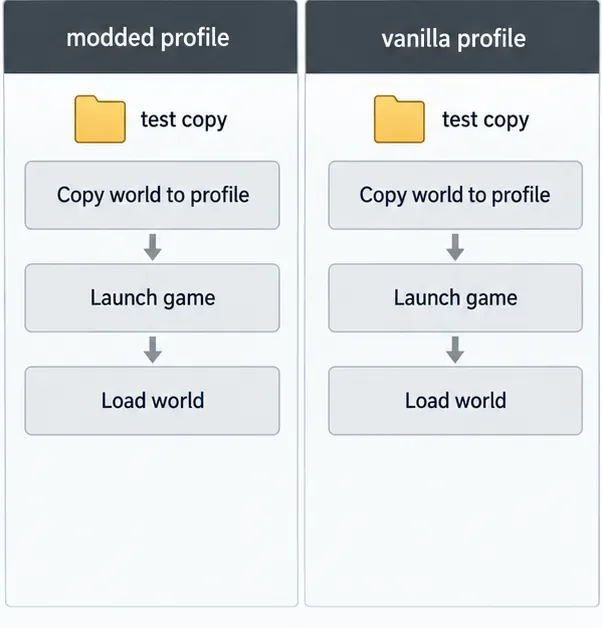
For a modded Java world, use a duplicate and the same loader and compatible mod set it last used. Temporarily test recent changes one at a time so you can identify the trigger. A clean vanilla profile can help determine whether the client itself starts, but do not save a modded world from a profile missing its content mods: blocks, items, or entities supplied by those mods may be treated as unknown. Restore the original mod set if the test provides no clear answer.
For Bedrock, check the world’s enabled add-ons and recent imports on a copy. Java and Bedrock have different world formats, so a Java NBT workflow is not a general Bedrock repair method; see Microsoft’s edition differences documentation.
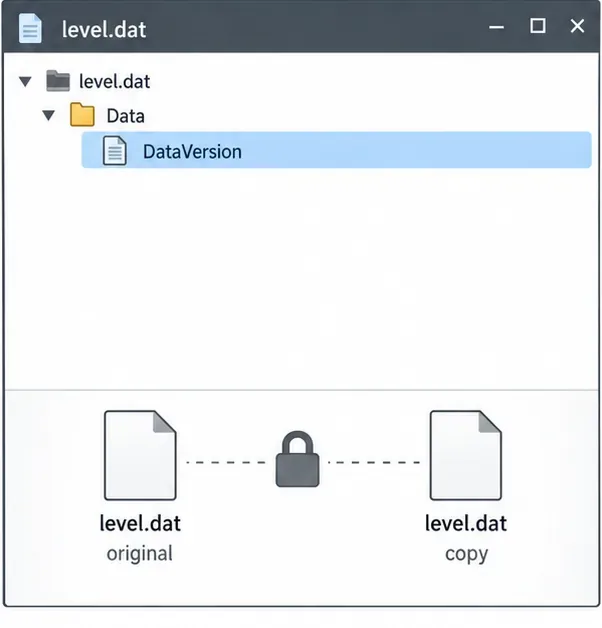
If you have a backup from before the error, restore the whole world copy using the instructions for its edition and platform. Keep the damaged copy in case you later need to compare it. Avoid mixing an old level.dat with newer region or player files unless a reliable, version-specific recovery guide tells you exactly why; files from different save states can disagree.
If the world is on a Realm, use the Realm’s built-in backup or restore option when available. Minecraft documents the steps for restoring a Bedrock Realm backup. Confirm that the selected restore point is from before the failure and download a separate copy if you need to preserve the current state.
Manual NBT tag repair is an advanced last resort. For Java Edition, NBTExplorer is a third-party editor; its project documentation lists standard NBT files such as level.dat and Java region files such as .mca. Review the project’s current supported formats and release information before using it. It is not an official Minecraft recovery tool, and its Java-oriented formats should not be treated as a universal Bedrock editor.
Do not delete a whole Java .mca region file as a quick fix: it contains many chunks, so removing it can erase a large area and its contents. Likewise, a /fill command changes blocks in a world that already loads; it cannot repair a save file that fails during parsing.
The safest fix for a Minecraft Data NBT loading error is the smallest reversible action supported by the evidence: identify the edition, preserve the save, isolate a recent change, and restore a known-good copy when possible. Use a tag editor only when you can name the exact field and verify the correct value.
Enable PUBG’s network statistics HUD to monitor ping and packet loss in a match. See where to find it, what the numbers mean, and what they cannot diagnose.
Learn how to import VALORANT crosshair codes, compare presets with manual settings and spectator copy, and fix common import issues.
Choose Dota 2 minimap size, hero icons, team colors, and background settings by readability, fewer misclicks, and clear results on your own display.
Fix Fortnite texture pop-in on PC with official steps for GPU drivers, file verification, DirectX 12, high-resolution textures, VRAM, SSDs, and stutter.
Learn what Heroes of the Storm minimap size and position options are verified, improve readability, and choose camera-click controls that suit you.
Set Super Smash Bros. Ultimate Quickplay to prefer hazards-off stages. Follow the Preferred Rules menu steps and learn why matchmaking may not always honor them.
Enable Server Latency and Packet Loss in Warzone to monitor connection quality, read the overlay, and use recurring spikes to guide troubleshooting.
Learn how to carry from mid lane in League of Legends by setting up waves, choosing safe roam windows, reading side lanes, and converting pressure into objectives.
Fix Minecraft Evoker spell problems with a safe vanilla test, version checks, log review, and a step-by-step way to isolate mod or datapack conflicts.
Fix PUBG stuck on Initializing on Steam with a focused checklist for PC service notices, launch options, game files, downloads, and connection issues.








