How to Check Real-Time Server Latency in the PUBG HUD

Enable PUBG’s network statistics HUD to monitor ping and packet loss in a match. See where to find it, what the numbers mean, and what they cannot diagnose.
If your boat will not move, refuses to let you board, jitters, or disappears in Minecraft Bedrock, first check whether the problem follows one boat, one world, or only a multiplayer session. That quick split points to the right fix without risking your save. There is also a separate error-code meaning: Mojang lists “Boat” as a named Bedrock error code and describes it as a general error, not as a diagnosis of an in-world boat’s physics. If that exact word appears on an error screen, use the code steps below instead of changing your boat.
The troubleshooting steps here are for the search commonly called the Minecraft Bedrock boat error or Bedrock boat bug. They focus on safe checks you can repeat on console, mobile, or Windows. They do not assume that every stuck boat has the same cause.
| What you see | Start here | What the result tells you |
|---|---|---|
| An error screen literally says “Boat” | Follow Mojang’s named error-code guide and its general error-code steps. | This is an error-code issue; it does not by itself mean an in-world boat is broken. |
| You can place a boat but cannot board or steer it | Check the interact and movement controls, then try a fresh boat on open water. | This helps separate input or placement trouble from a world-specific fault. |
| The issue happens only in one saved world | Test a new world, then a copy of the affected world with packs disabled. | The original world or one of its active packs may be involved. |
| The boat acts normally in solo play but glitches online | Update the game and compare a local test with the same Realm or server. | The issue is limited to the shared session or its version setup. |
Return to the main menu so the world can save, then fully close and reopen Minecraft. Rejoin and test once. On a Realm or hosted world, ask the owner to end and reopen the session through the game’s normal controls. A restart is a low-risk first check; it is not a guaranteed fix, and there is no verified success percentage that applies to every platform.
Before changing world settings or packs, make a copy of the affected world. Do not clear app data or delete saved files as a first step: that can put locally stored worlds at risk and does not establish that the boat itself is the cause.
In a new or copied test world, place a boat on broad, open water. Board it using your normal interact control, then use the movement controls. Minecraft lets players customize controls, so check the control settings if the interact action or steering input behaves differently than expected. Mojang’s Minecraft controls guide explains the default input families and notes that controls can be customized.
If the old boat is trapped or will not respond, retrieve it by breaking it, then place a newly crafted boat on clear water. This is a useful comparison, not a special boat “reset” exploit. Avoid testing in a cramped dock, around several entities, or on a complex route; a simple stretch of water makes the result easier to interpret. The official Minecraft boat guide describes placing, boarding, steering, and leaving a boat.
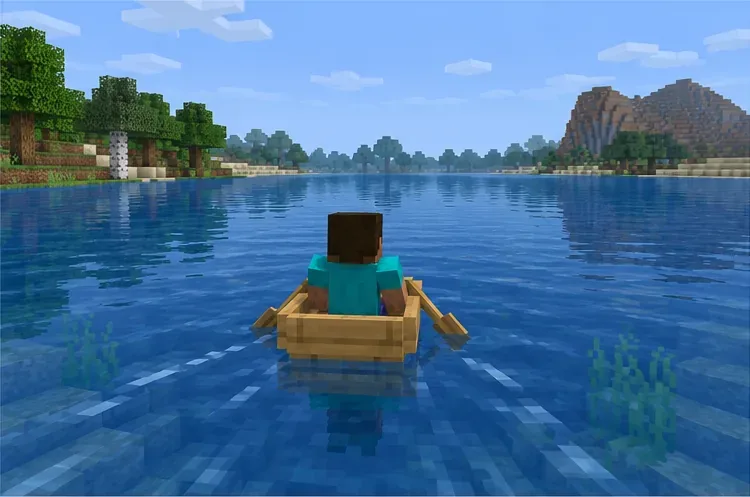
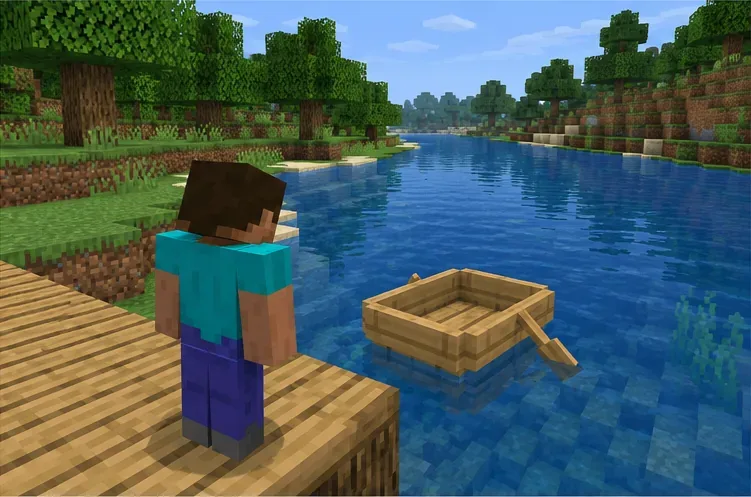
Open a brand-new world and test the same basic boat movement. If boats work there but fail in one older world, make a copy of that world and use the copy for diagnosis. Disable its active behavior and resource packs, then retest. Mojang’s Add-Ons troubleshooting guide explains how to disable add-ons when investigating game issues.
Keep the original world unchanged while you test. If disabling packs makes the copied world behave normally, re-enable packs one at a time on the copy to identify a conflict. If a new world has the same problem with no extra packs, a specific old-world add-on is less likely to explain it. Mojang also provides world restore and recreation guidance; use a backup before attempting any restore or replacement.
Install the stable Minecraft update offered by your device’s official store or launcher. The “1.21” in this article’s title reflects the original search wording: Mojang changed its year-based release numbering, so releases from 2026 use the 26.x series. As of October 16, 2026, the latest official Bedrock hotfix notes I could verify are for 26.52, posted September 25, 2026. Check the 26.0 numbering notice and the 26.52 hotfix notes; store availability can roll out at different times across platforms.
The 26.52 notes list particular stability, gameplay, and add-on fixes; they do not promise a universal fix for every boat symptom. Once updated, test the boat alone in a local world. If it works there but not in a Realm or server, have the host restart the session and make sure every player can join the same supported game release. If another player sees the boat in a different position or its movement differs only online, note that detail for the host or a bug report.
Do not break boats, alter the world, or run entity commands to solve a message shown on an error screen. Mojang’s named error-code page includes “Boat” and directs players to general error-code troubleshooting. Follow the official Bedrock error-code guide, recording the exact message, platform, game version, and whether it happens when signing in, joining a friend, or opening a Realm. Those details help support distinguish an account or connection error from an in-world gameplay issue.
If a boat still fails in a clean world on the latest stable release, report it through the official Minecraft issue tracker. Include the exact Bedrock version, device, steps that reproduce the issue, whether a new boat changes anything, whether add-ons are active, and whether it occurs in solo play or only online. Avoid posting a world file publicly if it contains private or identifying information.
The fastest useful diagnosis is the one that isolates the failure: a literal “Boat” error code belongs in error-code support, while a Minecraft Bedrock boat error inside a world should be compared across a fresh boat, a clean world, and a multiplayer session. That approach preserves your save and gives you a clearer next step than changing random settings.
Enable PUBG’s network statistics HUD to monitor ping and packet loss in a match. See where to find it, what the numbers mean, and what they cannot diagnose.
Learn how to import VALORANT crosshair codes, compare presets with manual settings and spectator copy, and fix common import issues.
Choose Dota 2 minimap size, hero icons, team colors, and background settings by readability, fewer misclicks, and clear results on your own display.
Fix Fortnite texture pop-in on PC with official steps for GPU drivers, file verification, DirectX 12, high-resolution textures, VRAM, SSDs, and stutter.
Learn what Heroes of the Storm minimap size and position options are verified, improve readability, and choose camera-click controls that suit you.
Set Super Smash Bros. Ultimate Quickplay to prefer hazards-off stages. Follow the Preferred Rules menu steps and learn why matchmaking may not always honor them.
Enable Server Latency and Packet Loss in Warzone to monitor connection quality, read the overlay, and use recurring spikes to guide troubleshooting.
Learn how to carry from mid lane in League of Legends by setting up waves, choosing safe roam windows, reading side lanes, and converting pressure into objectives.
Fix Minecraft Evoker spell problems with a safe vanilla test, version checks, log review, and a step-by-step way to isolate mod or datapack conflicts.
Fix PUBG stuck on Initializing on Steam with a focused checklist for PC service notices, launch options, game files, downloads, and connection issues.








