How to Check Real-Time Server Latency in the PUBG HUD

Enable PUBG’s network statistics HUD to monitor ping and packet loss in a match. See where to find it, what the numbers mean, and what they cannot diagnose.
League of Legends Flash combos use Flash either during a compatible cast or dash to change where an effect lands, or immediately before an ability to reach a better position. The most useful starting examples are Gragas E-Flash, Jarvan IV E-Q-Flash, Ahri Charm-Flash, and Alistar Pulverize-Flash. For a follow-up engage, practice Riven entering Q3 range with Flash first, or Lee Sin’s Q-Q-Flash-R Insec. The timing is champion-specific: Flash does not extend every spell, and a projectile that has already launched usually cannot be steered by blinking afterward.
Riot’s champion design team has discussed Gragas E-Flash and Jarvan IV E-Q-Flash specifically, and has also named Ahri Charm-Flash and Alistar Pulverize-Flash as cast-time examples. Those interactions are useful because Flash changes the position or angle from which the spell resolves. Treat them as mechanics to verify in your current client, not as guaranteed hits or a substitute for choosing the right fight. Riot’s latest posted PC patch notes at the time of writing are for patch 26.20, published October 6, 2026; champion and system changes can alter timing.
Flash is a short reposition, but its value depends on what the champion is doing when you press it. A combo may use Flash to:
These are different mechanics. An input that works on one champion may cancel a different champion’s spell, and the same ability can behave differently depending on whether its cast has started, its effect has launched, or it has already hit. Use the sequence below as a practice list, then confirm it in the live Practice Tool after major patches.
| Champion | Input | Purpose and timing |
|---|---|---|
| Gragas | E → Flash | Start Body Slam, then Flash before contact to extend or adjust the approach. The timing window ends when the slam resolves. |
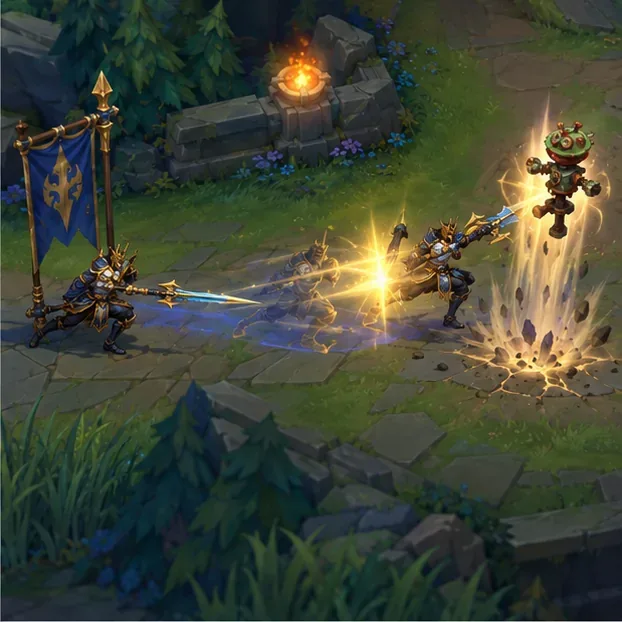
| Jarvan IV | E → Q → Flash | Plant Demacian Standard, cast Dragon Strike toward it, then Flash during the dash to alter the endpoint and catch a target with the knock-up. |
| Ahri | E → Flash | Begin Charm, then Flash during its cast to change the launch position or angle and threaten a target outside the original line. |
| Alistar | Q → Flash | Start Pulverize, then Flash during its cast so the area knock-up resolves around the new position. Use it to start a fight or turn a close-range counter-engage. |
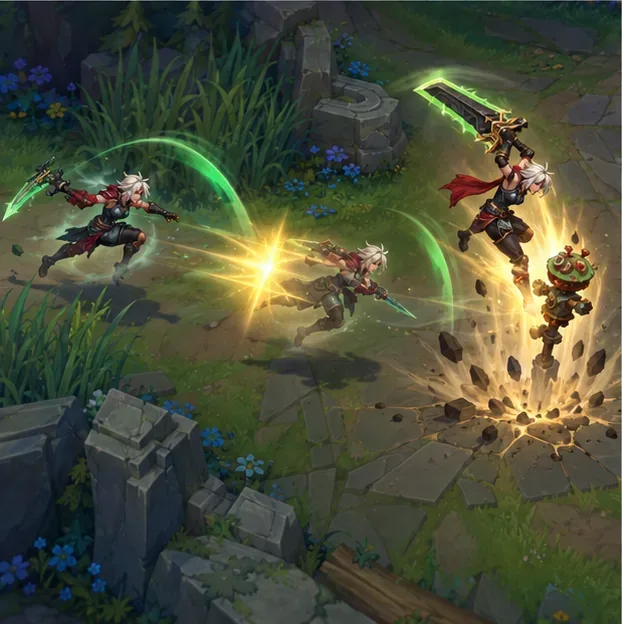
| Riven | Q1 → Q2 → E → Flash → Q3 | Keep the third Broken Wings cast ready, use E and Flash to reach the target, then land Q3 from the new position. Do not assume Flash during Q3 will preserve its knock-up. |
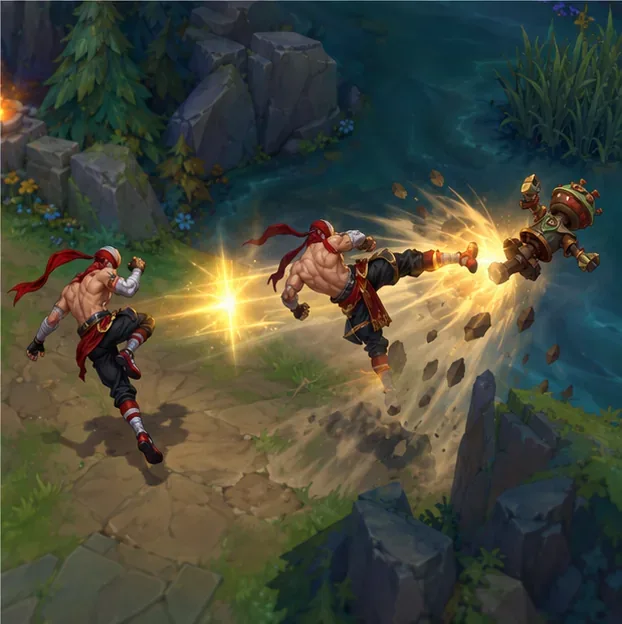
| Lee Sin | Q1 → Q2 → Flash behind the target → R | After Sonic Wave connects, follow with Resonating Strike, Flash behind the target, then Dragon’s Rage toward your team. This is the classic Insec setup. |
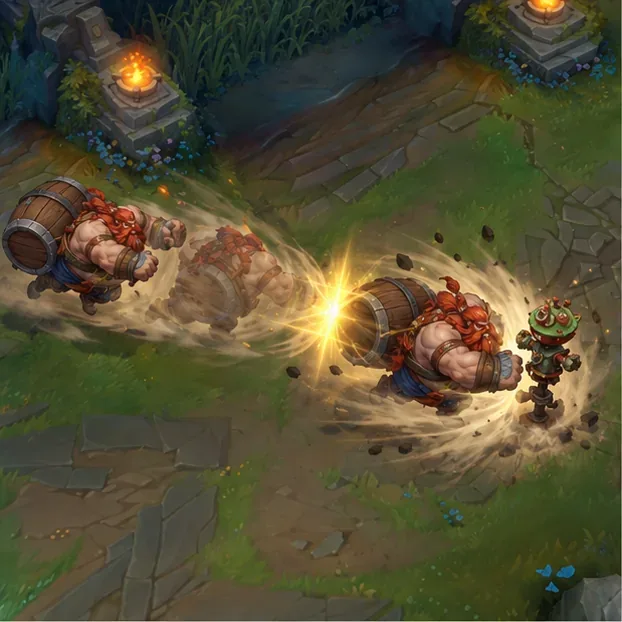
Gragas and Jarvan IV are strong first drills because Riot has discussed both interactions directly. For Gragas, Flash before contact to adjust where Body Slam reaches; pressing Flash after the collision cannot change the hit. Use small timing adjustments until you can reproduce the approach consistently. For Jarvan, make sure the flag is placed where Dragon Strike can connect before you spend Flash on the final dash position.
Ahri’s Charm and Alistar’s Pulverize are useful examples of cast-time Flash combos. Start the spell, then Flash during the windup. Aim the new position so the spell’s path or area covers the target. Do not press Flash after the projectile has left or the crowd-control effect has already appeared; at that point, you are only moving your champion.
Riot has described these interactions as champion-specific design decisions. Its design Q&A also notes that not every interaction is supported, citing Zoe’s E as an example where Flash during the cast is blocked. That is why testing one champion’s timing and copying it to another is unreliable.
Riven’s example is deliberately ordered with Flash before Q3. Have the third cast ready, use E and Flash to close the gap, and then cast Q3 where the target will be. This deliberately teaches Flash before Q3; treat any other sequence as patch-sensitive and verify it in the live client before relying on it.
Lee Sin’s Insec has the same principle at a higher level: Flash is the positioning step, and R is the follow-up. The aim is to land behind the target so the kick sends them toward your team. If Q1 misses, Q2 cannot be used to reach that target, so do not burn Flash simply to force the sequence.
Riot’s Patch 25.21 notes say all champions are available in solo Practice Tool, so you can test a champion before unlocking it for PvP. Practice Tool is for learning inputs; a stationary dummy will not dodge, Flash, or punish a predictable engage. After the basic timing feels consistent, try the combo in a custom game with a moving partner before using it in ranked.
For the underlying champion abilities and patch-sensitive rules, start with Riot’s Ask Riot Q&A on E-Flash interactions (Portuguese original, November 16, 2017), the Patch 25.21 notes on solo Practice Tool champion access, and Riot’s Patch 26.20 notes, published October 6, 2026. Riot’s Gragas champion page describes Body Slam; use the live client to validate exact combo timing.
The practical rule is simple: learn what Flash changes for your champion, practice the order in a controlled setup, and spend it only when the new position creates a real advantage.
Enable PUBG’s network statistics HUD to monitor ping and packet loss in a match. See where to find it, what the numbers mean, and what they cannot diagnose.
Learn how to import VALORANT crosshair codes, compare presets with manual settings and spectator copy, and fix common import issues.
Choose Dota 2 minimap size, hero icons, team colors, and background settings by readability, fewer misclicks, and clear results on your own display.
Fix Fortnite texture pop-in on PC with official steps for GPU drivers, file verification, DirectX 12, high-resolution textures, VRAM, SSDs, and stutter.
Learn what Heroes of the Storm minimap size and position options are verified, improve readability, and choose camera-click controls that suit you.
Set Super Smash Bros. Ultimate Quickplay to prefer hazards-off stages. Follow the Preferred Rules menu steps and learn why matchmaking may not always honor them.
Enable Server Latency and Packet Loss in Warzone to monitor connection quality, read the overlay, and use recurring spikes to guide troubleshooting.
Learn how to carry from mid lane in League of Legends by setting up waves, choosing safe roam windows, reading side lanes, and converting pressure into objectives.
Fix Minecraft Evoker spell problems with a safe vanilla test, version checks, log review, and a step-by-step way to isolate mod or datapack conflicts.
Fix PUBG stuck on Initializing on Steam with a focused checklist for PC service notices, launch options, game files, downloads, and connection issues.








