How to Check Real-Time Server Latency in the PUBG HUD

Enable PUBG’s network statistics HUD to monitor ping and packet loss in a match. See where to find it, what the numbers mean, and what they cannot diagnose.
Short answer: If by Xbox One jailbreak you mean a safe, software-only unlock that ordinary owners can install, no. A genuine Xbox One security breakthrough was demonstrated in 2026, but it does not make that kind of jailbreak available. The “Bliss” research showed a hardware-level attack against original Xbox One boot security. The public evidence does not establish a ready-to-install modchip or support for every Xbox One model. For a supported way to run your own development apps, Microsoft’s Developer Mode is a separate option; it is not a jailbreak.
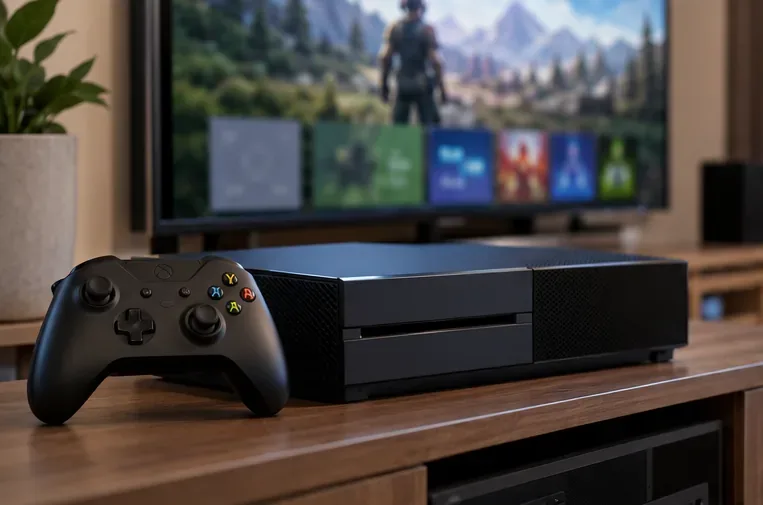
Technically, researchers have demonstrated a way to compromise an original Xbox One’s boot chain. At RE//verse 2026, security researcher Markus “Doom” Gaasedelen presented the “Bliss” attack, a hardware fault-injection demonstration aimed at the console’s boot ROM. The conference recording is available from RE//verse’s Hacking the Xbox One talk; Keysight’s technical overview also identifies the target as the original Xbox One boot ROM.
That is a major research result, but “a jailbreak exists” can overstate what an Xbox owner can do today. Bliss is not a browser page, a dashboard exploit you install from USB, or a simple app. It involves specialized hardware work during boot. The public presentation is evidence of a lab demonstration, not a supported end-user installation kit.
As of October 16, 2026, the public community project tracking a Bliss modchip still lists itself as planning work, with circuit design, automation, testing, and validation tasks unfinished. It does not establish a ready-to-buy, repeatable product. The public material concerns original launch-era Xbox One hardware; it does not confirm that Xbox One S or Xbox One X consoles are supported. Check the exact model against first-hand research updates before spending money or opening a console.
| Claim | What the evidence supports |
|---|---|
| “A USB activation file jailbreaks Xbox One.” | Microsoft’s documented Developer Mode flow uses the Xbox Dev Mode app and an activation process through Partner Center. A USB file is not the official activation method. |
| “A WebKit exploit unlocks current retail consoles.” | The 2026 public breakthrough described above is a hardware boot-ROM attack, not a verified browser-based jailbreak for ordinary retail use. |
| “Dev Mode is basically a jailbreak.” | Dev Mode is Microsoft’s development and testing environment. Retail games and apps are unavailable while the console is running in Developer Mode; you can restart back to Retail Mode. |
| “A VPN or alternate account makes a modified console safe online.” | That is not a protection Microsoft promises. Its Xbox Community Standards prohibit using Xbox services with modified or tampered hardware and say profile or device restrictions may result from violations. |
If your goal is to build or test your own app, Xbox Dev Mode is the supported route. It does not remove the console’s security protections or provide a general-purpose homebrew jailbreak. Microsoft’s activation instructions describe the available modes, the activation app, Partner Center steps, and how to return to Retail Mode. Account registration requirements and availability can change, so follow the current Microsoft flow rather than relying on old fee or app-name claims.

Microsoft’s Xbox UWP FAQ confirms that Dev Mode is for developing and testing apps, and that Retail Mode is where retail games and apps work. Treat this as a development workflow, not a way to bypass game licensing, run pirated backups, or install any desktop program you choose.
A hardware fault-injection project is very different from installing a normal app. Opening a console, modifying its circuitry, or applying unstable power can permanently damage the board. A lab demonstration also does not prove that the method is repeatable on your exact console or safe for daily use. The Bliss project’s own status page describes its work as in progress and warns about hardware damage and service restrictions.
Keep the Xbox network risk specific: Microsoft’s standards prohibit using Xbox services with modified or tampered hardware, and Xbox says restrictions can affect a profile or device. That does not mean every research demonstration automatically triggers a ban, but a VPN, “stealth” tool, or spare account is not a reliable way to make unsupported modifications safe. Avoid using a modified console for multiplayer, purchases, or account access.
Helpful official references: Xbox Support’s guide to PC game mods and the Xbox backward-compatibility list.
Before trusting a “latest jailbreak” post, check whether it links to the researcher’s original talk, paper, code, or test log. Confirm the exact console model and hardware revision, distinguish a software exploit from a physical attack, and look for a released tool with repeatable results. A video showing a research breakthrough is not the same as a consumer-ready guide. Be especially cautious of paid USB files, promises of “no-ban” online play, or instructions to disable security features.
No. It is an official development mode for testing apps. It does not unlock the retail operating system; Microsoft says retail games and apps are unavailable while in Developer Mode.
The public research cited here does not confirm support for those models. Its demonstrated target is described as the original Xbox One. Do not assume an exploit for one hardware revision works on another.
Do not hold back ordinary updates because of vague exploit rumors. The 2026 Bliss report concerns a hardware-level boot-ROM attack, but that does not prove a stable, supported jailbreak for your console. If you are conducting security research on a dedicated test unit, verify model-specific guidance from the researcher before changing its software or hardware.
Verdict: Xbox One security research crossed a notable line in 2026, but the Bliss demonstration is still distinct from a practical, safe consumer jailbreak. Most owners should use official Dev Mode for development, supported in-game mods for play, and keep a retail console unmodified for Xbox services.
Enable PUBG’s network statistics HUD to monitor ping and packet loss in a match. See where to find it, what the numbers mean, and what they cannot diagnose.
Learn how to import VALORANT crosshair codes, compare presets with manual settings and spectator copy, and fix common import issues.
Choose Dota 2 minimap size, hero icons, team colors, and background settings by readability, fewer misclicks, and clear results on your own display.
Fix Fortnite texture pop-in on PC with official steps for GPU drivers, file verification, DirectX 12, high-resolution textures, VRAM, SSDs, and stutter.
Learn what Heroes of the Storm minimap size and position options are verified, improve readability, and choose camera-click controls that suit you.
Set Super Smash Bros. Ultimate Quickplay to prefer hazards-off stages. Follow the Preferred Rules menu steps and learn why matchmaking may not always honor them.
Enable Server Latency and Packet Loss in Warzone to monitor connection quality, read the overlay, and use recurring spikes to guide troubleshooting.
Learn how to carry from mid lane in League of Legends by setting up waves, choosing safe roam windows, reading side lanes, and converting pressure into objectives.
Fix Minecraft Evoker spell problems with a safe vanilla test, version checks, log review, and a step-by-step way to isolate mod or datapack conflicts.
Fix PUBG stuck on Initializing on Steam with a focused checklist for PC service notices, launch options, game files, downloads, and connection issues.








