Is There a Mobile Version of League of Legends? Yes, Wild Rift (2026)
Yes—League of Legends has an official mobile version called League of Legends: Wild Rift. Riot Games offers Wild Rift for compatible iPhone, iPad, and Android devices. It brings the series’ 5v5 lane-based MOBA gameplay to touchscreens, but it is a separate game rebuilt for mobile—not the PC client squeezed onto a phone. You can play it for free, with optional in-game purchases.
If you want the closest official way to play League on a phone, download Wild Rift. If you want your PC champion collection, rank, and match progress to appear on mobile, that does not happen: Wild Rift maintains its own game inventory and progression.
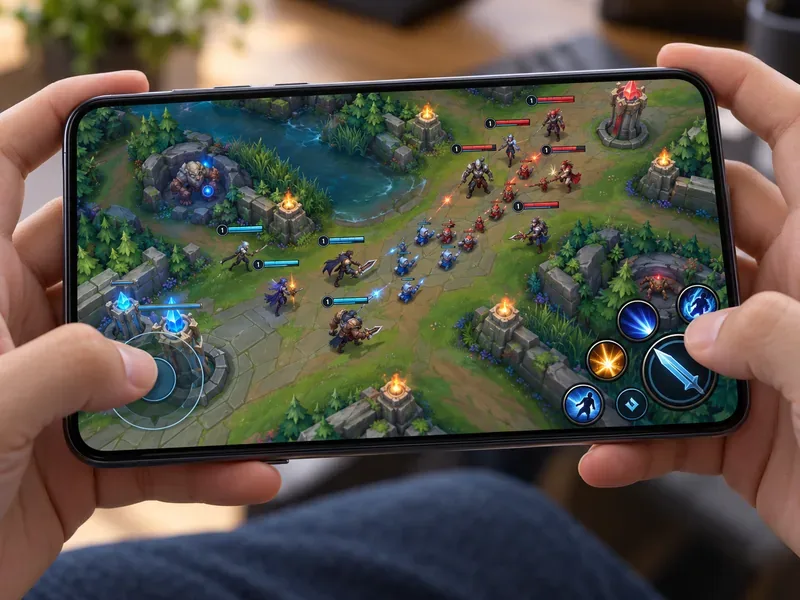
What is League of Legends: Wild Rift?
Wild Rift is Riot’s mobile-first 5v5 multiplayer online battle arena (MOBA). Like PC League of Legends, its matches revolve around choosing a champion, working with four teammates, fighting across lanes and jungle paths, taking objectives, and destroying the opposing team’s base. The basic strategic ideas will feel familiar to many League players.
The mobile game has its own client, interface, balance, content cadence, and progression. Riot says it was built from the ground up for mobile, with revamped touch controls and more streamlined matches. That means Wild Rift is related to League of Legends, but it is not a phone version of the PC client, and the two games do not have identical champion rosters or match-by-match balance.
It is also an active game in 2026: Riot’s official news page listed Wild Rift Patch 7.3b on October 14, 2026. Patch details can change what is available, so check Riot’s current notes for the latest champion, mode, and balance updates.

Wild Rift vs. PC League of Legends
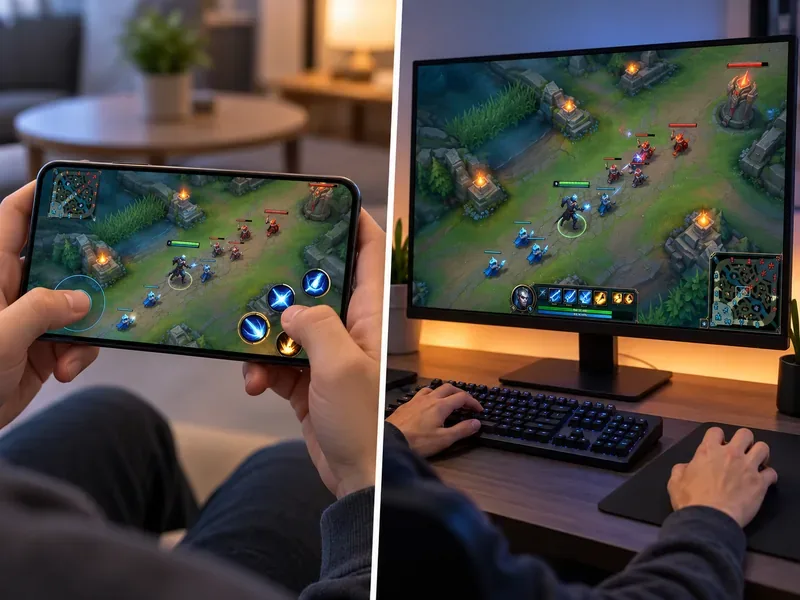
The two games share a universe and a recognizable style of team strategy, but they are designed for different devices. The practical differences matter if you are deciding whether Wild Rift will feel like the version you already play.
| What differs | Wild Rift | PC League of Legends |
|---|---|---|
| Where you play | Its own mobile game on supported iOS and Android devices | The desktop League client on PC |
| Controls | Touchscreen movement and ability controls designed for a phone or tablet | Mouse-and-keyboard controls |
| Match design | Mobile-first map, interface, pacing, and balance | PC Summoner’s Rift design and PC balance |
| Roster and items | Content and balance are managed for Wild Rift; availability can differ | Managed separately for the PC game |
| Progress and collection | Wild Rift has its own inventory, rank, and progress | PC League has its own inventory, rank, and progress |
Riot uses separate inventories for the games. Even if you use Riot sign-in for both, do not expect your PC skins, champions, or rank to appear in Wild Rift. Riot Support describes Wild Rift’s account and inventory as a fresh start because the matchmaking, mechanics, models, and animations were remade for the mobile game.
How to download the official mobile game
- Open Riot’s official Wild Rift website. Use its download link to reach the app store for your device and region.
- Check the publisher before installing. The store listing should identify Riot Games as the developer. The app is called League of Legends: Wild Rift.
- Install and launch the game. Allow the client to download any additional game resources, then sign in or create a Riot account.
- Check local availability. Store listings and service availability can vary by country or region. If the official listing does not appear in your store, consult Riot’s regional site or support pages rather than downloading an unofficial APK or installation file.
Riot’s official store listings describe Wild Rift as free with optional in-app purchases. A stable internet connection is needed for its real-time multiplayer matches. Available storage and performance needs can grow as the game updates, so leave more free space than the listed minimum when possible.
Use Riot’s official Wild Rift site to find the appropriate local download link. On Android, you can also open the official Google Play listing. On iPhone or iPad, follow the App Store link from Riot’s site to reach the storefront for your region.
Wild Rift device requirements in 2026
Riot’s Patch 7.0 notes, published January 21, 2026, set the following minimum specifications. Meeting a minimum does not guarantee smooth performance on every device; the app store may also show a newer compatibility requirement for your specific device.
| Platform | Riot’s Patch 7.0 minimum |
|---|---|
| Android | Android 8 or later; 3 GB RAM; quad-core Cortex-A53 2.0 GHz class CPU (Riot lists Exynos 850 and Helio A22 examples); compatible GPU such as Mali-G52 MP1, PowerVR GE8320, or Adreno 610. |
| iOS | Riot lists iPhone 6s or later; iOS 15 or later; 2 GB RAM; Apple A9 dual-core 1.84 GHz class processor and PowerVR GT7600 GPU. Check the local App Store listing for iPad compatibility. |
These are the specifications Riot published for Patch 7.0, not a promise that every device meeting them will run the game at the same frame rate or visual quality. Check Riot’s minimum-device update and the latest Patch 7.0 notes, then confirm compatibility in your own app store before installing.
Does Wild Rift share your PC League account?
Your PC League of Legends progress does not transfer into Wild Rift. The mobile game keeps its own champion and cosmetic collection, rank, and progression. Use the correct Riot account when you sign in, but treat Wild Rift as a new game profile rather than a way to continue your PC account on a smaller screen. Riot explains the separate inventory in its Wild Rift skin and inventory support article.
What about other Riot mobile apps?
Teamfight Tactics (TFT) also has a mobile version, but it is not League of Legends’ 5v5 mobile edition. TFT is a separate auto-battler, with its own rules and match format; Riot supports playing it across PC, Mac, and mobile. Riot Mobile is a companion app for Riot games, not a playable mobile League client. For the traditional lane-based League experience on a phone, Wild Rift is the game to look for.
See Riot’s official Teamfight Tactics site for its current platform details.
Frequently asked questions
Can I play the PC version of League of Legends on my phone?
There is no official mobile port of the PC League client. Riot’s mobile alternative is Wild Rift, a separate game built for touchscreens.
Is Wild Rift free to play?
Yes. Wild Rift is free to download and play, with optional in-game purchases. Check the local App Store or Google Play listing for current details and regional availability.
Is Wild Rift the same game as League of Legends?
No. They share champions, setting, and core 5v5 MOBA ideas, but Wild Rift has its own mobile controls, balance, client, and account progression.
Is there a League of Legends mobile app?
Yes. Search for League of Legends: Wild Rift in the official store for your device, or follow the download link on Riot’s Wild Rift website. Make sure Riot Games is listed as the publisher.
The short answer: League of Legends has an official mobile counterpart, Wild Rift. It delivers a mobile-first 5v5 MOBA on compatible iOS and Android devices, while keeping its progress and collection separate from PC League. Check your regional store and the current Riot requirements before installing.









