Is There a League of Legends APK? (2026)
No official Android APK exists for the PC and Mac game League of Legends. Riot’s official download page offers installers for Windows and Mac, while Riot’s mobile game is a separate title, League of Legends: Wild Rift. If you want to play a League-style MOBA on an Android phone, install Wild Rift from its official Google Play listing. A third-party file labeled “League of Legends APK” is not the desktop game’s official Android release. Riot’s League of Legends download page and the Wild Rift Google Play listing show the distinction. This is the current status as of October 2026.

Quick answer: Is there an official League of Legends APK?
No—not for the main PC/Mac client. Riot’s League of Legends download page lists Windows and Mac installers. The official mobile product is Wild Rift, published as its own Android and iOS app. The Google Play description calls Wild Rift a mobile-first 5v5 MOBA built for mobile play; it does not identify it as an Android port of the desktop client.
| What you’re looking for | Official option |
|---|---|
| League of Legends on a computer | Download the Windows or Mac installer from Riot’s official site. |
| The PC game as an Android APK | No official Android APK is offered for the PC/Mac client. |
| A League-related mobile game on Android | League of Legends: Wild Rift, installed from Google Play where available. |
| A League-related mobile game on iPhone or iPad | League of Legends: Wild Rift in Apple’s App Store where available. |
Riot’s current desktop download page and official mobile listings are the useful checks if you encounter a new download page or a region-specific result: desktop download, Android listing, and Apple App Store listing.
What an APK is—and why the file itself isn’t the issue
An APK is an Android app installation package. Android uses app packages to install software, and app stores manage the download and installation process for you. The file format alone does not mean an app is unsafe. The important questions are who published the file, whether it has been changed, and whether it came from a channel the publisher actually provides.
Google recommends getting Android apps through Google Play and says apps from unknown sources can put a device and personal information at risk. Google Play Protect checks apps, including apps installed from outside Play, and may warn about, disable, or remove software it identifies as harmful. A scan is a useful safeguard, but it does not turn an unofficial “LoL APK” into a Riot release or guarantee that every unknown file is safe. Read Google’s Android app download guidance and its Google Play Protect overview for the current protections and risks.
Why to avoid files advertised as “League of Legends APK”
A download page can use a familiar game name even when the file is not published by the game’s developer. A repackaged or modified installer may fail to work, include unwanted software, request permissions it does not need, or direct you to a fake sign-in page. Those are risks of an unverified source—not proof that every APK is malicious. Riot’s official pages do not offer the desktop League client as an Android APK.
- The name is not verification. An icon, filename, or screenshot can be copied. Check the developer shown by the store and open the listing from Riot’s official site when possible.
- Updates may not be trustworthy. A third-party copy may be outdated, altered, or incompatible with the current service.
- Security warnings matter. Don’t disable Play Protect or grant broad permissions just to install a file claiming to be League of Legends.
- Keep your credentials private. Don’t enter your Riot password into an installer or page reached from an unofficial download site.
What Wild Rift is—and how it differs from PC League
Wild Rift is Riot’s official mobile MOBA related to League of Legends, not the PC client repackaged as a phone app. Riot describes it as a mobile-first 5v5 game with mobile-optimized controls, familiar champions, and its own mobile experience. It shares League’s world and much of its MOBA vocabulary, but the apps, controls, balance, and gameplay experience are designed for different platforms. Treat Wild Rift as a separate game; don’t expect an APK to install the PC client or recreate its desktop experience.
Wild Rift is listed on Google Play and Apple’s App Store, but store availability and device compatibility can vary. If the listing does not appear for you, check the game’s official Wild Rift site and your store’s compatibility details rather than downloading a mirror.
How to get the official mobile game safely
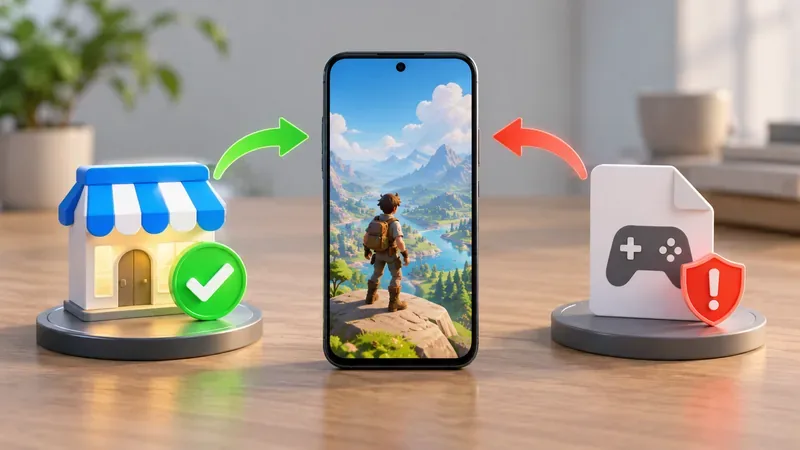
- Open your device’s official store. Use Google Play on Android or Apple’s App Store on iPhone or iPad.
- Search for “League of Legends: Wild Rift.” On Android, confirm the listing is the official Riot Games app. You can use the direct Google Play listing; for Apple devices, use the App Store listing.
- Install and update it through the store. You do not need to find or manually install a file advertised as a “League of Legends APK.” The store handles the app installation and updates.
- If you meant the PC game, use Riot’s desktop download. Choose the Windows or Mac installer on the official League of Legends download page.
If you already downloaded an unofficial file
If you only downloaded the file, don’t open it; delete it and use the official store listing instead. If you installed it and now suspect it is unsafe, uninstall the app, run a Play Protect scan, and review any permissions you granted. If you typed your Riot password into a page or app from that source, change it through Riot’s official account site and change it anywhere else you reused it. These steps address the risk from an unverified file; they do not mean that every sideloaded app contains malware.
Frequently asked questions
Is Wild Rift the same as League of Legends?
No. Wild Rift is an official, separate mobile game that adapts the League of Legends MOBA experience for phones and tablets. It is not the same installation or client as PC/Mac League.
Can I play the PC version of League of Legends on Android?
Riot does not offer the PC/Mac client as an Android app or APK. For mobile play, use Wild Rift from the official app store. For the desktop game, use Riot’s Windows or Mac installer.
Is it safe to install a Wild Rift APK from a third-party site?
Riot’s official mobile listings are on Google Play and the App Store. A third-party APK is not verified just because it uses Wild Rift’s name or icon. Use Riot’s official links and keep Android security protections enabled.
In short: there is no official League of Legends APK for Android. The safe mobile alternative is Wild Rift from its official store listing; the full PC/Mac game is downloaded from Riot’s desktop page.









