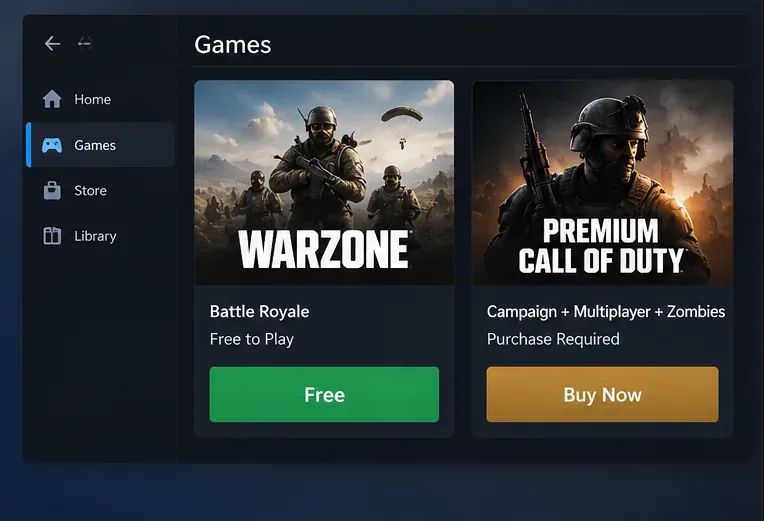
Is Call of Duty free to play on PC? Yes—Call of Duty: Warzone is free to download and play. You do not need to purchase a full Call of Duty game, subscribe to Game Pass, or pay for a battle pass to enter Warzone. Its Battle Royale and Resurgence experiences are available through official PC storefronts, while premium Call of Duty campaigns, traditional multiplayer, and certain other modes remain separate paid content.
The important distinction is between free-to-play Warzone and the larger Call of Duty franchise. They share a launcher and account ecosystem, so a store or in-game menu may show paid products beside content you can access for $0.
Which Call of Duty content is actually free on PC?
Warzone is the main permanently free Call of Duty experience on Windows PCs. Activision's official Warzone website describes Battle Royale, Resurgence, and Black Ops Royale as part of its current mode lineup. Playlists, available maps, and limited-time modes can change between updates.
| Call of Duty content | Cost to access | What to expect |
|---|---|---|
| Warzone | Free | Core online battle royale gameplay, including modes in the active free playlist rotation. |
| Free Battle Pass rewards and free in-game unlocks | Free | Selected rewards obtainable through play; the selection varies by season. |
| Premium Call of Duty releases | Paid purchase or qualifying subscription | Campaign, standard multiplayer, Zombies, or other modes according to the specific release and edition. |
| Premium Battle Pass, BlackCell, and store bundles | Optional purchases | Additional seasonal rewards and items. Not required to enter Warzone matches. |
Do not mistake a free access weekend for a permanent free version of a premium game. Promotional access to paid multiplayer, when offered, has its own dates and restrictions. Warzone's basic free-to-play access is different.
Where to download Call of Duty: Warzone for free on PC
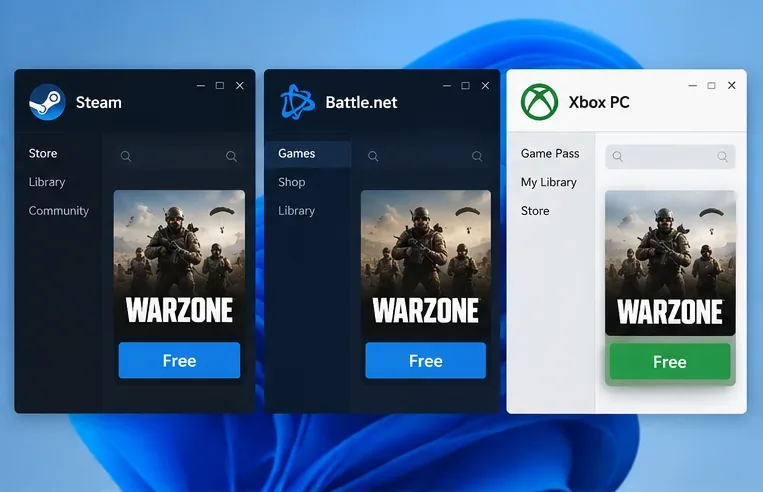
As of October 2026, Activision's Warzone website includes Steam, Battle.net, and Xbox PC in its platform selector. These are official ways to find the game; you do not need an unofficial installer or a third-party download site.
- Open the Warzone game page and select your PC platform, or open the storefront you already use.
- Find Call of Duty: Warzone, not a premium edition, Vault Edition, COD Points pack, or paid game bundle.
- Choose the free install or play option, then follow the platform's download prompts. On Steam, the Warzone product listing explicitly displays the game as free.
- Launch Call of Duty, sign in to or create a free Activision/Call of Duty account, and follow any account-linking or first-run setup prompts. Select Warzone in the game's menus.
Activision's installation instructions specifically document the Battle.net and Steam workflows. If you use the Xbox PC app, follow Activision's official platform link to the current Microsoft listing rather than relying on a similarly named paid edition.
Do you need a subscription or pay for anything inside Warzone?
No subscription is required to play Warzone on PC. An internet connection and the relevant free accounts are necessary, but neither a paid Game Pass membership nor ownership of a premium Call of Duty release is a prerequisite. Some premium Call of Duty games may be included with eligible subscription plans; that is not the same as those games being permanently free.
Warzone does have an optional in-game store. COD Points, paid operator bundles, weapon blueprints, and premium Battle Pass or BlackCell offerings may be sold. The free and paid Battle Pass reward paths also change by season. You can ignore the store and still queue for Warzone's free modes. Avoid treating every paid package as cosmetic-only: bundles can contain different types of in-game items and unlocks, so review the listing before purchasing.
If you change PC launchers, use the same linked Activision account for supported cross-progression. However, COD Points balances and some cash-purchased items are platform-bound, so do not assume every purchase or balance will follow you from one storefront to another.
Warzone PC requirements: what your computer needs
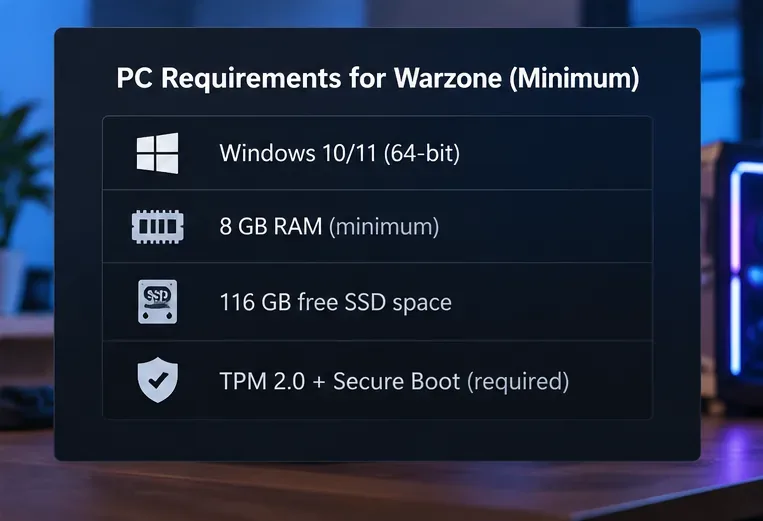
The game's $0 price does not mean it will run on any PC. Activision's official Warzone PC specifications list the following desktop requirements; these may change with updates.
| Component | Minimum | Recommended |
|---|---|---|
| Operating system | Windows 10, 64-bit, latest update | Windows 11, 64-bit, latest update |
| Processor | AMD Ryzen 5 1400 or Intel Core i5-6600 | AMD Ryzen 5 1600X or Intel Core i7-6700K |
| Memory | 8 GB RAM | 12 GB RAM |
| Graphics card | AMD Radeon RX 470, NVIDIA GTX 970/1060, or Intel Arc A580 | AMD Radeon RX 6600 XT, NVIDIA RTX 3060, or Intel Arc B580 |
| Video memory | 3 GB | 8 GB |
| Storage | SSD with 116 GB free | SSD with 116 GB free |
TPM 2.0 and Secure Boot are required in addition to the listed hardware. A broadband connection and DirectX 12 support are also required. Activision currently specifies Intel or AMD processors supporting the AVX instruction set, and Intel Arc cards require Resizable BAR. For security setup details, use Activision's TPM and Secure Boot guidance.
The 116 GB figure is an official published storage requirement, not a promise that every download and installed configuration will be exactly that size. Allow extra space for patches and any additional content you choose. Laptop performance can differ from equivalent desktop parts.
What if the launcher asks you to buy Call of Duty?
A price appears instead of the free option
Check the product name carefully. A premium Call of Duty game, edition upgrade, cosmetic bundle, or COD Points package is a paid item. Return to the dedicated Warzone listing and choose its free option. In a unified Call of Duty launcher, some tiles may correctly remain locked unless you own the associated game.
Warzone downloaded, but the mode is missing
Check the Call of Duty install manager for the Warzone game content and complete pending downloads or updates. Restart the launcher afterward. The shared launcher can display multiple Call of Duty products without installing every mode automatically.
The game won't start on an otherwise capable PC
Confirm Windows and graphics drivers are updated, ensure your SSD has adequate free space, and check that TPM 2.0 and Secure Boot are enabled as Activision requires. Avoid changing firmware settings blindly; consult your PC manufacturer's instructions first.
Frequently asked questions
Can I play Warzone on PC without buying Black Ops or Modern Warfare?
Yes. Warzone is standalone free-to-play content even when accessed through a Call of Duty launcher shared with premium releases. You do not have to buy Black Ops, Modern Warfare, or another Call of Duty game.
Is Call of Duty free on Steam and Battle.net?
Warzone is free on both. Activision also lists Xbox PC as a PC platform option. The paid entries displayed nearby in those stores do not change Warzone's base price.
Are the Call of Duty campaign and traditional multiplayer free?
Generally no. Those are typically part of paid premium titles, although limited-time access offers or eligible subscriptions can provide another way to play particular releases. Check the exact edition and access terms rather than assuming the whole franchise is free.
Can PC players play Warzone with console friends?
Yes. Warzone supports cross-platform play; sign in with your Activision account and use its friends and party features. Available crossplay settings and restrictions can vary by platform.
Bottom line: If you want free Call of Duty on PC, choose Warzone through an official storefront. You can start without buying a premium release or a Battle Pass, provided your Windows computer meets the game's hardware and security requirements.









