Learning how to upgrade your Workbench in ARC Raiders is one of the most important steps toward stronger gear. A higher-tier Workbench unlocks better weapons, sturdier equipment, and advanced recipes that you simply cannot craft at the starting tier. This guide walks you through the whole process: finding the bench, reading its upgrade requirements, gathering the materials on the surface, and confirming the upgrade.
Everything happens at your hideout in the underground city of Speranza, where your Workshop holds the Workbench alongside the Recycler and your stash. Upgrading is a one-time cost in materials per tier, so the real work is collecting what the bench asks for. Let's get started.
What you'll need
- Access to your Workshop in your Speranza hideout.
- A stock of crafting materials such as metal parts, electronics, chemicals, and rarer ARC components.
- A few successful raids to loot containers and recycle spare gear into materials.
- Time to repeat the process for each tier as you climb.
How to upgrade your Workbench in ARC Raiders
-
Step 1: Open the Workbench in your Workshop
Head back to your hideout in Speranza and open your Workshop. From the station list, select the Workbench. This is your main crafting station, separate from the Recycler you use to break down loot. If you have not built or unlocked the Workbench yet, do that first, then return here to upgrade it.
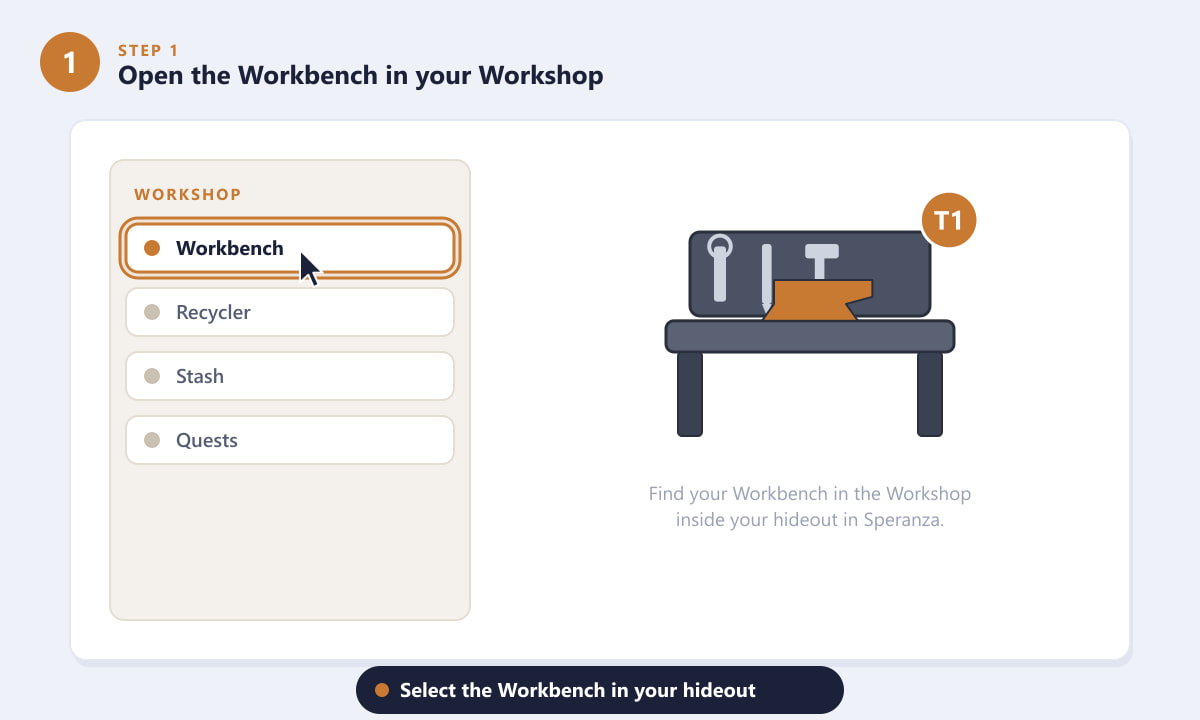
Select the Workbench from the Workshop in your Speranza hideout. -
Step 2: Open the Upgrade tab and check the cost
With the Workbench open, switch to the Upgrade tab. Here the game shows exactly what the next tier requires: a list of materials with the amount you currently hold versus the amount needed. Materials you are short on are flagged, so you instantly know what to farm. Note the full shopping list before you head out on a raid.
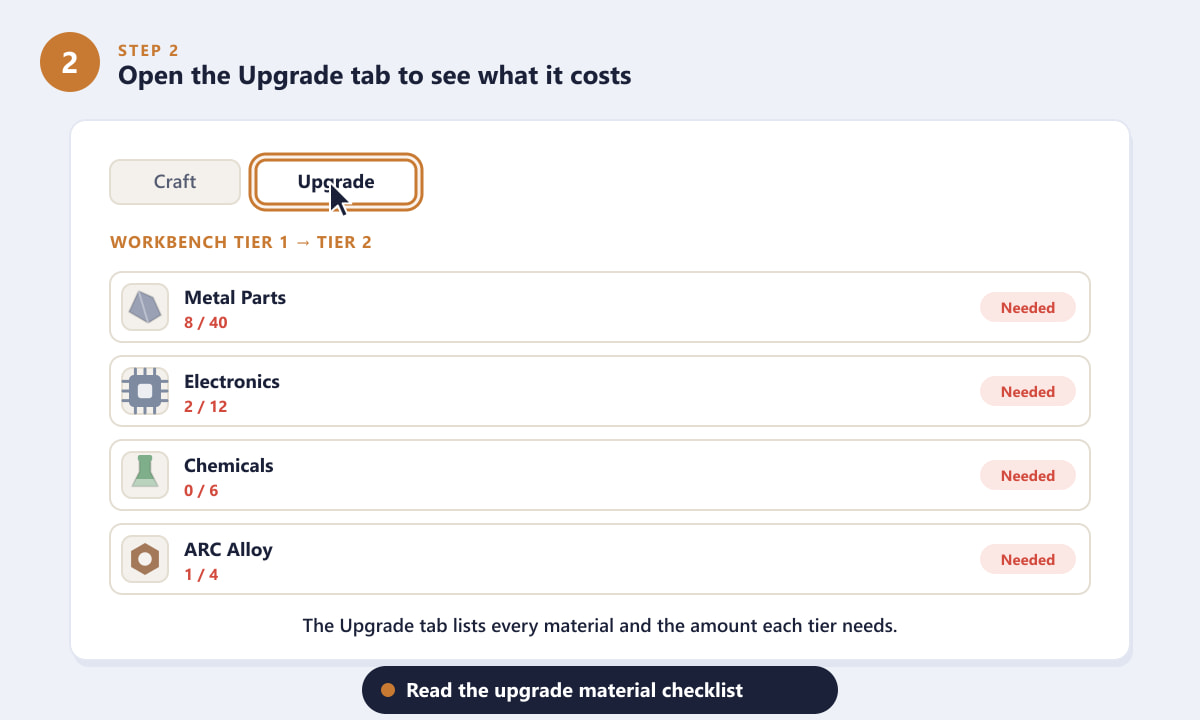
The Upgrade tab lists every material and the quantity each tier demands. -
Step 3: Gather the required materials in raids
Now drop into a raid and loot. Common materials like metal parts come from containers and everyday junk, electronics come from ARC machines and devices, and rarer components tend to drop from tougher enemies or sit inside guarded areas. Back at the hideout, recycle spare weapons, mods, and gear you will never use to top up any materials you are still missing.
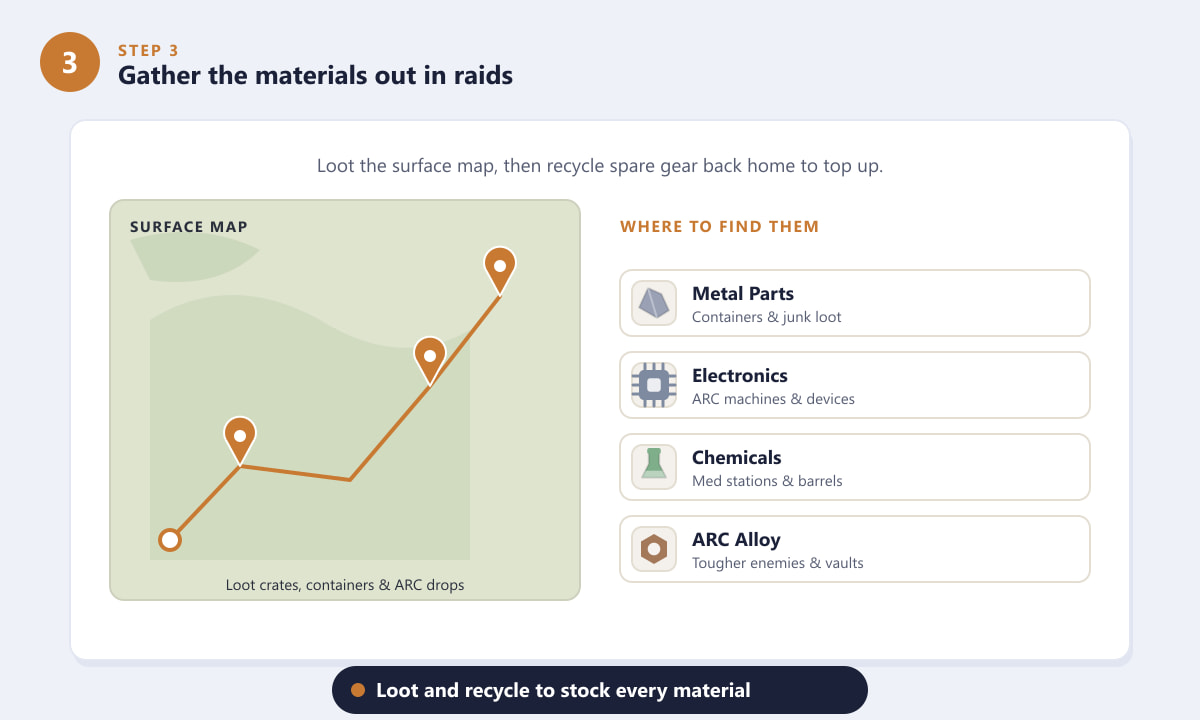
Loot the surface and recycle surplus gear to stock every required material. -
Step 4: Confirm the upgrade
Once every material on the list shows as ready, return to the Workbench's Upgrade tab and press Upgrade. The required materials are deducted from your stash, and the bench advances to the next tier. Make sure you actually want to spend the materials first, because rarer components can be tough to replace.
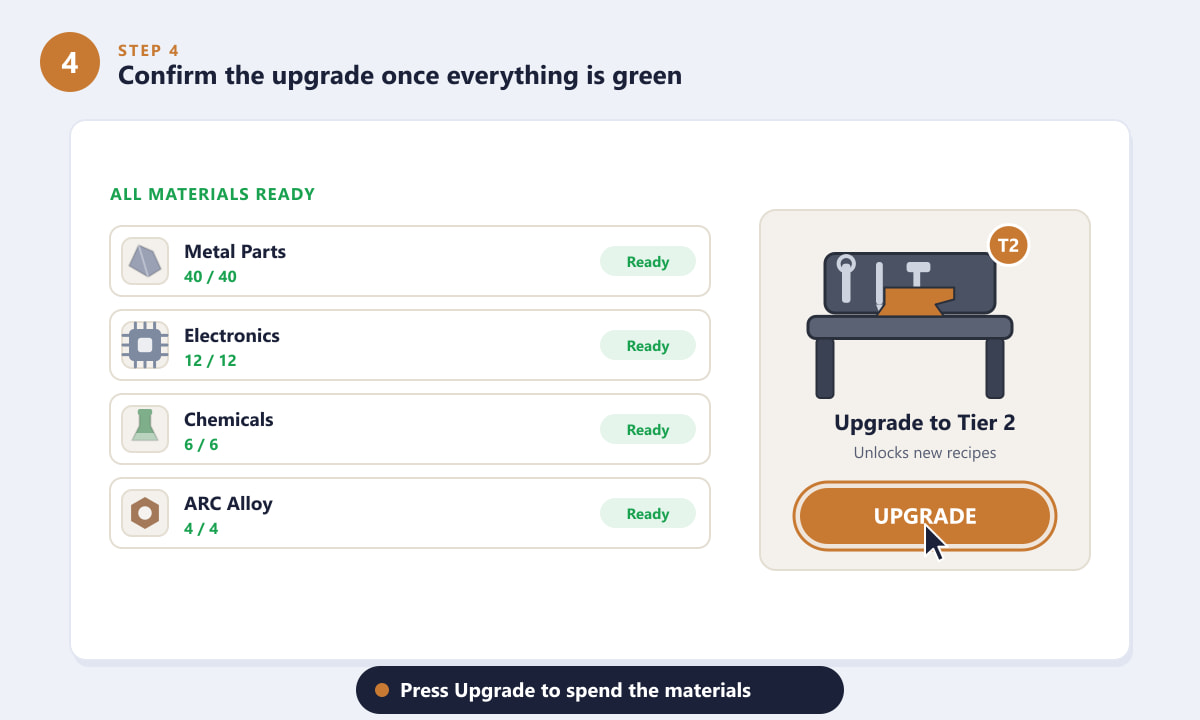
When everything is green, hit Upgrade to spend the materials and level up the bench. -
Step 5: Unlock new recipes and climb the tiers
The upgraded Workbench immediately opens up new recipes: better weapons, stronger shields and armour, advanced gadgets, and improved weapon mods. Each tier raises the ceiling on what you can build. To keep progressing, simply repeat the process, collecting the larger material costs each higher tier demands.
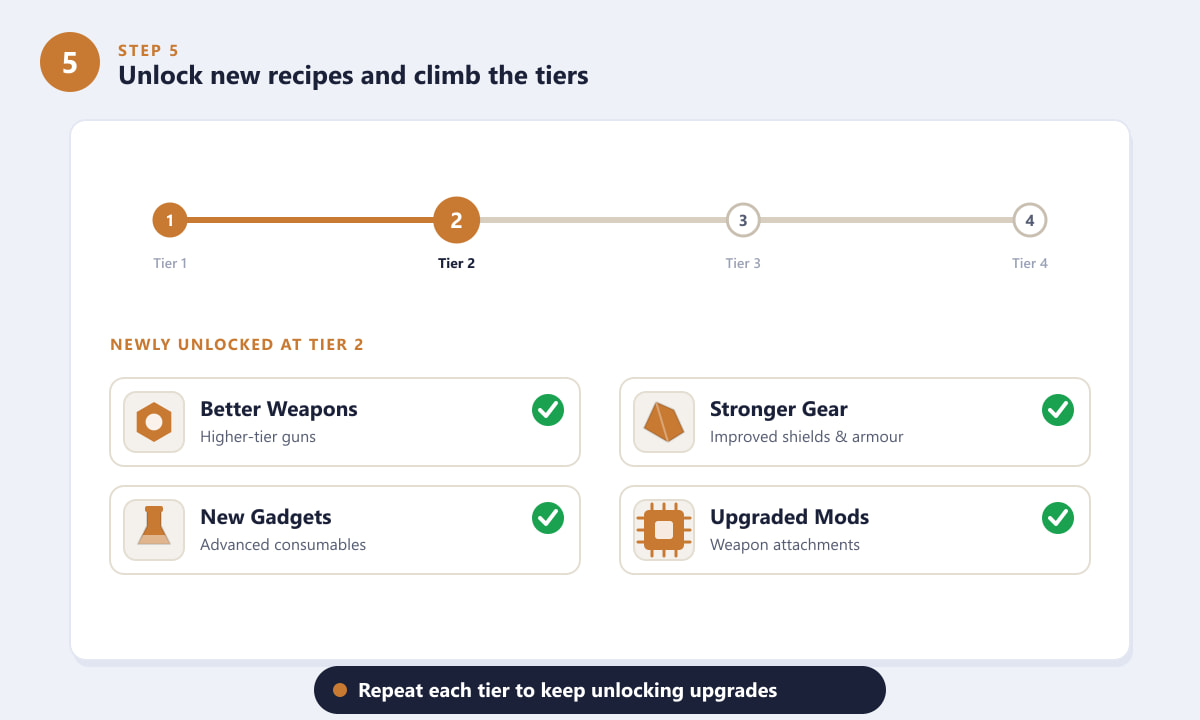
Each Workbench tier unlocks fresh recipes and better crafting options.
Tips for upgrading faster
- Recycle, don't sell, low-value loot. Spare guns, mods, and junk turn into the exact base materials your bench needs.
- Track one tier at a time. Note the next tier's shopping list and farm with a purpose instead of hoarding everything.
- Keep a buffer of common materials. You will need metal parts and electronics for almost every upgrade and craft, so never let them run dry.
- Save rare components. High-tier ARC parts are often the bottleneck, so don't waste them on crafts you can skip.
- Upgrade other stations too. A stronger Workbench pairs well with an upgraded Recycler and stash to keep materials flowing.
Troubleshooting
The Upgrade button is greyed out
You are still missing at least one material. Check the list for any entry that is not marked ready, gather or recycle that material, then return to confirm.
I can't find the Upgrade option
Make sure you have selected the Workbench specifically inside your Workshop, then look for the Upgrade tab next to the crafting list. If your bench is already at its current maximum tier, the option may be hidden until a later one is available.
I'm short on a rare material
Rare components usually come from tougher enemies or higher-risk areas of the map. Plan a focused raid into those zones, and recycle any high-tier gear you don't plan to use.
Frequently asked questions
Where is the Workbench in ARC Raiders?
The Workbench sits in your Workshop, inside your hideout in the underground city of Speranza. Open the Workshop and select the Workbench from the station list.
What do you need to upgrade the Workbench?
You need the specific crafting materials listed on the Workbench's Upgrade tab, such as metal parts, electronics, chemicals, and rarer ARC components. The exact amounts increase with each tier.
What does upgrading the Workbench unlock?
Higher tiers unlock new and better recipes, including stronger weapons, improved gear and shields, advanced gadgets, and upgraded weapon mods.
How do I get materials faster for the upgrade?
Loot containers and ARC machines during raids, and recycle spare weapons, mods, and gear at your Recycler to convert surplus loot into the materials your Workbench needs.
Can I upgrade the Workbench more than once?
Yes. The Workbench has multiple tiers. Each time you meet the next tier's material cost and confirm the upgrade, the bench advances and unlocks more recipes.
Final thoughts
Upgrading your Workbench in ARC Raiders is a steady gear-progression loop: read the Upgrade tab, gather and recycle materials, confirm the upgrade, and enjoy the new recipes it unlocks. Focus on one tier at a time, keep a healthy buffer of common materials, and save your rare components for the upgrades that matter most. For the latest official details, check the official ARC Raiders website.









