Home
» 🎮 Esports
»
How to Unlock Ryze in TFT: Set 16 Requirements and Steps
How to Unlock Ryze in TFT: Set 16 Requirements and Steps
How to Unlock Ryze in TFT: Set 16 Requirements and Steps
To unlock Ryze in TFT Set 16 under the patch 16.6 rules, reach player Level 9 and field three active Region traits for a combat round. After the unlock registers, Ryze is guaranteed in the rightmost slot of your next shop roll. Keep 7 gold available to buy him.
Set-specific guide: These instructions cover Lore & Legends, not a universal requirement for every version of Ryze. Set 16 is no longer the standard current set. Riot brought its roster back in a limited mode in July 2026 and then updated that mode in patch 17.8. Check the mode and its in-client unlock description before using this walkthrough.
Ryze's unlock requirement: three Regions, Level 9
Riot's official patch 16.6 notes, published March 3, 2026, reduced the requirement from four active Region traits to three. An older guide telling you to assemble four Regions may describe an earlier patch correctly, but it is not the rule used here.
Requirement
What to check
Player Level 9
The level beside your XP controls, not a champion's star level.
Three active Region traits
Three separate eligible traits must reach their activation thresholds.
Combat with that setup
Field the qualifying board rather than leaving the needed champions on your bench.
7 gold for Ryze
Unlocking him makes him available to buy; it does not award a free copy.
How to unlock Ryze in TFT in four steps
1. Reach Level 9 without spending your entire bank
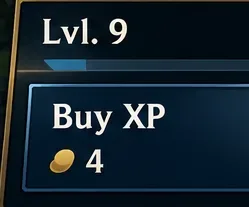
Build a board that can survive while you save for XP. Use Buy XP to reach Level 9 when your economy and health allow it. At that level, your normal team capacity is nine units, not eight.
Budget for the purchase as well as the level-up. Reaching your target with no gold left can leave you staring at a champion you cannot buy immediately. Before committing, ask whether your existing frontline and carry can handle the next fight. If they cannot, improving the current board may be more useful than rushing a late-game unlock.
Check your player level before attempting the unlock. Interface detail shown schematically.
2. Activate three Region traits on your board
Count active Regions, not the total number of trait icons. A class such as Defender or Arcanist is not an extra Region. Likewise, three champions from different regions do not necessarily activate three traits: each trait needs its own minimum number of qualifying champions.
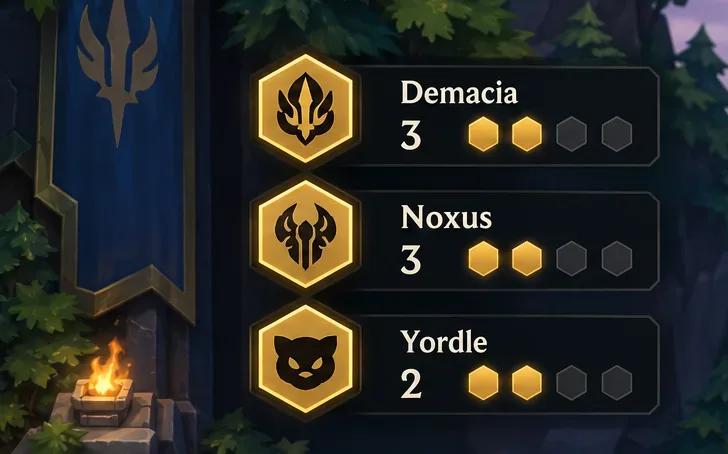
A straightforward example uses three Demacia, three Noxus, and two Yordle champions. Each group reaches its first breakpoint. This is an example of a qualifying setup, not a recommendation to replace a strong board with eight weak units.
Example Region
First breakpoint
Possible base-roster units
Demacia
3
Jarvan IV, Sona, Vayne
Noxus
3
Briar, Sion, Draven
Yordle
2
Lulu, Rumble
These traits and champions appear in Riot's Lore & Legends overview. Use the example to understand the counting, then adapt around the units you actually have. Keep useful overlap and upgrades rather than chasing this exact shopping list.
This example counts three active Regions, rather than three individual champions.
3. Play a combat round with the qualifying setup
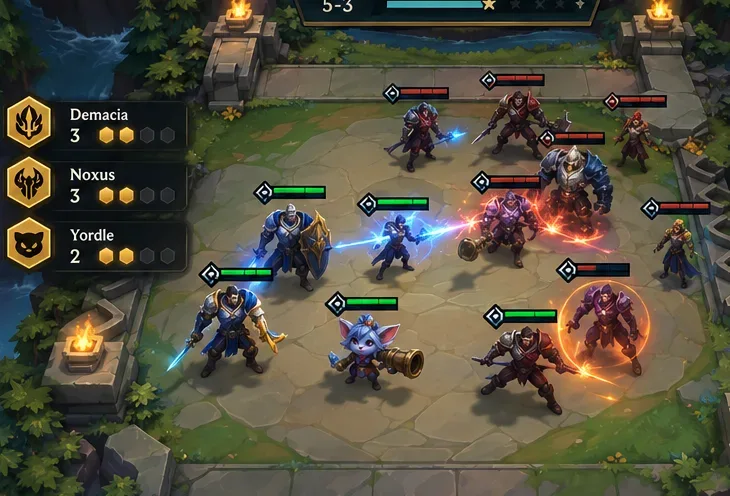
Make your substitutions during planning, check the trait tracker, and enter combat at Level 9 with all three Regions active. Simply buying the missing champion and leaving it on the bench does not complete this setup.
Do not interpret the requirement as “every champion must survive.” Ordinary combat deaths do not undo the traits your fielded team activated. Focus on assembling the correct board before combat and checking the unlock status afterward. There is no reason to dismantle your formation mid-fight or assume a fallen frontline means you must start over.
Enter combat with the qualifying Region setup. The board is an instructional illustration.
4. Check the next shop and buy Ryze
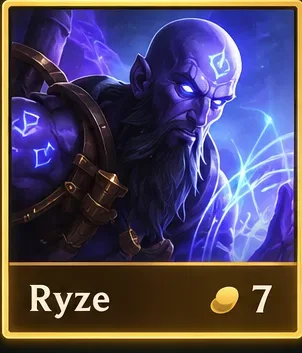
Once his unlock has registered, inspect the next shop roll before refreshing again. Riot's unlock rules guarantee the newly unlocked champion in the rightmost shop slot. The first copy is therefore different from hunting for later copies through ordinary rerolls.
Buy Ryze for 7 gold and make space for him. Do not automatically sell whichever unit looks weakest: first check which traits that unit is maintaining. A supporting champion can be worth keeping if removing it turns off an important Region.
Reserve 7 gold to purchase Ryze when his unlocked shop offer appears.
Why Ryze may still look locked
You counted inactive traits. Read the threshold, not just the region name. Being one champion short still leaves the trait inactive.
You counted classes as Regions. A board with several active combat classes can still fall short of three Regions.
Your last purchase stayed on the bench. Put the required unit into your actual combat team before the round begins.
You are reading a different patch's instructions. Compare the in-client condition with the patch 16.6 change above.
You refreshed past the first copy. Check whether Ryze is already unlocked before spending more gold. Availability and ownership are separate states.
Make the unlock useful without ruining your board
Ryze's Rune Mage trait benefits from active Regions without adding to their unit counts. Adding him is therefore not a substitute for the champions maintaining those breakpoints. Plan the replacement before buying XP, especially when your board is already full.
Keep a practical transition plan: identify the slot Ryze will take, the frontline that will protect him, and the items you can actually move. Items on another champion do not transfer merely because you buy a new carry. Avoid selling a well-equipped carry until you know how the replacement affects your damage and traits.
The most useful preparation is a flexible bench and a clear spending limit. Hold a missing Region piece when it fits your plan, but do not fill every bench slot with speculative purchases. If reaching Level 9 requires sacrificing too much immediate strength, stabilize first. An unlock only helps if you remain in the match long enough to use it.