How to Check Real-Time Server Latency in the PUBG HUD

Enable PUBG’s network statistics HUD to monitor ping and packet loss in a match. See where to find it, what the numbers mean, and what they cannot diagnose.
If your fighter jumps when you flick the left stick upward, turn off Stick Jump in Super Smash Bros. Ultimate’s Controls settings. The change affects the controller profile you edit, so check that you select the same controller and profile you use in battles. After saving, confirm the result in Training: moving the left stick up should no longer jump, while your assigned jump button should still work.
Players often call this “tap jump” because a quick upward stick motion triggers a jump. In the game’s settings, look for the label Stick Jump. It is separate from the button mapping for Jump. Nintendo’s official beginner guidance explains the game’s basic use of the control stick and jump input; see its Super Smash Bros. Ultimate controls overview for related control basics.
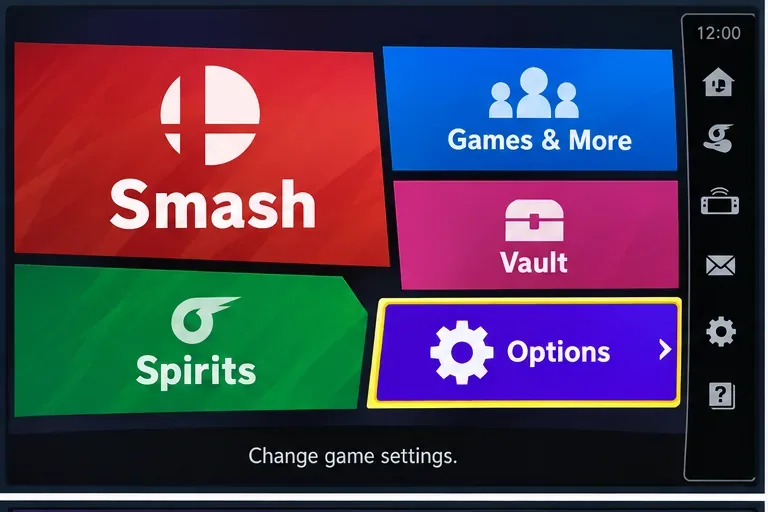
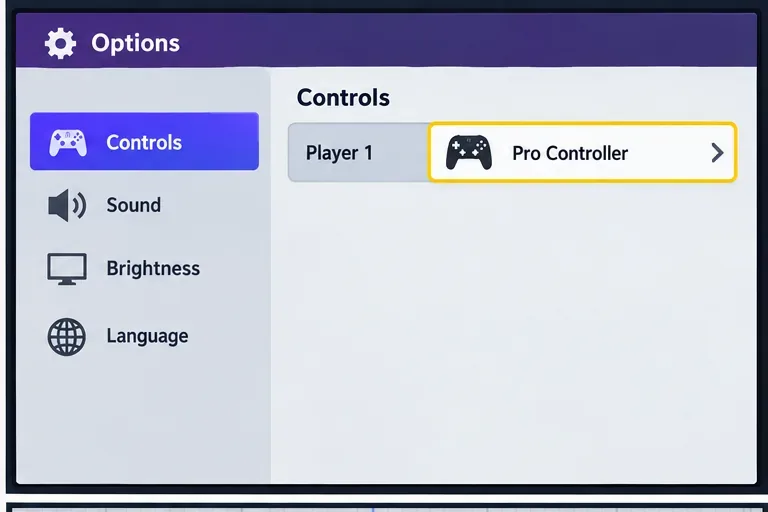
Use Training Mode for a controlled check. Start a training session with the controller profile you edited. On the ground, move the left stick straight up without pressing any face or shoulder button. Your fighter should stay grounded. Then press the button assigned to Jump; the fighter should jump normally. Repeat the two inputs once or twice so you can distinguish a deliberate jump-button press from a stick movement.
The useful result is not simply that accidental jumps happen less often. The clear signs are that an upward stick flick no longer triggers a jump, your chosen jump button still does, and the change holds when you leave and reopen the profile. This test also catches a common mix-up: editing Player 1’s Pro Controller profile but then testing with a different player, controller, or saved profile.
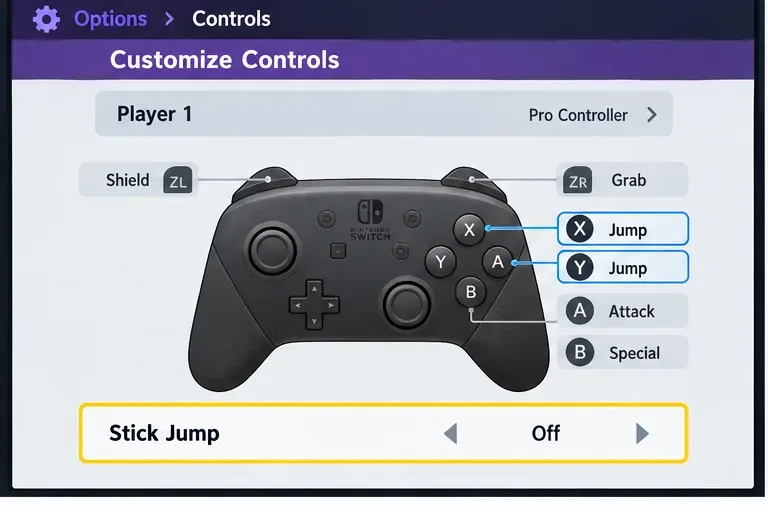
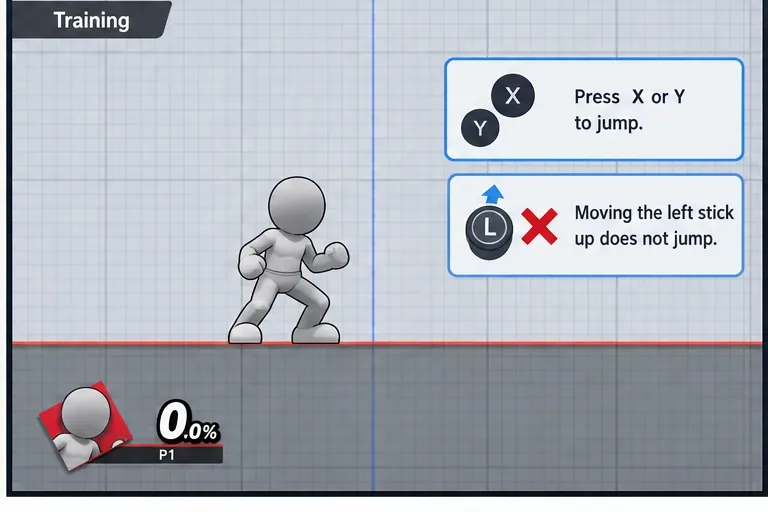
Turning off Stick Jump stops the left stick’s upward direction from serving as a jump command. It does not disable jumping, remove the character’s midair jumps, change recovery moves, or adjust the stick’s sensitivity. It also does not change the system-wide controller button mapping in Nintendo Switch settings; this is a game control preference tied to the profile you edited.
If you prefer to jump with the stick sometimes, you may find the setting less convenient for quick jumps. You can return to the same Controls screen and turn Stick Jump back on. If the setting is not visible, check that the game is open to Super Smash Bros. Ultimate’s Options menu, that the right controller profile is selected, and that you have opened its detailed settings rather than only highlighting the profile.
The setting is successful when an upward flick of the left stick no longer makes your fighter jump, but the assigned Jump button still works. If that result does not hold, verify the selected profile and controller before changing other settings.
Enable PUBG’s network statistics HUD to monitor ping and packet loss in a match. See where to find it, what the numbers mean, and what they cannot diagnose.
Learn how to import VALORANT crosshair codes, compare presets with manual settings and spectator copy, and fix common import issues.
Choose Dota 2 minimap size, hero icons, team colors, and background settings by readability, fewer misclicks, and clear results on your own display.
Fix Fortnite texture pop-in on PC with official steps for GPU drivers, file verification, DirectX 12, high-resolution textures, VRAM, SSDs, and stutter.
Learn what Heroes of the Storm minimap size and position options are verified, improve readability, and choose camera-click controls that suit you.
Set Super Smash Bros. Ultimate Quickplay to prefer hazards-off stages. Follow the Preferred Rules menu steps and learn why matchmaking may not always honor them.
Enable Server Latency and Packet Loss in Warzone to monitor connection quality, read the overlay, and use recurring spikes to guide troubleshooting.
Learn how to carry from mid lane in League of Legends by setting up waves, choosing safe roam windows, reading side lanes, and converting pressure into objectives.
Fix Minecraft Evoker spell problems with a safe vanilla test, version checks, log review, and a step-by-step way to isolate mod or datapack conflicts.
Fix PUBG stuck on Initializing on Steam with a focused checklist for PC service notices, launch options, game files, downloads, and connection issues.








