Knowing how to see your stash value in ARC Raiders helps you track exactly how much your hoarded loot is worth. Whether you are deciding what to sell, what to keep for crafting, or simply chasing a richer haul, having a single number for the total worth of your stash makes every extraction feel like real progress. This guide walks through where to find that value back at Speranza, how to read it, and how to confirm the price of individual items.
In ARC Raiders, your stash is the permanent storage you keep between raids at the underground town of Speranza. Anything you successfully extract with lands here, and the game tracks the overall value of everything you have collected. Loot you are still carrying on a raid does not count until you make it out alive.
What you need before you start
- A safe return to Speranza. You can only browse your stash at the hub, not mid-raid.
- Some loot to value. Even a few salvaged parts and recyclables will register a number.
- A minute to sort. Sorting by value is the quickest way to understand what is driving the total.
How to see your stash value in ARC Raiders
-
Step 1: Return to Speranza and open your stash
Extract from your raid and head back to the hub at Speranza. Walk up to your personal stash terminal (your storage locker) and hold the interact key to open it. Remember that only items already stored here are counted toward your stash value, so make sure you have stashed your latest finds first.
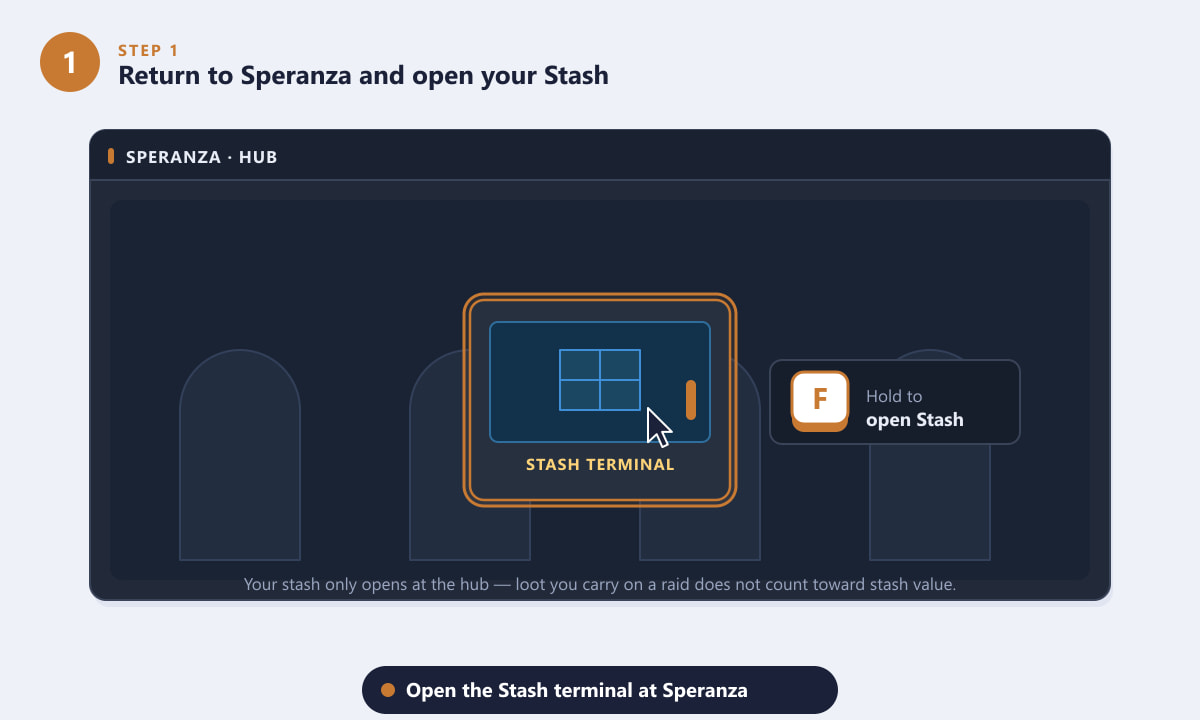
Interact with the stash terminal at Speranza to open your storage. -
Step 2: Read the total value on the stash screen
With the stash open, look for the total value readout, usually shown near the top or in the summary area of the storage panel. This figure is the combined worth of every item you have stored, calculated from each item's sell value. It is the single number most players mean when they talk about their "stash value."
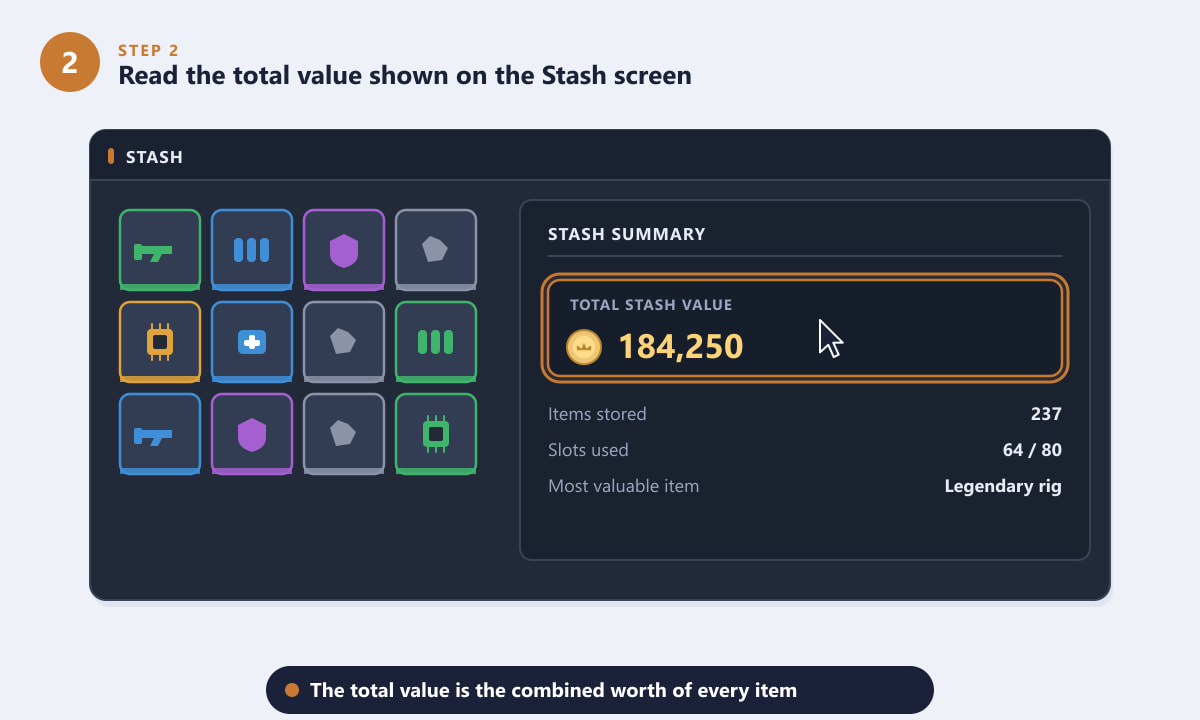
The total stash value combines the worth of every stored item. -
Step 3: Sort by value to see what each item is worth
To understand why your total is what it is, change the stash sorting option to Value (high to low). This pushes your most expensive gear, rigs, weapons, and rare components to the top of the list so you can see at a glance which items are carrying the most worth, and which low-value clutter you might want to clear out or recycle.
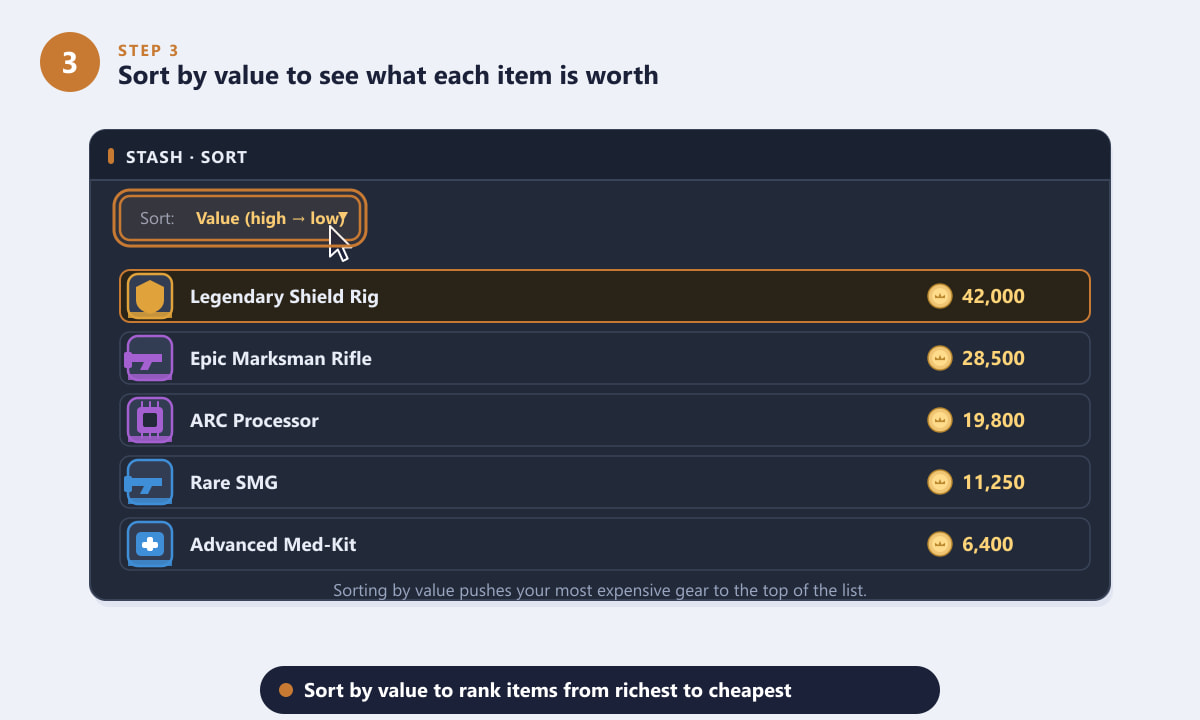
Sorting by value ranks your loot from richest to cheapest. -
Step 4: Confirm an item's worth at a Trader
If you want the exact currency price of a specific item, visit a Trader at Speranza and open the sell view. Each item displays its precise sell price, and that price is what feeds into your overall stash value. The Trader screen is the most reliable way to double-check the worth of a single high-value piece before you decide whether to keep, craft with, or sell it.
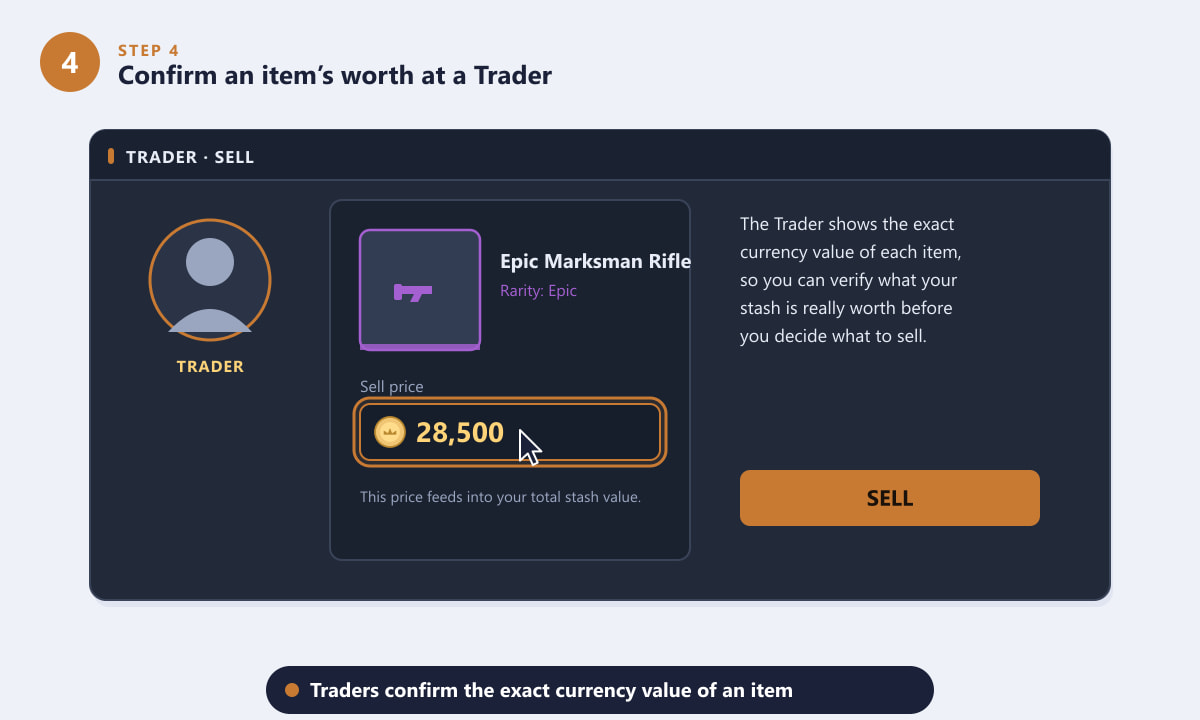
A Trader confirms the exact currency value of each item. -
Step 5: Track your stash value as it grows
Treat your stash value as a running scoreboard. Check it after each successful extraction and watch the total climb as you bring back better loot. Comparing the number before and after a run is a satisfying way to measure how profitable a raid actually was, and it helps you spot when it is time to cash in surplus gear.
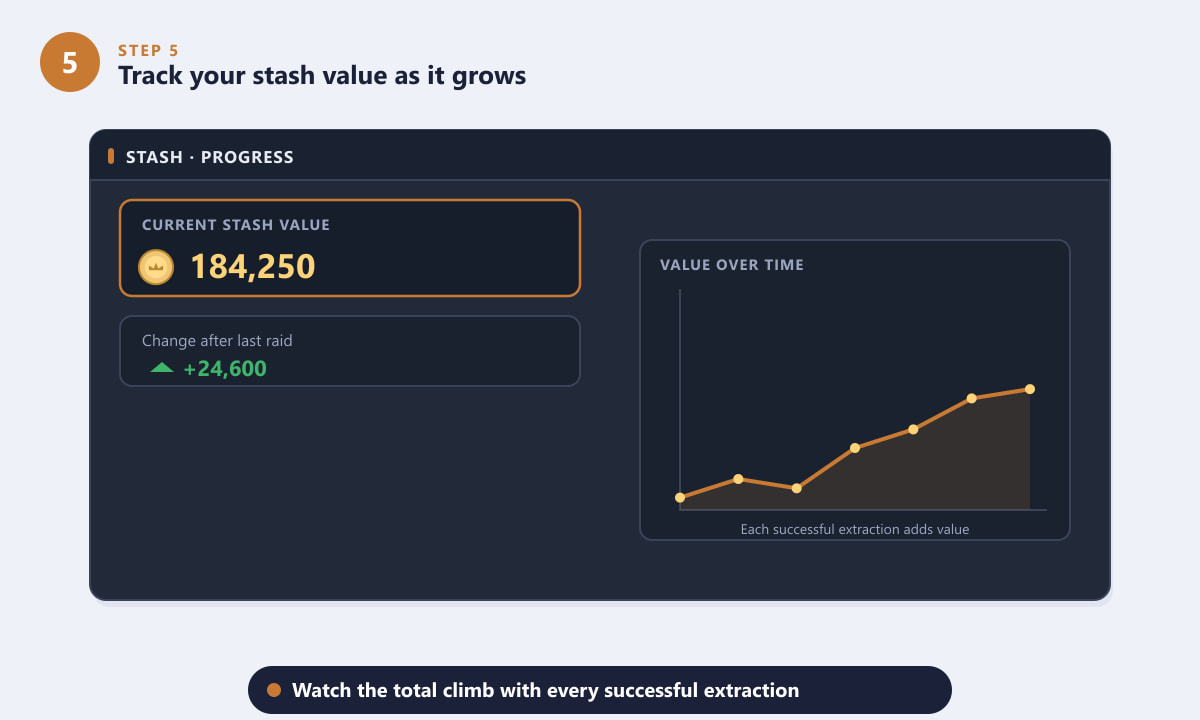
Watch your stash value climb with every successful extraction.
Tips for growing your stash value
- Stash before you do anything else. Items only count once they are in storage, so deposit your haul the moment you return.
- Prioritize space-efficient loot. Rare components and high-tier gear often pack the most value into the fewest slots, keeping your stash both rich and tidy.
- Recycle low-value clutter. Breaking down junk into useful materials can be worth more to you than the few coins it would sell for.
- Don't hoard everything. Selling surplus duplicates turns idle stash value into spendable currency for upgrades and crafting.
Troubleshooting
I can't find a total value number
Make sure your stash is fully open at the hub and check the summary or header area of the storage panel. The total reflects only stored items, so an empty stash will show little or nothing.
My value didn't go up after a good raid
Confirm you actually extracted and that the loot landed in your stash. Anything lost when you go down in a raid never reaches storage, so it cannot add to your stash value.
An item's listed worth looks different at the Trader
Trader sell prices are the exact, current currency values and are the figures that build your total. If a number looks off, re-check it on the Trader's sell screen for the authoritative price.
Frequently asked questions
Where do I see my stash value in ARC Raiders?
Open your stash at the Speranza hub and look at the total value readout in the storage panel. It shows the combined worth of every item you have in storage.
Does loot I'm carrying on a raid count toward my stash value?
No. Only items that have made it back into your stash count. Loot in your backpack during a raid is not added until you successfully extract and store it.
How do I check the value of a single item?
Sort your stash by value to rank items, or open a Trader's sell screen to see the exact currency price of any individual item.
How can I raise my stash value quickly?
Bring back high-tier gear and rare components, recycle low-value junk for materials, and stash everything you extract so it all counts toward the total.
Final thoughts
Seeing your stash value in ARC Raiders comes down to one habit: return to Speranza, open your stash, and read the total worth of everything you have stored. Sort by value to understand what is driving that number, confirm individual prices at a Trader, and watch the total grow run after run. For the latest official details, visit the official ARC Raiders website.









