To find Plantera’s Bulb in Terraria, defeat all three Mechanical Bosses, then search the Underground Jungle for a glowing pink bulb rooted in Jungle grass. Check previously explored tunnels on your map for a small pink patch. Once you find one, prepare an arena before mining it with a pickaxe or drill: destroying the bulb summons Plantera.
This guide focuses on the current desktop, console, and mobile versions of Terraria. It explains the spawn requirements, the fastest way to search, why bulbs may appear to be missing, and how to avoid triggering the boss before you are ready.
Plantera’s Bulb: location and requirements at a glance
| Question | Answer |
|---|---|
| Where does it spawn? | On Jungle grass below the Surface, most often in the natural Underground Jungle. |
| When does it unlock? | After defeating The Destroyer, The Twins, and Skeletron Prime in a Hardmode world. |
| What does it look like? | A small, vivid pink plant that emits faint light and occupies a 2-by-2-tile space. |
| How do you locate it? | Explore Jungle tunnels and inspect pink spots on the revealed map; hover over a spot to check its name. |
| How do you summon Plantera? | Mine the bulb with a pickaxe or drill after preparing for battle. |
How to find the Plantera Bulb in Terraria: 5 steps
Step 1: Unlock bulb spawns by beating all three Mechanical Bosses
Enter Hardmode by defeating the Wall of Flesh. Next, defeat The Destroyer, The Twins, and Skeletron Prime in the same world. The order does not matter, but defeating only one or two is not enough on modern versions.
After the final Mechanical Boss falls, the message “The jungle grows restless...” signals that Plantera’s Bulbs can generate. Current versions also attempt to create the first bulb immediately when you defeat the third Mechanical Boss for the first time. You do not need to defeat another optional boss or acquire a special detector.
Step 2: Enter the Underground Jungle and explore its tunnels
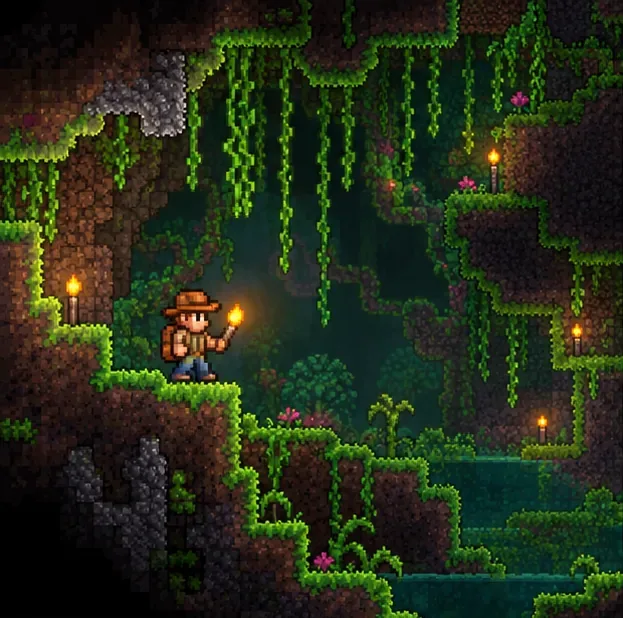
Head beneath the surface Jungle into the sprawling green caverns. Follow natural passageways, light dark corners, and reveal more of the area on your map. A Plantera’s Bulb spawns on Jungle grass covering mud blocks, not on empty background walls; the bulb can simply appear in front of a wall.
Search flat grassy ledges as well as the sides of larger chambers. The natural Underground Jungle is the best starting point, although the required Jungle grass can also be grown on player-placed mud below the Surface.
Step 3: Identify the pink bulb and check your map
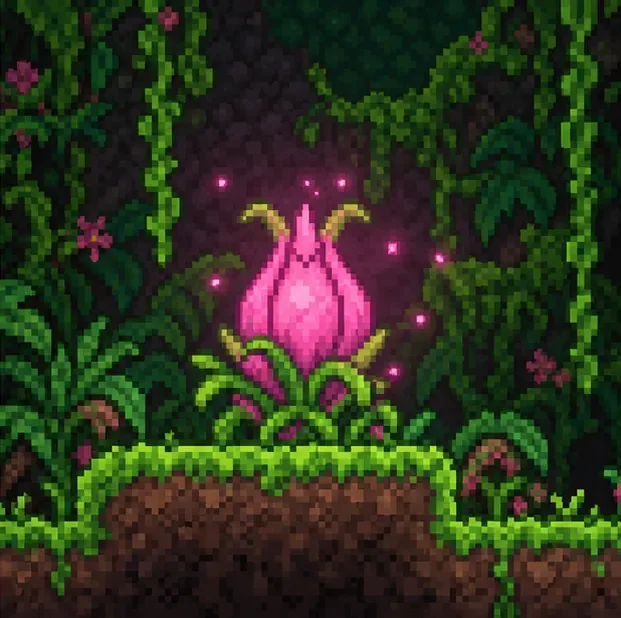
The bulb is bright pink or magenta, with green leaves around its base. It gives off a little pink light, but crowded vegetation and uneven terrain can still conceal it. It is a two-tile-wide plant, not a large structure, so inspect the ground carefully.
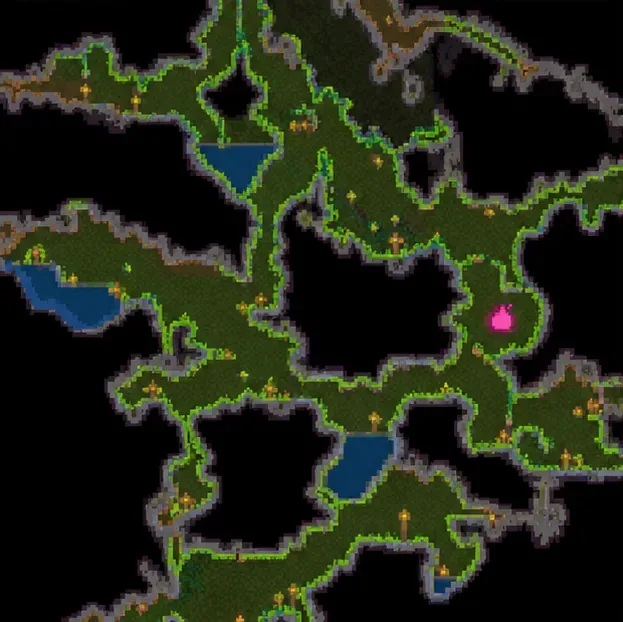
For an easier search, open the full-screen map and zoom in on Jungle areas you have already uncovered. On desktop, console, and mobile versions, a bulb appears as a small pink patch on the explored map. Hover the cursor over a suspicious spot where your controls allow it; the label “Plantera’s Bulb” confirms the target. Travel to the spot and inspect the grass before digging.
Step 4: Build a Jungle arena before touching the bulb
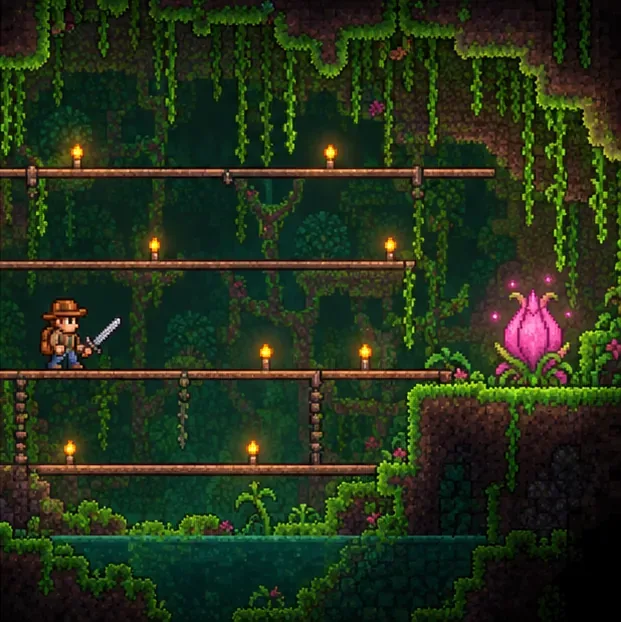
Do not mine the bulb as soon as you spot it. Plantera is a dangerous Hardmode boss, and preparation is far easier while the bulb remains intact. Clear a roomy chamber nearby, add several tiers of wooden platforms, and use light sources so you can track the boss. Bring healing potions, buff potions, and enough ammunition or mana recovery for your weapon setup.
Keep the fight in the Underground Jungle. Plantera becomes enraged if the targeted player leaves that environment, including by moving to the Surface or Underworld. When excavating a large arena, leave enough Jungle-associated blocks nearby to preserve the biome designation.
Step 5: Mine the bulb to summon Plantera
Once the arena is ready, strike the bulb with a pickaxe or drill. Destroying it summons Plantera nearby, often beyond the immediate edge of the screen, so watch for the boss and move toward your prepared arena. An ordinary sword strike or projectile does not mine the bulb.
A bulb can also be broken accidentally by explosives, lava, certain block changes, or altering its supporting blocks. Avoid construction or demolition directly beneath it until you are ready. Only one Plantera can be active at a time, and defeating Plantera grants a Temple Key, opening the way to the Jungle Temple and further progression.
How to make Plantera’s Bulbs spawn faster
Unlike boss summon items, bulbs are naturally generated and cannot be crafted or carried in your inventory. Once unlocked, they continue appearing over time if suitable Jungle grass is available. New bulbs do not all spawn together: the official wiki describes a delay of roughly half an in-game day between new bulbs, with several eventually present in a sufficiently large Jungle.
- Check the map before digging more. A bulb may already exist in an explored tunnel, even if you overlooked it during your first pass.
- Wait or sleep in a bed. Sleeping speeds up game time and gives the world additional opportunity to generate bulbs. In Journey Mode, the time-speed control can also speed up the process.
- Provide suitable spawning ground. Long, flat strips of mud covered in Jungle grass below the Surface create more usable spots. Bulbs need two adjacent flat Jungle grass tiles.
- Spread out your search. Bulbs are spaced apart, so look across multiple parts of the Underground Jungle rather than inspecting only one small chamber.
- Leave ordinary plants alone. Bulbs can replace common Jungle vegetation; it is not necessary to clear every vine or bush by hand.
Why can’t I find a Plantera Bulb?
All three Mechanical Bosses have not been defeated
This is the most common progression issue. Verify that The Destroyer, The Twins, and Skeletron Prime have all been defeated in the same world. Progress made on another world does not unlock bulb growth here.
You are searching too close to the surface or on the wrong blocks
Move below the Surface layer and prioritize grassy mud ledges. The natural Underground Jungle is easiest to search. Background Jungle walls alone do not provide a spawn surface; Jungle grass on a suitable block does.
Not enough time has passed or you have uncovered too little terrain
The first bulb can appear when the last Mechanical Boss is defeated, but later bulbs generate over time. Search a wider section of the Jungle and revisit it after some in-game time instead of repeatedly checking the exact same screen.
You are using the wrong detection accessory
A Lifeform Analyzer detects rare creatures, not Plantera’s Bulbs. Similarly, the Metal Detector and its upgrades do not reveal bulbs. Use the map's pink marker and direct visual inspection instead; neither an accessory nor a Hunter Potion is necessary to locate one.
Frequently asked questions
Can Plantera’s Bulbs spawn more than once?
Yes. Once unlocked, new bulbs can appear after earlier ones are destroyed. You can summon Plantera again in the same world, provided the necessary growing conditions remain.
Do Plantera’s Bulbs spawn in a player-made Jungle?
Yes. They can grow on suitable Jungle grass below the Surface, including grass established on player-placed mud. The natural Underground Jungle is simply the most convenient place to find them.
Can Plantera’s Bulbs spawn on Jungle background walls?
No. A bulb can appear in front of a background wall, but it must grow from Jungle grass on a supporting block. Confusing these two facts can lead to searching empty walls instead of grassy ledges.
Why does Plantera suddenly become much stronger?
Plantera's enraged state activates when the fight leaves the Underground Jungle. If this happens, head back into an appropriately sized Underground Jungle arena rather than kiting the boss toward the surface.
Sources and further reading
For spawning mechanics and platform notes, see the Official Terraria Wiki: Plantera’s Bulb, Official Terraria Wiki: Plants, and Official Terraria Wiki: Plantera. You can also check the Lifeform Analyzer reference to distinguish creature detection from bulb searching.









