How to Download PUBG on Steam for Free (2026 Guide)
To download PUBG on Steam, install the Steam desktop app, open the official PUBG: BATTLEGROUNDS listing, select its free-play option, and install it to a drive with enough space. The PC game is free to play; you do not need to buy it to add it to your Steam library. You do need a Steam account, a supported Windows PC, an internet connection, and room for the installation.
This guide covers the PC version, PUBG: BATTLEGROUNDS, available from the official Steam Store page. It is not the separate PUBG MOBILE app. The Steam listing also notes that optional in-game purchases are available.
The interface pictures below are representative illustrations. Steam’s exact layout and button labels can vary by client version, language, and region.
Check your PC and storage first
Steam lists these system requirements for PUBG: BATTLEGROUNDS. Its current listing specifies 64-bit Windows 10. Check the Steam page before installing in case the publisher updates them.
| Requirement | Minimum | Recommended |
|---|---|---|
| Operating system | 64-bit Windows 10 | 64-bit Windows 10 |
| Processor | Intel Core i5-4430 or AMD FX-6300 | Intel Core i5-6600K or AMD Ryzen 5 1600 |
| Memory | 8 GB RAM | 16 GB RAM |
| Graphics | NVIDIA GeForce GTX 960 2 GB or AMD Radeon R7 370 2 GB | NVIDIA GeForce GTX 1060 3 GB or AMD Radeon RX 580 4 GB |
| Storage | 40 GB available space | 50 GB available space |
| Other | DirectX 11 and a broadband internet connection | |
The 40 GB figure is the listed minimum available storage, not a promise that every download will be exactly that size. Updates can change the space used, so aim for the recommended 50 GB if you can. An SSD is not listed as a requirement, but it can make loading faster.
How to download PUBG on Steam
1. Install Steam and sign in
Go to Steam’s official installation page and download the desktop client for Windows. Run the installer, open Steam, then sign in or create an account. Steam is the delivery platform for the PC version, so keep the client installed for future updates and launches.
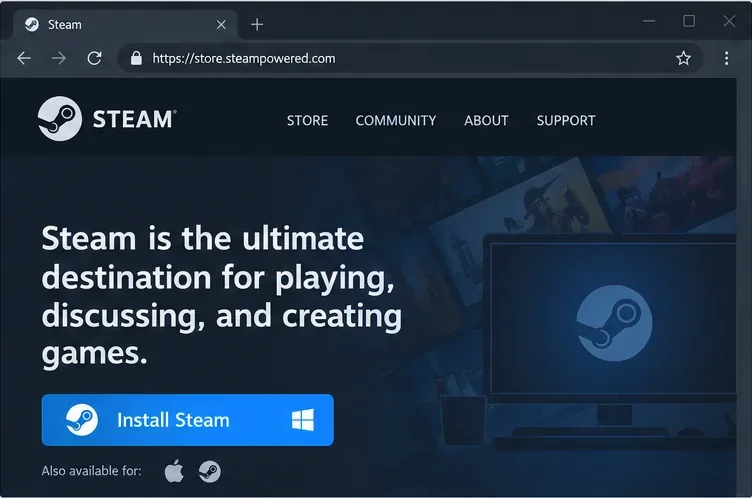
A representative browser view highlights the Steam installer button. 2. Find the official PUBG listing
In Steam, open Store and search for PUBG: BATTLEGROUNDS. Choose the result published by KRAFTON, Inc. and check that the title matches; avoid similarly named bundles, add-ons, or unrelated mobile listings. You can also open the official Steam product page directly in a browser, then continue in the Steam client.
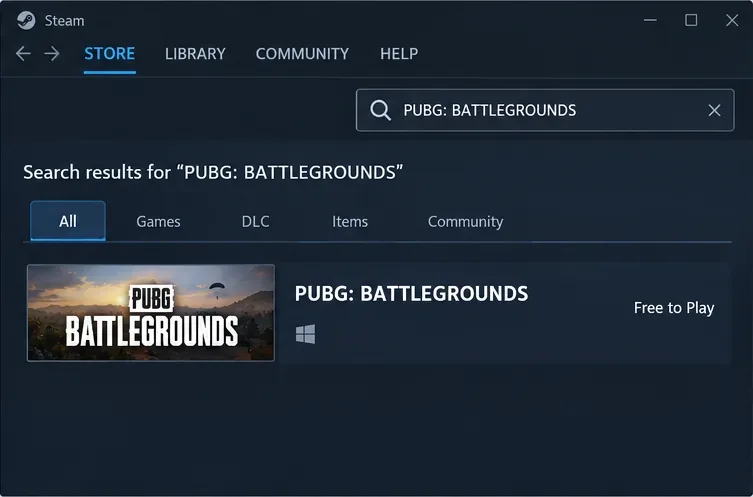
Search for the exact game title and open its Steam Store listing. 3. Add the free game to your Steam library
On the product page, confirm that PUBG is marked Free to Play. Select Play Game (or the equivalent play/install button displayed in your client). Steam may ask you to sign in or confirm your age before continuing. Adding the base game does not require a purchase; optional cosmetics or other in-game content are separate.
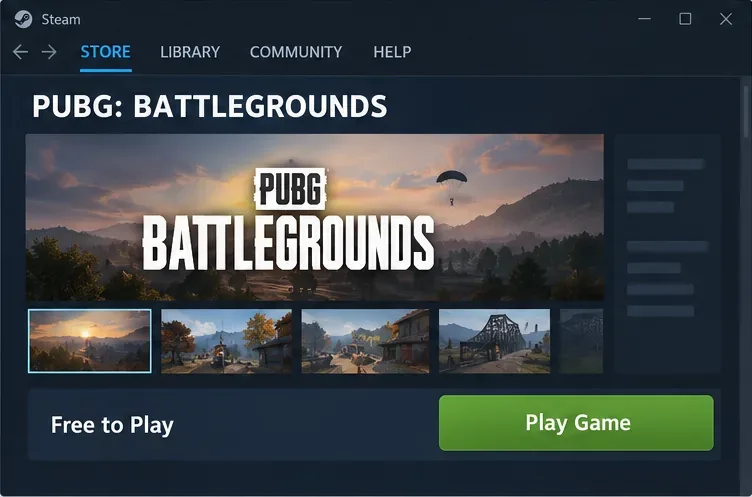
The official listing is free to play; the client may use slightly different button wording. 4. Choose an install location and start the download
When Steam opens the install dialog, select a library folder on a drive with at least 40 GB free; 50 GB gives you more room for updates. An SSD is a sensible choice if you have one. Click Install to begin. Steam’s Downloads view shows progress, and the time depends on your connection and the current game files.
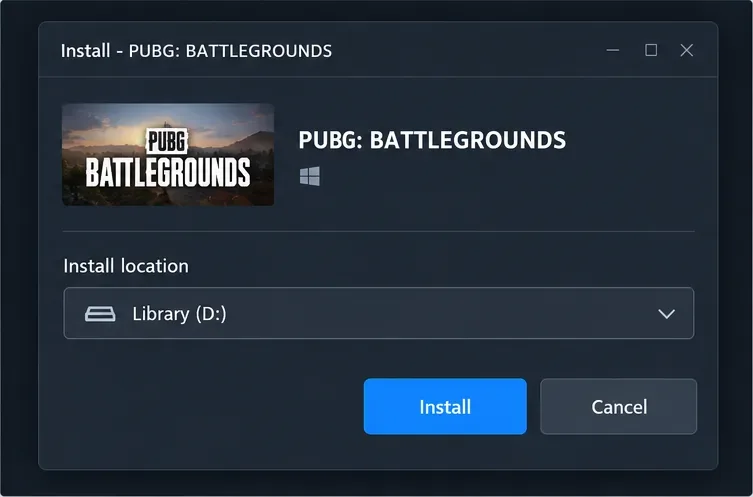
Choose a Steam library location before starting the download. 5. Launch PUBG from your Library
After the download and any queued update finish, open Library, select PUBG: BATTLEGROUNDS, and click Play. The first launch can take longer while the game completes setup. If Steam shows another update, let it finish before launching.
Fix common PUBG download problems
The download is slow or appears stuck
Check whether another download is using your connection, then open Steam > Settings > Downloads. Steam recommends selecting your own or a nearby download region for slow connections. If the download still will not move, try clearing the download cache from the same settings area; Steam may ask you to sign in again. Follow Steam’s instructions for slow downloads and content-server connections and clearing the download cache.
Steam reports a disk write or installation error
Make sure the selected drive has enough free space and that your Windows account can write to the Steam library folder. In Steam, check Settings > Storage to confirm the selected library drive. Restart Steam after correcting a full-drive or permissions issue. If you want to move the game later, use Steam’s storage controls instead of dragging the installed folder by hand; see Steam’s guide to moving a Steam installation and games.
PUBG installs but will not launch
Restart Steam and your PC, then update Windows and your graphics driver. If files may be missing or damaged, open the game’s Properties > Installed Files page in your Library and choose Verify integrity of game files. Steam explains the process in its official file-verification instructions.
Frequently asked questions
Is PUBG free to download on Steam?
Yes. The base game, PUBG: BATTLEGROUNDS, is free to play on Steam. Optional purchases are separate and are not required to download the game.
How much space should I leave for PUBG?
Steam lists 40 GB as the minimum available storage and 50 GB as recommended. Leave extra space when possible because patches can change the amount required.
Can I install PUBG on Mac or Linux through Steam?
The Steam product listing specifies 64-bit Windows 10 and does not list Mac or Linux system requirements. For the officially listed PC setup, use a supported Windows computer.
Do I need PUBG MOBILE to play the Steam version?
No. PUBG: BATTLEGROUNDS on Steam is the PC game. PUBG MOBILE is a separate product and is not the Steam download described here.









