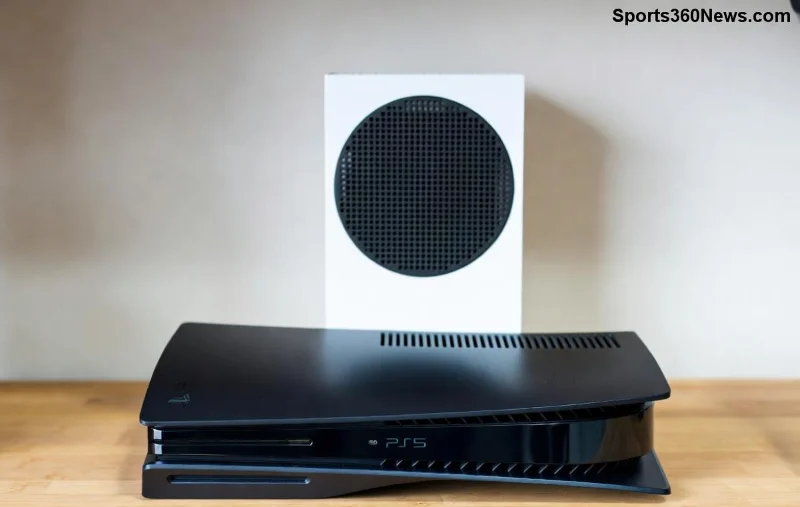
Hey, fellow gamer! 👋 Imagine diving into your favorite PS5 titles on the PlayStation Portal with crystal-clear audio from your trusty Bluetooth headphones. But here's the catch: native Bluetooth audio support isn't built-in yet. Don't sweat it! This guide unlocks proven workarounds for seamless Bluetooth headphones connection to PlayStation Portal, keeping your immersion unbreakable. Whether you're streaming remotely or chilling at home, we'll cover everything from quick setups to pro tips. Let's level up your audio game! ⭐
Does PlayStation Portal Support Bluetooth Headphones Natively?
Short answer: No, but with smart hacks, yes! Sony's PlayStation Portal prioritizes low-latency PlayStation Link for audio via Wi-Fi (like Pulse Elite or Explore earbuds). Bluetooth headphones face latency issues and lack direct pairing. The good news? The PlayStation Portal's 3.5mm headphone jack is your gateway. Pair it with a Bluetooth transmitter, and you're golden. Recent firmware updates enhance stability, making third-party solutions smoother than ever.
Best Methods to Connect Bluetooth Headphones to PlayStation Portal
We'll break it down into foolproof methods. Pick your vibe: official, wired adapter, or wireless transmitter. Each delivers lag-free sound for epic boss fights. 🎧
Method 1: Use Official PlayStation Link Audio (Low-Latency Alternative) ⭐
If you own Sony Pulse Explore or Pulse Elite earbuds, this is plug-and-play heaven—no Bluetooth needed!
- 👆 Power on your PlayStation Portal and earbuds.
- Ensure both are updated to the latest firmware via PS5 settings.
- Press the PlayStation Link button on earbuds (they auto-pair over Wi-Fi).
- 🎮 Test in a game—audio streams wirelessly with under 20ms latency!
Pro tip: Link up to two pairs for co-op sessions. Not ready to buy? Jump to transmitters below.
Method 2: Bluetooth Transmitter via 3.5mm Jack (Universal Fix) 🏆
The #1 hack for any Bluetooth headphones. A low-latency transmitter plugs into the PlayStation Portal's jack, converting audio to Bluetooth. Latency? Minimal with aptX Low Latency models.
![Bluetooth transmitter connected to PlayStation Portal 3.5mm jack]()
Recommended Bluetooth Transmitters for PS Portal
| Model |
Latency |
Codecs |
Price Range |
Why It Rocks |
| Avantree Oasis Plus |
<40ms |
aptX LL, aptX HD |
$60-80 |
Long range (164ft), dual pairing |
| 1Mii B06TX+ |
<40ms |
aptX LL |
$40-50 |
Compact, battery-powered |
| Creative BT-W3 |
<40ms |
aptX Adaptive |
$50-60 |
USB-C option, versatile |
Step-by-Step: Connect with Bluetooth Transmitter
- 🔌 Plug transmitter into PlayStation Portal's 3.5mm jack (bottom edge).
- 1️⃣ Power on transmitter (charge if needed—most last 20+ hours).
- 2️⃣ Enter pairing mode: Hold transmitter's button until LED flashes blue/red.
- 3️⃣ On your Bluetooth headphones, enable pairing (e.g., hold power button).
- ✅ Pairing complete? LED solid. Audio routes automatically.
- 🎮 Launch a game on PS Portal—boom, wireless freedom!
Bonus: Dual-link transmitters let a friend join via second pair. Zero dropouts on stable Wi-Fi.
Method 3: Wired Headphones (Quick Backup) ⚡
For zero-latency purists, grab 3.5mm headphones. Plug in, done. Upgrade to active noise-canceling models like Sony WH-CH720N for hybrid use.
Troubleshooting Common Issues 🚫
Audio glitches? We've got fixes to keep you in the zone:
- No sound? Check volume mixer in PS5 Remote Play settings. Ensure transmitter is set to TX mode.
- Latency lag? Switch to aptX LL headphones/transmitter. Stay within 30ft line-of-sight.
- Pairing fails? Reset: Unplug transmitter, forget device in headphones menu, retry. Update PlayStation Portal firmware.
- Battery drain? Use USB-C powered transmitters for endless play.
![Troubleshooting PlayStation Portal Bluetooth headphones connection]()
Still stuck? Dive into Sony's official troubleshooting or community forums.
Top Bluetooth Headphones Picks for PlayStation Portal 🎯
Pair these beasts with your transmitter:
- Sony WH-1000XM5: ANC kings, aptX support. 😎
- SteelSeries Arctis Nova Pro Wireless: Gamer-focused, low latency. 🏅
- Anker Soundcore Life Q30: Budget champ, 60hr battery. 💰
Pro Tips for Peak Audio Performance 🔥
- Optimize Wi-Fi: Use 5GHz for PS Portal streaming—reduces interference.
- Firmware first: Always update via PS5 (Settings > System > System Software).
- Mic magic: Transmitters with mics enable party chat seamlessly.
- Future-proof: Watch for Sony updates—rumors swirl on native Bluetooth in next-gen firmware.
Wrapping up, connecting Bluetooth headphones to PlayStation Portal is a breeze with these hacks. No more tinny TV speakers—enjoy spatial audio in every remote session. Which method are you trying first? Drop your setup in the comments and share the wins! 👏 Game on, legends.