How to Change Your Scenery in Clash of Clans (2026)
To change your Home Village background, tap your Town Hall, choose Change Scenery, and select a scenery in your collection. If you are following an older guide that sends you to Settings first, use the Town Hall instead. Supercell’s October 2026 interface update moved Settings into the Profile menu, while the scenery control is accessed from the Town Hall. This guide covers the current route, switching scenery you already own, and what to do when a background is still locked.
Quick path: Home Village → Town Hall → Change Scenery → choose an owned scenery → confirm if prompted.
The images below are explanatory illustrations, not exact screenshots. Button styling and panel placement can vary by device and game update.
What scenery changes in Clash of Clans
A Clash of Clans scenery changes the environment around a village, such as the landscape, ground, water, vegetation, and sky. It is a visual customization: changing scenery does not move buildings, change troop or defense statistics, or alter resource production. Your base layout remains as it was.
This walkthrough is for the Home Village scenery. A different map, including a War Base, has its own scenery control where available. For War Base scenery, Supercell Support directs players to tap that base’s Town Hall and choose “Change Scenery.”
How to change your Home Village scenery
-
1. Open your Home Village and tap the Town Hall
Go to the Home Village you want to customize, then tap its Town Hall once. This opens the building’s action panel. The new interface puts Settings inside Profile, but you do not need Settings to change the village background.
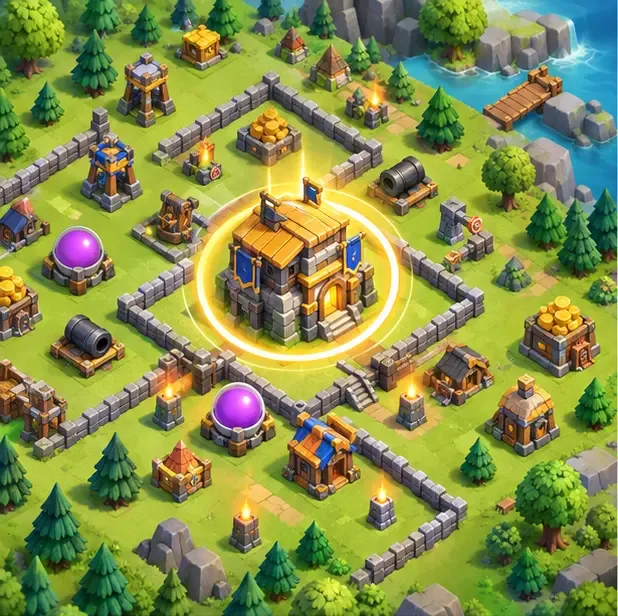
Illustration: tap the Town Hall in the Home Village to open its actions. -
2. Choose “Change Scenery”
Find Change Scenery in the Town Hall action panel and tap it. If the option is not visible, close the panel, confirm you are viewing the Home Village rather than another map, and tap the Town Hall itself. Do not follow older directions that describe a scenery button inside the Settings gear.
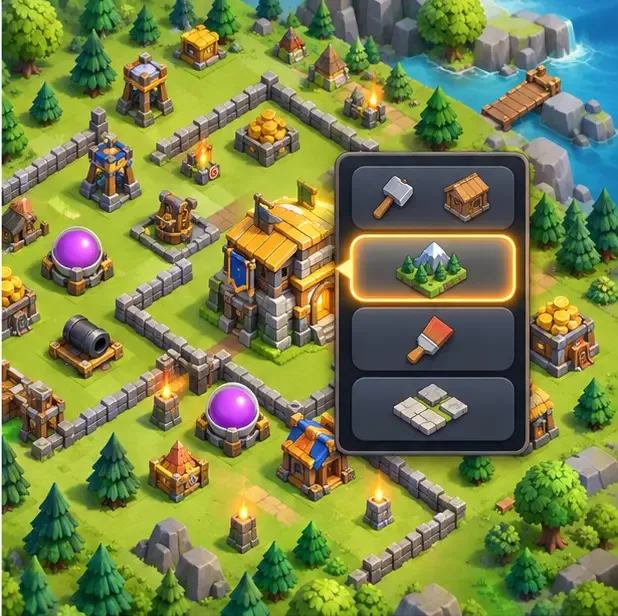
Illustration: select the scenery action from the Town Hall panel; the game’s exact menu design may differ. -
3. Browse your scenery collection
The scenery picker shows backgrounds available to your account. Look for the scenery you want and check whether it is already owned. An owned option can be selected; a locked or unowned option may open an offer or show an unlock requirement. The collection can include scenery earned earlier as well as scenery obtained through a current offer.
Do not assume every background shown in an older guide is currently for sale. Availability changes, and some offers are limited-time. Check the label and details on the in-game screen before spending anything.
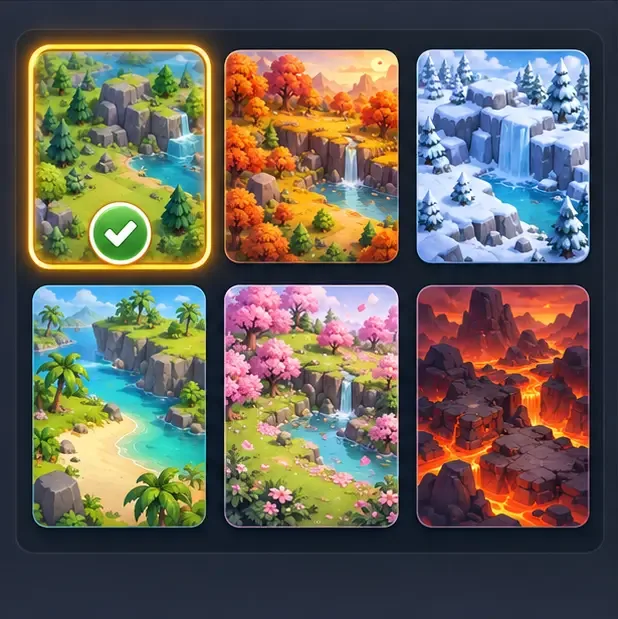
Illustration: compare the available landscape tiles and select a scenery in your collection. -
4. Select the scenery and confirm if asked
Tap the owned scenery you want to use. If the game displays a confirmation or Use button, tap it to apply your choice. If it switches as soon as you select the tile, close the picker and check the village. You can return to this menu and switch among sceneries you own without buying them again.
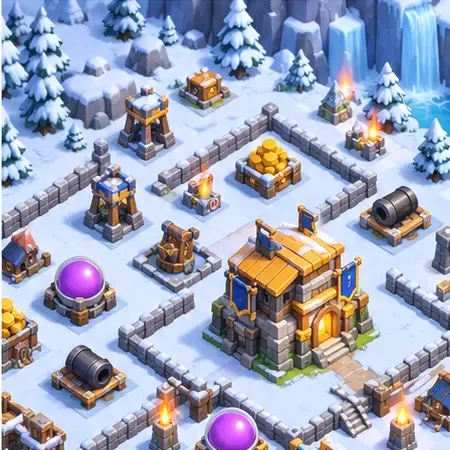
Illustration: the same village appears in a snowy environment after selecting a different scenery. -
5. Get a new scenery only if you want one
If the scenery you want is not owned, open the current in-game offer from the Shop or check the Event Hub for any active reward. The October 2026 interface places the Shop button on the right side of the Home Village screen. Scenery prices and payment methods are not universal: they depend on the item, offer, and region. Read the current offer panel before confirming a purchase; do not rely on an old guide’s fixed Gem price.
Some scenery can be tied to seasonal promotions or events, but a particular background is not guaranteed to return or to be free. Supercell’s official news and the Event Hub are the safest places to check for current availability.
Why “Change Scenery” may be hard to find
- You are in the wrong village: this guide changes the Home Village background. Return to the Home Village and tap its Town Hall.
- You are looking in Settings: the October 2026 interface update moved Settings into Profile. Scenery selection is a Town Hall action, so use the Town Hall panel instead.
- The scenery is not in your collection: open its current offer or check whether the game lists an unlock requirement. Do not assume a displayed scenery is automatically free.
- A purchase is missing: check that you are signed into the Supercell ID that owns the item, then reopen the game. If it still does not appear, use Supercell Support rather than purchasing it again.
Frequently asked questions
Is changing scenery in Clash of Clans free?
Switching to a scenery already in your collection does not require another purchase. Getting a new scenery may require payment, an in-game currency, or meeting the condition shown on its current offer. Check the item’s details before confirming.
Does scenery affect gameplay or my base layout?
No. Scenery changes the appearance of the environment; it does not rearrange your buildings or change troop, defense, or resource-production values.
Does my Home Village scenery also change my War Base?
This walkthrough changes the Home Village. War Base scenery is selected separately from that base’s Town Hall. Supercell Support’s Clan War guidance describes that War Base route.
Where did the old Settings button go?
Supercell’s October 2026 interface update moved Settings inside the Profile button at the top left. That change explains why older screenshots may look different; it does not change the Town Hall route used to open scenery selection. See Supercell’s official interface update notes.
Official references
- Supercell: Clash of Clans interface update — explains where Settings moved.
- Supercell Support: Participating in a Clan War — includes the War Base scenery route.
- Supercell Support: What’s New? October 2026 — describes recent Home Village interface changes.









