How to Buy the Auto Shop in GTA 5 Online (2026)
To buy an Auto Shop in GTA 5 Online, visit the LS Car Meet and meet Mimi if you have not already, then open your in-game phone, go to Maze Bank Foreclosures, choose the Auto Shops category, and purchase one of the five locations. Standard prices run from GTA$1,670,000 to GTA$1,920,000 before optional upgrades or any current discount. The property is available in GTA Online, not Story Mode.
The steps below separate the LS Car Meet introduction from the optional membership, correct the current location list, and explain what happens after you confirm the purchase. Rockstar introduced the Auto Shop with Los Santos Tuners as a customizable property for customer car work and robbery-style Contracts; its update notes describe those activities in more detail.
Read Rockstar’s Los Santos Tuners update notes.
Before you buy an Auto Shop
- Load into GTA Online. Auto Shops are GTA Online properties and cannot be purchased in the single-player campaign.
- Visit the LS Car Meet once. Go to the meet in Cypress Flats and speak with Mimi to start the Los Santos Tuners introduction. If you have never visited, do this before checking the property website.
- Have enough GTA$ ready. The base price depends on the location. Choosing an interior style or other add-ons can raise the total shown at checkout.
- Know that the membership is separate. LS Car Meet membership unlocks its own reputation rewards and activities. It is not the Auto Shop itself, and GTA+ is not required to buy an Auto Shop.
Here are the five standard, undiscounted Auto Shop prices. Weekly offers can reduce the amount, and optional purchase selections can increase it, so use the in-game total on Maze Bank Foreclosures as the final price.
| Auto Shop location | Base price | Useful for |
|---|---|---|
| Mission Row | GTA$1,670,000 | Lowest standard price |
| Strawberry | GTA$1,705,000 | South-central Los Santos |
| Rancho | GTA$1,750,000 | Southern Los Santos |
| Burton | GTA$1,830,000 | Central city access |
| La Mesa | GTA$1,920,000 | East-side highway access |
The previous draft listed Banning, LSIA, and Davis; those are not the five Auto Shop listings. The options are Mission Row, Strawberry, Rancho, Burton, and La Mesa. The property’s location does not change which core Auto Shop activities you can run. If you are saving money, Mission Row is the least expensive. If you prefer a particular part of the map, choose the shop that makes your usual drives easier.
How to buy the Auto Shop in GTA Online
-
Step 1: Start a GTA Online session
Launch Grand Theft Auto V and enter GTA Online. An Invite Only Session is a convenient way to browse and complete the purchase without other players nearby; open the pause menu’s Online options to start one. The purchase is attached to your online character, so make sure you have selected the character that should own the property.
-
Step 2: Visit the LS Car Meet and meet Mimi
If this is your first time with the Los Santos Tuners content, follow the map marker to the LS Car Meet in Cypress Flats and speak with Mimi. You do not need to spend money on the optional membership just to meet her. This step helps make the Auto Shop property listings available. Mimi is the Car Meet contact; KDJ and Sessanta are the partners associated with the Auto Shop Contracts.

An illustrative scene of the LS Car Meet, where players can meet Mimi before shopping for an Auto Shop. -
Step 3: Open Maze Bank Foreclosures on your phone
Bring up your character’s phone and open its Internet browser. On PC, the default phone key is T; on PlayStation or Xbox, use Up on the D-pad. Controls can be remapped, so check your settings if those inputs do not work. Find Maze Bank Foreclosures in the Money and Services bookmarks or use the browser search, then open the Auto Shops category. Rockstar’s own weekly Auto Shop promotion confirms that the property is purchased through this in-game site.
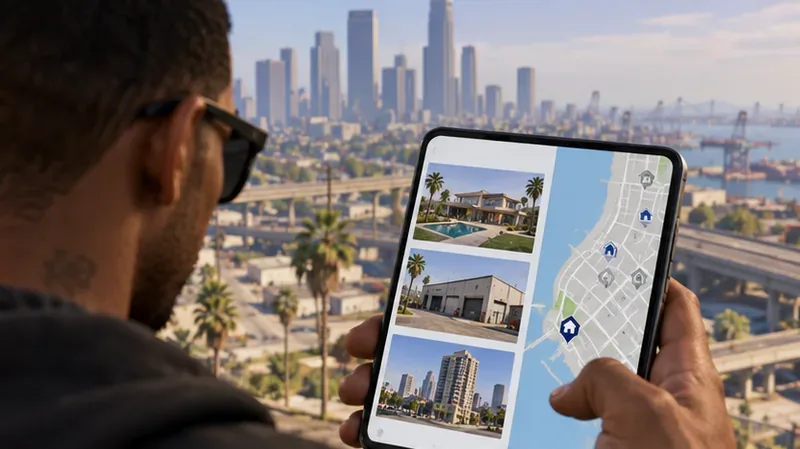
An illustrative phone-and-map view of comparing property listings before choosing an Auto Shop. -
Step 4: Compare the five locations
Open each listing to see its map position and price. Compare the total rather than just the base figure if the purchase screen offers optional extras. All five choices give you the same basic Auto Shop business, so do not pay extra for a location unless its position is worth it for your routes. You can always drive across Los Santos for jobs, but a convenient garage can make ordinary trips less tedious.
An illustrative Auto Shop exterior near a major road, showing why map access can matter when comparing locations. -
Step 5: Confirm the purchase and complete setup
Select the location you want, review the final amount and included options, and choose Purchase. After the transaction, follow the game’s introduction and setup prompts to enter the property and get it operating. The first setup can include recovering an impounded customer vehicle. Once you finish the setup, use the planning board inside the shop to see available Contracts.
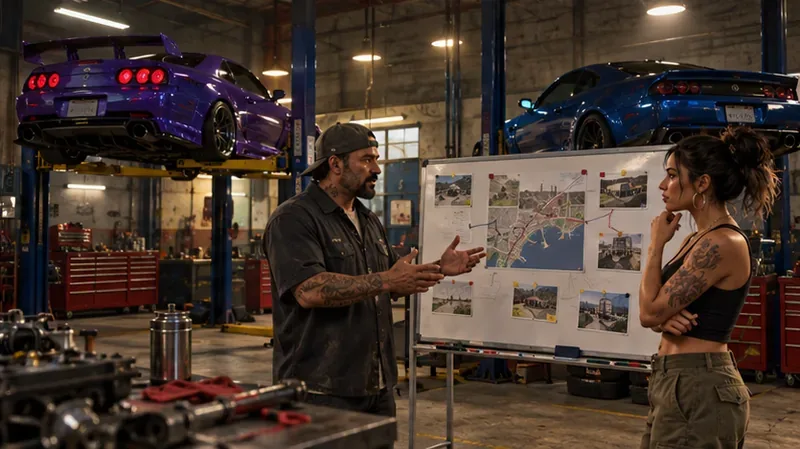
An illustrative view of the Auto Shop interior, where KDJ and Sessanta introduce the Contract work.
What you get with the Auto Shop
The Auto Shop is a vehicle business and a mission hub. You can service customer cars by applying the requested modifications and returning each vehicle yourself or assigning staff to deliver it. You can also launch multi-part robbery-style Contracts with two planning missions followed by a finale. Rockstar’s update notes describe customer car work and the Contracts, and explain that Exotic Exports vehicles appear on a board upstairs after you complete a Contract.
Optional additions let you tailor the property after you buy it. An extra vehicle lift gives you another service bay, while staff can handle customer deliveries for you. These features are mainly convenience choices: you can buy the basic shop first, learn the workflow, and decide later whether an upgrade suits the way you play. The in-game purchase menu will show which customization options are available and their current cost.
Quick fixes if the shop is missing
Auto Shops do not appear on Maze Bank Foreclosures
Confirm that you are in GTA Online, not Story Mode, and visit the LS Car Meet to meet Mimi if you have not done so. Then close and reopen the in-game browser. If the listing still does not load, switch to a fresh session and check again.
The purchase button is unavailable
Check that your character has enough GTA$ for the selected location and any extras currently selected. Remove optional add-ons to see whether the base property fits your balance, or return to the listings and choose a less expensive shop. If the game shows a specific eligibility prompt, complete that requirement before retrying.
The introduction did not start after buying
Open the map and travel to the Auto Shop marker manually. Enter the property and follow any setup prompt or planning-board marker that appears. A session change can also clear a stuck transition; after joining a new session, return to the shop and continue its setup.
Sources and current-price check
Rockstar’s Los Santos Tuners update notes explain the Auto Shop, Contracts, and customer vehicle work. A Rockstar Auto Shop promotion announcement identifies Maze Bank Foreclosures as the in-game purchase site. Because discounts rotate, verify the price and selected extras in the live listing before you confirm.









