Learning how to buy R6 Credits is the quickest way to unlock operators, skins, and Battle Pass tiers in Rainbow Six Siege. R6 Credits are the game's premium currency, and you can purchase them in just a few minutes from the in-game store or directly through Ubisoft, Steam, the PlayStation Store, or the Microsoft Store. This guide walks you through the entire process safely, from opening the store to spending your new Credits.
Credits always carry a fixed official price, so wherever you buy them, you are paying the publisher rate. The most important rule is to purchase only through legitimate storefronts tied to your own account, never from random "cheap credits" resellers that can get your account banned.
What you need before you start
- A Rainbow Six Siege account (Ubisoft Connect) linked to your platform.
- The platform you play on signed in: PC (Ubisoft Connect or Steam), PlayStation, or Xbox.
- A valid payment method, such as a credit/debit card, PayPal, platform wallet, or a store gift card.
- A rough idea of what you want the Credits for, so you can pick the right bundle size.
How to buy R6 Credits step by step
-
Step 1: Open the store on your platform
Launch Rainbow Six Siege and open the Store tab from the main menu, then look for the Buy R6 Credits button. You can also buy Credits without launching the game: on PC through the official Ubisoft Store or the Steam page, on PlayStation through the PlayStation Store, and on Xbox through the Microsoft Store. Whichever route you use, make sure you are signed in to the same account you play on so the Credits land in the right place.
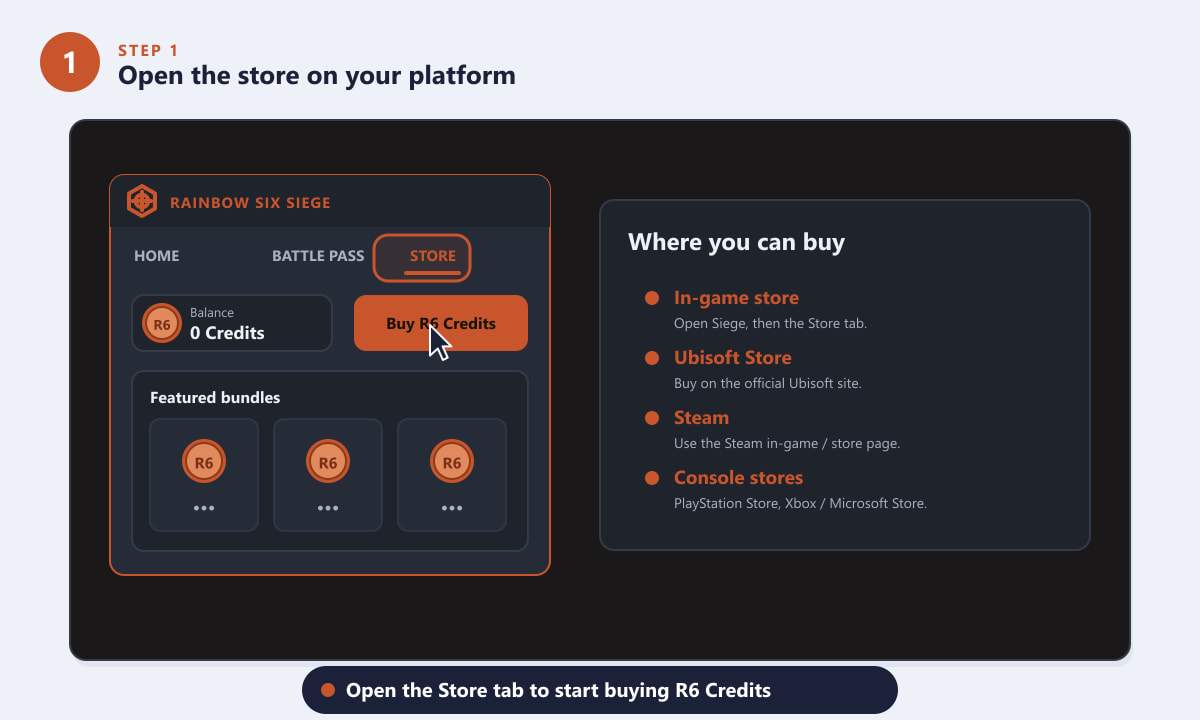
Open the Store tab in Siege, or use Ubisoft, Steam, or your console store. -
Step 2: Choose the R6 Credits bundle you want
R6 Credits are sold in fixed bundles, typically ranging from a small starter pack up to large value packs. Smaller packs cost a few dollars, while larger ones add bonus Credits on top, lowering the effective price per Credit. Pick the bundle that matches what you plan to buy: a single operator or a couple of charms needs far fewer Credits than a full Battle Pass plus a premium bundle. Select your bundle to add it to the cart.
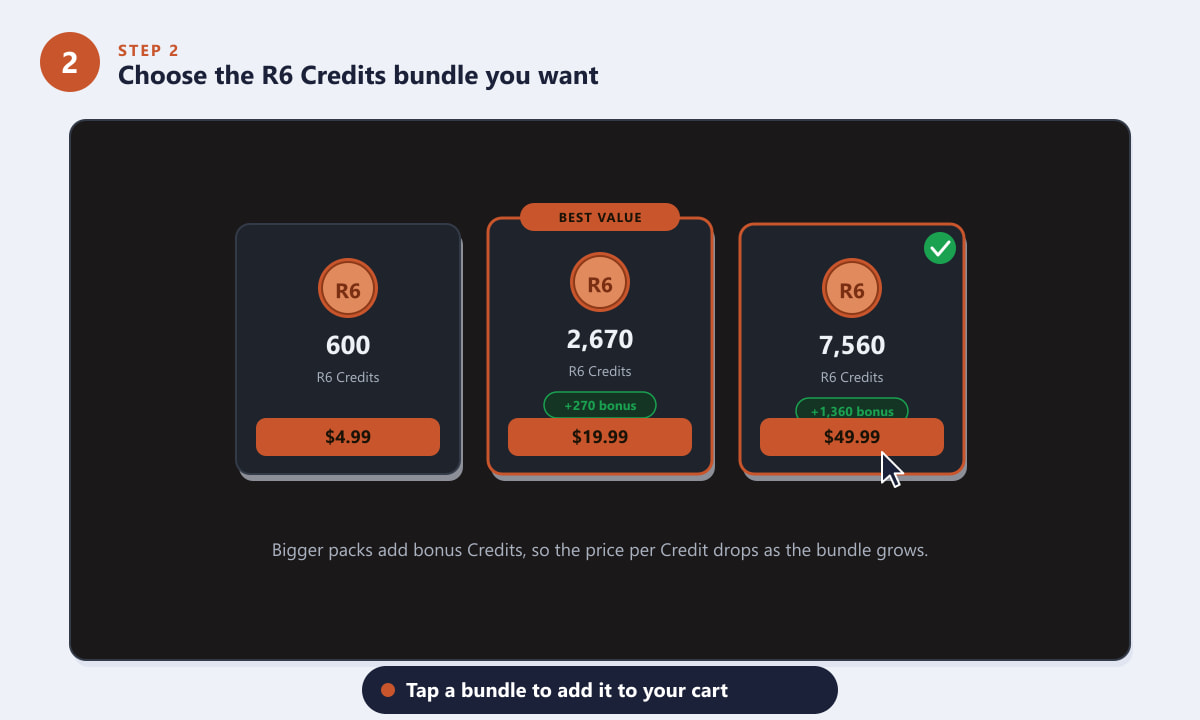
Bigger bundles include bonus Credits, so they cost less per Credit. -
Step 3: Pick a payment method
At checkout, choose how you want to pay. Common options include a credit or debit card, PayPal, your platform wallet (PlayStation, Xbox, or Steam funds), or a redeemed gift card. Topping up your wallet with a discounted store gift card first is a popular way to slightly reduce the real cost. Review the order summary to confirm the Credit amount, any bonus Credits, and the total before continuing.
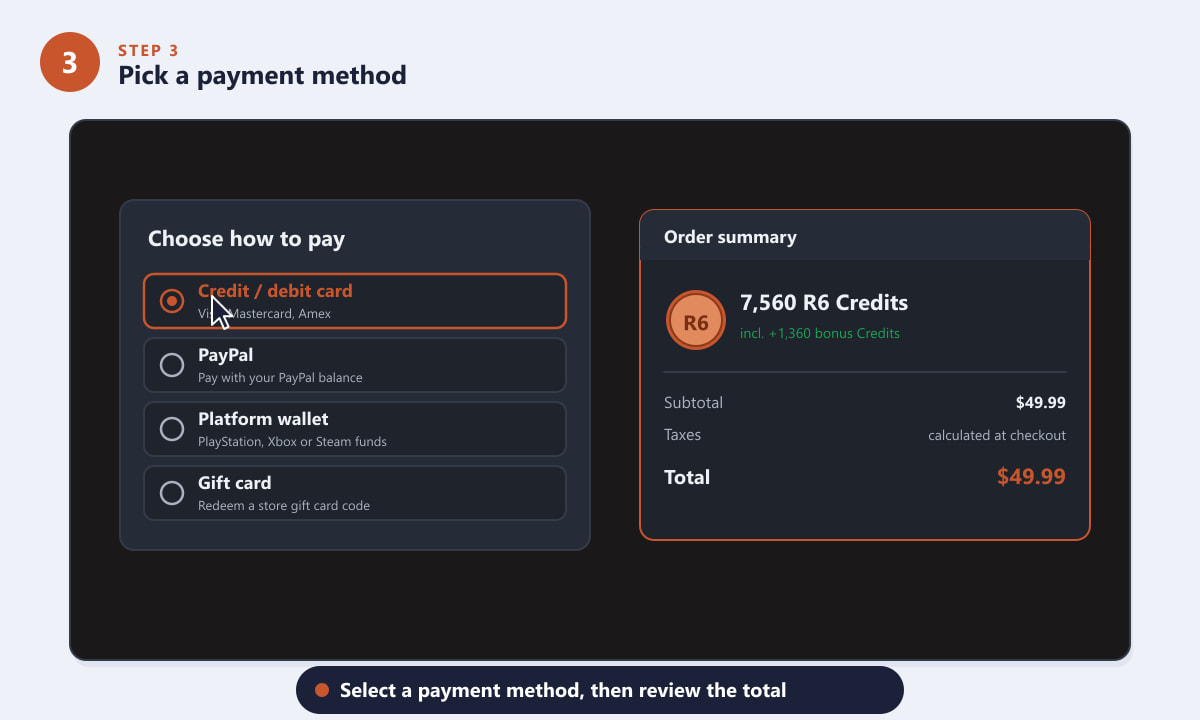
Choose a payment method and double-check the order summary. -
Step 4: Confirm and complete the purchase
Read the confirmation screen carefully, then select Confirm & Pay to finish. You may be asked to verify the payment with your bank, PayPal login, or platform password. Once the payment is approved, the Credits are added to your account almost instantly. Keep the receipt or order confirmation email in case you ever need to contact support about the transaction.
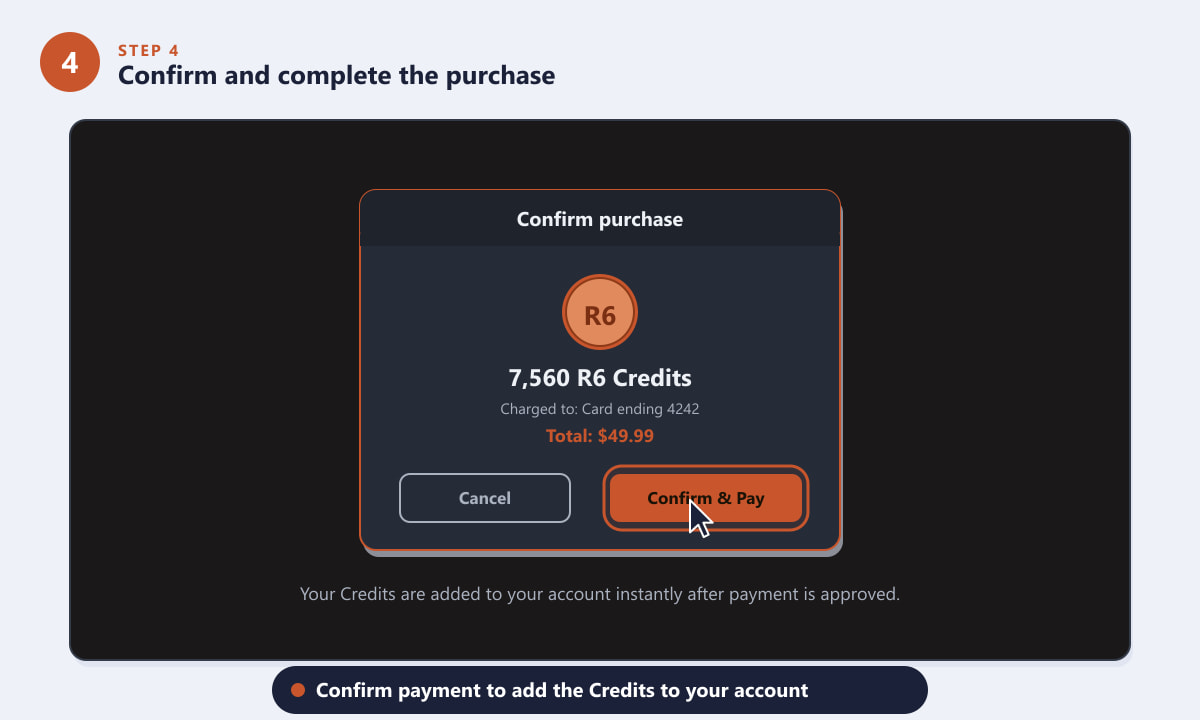
Confirm payment and your R6 Credits are credited right away. -
Step 5: Spend your R6 Credits in-game
Back in Rainbow Six Siege, your new balance appears in the store. You can now spend Credits on operators, weapon skins, charms, uniforms, and other bundles, or use them to buy the Battle Pass or skip tiers. Credits stay on your account until you use them, so there is no rush to spend everything at once.
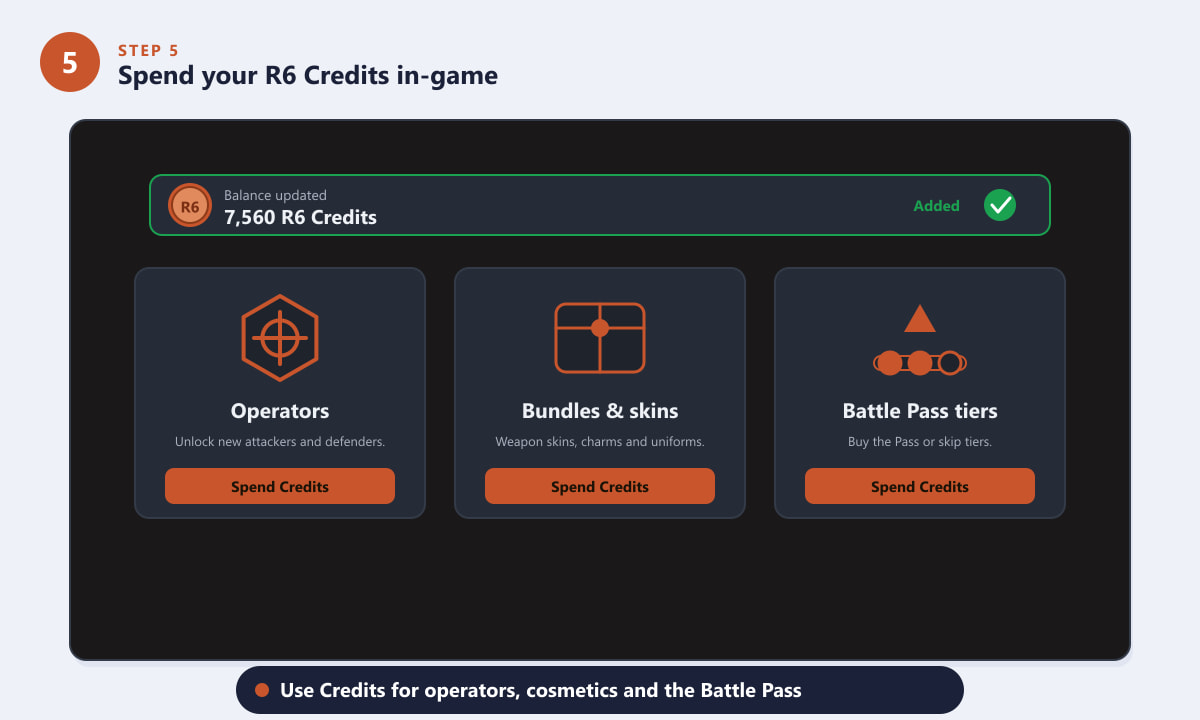
Use your Credits on operators, cosmetics, or the Battle Pass.
Tips for buying R6 Credits safely
- Buy only from official stores. The in-game store, Ubisoft Store, Steam, PlayStation Store, and Microsoft Store are the only legitimate sources. They all charge the same official price.
- Match the bundle to your goal. Buying a large pack only saves money if you will actually spend it. For a one-off purchase, the smaller bundles are fine.
- Use discounted gift cards. A platform or Ubisoft gift card bought at a small discount can lower your effective price without any account risk.
- Watch for sales. Editions, bundles, and the game itself often go on sale around new seasons and holidays, even though the Credit price itself is fixed.
- Avoid grey-market resellers. Sites promising "cheap R6 Credits" can lead to bans, fraud, or non-delivery. There is no legitimate discount on the Credits themselves.
Troubleshooting
My Credits did not show up after paying
Give it a few minutes and restart the game or store, then check that you bought on the same account and platform you play on. If the balance still does not update, contact Ubisoft Support with your order confirmation.
The payment was declined
Confirm your card details and billing region, make sure the card is enabled for online purchases, and try an alternative method such as PayPal or a topped-up platform wallet.
I bought Credits on the wrong platform
R6 Credits are generally tied to the storefront where you bought them. Verify your linked accounts in Ubisoft Connect, and reach out to support before assuming the Credits are lost.
Frequently asked questions
Where can I buy R6 Credits?
You can buy R6 Credits in the in-game store, on the official Ubisoft Store, through Steam on PC, and via the PlayStation Store or Microsoft Store on console. All of these are legitimate, fixed-price sources.
How much do R6 Credits cost?
Credits are sold in set bundles starting at a few dollars for the smallest pack, with larger packs adding bonus Credits so the price per Credit drops. Exact amounts vary by region and storefront.
Are cheap third-party R6 Credit sellers safe?
No. Credits have a fixed official price, so deeply discounted resellers are usually scams or grey-market sellers that can get your account banned. Stick to official stores.
What can I spend R6 Credits on?
Use R6 Credits to unlock operators, buy weapon skins, charms, uniforms, and themed bundles, or purchase the Battle Pass and skip its tiers.
Do R6 Credits expire?
Credits stay in your account until you spend them, so there is no need to use them immediately after buying.
Final thoughts
Buying R6 Credits is fast and straightforward once you know the steps: open the store on your platform, pick a bundle, choose a payment method, confirm the purchase, and spend your Credits in-game. As long as you buy through official channels, you will keep your account safe and pay the proper price every time. For the latest pricing and official options, visit the official Rainbow Six Siege website.









