How to Check Real-Time Server Latency in the PUBG HUD

Enable PUBG’s network statistics HUD to monitor ping and packet loss in a match. See where to find it, what the numbers mean, and what they cannot diagnose.
To buy games on PlayStation Store, sign in to your PlayStation account, open the store on a PS5, PS4, browser, or PlayStation App, find the game, check its edition and compatibility, and complete checkout. Once the purchase succeeds, select Download from the store or your game library. You do not need to buy a physical disc or subscribe to PlayStation Plus just to purchase a digital game.
The steps below follow PlayStation’s current purchasing instructions. Store layouts, currency, prices, and available payment services depend on your account’s country or region, so the final checkout screen is the authority for what you will pay.
If you manage a child account, its purchases are subject to age restrictions and a spending limit controlled by the family manager. The default monthly spending limit is zero, and the child account uses the family manager’s wallet rather than a separate wallet.
On PS5: From the Games home screen, select PlayStation Store. On PS4: Select PlayStation Store from the home screen. Sign in to the account where you want the purchase to remain.
On a computer: Visit the official PlayStation Store and sign in. On a phone: Open PlayStation App and tap the PS Store or Search icon. The app and web store let you shop even when you are not sitting at your console.
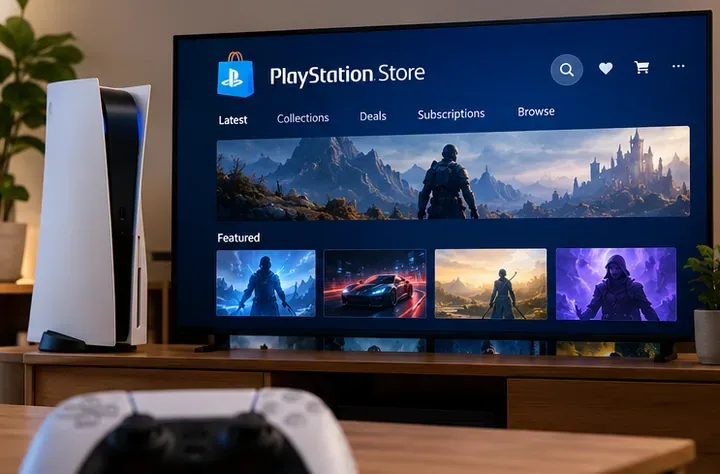
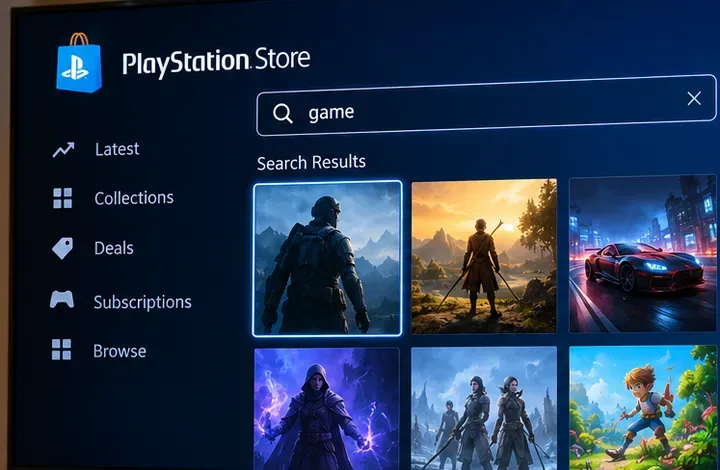
Use the search icon to enter the game name, or browse store categories and current deals. Select the result that matches the game and platform you intend to use. A search can also return demos, add-ons, bundles, or different editions of a title, so do not assume the first result is the base game.
For example, if you want to play a complete game on PS5, check that the listing says it is a full game and supports PS5; a soundtrack, expansion, or upgrade offer may not include the game itself.
Before you select a price, read the product page for the PS5 or PS4 version, edition, age rating, language availability, player count, online features, and additional requirements. Some packages are labeled Standard, Deluxe, or Ultimate, but the extras differ from game to game. Compare what is included instead of assuming a more expensive edition is better.
For downloadable content (DLC), confirm that you own the required base game and that the add-on is compatible with its edition and region. PlayStation warns that DLC may not work with a disc-based game from a different region. If a page says Pre-Order, you are paying for an upcoming release rather than an immediately playable game.
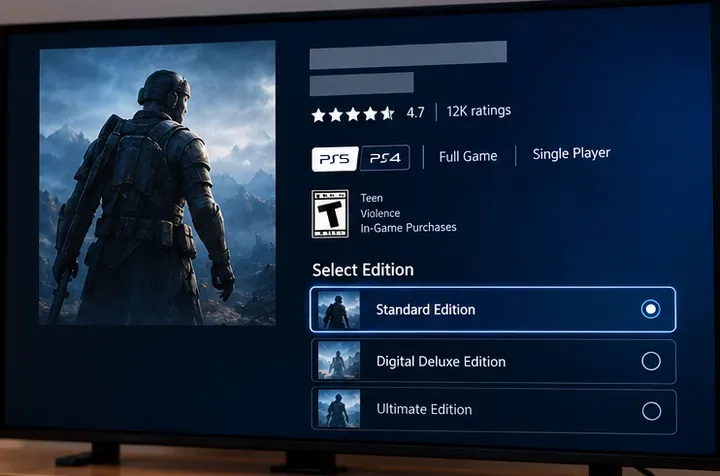
On PS5, select the game’s price and the edition you want, then follow the purchase prompts. On PS4, select Add to Cart, then Proceed to Checkout. On the website or PlayStation App, choose Add to Cart (or Pre-Order) and follow the on-screen instructions. Exact button labels can vary by device and listing.
Review every item, your account region’s currency, the displayed final total, and the selected payment method before confirming the purchase. If you have wallet funds, PlayStation normally applies those first; an accepted additional payment method can cover a remaining balance. Confirm only when the order shows the content and amount you intended to buy.
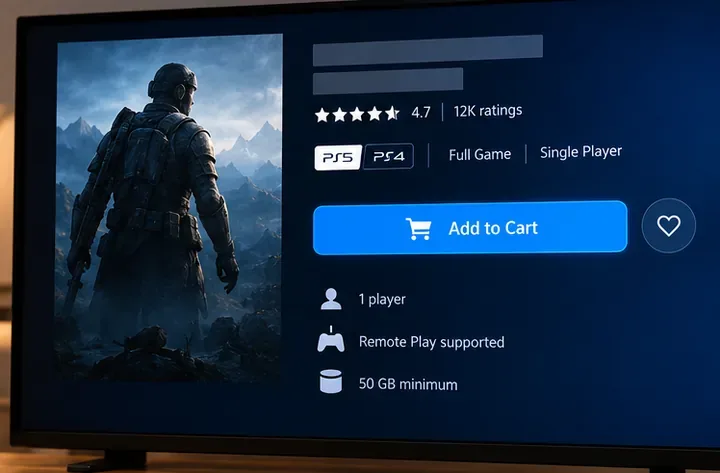
Buying a game and installing it are separate actions. A purchased game may offer a Download button immediately, but do not assume every purchase starts downloading automatically.
Wait for installation and any required updates to finish before starting the game. For PlayStation’s exact device-specific purchase and download instructions, see How to make purchases from PlayStation Store and PlayStation App support.
PlayStation Store payment methods vary by country or region and can change. Common options include cards, supported online payment services, and PlayStation wallet funds. Check PlayStation’s accepted payment methods for the methods supported by your store.
| Payment choice | When it is useful | What to check |
|---|---|---|
| Credit or debit card | Pay directly at checkout without adding funds in advance. | Your card type, billing address, and account region must be supported. |
| PayPal or another payment service | Use a linked service when it appears as an option for your region. | Availability differs by region; the service and linked funding source must be valid. |
| PlayStation wallet balance | Spend funds you have already added or redeemed. | Wallet funds are used first; added funds generally cannot be refunded. |
| PlayStation Store gift card | Add credit without registering a bank card for that purchase. | Buy the correct country/region version and redeem it on the intended account. |
Sign in to the account that should receive the credit. In the web store, open your profile menu and select Redeem Code. Enter the 12-digit voucher code and confirm. On PS5, open PlayStation Store and use the More (…) > Redeem Code menu; on PS4, find Redeem Codes in the store sidebar. The balance can then be used for eligible purchases. Code restrictions and steps are detailed in PlayStation’s voucher guide.
Do not buy a gift card for a different region in the hope that it will work on your account. Funds and purchased content cannot simply be transferred between accounts. If you prefer to add wallet credit directly, PlayStation documents the menus in its wallet funding guide.
For online multiplayer, note that most PS4 and PS5 games require PlayStation Plus, although some do not. Check the game's own requirements rather than treating PlayStation Plus as mandatory for every store purchase. See PlayStation Plus support.
Verify the card number, expiration date, available funds, billing address, and whether your payment method works with your account region. If the card's billing country differs from the PlayStation Store country, it may not be accepted. Check for a service issue or contact your bank. If PlayStation temporarily blocks card-detail updates after too many attempts, its guidance says to wait 24 hours before trying to update the information again. See official card troubleshooting.
First, confirm you are signed in to the purchasing account and check its transaction history. Look in your game library, including hidden games. If the title has a padlock icon, a license or subscription condition may be involved. On PS5, try Settings > Users and Accounts > Other > Restore Licenses; on PS4, try Settings > Account Management > Restore Licenses. Restoring licenses does not erase saved data. See PlayStation’s license restoration instructions.
On PS5, open Downloads/Uploads in the control center and try pausing and resuming. Check free space under Settings > Storage, make sure system software is up to date, and check PlayStation’s service status. If necessary, cancel the stalled download and start it again from your library. On PS4, review downloads in Notifications. For additional steps, see PlayStation download troubleshooting.
Check refund eligibility before downloading or streaming the purchase. Under PlayStation’s published standard policy for full games and DLC, you generally must request a refund within 14 days of purchase and must not have downloaded or streamed the content, unless it is faulty. Other content categories, pre-orders, and local consumer laws can have different rules. Open your account's transaction history, select an eligible purchase, and use Request Refund when available. Read the official refund eligibility guide for the current policy applicable to your purchase.
Yes. Use the official PlayStation Store website or PlayStation App while signed in to the same account you use on your console. Check platform compatibility before confirming. To send a download from your phone, pair the console and configure its supported remote-download settings.
Supported digital games can be shared with other users on a console when the proper console-sharing or primary-console settings are enabled. On PS5, look under Settings > Users and Accounts > Other > Console Sharing and Offline Play. PlayStation allows this setting on one PS5 at a time for an account; content and subscription restrictions still apply. Read PS5 console sharing rules.
Digital purchases are associated with the account that bought them. Sign in with that account on a compatible console and look in its game library. Your ability to install and play a particular version still depends on console compatibility, entitlement, and any applicable subscription requirements.
Before clicking Buy: Verify the account, console version, edition, final price, and payment method. That short check is the easiest way to make your first PlayStation Store purchase without avoidable surprises.
Enable PUBG’s network statistics HUD to monitor ping and packet loss in a match. See where to find it, what the numbers mean, and what they cannot diagnose.
Learn how to import VALORANT crosshair codes, compare presets with manual settings and spectator copy, and fix common import issues.
Choose Dota 2 minimap size, hero icons, team colors, and background settings by readability, fewer misclicks, and clear results on your own display.
Fix Fortnite texture pop-in on PC with official steps for GPU drivers, file verification, DirectX 12, high-resolution textures, VRAM, SSDs, and stutter.
Learn what Heroes of the Storm minimap size and position options are verified, improve readability, and choose camera-click controls that suit you.
Set Super Smash Bros. Ultimate Quickplay to prefer hazards-off stages. Follow the Preferred Rules menu steps and learn why matchmaking may not always honor them.
Enable Server Latency and Packet Loss in Warzone to monitor connection quality, read the overlay, and use recurring spikes to guide troubleshooting.
Learn how to carry from mid lane in League of Legends by setting up waves, choosing safe roam windows, reading side lanes, and converting pressure into objectives.
Fix Minecraft Evoker spell problems with a safe vanilla test, version checks, log review, and a step-by-step way to isolate mod or datapack conflicts.
Fix PUBG stuck on Initializing on Steam with a focused checklist for PC service notices, launch options, game files, downloads, and connection issues.








