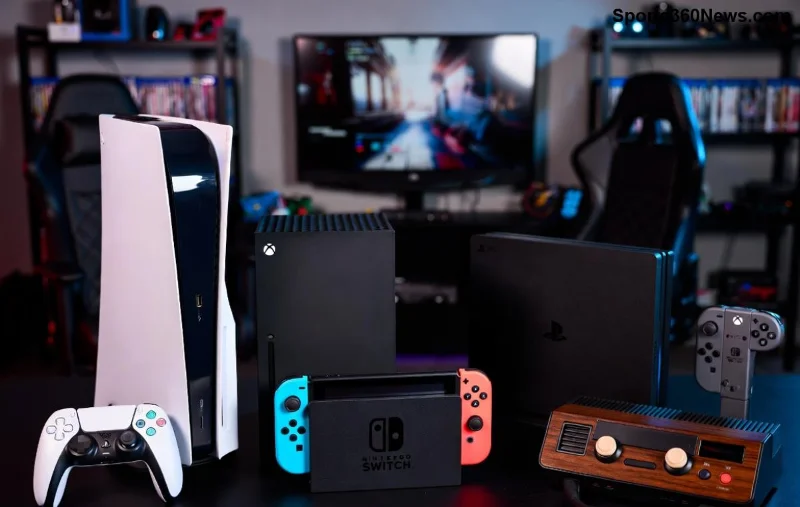
Welcome, fellow gamers! 🚀 If you're diving into the world of PlayStation Portal in 2026, you're in for a treat. This sleek handheld streams your PS5 library anywhere, anytime. But here's the key: you can't buy games directly on the Portal itself. Instead, smart gamers purchase through your PSN account via apps, web, or console—then stream instantly. Ready to build your ultimate library? Let's break it down with foolproof steps that save time and spark joy. No fluff, just pure gaming power!
Why PlayStation Portal Needs a PSN Account First ⭐
Before shopping, ensure your PlayStation Portal is linked to a PSN account. It's free and syncs purchases across devices. Here's the quick setup:
- 👉 Power on your Portal and connect to Wi-Fi.
- Sign in with your PSN email/password (or create one at playstation.com).
- Enable Remote Play on your PS5 for seamless streaming.
Pro tip: Use two-factor authentication for security. Now, your buys appear magically on Portal! 😎
Method 1: Buy Games via PS App on Mobile – Fastest for On-the-Go Gamers 📱
The PS App is your pocket powerhouse in 2026. Download it free on iOS/Android for instant PlayStation Store access. Here's how:
| Step |
Action |
Time Estimate |
| 1 |
Install/update PS App from App Store/Google Play. |
1 min |
| 2 |
Log in with PSN account matching your Portal. |
30 sec |
| 3 |
Tap PlayStation Store icon > Search games (e.g., "God of War Ragnarök"). |
1 min |
| 4 |
Select game > Hit Buy or Add to Cart > Confirm payment. |
2 min |
| 5 |
Launch Portal, refresh library – game ready to stream! 🎉 |
Instant |
Bonus: Enable notifications for sales. Snag deals like 50% off AAA titles and feel like a winner! 💰
Method 2: Shop on PlayStation Store Website – Big Screen Deals 🖥️
Craving HD browsing? Hit the web store on PC, tablet, or phone. Updated for 2026 with lightning-fast checkout:
- 👉 Visit store.playstation.com and sign in.
- Search or browse categories like Action, RPG, or Free-to-Play.
- Click game > Add to Cart > Review & purchase (cards, PayPal, PSN wallet).
- Syncs to PlayStation Portal library in seconds.
2026 perk: AI recommendations tailor picks to your playstyle. Discover hidden gems and level up smarter! ✨
![PS Store website on desktop for buying PlayStation Portal games]()
Method 3: Purchase Directly on PS5 Console – Ultimate Control for Home Setup 🏠
Got your PS5 nearby? Buy there for the full experience, then stream to Portal:
- Boot PS5 > Go to PlayStation Store.
- 2️⃣ Browse exclusives or wishlists.
- Purchase > Download (or cloud-enabled titles stream ready).
- 🔗 Connect Portal via Remote Play – boom, portable gaming!
Why love this? Pre-load massive games without Portal storage limits. Pure genius for marathon sessions. 🏆
Payment Options & Wallet Setup in 2026 – Smooth Transactions 💳
Sony's got you covered:
- PSN Wallet: Top up via app/web (gift cards shine here).
- Credit/Debit cards, PayPal, carrier billing.
- New: Crypto options in select regions (check official support).
Refill tip: Buy discounted gift cards from retailers for extra savings. Your wallet, your wins! 😄
Troubleshooting Common Issues – Fix Fast & Get Back to Gaming ⚠️
Bumps happen, but here's your fix kit:
| Issue |
Solution |
| Game not showing on Portal |
Refresh library or restart Remote Play. Ensure PS5 online. |
| Payment declined |
Check wallet balance; update card details in Account Management. |
| Slow streaming post-purchase |
Upgrade Wi-Fi to 5GHz; close background apps on PS5. |
| Region lock |
Match PSN region across devices (switch via settings). |
Stuck? Hit PlayStation Support chat – responses in minutes. No downtime, all uptime! 👍
![PlayStation Portal streaming a newly bought game in 2026]()
Pro Tips to Maximize Your PlayStation Portal Purchases in 2026 🚀
- ⭐ Hunt weekly deals: PS Store drops highlight steals.
- Build a wishlist – auto-notify on sales.
- Share games via PS Plus (Essential tier free multiplayer!).
- Pre-order upcoming hits like rumored 2026 blockbusters.
- Go cloud: Many titles stream without downloads.
Feeling pumped? These hacks turn shopping into strategy. Imagine crushing bosses on your commute – that's Portal magic!
Final Thoughts: Your PlayStation Portal Library Awaits! 🎉
Congrats, gamer! You've got the full playbook on how to buy games on PlayStation Portal in 2026. From app taps to web wins, every purchase fuels endless adventures. Grab that controller (er, Portal), snag your next title, and stream victory. What's your first buy? Drop in comments – let's game on! 👇
Stay epic, stay connected. Powered by the latest Sony updates for 2026.