How Much Does GTA 5 Cost in 2026? PC, PS5, and Xbox Prices
GTA 5 costs $29.99 on PC and typically $39.99 for the cross-generation console bundles at regular U.S. digital prices. If you only want multiplayer on PS5 or Xbox Series X|S, the GTA Online standalone version is normally $19.99 rather than permanently free. Rockstar's optional GTA+ subscription costs $7.99 per month.
Those prices are reference list prices from official U.S.-dollar storefronts, checked for this October 2026 update. Your actual checkout price may differ because of regional pricing, taxes, membership access, or a sale. The most important buying decision is whether you want GTA V Story Mode, GTA Online, or both.
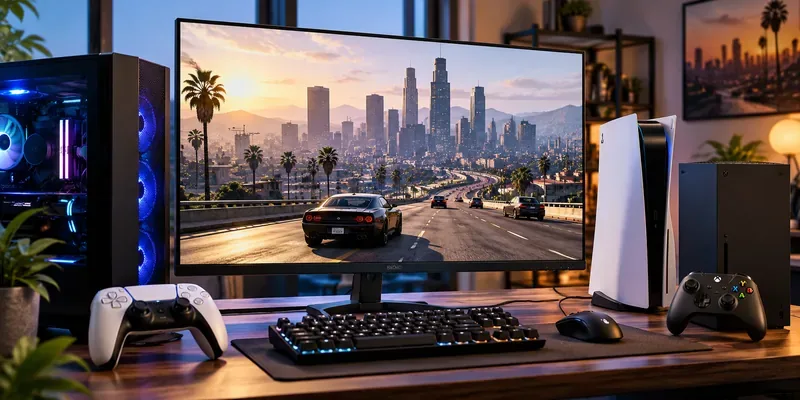
GTA 5 price comparison for every main platform
| Platform / product | Regular U.S. digital price | What you get |
|---|---|---|
| PC: GTA V Enhanced (Steam, Epic, Rockstar) | $29.99 | Enhanced and Legacy PC editions, Story Mode, and GTA Online |
| PlayStation: GTA V (PS4 & PS5 bundle) | $39.99 | PS4 and PS5 editions, Story Mode, and GTA Online |
| Xbox: GTA V (Xbox One & Xbox Series X|S bundle) | $39.99 | Both console generations, Story Mode, and GTA Online |
| PS5: GTA Online standalone | $19.99 | Multiplayer only; no Story Mode purchase |
| Xbox Series X|S: GTA Online standalone | $19.99 | Multiplayer only; no Story Mode purchase |
| GTA+ membership (supported platforms) | $7.99/month | Member benefits and access to qualifying games while subscribed; not permanent ownership |
These are non-sale reference prices, not a claim that every offer is active at those prices at this instant. Special bundles with Shark Cards cost more, and individual platform editions or temporary discounts may appear alongside the bundles.
How much is GTA 5 on PC?
The PC price is a straightforward $29.99 on the Steam GTA V Enhanced page, Epic Games Store, and Rockstar Store when there is no discount. These purchases include both GTA V Enhanced and GTA V Legacy, plus the single-player campaign and access to GTA Online. The storefront you choose may affect launchers and account management, but it does not change the core game you are buying.
Enhanced arrived on PC in March 2025 and adds modern graphics and features such as supported ray tracing, faster-loading improvements, and GTA Online content previously associated with current-generation consoles. Legacy remains useful for older hardware that does not meet Enhanced's system requirements. Check the official PC requirements before buying: Enhanced specifies an SSD and compatible graphics hardware.
Already own GTA V on PC? You should not need to buy another copy just to get Enhanced. Rockstar made the upgrade available to existing PC owners free of charge; see its March 4, 2025 announcement. Online progression migration has restrictions, so read the instructions before transferring a long-established character.
How much does GTA 5 cost on PS5?
The PlayStation Store lists the GTA V PS4 & PS5 bundle with a $39.99 standard price. It includes the campaign and GTA Online; the PS5 edition provides the newer console's graphical and performance improvements.
A major change in 2026: existing owners of GTA V on PS4 can upgrade to the PS5 version for free. Rockstar's June 18, 2026 support instructions cover both digital and physical PS4 copies. If your ownership is on disc, the PS4 disc must be inserted to verify eligibility; you therefore need a PS5 model with a compatible disc drive. Check your library and the PS5 game's store page before buying the bundle again.
If you only want multiplayer, GTA Online for PS5 has a $19.99 regular price. The store also displays membership-based access where eligible, and indicates PlayStation Plus is required for online play. Any PlayStation Plus Extra catalog listing can change over time; check the offer on your account rather than assuming a permanent entitlement.
How much does GTA 5 cost on Xbox Series X|S?
On Xbox, the Xbox One & Xbox Series X|S GTA V bundle normally lists for $39.99 and grants the full game for both generations. GTA Online standalone is normally $19.99. The Xbox store can also list Story Mode as a $19.99 add-on, but that add-on requires access to GTA Online; do not mistake it for an independent $19.99 copy of the complete game.
Rockstar's June 2026 offer also gave digital Xbox One owners a free Xbox Series X|S upgrade. Unlike the PlayStation route, the stated Xbox entitlement does not extend to physical Xbox One discs. If you bought GTA V digitally on Xbox One, inspect your owned library before paying for the current-generation edition.
For GTA Online on Xbox consoles, the current Xbox product pages state that online multiplayer requires an eligible Xbox Game Pass Essential, Premium, or Ultimate subscription, sold separately. That multiplayer-access requirement is not the same thing as GTA V being included in the Game Pass games catalog. Catalog availability can change, so check the product listing for your tier.
Is GTA Online free in 2026?
Not as a permanent, unrestricted offer. Confusion comes from a genuine but expired promotion: GTA Online was available to claim free on PS5 from March 15 through June 14, 2022, according to the official PlayStation announcement. Rockstar has also run later limited-time free trials, including one in November 2025, but those do not make the standalone product free to every new player indefinitely.
The usual standalone purchase provides GTA Online's multiplayer activities without Michael, Franklin, and Trevor's Story Mode. Console online subscriptions may be an additional cost even if you already own GTA Online, and free trial exemptions apply only when specifically advertised. New-player Career Builder features are not the same thing as a guaranteed cash gift for every purchase. Do not rely on the old claim that a new $1,000,000 GTA$ bonus is automatically included.

What does GTA+ cost, and is it worth paying for?
GTA+ is $7.99 per month in the U.S. according to the PlayStation Store membership listing and Rockstar's GTA+ page. The subscription auto-renews until canceled. Members receive GTA$500,000 each billing month, rotating GTA Online benefits, access to the Vinewood Club and other eligible rewards.
In 2026 Rockstar expanded the GTA+ Games Library to include GTA V Story Mode as well as GTA Online on supported platforms. This can offer a lower upfront way to try the game, but a subscription license is not a permanent purchase: access depends on your membership and the title remaining in the library. GTA+ is available for supported current-generation platforms and GTA V Enhanced on PC, not the older PS4, Xbox One, or PC Legacy online versions.
For a player who expects to keep returning to GTA V for months or years, buying the full game outright is usually easier to budget. You do not need GTA+ to take part in GTA Online's standard heists, races, and businesses, although membership provides extra benefits.
How to get GTA 5 for less without buying the wrong edition
- Check ownership first. The free 2026 console upgrades and the free PC Enhanced upgrade may mean you already qualify for the newest version.
- Compare the final sale price with the full-game bundle. A discounted $39.99 bundle can be better value than paying for GTA Online standalone and adding Story Mode later.
- Watch the legitimate storefronts. Steam, Epic Games Store, Rockstar, PlayStation, and Xbox run time-limited promotions. Compare prices in the same currency and tax region.
- Be careful with used discs. A used PS4 disc may qualify for the PS5 disc-verified upgrade, while a physical Xbox One copy does not qualify for Rockstar's free digital Xbox upgrade.
- Review subscription terms. PlayStation Plus, Xbox Game Pass, and GTA+ offer different things: online play permission, a changing game catalog, and GTA Online membership perks are not interchangeable.
- Avoid questionable keys and account sales. Buy from authorized storefronts so your license, support, and account access are easier to verify.
GTA 5 price questions answered
Can I buy just GTA 5 Story Mode?
On some console stores Story Mode appears as an add-on, but it can require the matching GTA Online base product. If you have neither, the full GTA V bundle is generally the clearer purchase. On PC, the standard GTA V Enhanced purchase includes both experiences.
Does a $39.99 console bundle mean PS5 or Xbox Series X|S is the only version?
No. The referenced digital bundles grant the old- and current-generation versions shown in their titles. If you already own an eligible earlier-generation copy, check the 2026 free-upgrade policy first.
Is GTA V included with PlayStation Plus or Xbox Game Pass?
Subscription catalogs rotate. The PlayStation Store has shown GTA V with PlayStation Plus Extra catalog access; Xbox listings distinguish owning the game from having a subscription required for console multiplayer. Verify current availability on your own account before subscribing solely for GTA V.
What is the cheapest way to play GTA V in 2026?
If you own a qualifying copy already, claim the free upgrade. Otherwise, a legitimate sale on the complete game is usually the strongest long-term value. GTA+ can reduce the upfront cost for a short tryout, but it brings an ongoing fee and does not confer permanent ownership.
Bottom line: Use $29.99 for PC, $39.99 for the main cross-generation console bundles, $19.99 for current-generation GTA Online standalone, and $7.99/month for GTA+ as your baseline. Then check the linked official product pages for your location, any temporary promotion, and whether your existing license already gives you the game.









