Forgot Xbox One Password? Reset It in Minutes – Ultimate Step-by-Step Guide

🚀 Imagine firing up your Xbox One for an epic gaming session, only to hit a wall: forgot Xbox One password. Don't panic! Whether it's your Microsoft account or console lockout, resetting Xbox One password is straightforward. This guide delivers proven methods to regain access quickly, keeping your progress safe where possible. Stay tuned for simple steps that work every time.
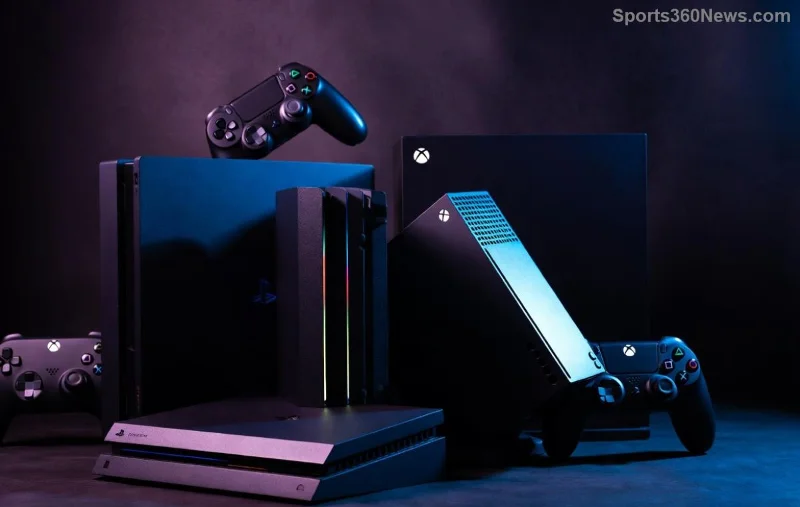
Xbox One console reset screen for password recovery

Why Resetting Your Xbox One Password Matters for Gamers

Your Xbox One ties into a Microsoft account, so a forgotten password blocks sign-ins, game saves, and online play. Acting fast prevents frustration and lost achievements. The good news? Microsoft offers recovery tools that prioritize data safety. Let's dive into the top methods.

Method 1: Recover Your Microsoft Account Password Online (No Data Loss!)

✅ This is the #1 choice for resetting Xbox One password without wiping your console. It targets the account level.

  1. Grab a device with internet and head to account.live.com/password/reset.
  2. Enter your Xbox email or phone number linked to the account.
  3. Verify identity via security questions, email code, or authenticator app. ⚠️ No recovery options? Skip to Method 2.
  4. Create a new strong password (mix letters, numbers, symbols).
  5. Sign back into your Xbox One – boom, you're in!

Pro Tip: Enable two-factor authentication post-reset for bulletproof security. Most gamers recover in under 10 minutes this way.

Method 2: Factory Reset Your Xbox One (Last Resort for Stubborn Locks)

If online recovery fails, a Xbox One factory reset restores everything to default. Warning: This erases games, apps, and saves unless cloud-backed.

Step Action Notes
1️⃣ Power Off Hold power button 10 seconds until shutdown. Ensure controller is disconnected.
2️⃣ Enter Recovery Hold power + eject + Xbox button (or pair controller via USB). Screen shows reset menu.
3️⃣ Choose Reset Select "Reset this Xbox" > "Remove everything." Cloud saves auto-restore on sign-in.
4️⃣ Confirm & Wait Process takes 15-60 minutes. Console restarts fresh. Re-setup with new/recovered password.

Back up to cloud first via Settings > System > Backup if possible. Official steps from Xbox Support.

Step-by-step Xbox One factory reset process illustration

Troubleshooting Common Xbox One Password Reset Issues

  • Stuck on PIN? Switch to password in sign-in screen (three dots > Sign-in options).
  • No Internet? Use offline reset, but recover account later for full access.
  • Child Account? Parent must approve via family.microsoft.com.
  • Still Locked? Contact Xbox Support chat – they verify ownership fast.

💡 Quick Fix: Test password on xbox.com first to isolate account vs. console issues.

Prevention Tips: Never Forget Your Password Again

Stay ahead of forgot Xbox One password woes:

  1. Use a password manager like LastPass or Microsoft Authenticator.
  2. Add recovery email/phone during setup.
  3. ⭐ Note passwords securely (not on paper near console).
  4. Regularly update via account.microsoft.com.

These habits keep you gaming uninterrupted.

Secure Xbox One login after successful password reset

Ready to Game? Final Thoughts on Resetting Xbox One When You Forgot Your Password

Congrats – you've got the tools to conquer any lockout! Start with Microsoft account recovery for zero hassle. If you're mid-game marathon, this guide saves the day. Share your success in comments below – what's your go-to fix? Dive back into your favorites now. 🎮




Leave a Comment

🚀 Ultimate Guide: Best Payment Methods for Buying Xbox Live Online – Secure, Fast & Gamer-Approved!

🚀 Ultimate Guide: Best Payment Methods for Buying Xbox Live Online – Secure, Fast & Gamer-Approved!

Discover the absolute best payment methods for buying Xbox Live online. From PayPal to gift cards, get secure, instant access to multiplayer action without the hassle. Level up now!

Forgot Xbox One Password? Reset It in Minutes – Ultimate Step-by-Step Guide

Forgot Xbox One Password? Reset It in Minutes – Ultimate Step-by-Step Guide

Forgot your Xbox One password? Discover easy ways to reset it without hassle. Step-by-step guide on account recovery and factory reset to get back gaming fast. No data loss options included.

🔧 PlayStation App Not Opening? Fix It Fast with These Proven 2026 Tricks!

🔧 PlayStation App Not Opening? Fix It Fast with These Proven 2026 Tricks!

Struggling with PlayStation App not opening? Discover quick, step-by-step fixes for Android & iOS. Clear cache, update, reinstall & more to get back to gaming instantly!

Ultimate Guide: Securing Your PSN Account After Email Change – Lock Down Your Games Now!

Ultimate Guide: Securing Your PSN Account After Email Change – Lock Down Your Games Now!

Discover proven steps for securing your account after changing your PSN email. Safeguard your trophies, purchases, and progress with expert PSN security tips tailored for gamers.

Unlock Free Games Instantly: How to Redeem PlayStation Stars Points for Store Credit (Step-by-Step)

Unlock Free Games Instantly: How to Redeem PlayStation Stars Points for Store Credit (Step-by-Step)

Master how to redeem PlayStation Stars points for store credit with our easy guide. Turn your gaming loyalty into PS Store funds, free games, and more – updated for the latest rewards!

Why Xbox Reigns Supreme as the Ultimate Cloud Gaming Powerhouse

Why Xbox Reigns Supreme as the Ultimate Cloud Gaming Powerhouse

Discover why Xbox is still the powerhouse in cloud gaming with unmatched Game Pass library, seamless multi-device play, low latency, and affordable access to top titles anywhere, anytime. Dive into the future of gaming!

Recover Deleted Xbox Screenshots: Ultimate Guide to Find Them in Seconds!

Recover Deleted Xbox Screenshots: Ultimate Guide to Find Them in Seconds!

Lost your epic gaming moments? Learn exactly where to find deleted Xbox screenshots with this step-by-step guide. Recover captures from console, PC, cloud, and more—no tech skills needed!

Xbox One vs Xbox Series X|S: Unlock the Key Differences Instantly! 🎮

Xbox One vs Xbox Series X|S: Unlock the Key Differences Instantly! 🎮

Master how to spot the difference between Xbox One and Xbox Series models. From design tweaks to powerhouse performance, compare Xbox One vs Xbox Series X|S features for gamers ready to level up.

What Happened to Old PlayStation Exclusives? The Ultimate Fate of Gaming Legends

What Happened to Old PlayStation Exclusives? The Ultimate Fate of Gaming Legends

Uncover what happened to Old PlayStation Exclusives. From epic PC ports and remasters to PS Plus revivals, learn where classics like God of War and Crash Bandicoot live on today for modern gamers.

Lightning-Fast Guide: How to Restore Your PS5 from Cloud Backup & Never Lose Progress Again! 🎮

Lightning-Fast Guide: How to Restore Your PS5 from Cloud Backup & Never Lose Progress Again! 🎮

Master how to restore your PS5 from cloud backup with this step-by-step guide. Recover saves, settings, and more effortlessly using PS Plus cloud storage. Essential for every gamer!







