How to Check Real-Time Server Latency in the PUBG HUD

Enable PUBG’s network statistics HUD to monitor ping and packet loss in a match. See where to find it, what the numbers mean, and what they cannot diagnose.
If the PS Remote Play app stops at error code 8801330d, first check that Remote Play is enabled and that the console, app, and network can reach one another. The code alone does not identify whether the problem is the console setup, the phone or computer, or the route between networks. These eight checks isolate the cause without relying on unverified port lists or random router changes.
Sony's connection guide recommends at least 5 Mbps upload and download on both ends, with 15 Mbps or more in each direction for better performance. Start with the console settings and app, then test the network path. See Sony's Remote Play connection troubleshooting guide for the current checklist.
Look at the PlayStation Network status page. If a relevant service is having an outage, wait for it to recover before changing router settings. Then install any available PS5 or PS4 system software update and update PS Remote Play from the official app store or Sony's Remote Play download page.
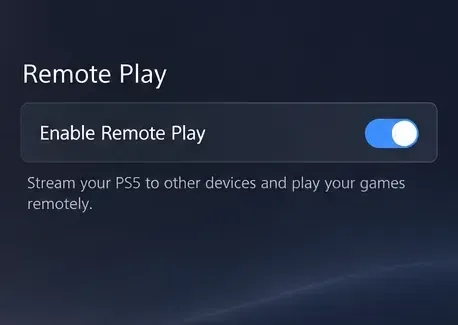
On PS5, open Settings > System > Remote Play and turn on Enable Remote Play. Check the setting for the console user whose PlayStation account you use in the app. Sony's instructions are in its PS5 and PS4 Remote Play settings guide.
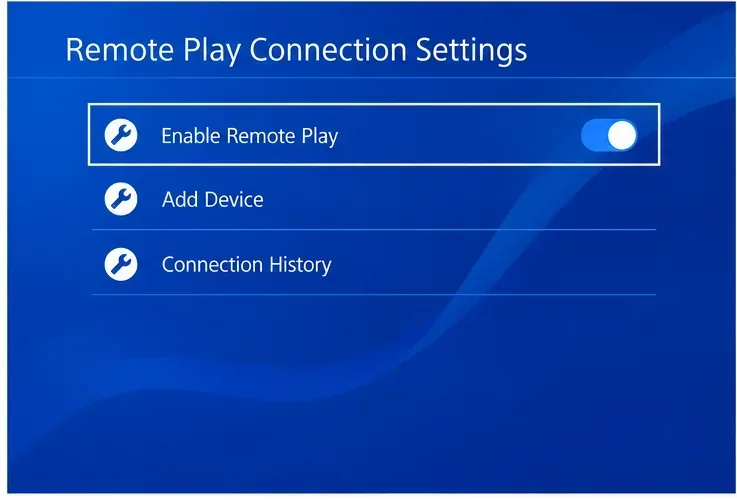
On PS4, go to Settings > Remote Play Connection Settings and enable Enable Remote Play. Sony's mobile setup instructions also say to activate the console as the account's primary PS4: choose Settings > Account Management > Activate as Your Primary PS4 > Activate. A PSN account can have only one primary PS4 at a time, so check before changing this if another PS4 is in use.
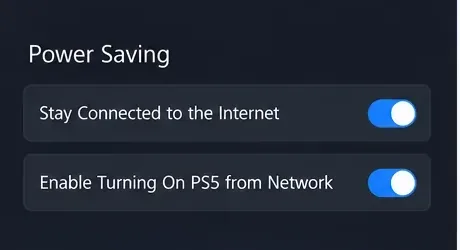
If Remote Play needs to wake a sleeping console, enable the network wake options. On PS5, choose Settings > System > Power Saving > Features Available in Rest Mode, then turn on Stay Connected to the Internet and Enable Turning On PS5 from Network. On PS4, use Settings > Power Save Settings > Set Features Available in Rest Mode and enable the corresponding internet and network-wake options.
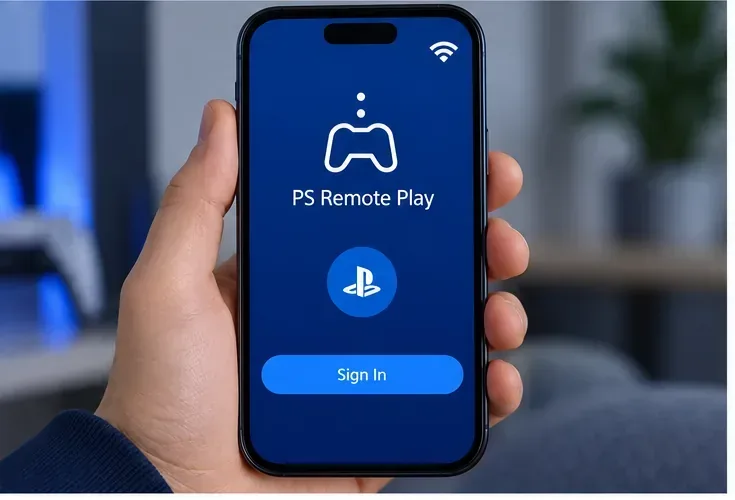
Use the same PlayStation account on the console and in PS Remote Play. Sign out of the app and sign in again, fully close and reopen it, and restart the phone, PC, or Mac. If the problem persists, reinstall the latest official app. On a phone, also confirm that the operating system allows the app to use the active Wi-Fi or mobile-data connection. Avoid installing an old APK or an unofficial Remote Play client while diagnosing the error.
On PS5, go to Settings > Network > Connection Status > Test Internet Connection. On PS4, open Settings > Network > Test Internet Connection. Run a speed test on the Remote Play device too. Both the console connection and the device connection need to meet Sony's 5 Mbps minimum upload and download; 15 Mbps in both directions is its performance recommendation. Pause large downloads or streams, move Wi-Fi devices closer to the router, try 5 GHz Wi-Fi, or connect the console to the router by Ethernet. Then restart the app and retry.
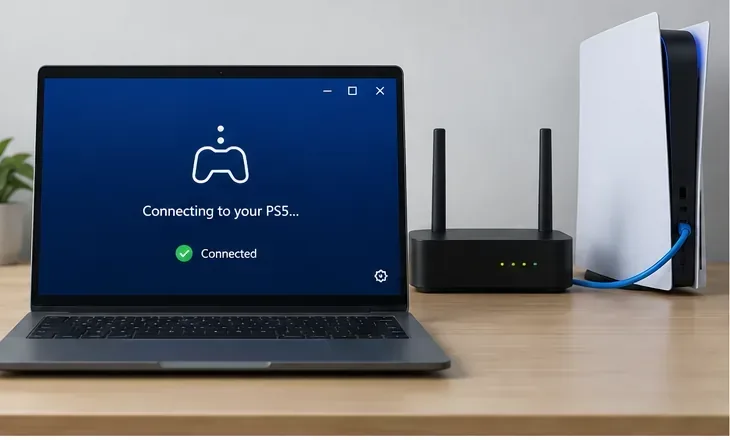
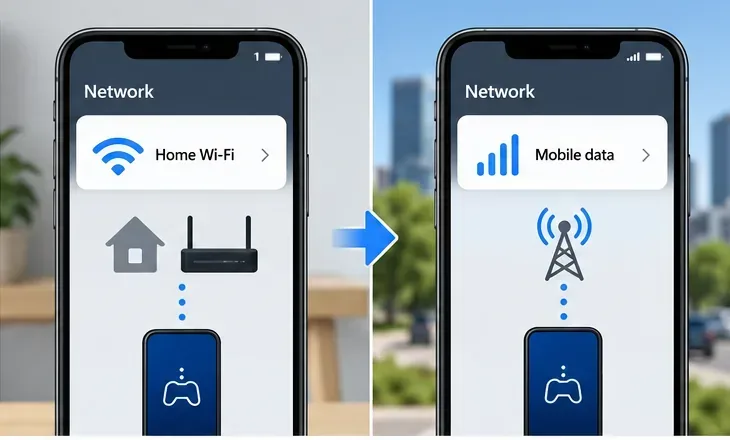
First connect the phone or computer to the same home network as the console. If that works, turn off Wi-Fi on the phone and test over mobile data, or try a different trusted Wi-Fi network. If Remote Play works at home but fails only away from home, the console and account are probably set up correctly; the remaining issue is more likely on the router's outside connection or the mobile, workplace, hotel, or guest network. This comparison narrows the route to investigate; it does not prove which provider is blocking traffic.
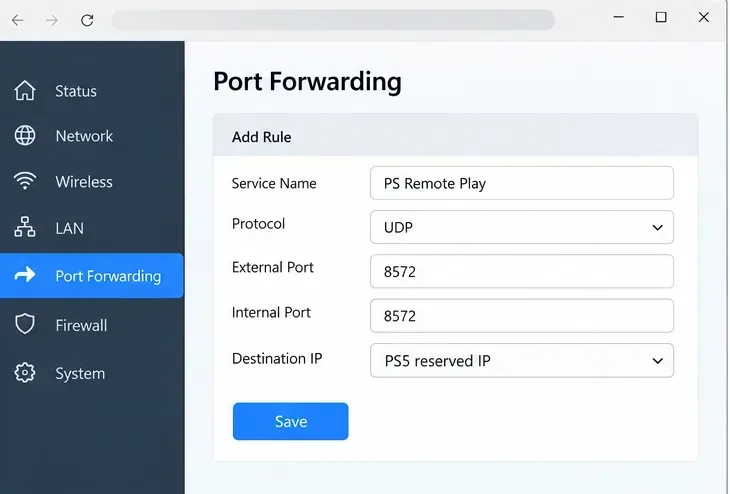
Sony says Remote Play uses UDP port 8572 and advises opening that port on the router if needed. If you manage your router, first reserve a stable local address for the PS5 or PS4, then create a narrowly scoped UDP 8572 rule for that console. Router menus differ, so use the router maker's instructions; if you are unsure, ask your ISP or router manufacturer. Do not forward the old multi-port lists copied around forums, expose the console in a DMZ, or disable the router firewall as a shortcut.
Sony cautions that Remote Play may not work on NAT Type 3. If the app reports Type 3, or a port rule has no effect, ask your ISP or mobile carrier whether the connection uses restrictive NAT or carrier-grade NAT. Carrier-grade NAT or double NAT is a possible explanation for a forwarding rule failing, but the error code by itself does not confirm either condition.
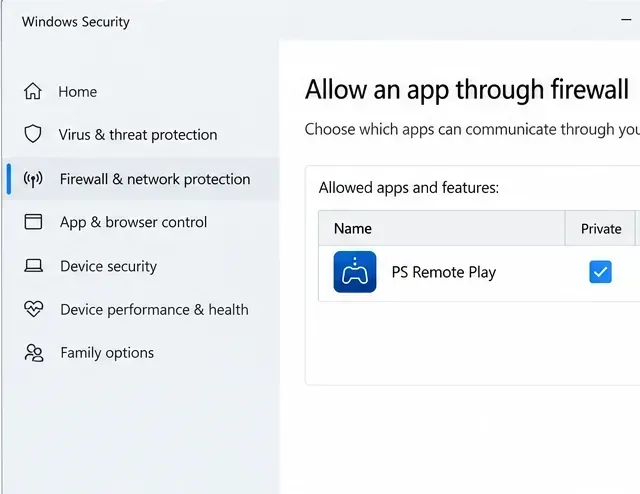
On Windows, check whether Microsoft Defender Firewall or a third-party security app is blocking PS Remote Play. Add an exception for the official app on the network profile you are actually using. Keep the firewall enabled; do not leave all protection switched off. On macOS or a managed work computer, review the app's network permissions or ask the administrator before changing security settings. A work, school, hotel, or public network may restrict the connection even when your home setup is correct.
| What you see | Next place to check |
|---|---|
| It fails on home Wi-Fi and away from home | Console Remote Play settings, same-account sign-in, app update, and console internet test. |
| It works at home but fails on mobile data | Mobile-data permission, carrier restrictions, router NAT, and UDP 8572. |
| It works on a phone but not a PC | PC app version, firewall permission, and wired or Wi-Fi connection. |
| The console wakes but the stream never starts | Check network routing and NAT; waking the console does not prove the full streaming connection succeeded. |
If the same account and console fail on more than one device and network after these checks, contact PlayStation Support with the error code, console model, app device, and the tests you have completed. If it works locally but fails through mobile data or another outside network, give your ISP or carrier the exact symptom and ask whether UDP 8572 or restrictive NAT is involved. Change one setting at a time and retest so you know which change mattered.
Enable PUBG’s network statistics HUD to monitor ping and packet loss in a match. See where to find it, what the numbers mean, and what they cannot diagnose.
Learn how to import VALORANT crosshair codes, compare presets with manual settings and spectator copy, and fix common import issues.
Choose Dota 2 minimap size, hero icons, team colors, and background settings by readability, fewer misclicks, and clear results on your own display.
Fix Fortnite texture pop-in on PC with official steps for GPU drivers, file verification, DirectX 12, high-resolution textures, VRAM, SSDs, and stutter.
Learn what Heroes of the Storm minimap size and position options are verified, improve readability, and choose camera-click controls that suit you.
Set Super Smash Bros. Ultimate Quickplay to prefer hazards-off stages. Follow the Preferred Rules menu steps and learn why matchmaking may not always honor them.
Enable Server Latency and Packet Loss in Warzone to monitor connection quality, read the overlay, and use recurring spikes to guide troubleshooting.
Learn how to carry from mid lane in League of Legends by setting up waves, choosing safe roam windows, reading side lanes, and converting pressure into objectives.
Fix Minecraft Evoker spell problems with a safe vanilla test, version checks, log review, and a step-by-step way to isolate mod or datapack conflicts.
Fix PUBG stuck on Initializing on Steam with a focused checklist for PC service notices, launch options, game files, downloads, and connection issues.








