How to Check Real-Time Server Latency in the PUBG HUD

Enable PUBG’s network statistics HUD to monitor ping and packet loss in a match. See where to find it, what the numbers mean, and what they cannot diagnose.
To fix League of Legends low resolution on wide monitors, first set Windows to your monitor’s native resolution, then enter a custom game and select the matching resolution under Esc > Video. If the image remains blurry or stretched, compare Fullscreen with Borderless mode and check the graphics driver’s aspect-ratio scaling. You usually do not need a custom resolution utility or an FPS unlocker.
This guide is for PC players using wide, ultrawide, or super-ultrawide displays, including common 21:9 and 32:9 setups. Actual resolution choices can depend on your display, cable, graphics driver, and the current game build. The steps below avoid assuming that every unusually wide resolution is officially supported on every system.
A monitor can look “low resolution” for several different reasons. Match the symptom first so that you do not trade a blurry picture for stretched champions or lose a working configuration.
| What you see | Likely issue | First place to check |
|---|---|---|
| Everything is soft, including desktop text | Windows is outputting a lower-than-native resolution | Windows Display resolution |
| Desktop is sharp, but the match is blurry | The game may be rendering below desktop resolution | In-game Video > Resolution |
| Champions or HUD look unusually wide | A narrower aspect ratio is being stretched | GPU scaling and window mode |
| Black bars on the left and right | Aspect ratio is being preserved for narrower content | Selected resolution and display mode |
| The game looks sharp but motion feels choppy | A frame-rate or refresh-rate problem, not necessarily a resolution problem | FPS, refresh rate, and graphics quality |
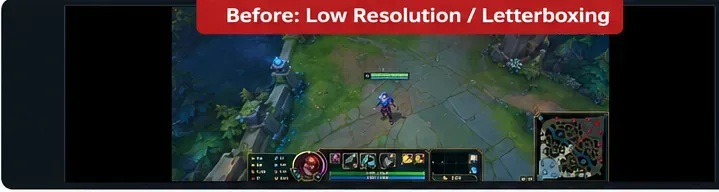
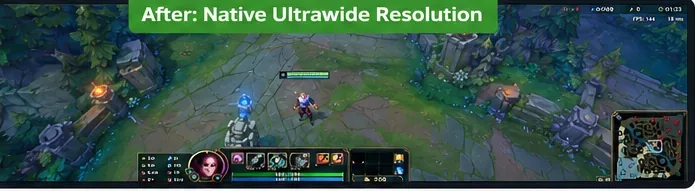
Important: Black side bars are not automatically a defect. If a game renders 16:9 content on a wider panel, bars may preserve the correct proportions. Stretching that image to fill 21:9 or 32:9 does not add detail or a wider field of view.
Start outside League. Microsoft explains that a monitor often accepts lower resolutions, but they can make text soft, small, centered, or stretched. That is why the recommended native resolution is the baseline for this fix.
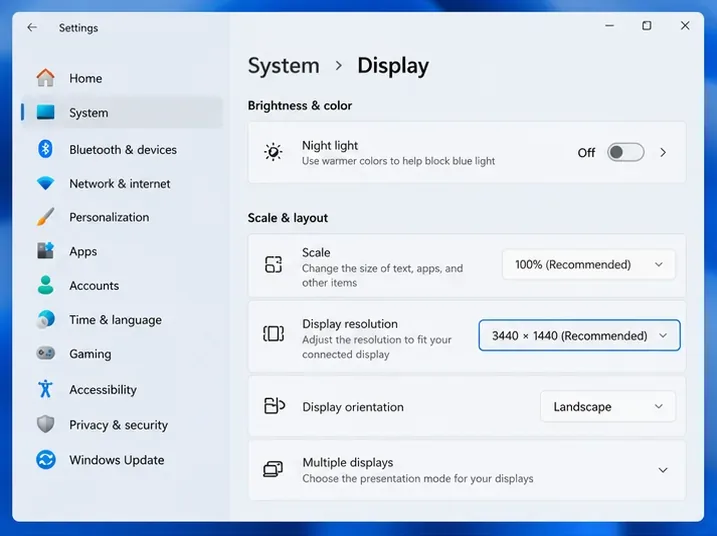
For context, 2560 × 1080 and 3440 × 1440 are common ultrawide pixel counts; 5120 × 1440 is a common super-ultrawide count. These are examples, not resolutions to force on a different panel. You can confirm the proper value in your monitor’s specifications and Microsoft’s display-resolution instructions.
If the expected resolution is absent even in Windows, check the display’s cable, port, dock, and driver before changing League. For example, testing a direct display connection can help isolate a dock or adapter that is advertising a limited set of display modes.
League has separate settings for the launcher/client and for a running match. Open the actual game to adjust in-game resolution; changing the launcher’s window size is not the same thing.
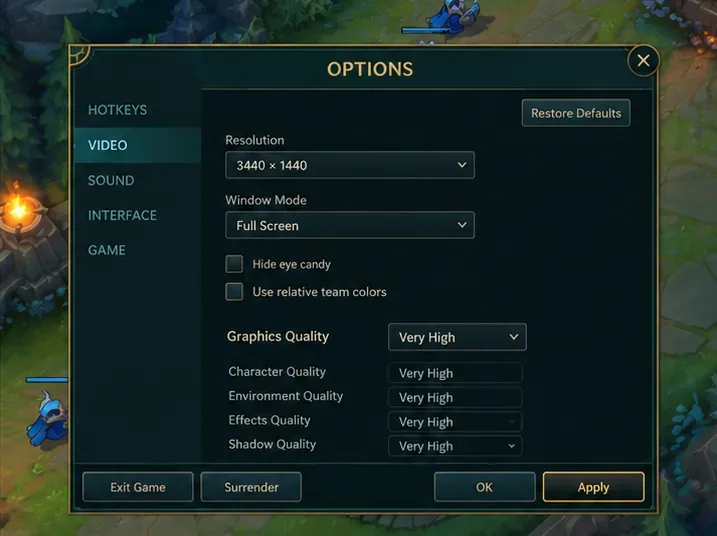
Riot’s video troubleshooting guidance recommends matching the game resolution to the desktop when adjusting graphical settings. Raising texture or character quality can change visual detail, but it cannot recover sharpness lost by rendering the whole game at the wrong resolution.
If your native resolution is missing: do not immediately create a custom display mode. First confirm that Windows detects the correct display, then continue through the window-mode and driver checks below. A resolution appearing in Windows does not guarantee it will be exposed by every game mode or configuration.
Switching League of Legends fullscreen versus borderless can help distinguish a game-selected resolution from a desktop-sized window. Try each mode separately, while keeping the desktop at native resolution.
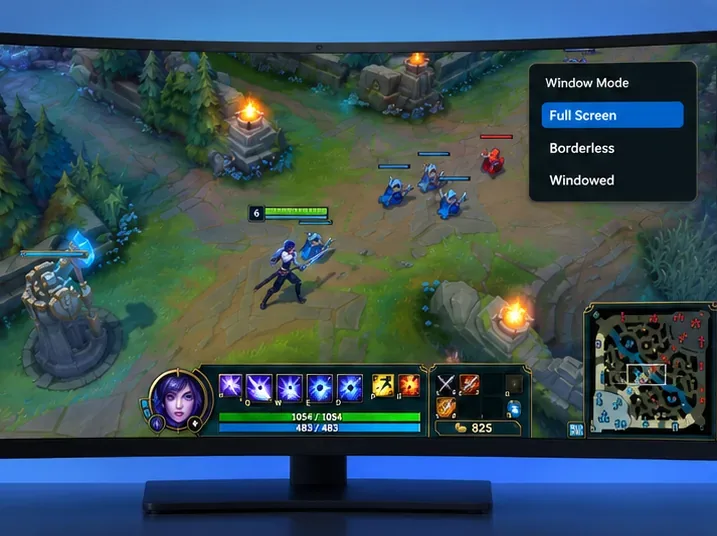
After changing a mode, return to the game and check the scene, not just the settings menu. If changing to Borderless removes blur but Fullscreen does not, focus on the Fullscreen resolution list, driver scaling, and other displays. If both modes show the same black side bars, it may be an aspect-ratio limitation rather than a corrupted game install.
Two different problems can be involved here: League opening on the wrong display, and the GPU stretching a narrower game signal. Fix the display assignment first.
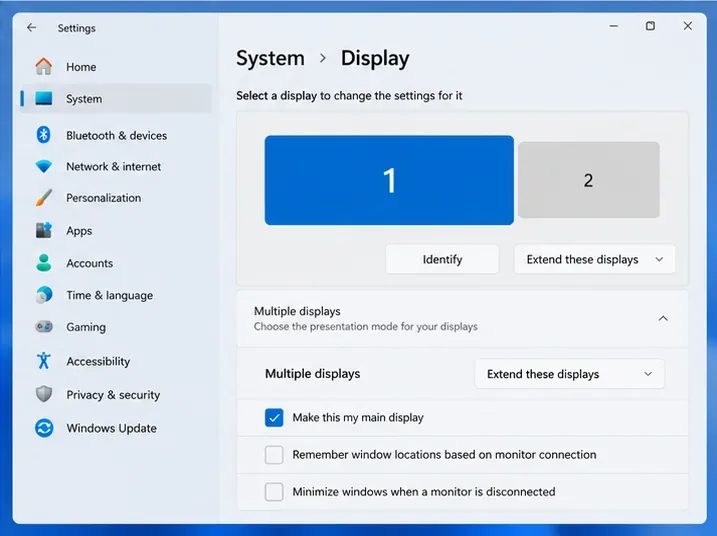
Under Windows > Settings > System > Display, select the wide screen. If appropriate, mark it as your main display. For a simple diagnostic test, use Windows + P and temporarily choose a single-display arrangement, or keep Extend and launch the game on the intended monitor. Restore your preferred arrangement afterward. See Microsoft’s multi-monitor guide for the supported display layouts.
On compatible systems, open NVIDIA Control Panel > Display > Adjust desktop size and position. Compare Aspect ratio with No scaling. Aspect ratio preserves the original proportions and can show black borders; No scaling may leave a smaller centered image. The Full-screen scaling choice stretches lower-resolution content and can make a 16:9 picture look distorted on an ultrawide display.
These are documented display-scaling behaviors, not a method for forcing League to render an unsupported resolution. NVIDIA explains the options in its desktop size and position reference. Availability depends on the GPU and how the display is connected.
In AMD Software: Adrenalin Edition, find Display Settings, then the available GPU Scaling controls. Preserve aspect ratio prevents a narrower image from being stretched. Full panel instead fills the screen and may distort proportions. AMD’s official GPU scaling explanation, last updated November 8, 2024, also notes that options can vary by hardware and software version.
GPU scaling is most relevant when the input resolution differs from the panel’s native mode. It does not create extra rendered detail. For Intel or laptop hybrid graphics, use the display controls actually exposed by that computer and avoid assuming the NVIDIA or AMD menu is available.
If a mode that worked previously disappeared after a driver or game update, use a reversible escalation order instead of editing undocumented files or installing third-party resolution overrides.
Config folder from your League installation, then use Riot’s documented configuration-reset procedure. A typical Windows install stores it at C:\Riot Games\League of Legends\Config. Resetting removes customized client and game settings, so record keybinds and preferences first. Riot documents this in Reinstalling League of Legends.
Skip the risky shortcuts: There is no verified basis for claiming that Custom Resolution Utility (CRU) “fixes 70%” of League ultrawide problems, or that a particular custom timing turns a game-specific aspect-ratio limitation into native support. Incorrect monitor timings can cause blank screens and add another variable to troubleshooting. An FPS unlocker likewise addresses a different goal and is not a remedy for blurry rendering.
Return to Practice Tool and check three things: (1) thin map details and in-game text appear sharp rather than smeared; (2) circles, portraits, and champion models are not horizontally stretched; and (3) switching between desktop and game does not unexpectedly change the screen’s resolution. The best outcome is the native game resolution at correct proportions; on some configurations, properly proportioned side bars may be preferable to stretching.
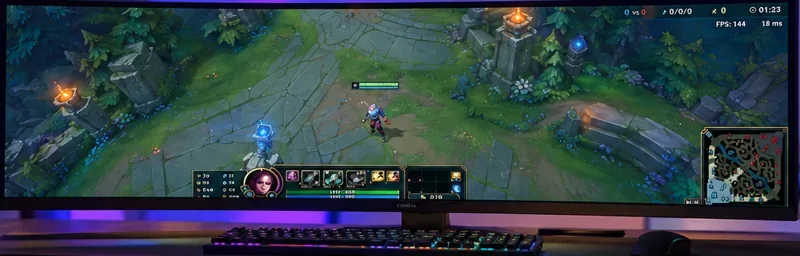
Do not confuse that clarity test with a frame-rate test. A higher pixel count can increase rendering work, and raising graphics quality is not always the right next move. If the game is sharp but stutters, use Riot’s separate frame-rate troubleshooting guide for driver, background-process, and quality-setting checks.
Check whether Windows lists that exact mode on the correct monitor. If not, address the connection, monitor settings, and driver first. If Windows lists it but League does not, compare Fullscreen and Borderless, then test after repair. Do not assume that every 32:9 or unusual mode has been validated for the current build.
They may, but the GPU can stretch a narrower image to fill the screen. That changes proportions rather than restoring pixels or guaranteeing a larger field of view. Preserving the aspect ratio is the better starting point when avoiding distortion matters.
No. Low Spec Mode is a League client performance option that reduces certain client animations and effects; it is not the match’s render-resolution control. Use the in-game Video menu to change match resolution. The launcher/client window and the 3D match are separate display contexts.
Bottom line: For League of Legends low resolution on wide monitors, prioritize native Windows output, the matching in-game resolution, the appropriate window mode, and aspect-ratio-preserving scaling. Repair or reset configuration only after those checks, and avoid stretching or unverified tools masquerading as guaranteed ultrawide fixes.
Enable PUBG’s network statistics HUD to monitor ping and packet loss in a match. See where to find it, what the numbers mean, and what they cannot diagnose.
Learn how to import VALORANT crosshair codes, compare presets with manual settings and spectator copy, and fix common import issues.
Choose Dota 2 minimap size, hero icons, team colors, and background settings by readability, fewer misclicks, and clear results on your own display.
Fix Fortnite texture pop-in on PC with official steps for GPU drivers, file verification, DirectX 12, high-resolution textures, VRAM, SSDs, and stutter.
Learn what Heroes of the Storm minimap size and position options are verified, improve readability, and choose camera-click controls that suit you.
Set Super Smash Bros. Ultimate Quickplay to prefer hazards-off stages. Follow the Preferred Rules menu steps and learn why matchmaking may not always honor them.
Enable Server Latency and Packet Loss in Warzone to monitor connection quality, read the overlay, and use recurring spikes to guide troubleshooting.
Learn how to carry from mid lane in League of Legends by setting up waves, choosing safe roam windows, reading side lanes, and converting pressure into objectives.
Fix Minecraft Evoker spell problems with a safe vanilla test, version checks, log review, and a step-by-step way to isolate mod or datapack conflicts.
Fix PUBG stuck on Initializing on Steam with a focused checklist for PC service notices, launch options, game files, downloads, and connection issues.








