How to Check Real-Time Server Latency in the PUBG HUD

Enable PUBG’s network statistics HUD to monitor ping and packet loss in a match. See where to find it, what the numbers mean, and what they cannot diagnose.
If your PlayStation Portal can't connect to your PS5, first turn on the console, confirm Enable Remote Play is switched on for your PS5 user, and sign in to the same PlayStation account on both devices. If you want the Portal to wake a resting PS5, two additional Rest Mode settings must be enabled. These checks address the most common setup problems without resetting anything.
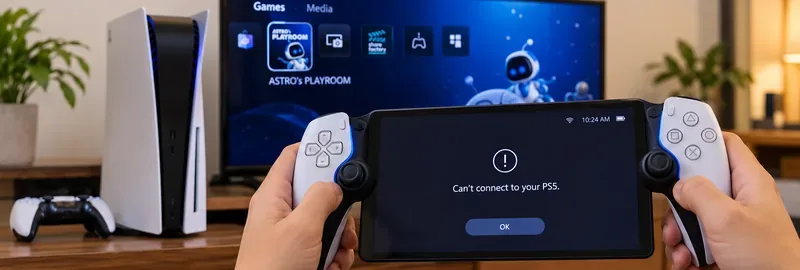
Follow the eight checks below in order. Test beside your PS5 first; only move on to troubleshooting another household or public Wi-Fi network after a local connection succeeds. The menu paths reflect current guidance from PlayStation Portal Support.
The message can appear when the Portal cannot find a ready PS5, cannot sign in to the correct account, cannot reach the console across the network, or loses a connection during startup. Remote Play sends gameplay from your own PS5 to the Portal; it is different from the optional Cloud Streaming feature, which streams supported games without connecting to your PS5.
| What you see | First thing to check |
|---|---|
| Portal does not find your PS5, even at home | PS5 power state, Remote Play enabled for the correct user, and account sign-in |
| Connection fails only when PS5 is resting | Rest Mode internet connection and network wake settings |
| Portal cannot connect to any Wi-Fi | Portal Wi-Fi settings, router signal, and another device on the same network |
| Works at home but not away | Remote connection readiness, home upload connection, public Wi-Fi restrictions, and NAT |
| Connects but freezes or disconnects | Wi-Fi interference, network congestion, and a wired PS5 connection |
Start with the PS5 fully powered on so you can see its settings. On the console, open Settings > System > Remote Play and turn on Enable Remote Play for the user who will connect. The setting is user-specific; enabling it for another local profile is not sufficient. Make sure the PS5 itself is connected to the internet.
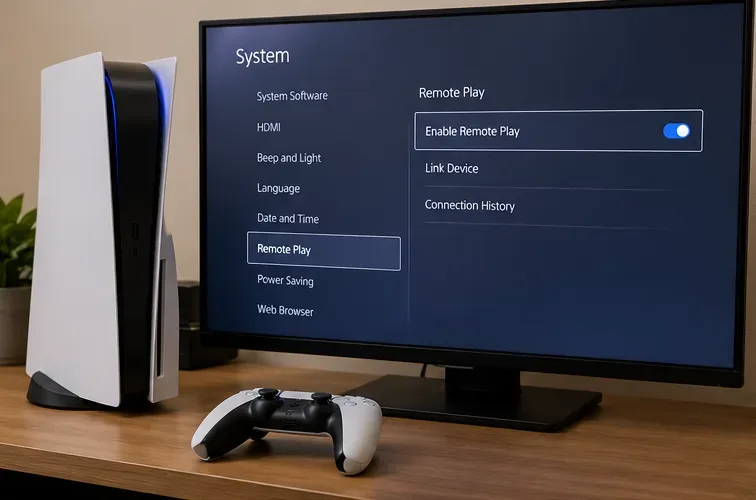
Try connecting again from the Portal home screen. PlayStation provides the official sequence in its PS Portal Remote Play setup guide.
A PS5 that is fully shut down cannot be woken by Remote Play. For a console in Rest Mode, go to Settings > System > Power Saving > Features Available in Rest Mode. Enable both Stay Connected to the Internet and Enable Turning On PS5 from Network. Then put the PS5 into Rest Mode normally and retry from the Portal.
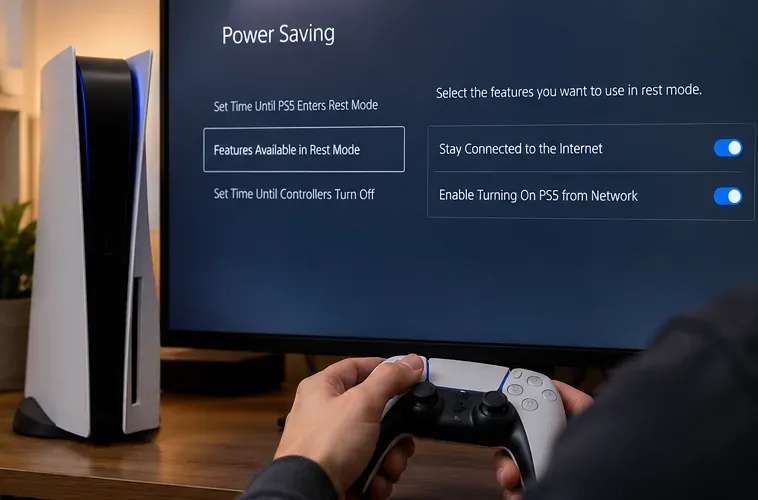
If the Portal still cannot wake the console, turn the PS5 on directly and confirm that it connects while awake. That separates a wake-from-rest problem from a broader network problem.
Check that the account signed in on PlayStation Portal is the one used for the PS5 Remote Play session, not another household member's account. If you recently changed your password or switched users, finish the sign-in process on both devices. You can sign out of Portal through its quick menu settings, then sign in again if necessary.
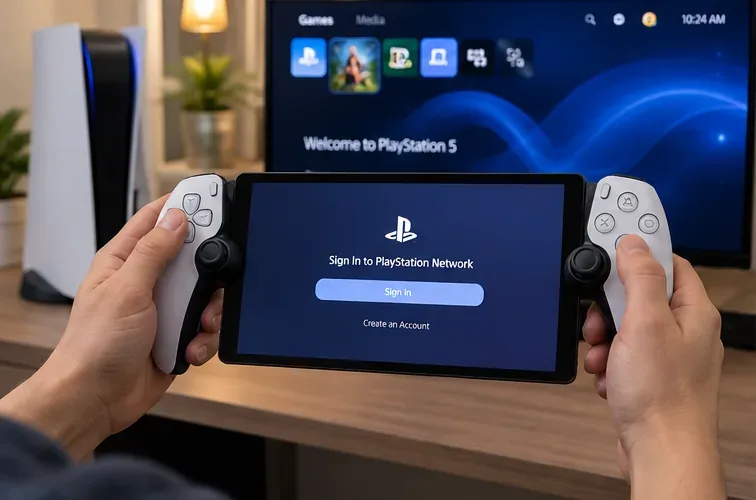
Do not factory-reset the console merely to fix account selection. First retry the Portal after confirming the right PS5 profile is active.
On the Portal home screen, select the Portal icon to reconnect to the PS5 used previously. If your account has access to more than one console, open the quick menu and select the PS5 console connection icon to choose the intended console. If a console is missing, confirm that it is online and configured for Remote Play.
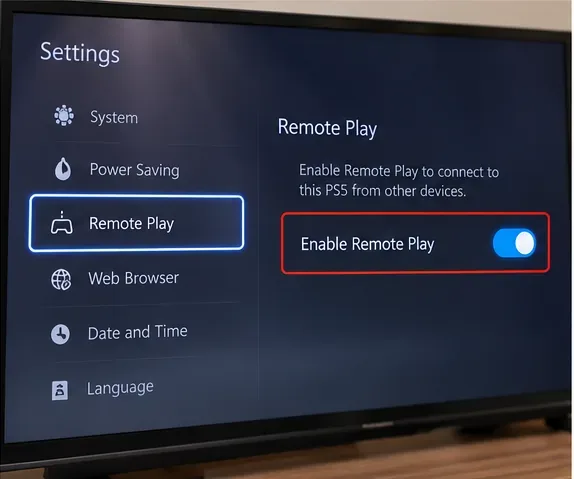
You can find the PS5's Pair Device option under Settings > System > Remote Play, but do not assume a generic mobile-app pairing-code procedure is required on Portal. Follow the Portal's own console-selection flow described in PlayStation's official guide.
On Portal, swipe left from the upper-right corner to open the quick menu. Go to Settings > Network > Set Up Internet Connection and verify the Wi-Fi network. Test whether another device can access the internet on that network. Move the Portal closer to the router and try the 5 GHz band where practical. Some routers automatically move devices between 2.4 and 5 GHz; PlayStation suggests trying with band steering disabled if it interferes with Portal connectivity.
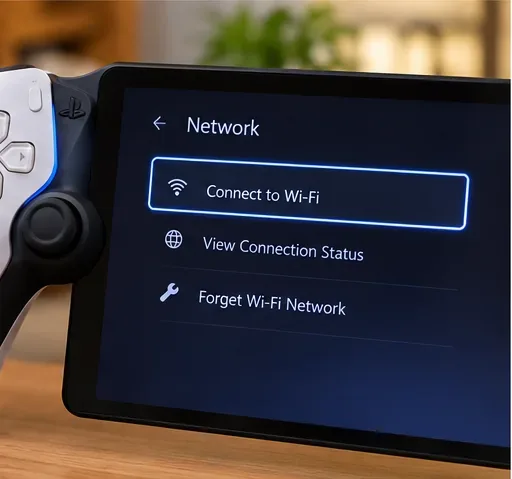
When both PS5 and Portal use Wi-Fi at home, PlayStation recommends the same local network. The same Wi-Fi is not a universal requirement: Portal is designed to connect over the internet away from home, after the PS5 has been set up and tested locally.
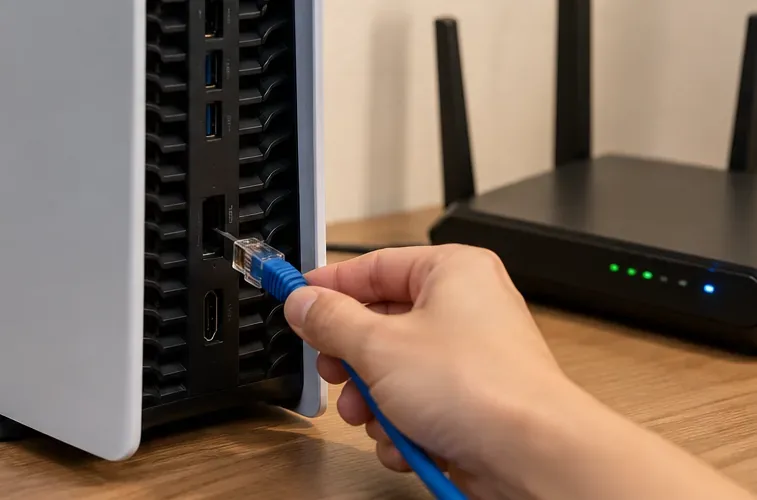
For a more stable home setup, connect the PS5 directly to your router by Ethernet when possible. On the PS5, use Settings > Network > Settings > Set Up Internet Connection to choose the wired network, and verify internet connectivity. This reduces reliance on two separate Wi-Fi links between the streaming devices.
Also pause large game downloads, cloud backups, and other traffic-heavy activity while testing. PlayStation cites at least 5 Mbps upload and download as a baseline for Remote Play and recommends 15 Mbps or higher for a better experience. Speed alone does not guarantee success; Wi-Fi stability and latency also matter.
Press and hold the Portal power button and select Restart. If the screen is unresponsive, hold the power button until Portal shuts off, wait about 30 seconds, and power it back on, following Sony's restart instructions. Reboot the PS5 through its normal power menu as well.
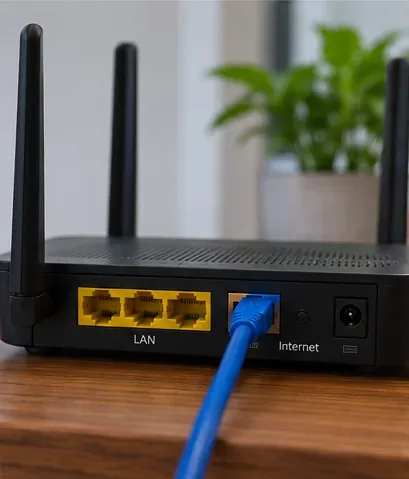
If other devices are also losing Wi-Fi, restart the router according to its manufacturer's instructions and verify the internet service is back. On managed, hotel, school, or guest networks, client isolation or captive-portal rules can prevent devices from communicating. Test on a trusted home connection first rather than disabling router security.
On Portal, open Settings > System > System Software > System Software Update. On PS5, open Settings > System > System Software > System Software Update and Settings and install any available system update. Also check PlayStation service status for a current outage affecting sign-in or online features.
If the error persists despite successful Wi-Fi and PS5 checks, you can reset Portal from Settings > System > System Software > Reset Options > Reset. Warning: this signs you out and erases local Portal data and customized settings, so only use it after the nondestructive steps. This is not a request to reset the PS5 or erase game saves. See Sony's Portal reset instructions before proceeding.
First establish a working connection while physically near the PS5, then leave the console on or in correctly configured Rest Mode. A working local test does not guarantee that a distant Wi-Fi network will allow Remote Play. Hotel and workplace networks may restrict traffic, and your home internet connection must still be reliable.
Advanced troubleshooting may include NAT and router restrictions. In PlayStation's general Remote Play network troubleshooting, NAT Type 3 can prevent connections, and UDP port 8572 is identified for Remote Play. That document covers Remote Play across multiple device types, not a guarantee that forwarding one port fixes every Portal error. Avoid blindly opening ports, turning off your firewall, or copying outdated port lists. Ask your internet provider or router manufacturer for help if a restrictive NAT or carrier-grade NAT is suspected.
No. Using the same home network is recommended for initial setup and diagnosis when the PS5 is on Wi-Fi. Remote Play can work across different networks once the console, account, and connection are configured properly.
Not when the PS5 is fully powered off. Leave it turned on or in Rest Mode with internet connectivity and network wake enabled.
A PlayStation Plus membership is not required simply to use Remote Play on Portal. The separate Cloud Streaming feature has different subscription, account-age, game, and regional availability requirements; it is not a substitute fix for a PS5 pairing error.
Record the exact error message or code, whether the failure happens at home or away, whether the PS5 is awake or resting, and the router's network type. Check the official PS Portal error-code index and contact PlayStation Support. Include these observations so support can distinguish a network restriction from a console or Portal fault.
Bottom line: for the “Can't connect to your PS5” message, prioritize Remote Play settings, Rest Mode wake, account matching, and a local Wi-Fi test. Leave router port changes and device resets until simpler, safer checks have ruled out the obvious causes.
Enable PUBG’s network statistics HUD to monitor ping and packet loss in a match. See where to find it, what the numbers mean, and what they cannot diagnose.
Learn how to import VALORANT crosshair codes, compare presets with manual settings and spectator copy, and fix common import issues.
Choose Dota 2 minimap size, hero icons, team colors, and background settings by readability, fewer misclicks, and clear results on your own display.
Fix Fortnite texture pop-in on PC with official steps for GPU drivers, file verification, DirectX 12, high-resolution textures, VRAM, SSDs, and stutter.
Learn what Heroes of the Storm minimap size and position options are verified, improve readability, and choose camera-click controls that suit you.
Set Super Smash Bros. Ultimate Quickplay to prefer hazards-off stages. Follow the Preferred Rules menu steps and learn why matchmaking may not always honor them.
Enable Server Latency and Packet Loss in Warzone to monitor connection quality, read the overlay, and use recurring spikes to guide troubleshooting.
Learn how to carry from mid lane in League of Legends by setting up waves, choosing safe roam windows, reading side lanes, and converting pressure into objectives.
Fix Minecraft Evoker spell problems with a safe vanilla test, version checks, log review, and a step-by-step way to isolate mod or datapack conflicts.
Fix PUBG stuck on Initializing on Steam with a focused checklist for PC service notices, launch options, game files, downloads, and connection issues.








