How to Import Custom Crosshair Codes in VALORANT: Steps, Options, and Fixes

Learn how to import VALORANT crosshair codes, compare presets with manual settings and spectator copy, and fix common import issues.
Usually, no. If you mean standing a standard tower case upright, that is the position most tower PCs are designed to use. The case’s vertical silhouette does not, by itself, create a cooling problem. What matters is PC case airflow: whether fans can draw in cool room air and move heated air out. The common exception people mix into this question is a vertical GPU mount: rotating the graphics card so its fans face a side panel can restrict its air supply when the card sits too close to glass.
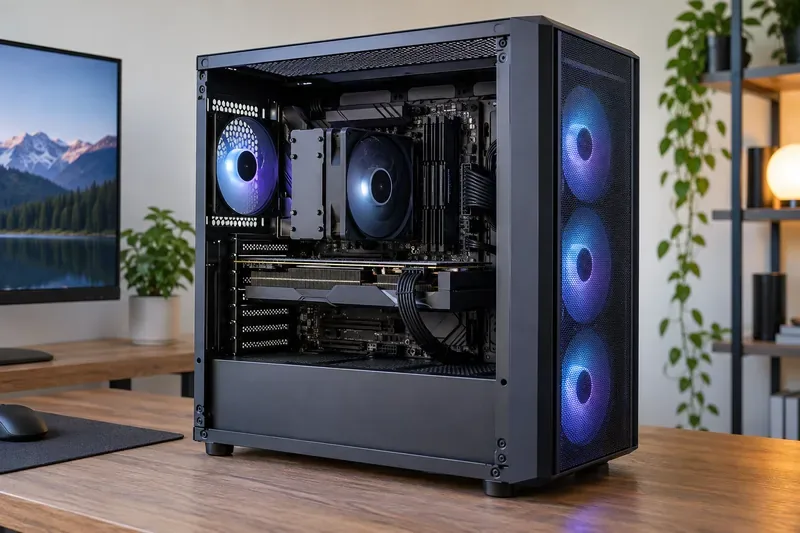
First, there is the upright PC case orientation: the whole tower stands on its feet, with the motherboard mounted vertically. Second, there is a vertical graphics card, repositioned with a PCIe riser so the GPU’s fans face the side panel. These are different changes and have different cooling effects.
| Setup | What to check | Likely cooling effect |
|---|---|---|
| Tower standing upright as designed | Keep the case’s intake and exhaust openings clear. | Normally no orientation penalty by itself. |
| Whole case laid on its side | Check whether a vent or fan now faces the desk, wall, or carpet. | Can restrict airflow if an intake or exhaust is blocked. |
| GPU mounted vertically inside the case | Check the space between the GPU fans and the side panel, plus the case’s mount compatibility. | Can raise GPU temperatures if the fans cannot draw enough fresh air. |
Air does rise as it warms, but a gaming PC’s fans and the case’s airflow path do most of the work. In its airflow guidance, Noctua recommends coordinating case fans around a consistent path, commonly front or side intake with rear and top exhaust. It also notes that there is no single fan layout that fits every case. Mesh openings, filters, fan direction, component layout, and unobstructed vents matter more than relying on a “chimney effect.”
Published case tests illustrate why the answer depends on the build. In a GamersNexus test of the be quiet! Light Base 600, fully inverting the case did not move CPU results beyond the test’s margin of error. Laying it flat with the stock side intake fans close to the desk raised the CPU average from 48°C to 51°C above ambient. In a separate flat layout, moving the fans to an unobstructed intake and exhaust arrangement produced a much lower GPU temperature result. That last comparison changes fan placement as well as case position, so it is not a universal “flat versus upright” score; it shows how blocking or opening an airflow path can dominate the result.
Vertical GPU mounting is a different issue. A GamersNexus test of one glass-heavy case recorded about a 10°C higher GPU temperature delta with its vertical mount, and the review attributed the problem to restricted intake near the side panel. That is an example from one case and card configuration, not a prediction for every build. CORSAIR’s vertical GPU mounting guidance likewise explains that results vary with the card’s thickness, mount position, case airflow, and available panel clearance.
Most air-cooled graphics cards pull air through fans on the broad face of the card and pass it through a heatsink. A vertical mount can place those fans close to tempered glass, leaving a narrow, poorly ventilated space. The fans may then recirculate warm air or work harder to pull air through the gap. A thicker GPU or a bracket that positions it outward can make the issue more pronounced.
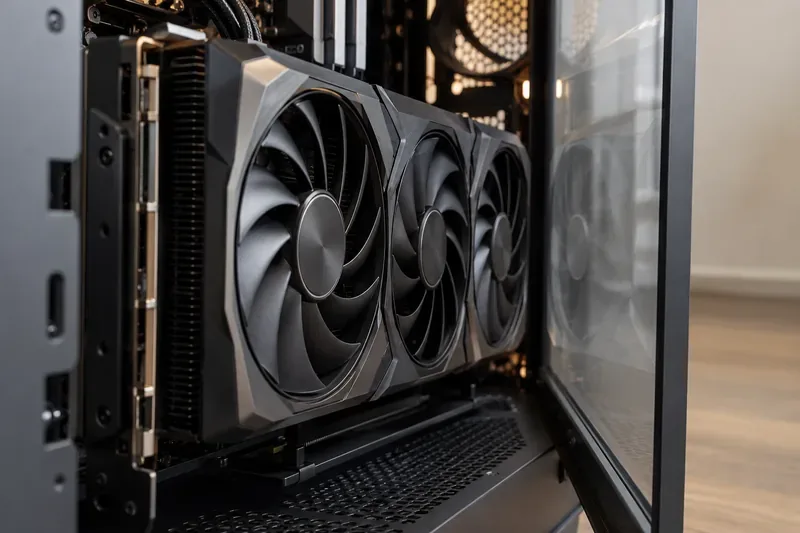
There is no reliable universal clearance number that guarantees good temperatures across every graphics card and case. Compare the GPU dimensions with the case and bracket specifications, then inspect the actual side-panel clearance between the fans and panel. If your case offers more than one vertical mounting position, choose the one with the clearest intake path. A mesh side panel or dedicated side intake can also help, provided the case’s layout is designed for that airflow.
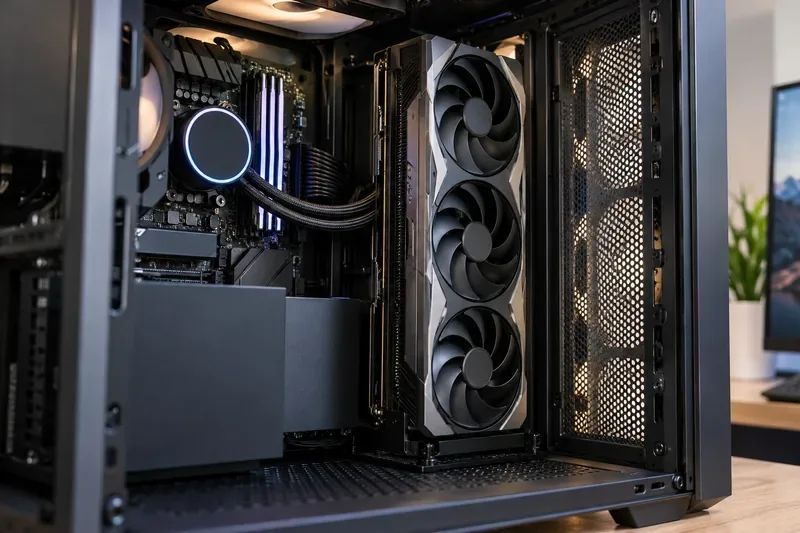
If you lay the entire case on its side, use only a position the case supports and make sure no intake or exhaust is pressed against the desk. If the case uses liquid cooling, keep the radiator and pump arrangement within the cooler maker’s installation guidance. When temperatures are unexpectedly high, check dust filters, fan orientation, and obstructions before replacing parts or changing thermal paste.
Often, yes, if the case is stable in that position and the manufacturer does not prohibit it. Check that the new bottom or side does not cover a vent, and support a heavy graphics card according to its installation instructions.
Natural convection exists, but in a fan-cooled gaming PC the designed fan path usually has a much larger effect. An upright case with obstructed intakes can cool worse than a differently oriented case with clear, well-directed airflow.
Vertical PC placement does not automatically wreck gaming PC cooling. A tower standing upright as intended is generally fine. The variables worth checking are blocked case vents, a case laid against an intake, and a vertical GPU mount that leaves too little room for its fans. Judge the exact case and components under a repeatable gaming load instead of relying on a universal temperature claim.
Learn how to import VALORANT crosshair codes, compare presets with manual settings and spectator copy, and fix common import issues.
Choose Dota 2 minimap size, hero icons, team colors, and background settings by readability, fewer misclicks, and clear results on your own display.
Fix Fortnite texture pop-in on PC with official steps for GPU drivers, file verification, DirectX 12, high-resolution textures, VRAM, SSDs, and stutter.
Learn what Heroes of the Storm minimap size and position options are verified, improve readability, and choose camera-click controls that suit you.
Set Super Smash Bros. Ultimate Quickplay to prefer hazards-off stages. Follow the Preferred Rules menu steps and learn why matchmaking may not always honor them.
Enable Server Latency and Packet Loss in Warzone to monitor connection quality, read the overlay, and use recurring spikes to guide troubleshooting.
Learn how to carry from mid lane in League of Legends by setting up waves, choosing safe roam windows, reading side lanes, and converting pressure into objectives.
Fix Minecraft Evoker spell problems with a safe vanilla test, version checks, log review, and a step-by-step way to isolate mod or datapack conflicts.
Fix PUBG stuck on Initializing on Steam with a focused checklist for PC service notices, launch options, game files, downloads, and connection issues.
Fix Brawl Stars stuck at 92% loading with an ordered checklist for service notices, network tests, safe updates, Android cache, and account-safe reinstalling.








