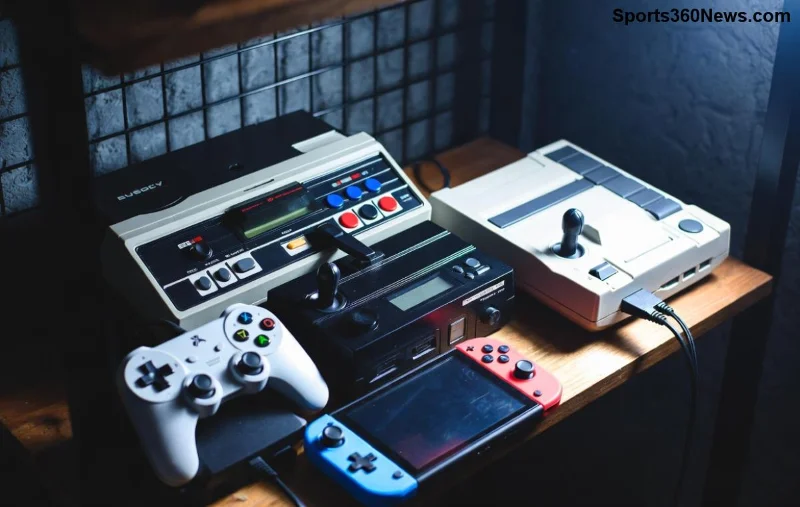
🚀 As a passionate PlayStation gamer, you've faced this dilemma: Should you grab that shiny disc or hit "Buy" on the digital PlayStation Store? With PS5's massive library, choosing between digital vs physical PlayStation games impacts your wallet, shelf space, and gaming joy. This guide breaks it down with fresh insights, helping you pick the winner for seamless play sessions. Let's dive in! 💥
Why Choose Physical PlayStation Games? The Tangible Thrill ⭐
Physical PlayStation games offer a collector's dream. Here's why they still shine:
- 📀 Resale Value: Sell used discs on eBay or GameStop for 50-70% of original price. Digital? No refunds once downloaded!
- 🎁 Gift-Friendly: Perfect for birthdays – wrap a collector's edition with artbook and steelbook case.
- 🔄 Backward Compatibility: Pop into older consoles like PS4 without redownloading gigabytes.
- 🛡️ No Storage Worries: Swap discs freely; no deleting favorites to free up your 825GB SSD.
- 🏷️ Often Cheaper: Retail sales drop prices to $20-30, beating digital deals sometimes.
Imagine owning God of War Ragnarök in a premium box – pure nostalgia! But discs scratch, and you need a disc drive (PS5 Digital Edition skips this).
The Power of Digital PlayStation Games: Instant Gratification Awaits ⚡
Digital PlayStation games dominate for convenience. Key perks:
- 📱 One-Click Access: Buy anytime via PS Store app – no shipping waits. Pre-loads launch at midnight!
- 💰 Frequent Discounts: PS Plus sales slash AAA titles 75% off, like Spider-Man 2 for $40.
- 🔒 Account-Bound Forever: Redownload on new consoles; family sharing via PS Plus Premium.
- 🧹 No Clutter: Clean shelves, eco-friendly (no plastic waste).
- 🎮 Exclusive Perks: Digital pre-orders often bundle avatars or early DLC.
PS5 Digital Edition owners love this – lighter console, lower price ($399 vs $499 for disc version). Yet, massive installs (100GB+) eat storage fast.
![PS5 Digital Store with game deals and download icons]()
Digital vs Physical PlayStation Games: Side-by-Side Comparison Table
Need a quick verdict? This PS5 digital vs physical table sums it up:
| Feature |
Physical Games |
Digital Games |
| Cost (New AAA Title) |
$70 (sales: $50) |
$70 (sales: $35-50) |
| Resale/Trade-In |
Yes (up to 60% value) 👍 |
No ❌ |
| Storage Use |
Minimal (disc swap) |
Full install (50-200GB) ⚠️ |
| Convenience |
Drive required, shipping |
Instant download 🚀 |
| Collectibility |
High (shelves, art) 🏆 |
Low (virtual library) |
| Portability |
Carry discs anywhere |
Account-linked only |
Data based on latest PS5 trends from PlayStation.com and retailer averages.
Key Factors for Gamers: Storage, Budget, and Lifestyle
1️⃣ Storage Crunch: PS5 SSD fills quick with digital hoarding. Physical lets you install once, swap endlessly. Tip: Expand with 8TB M.2 SSDs.
2️⃣ Budget Breakdown: Physical wins long-term via resale. Digital shines for impulse buys – PS Plus Extra gives 400+ games monthly for $15.
3️⃣ Latest Trends: PS5 Pro boosts digital with faster downloads via improved Wi-Fi. Disc drives fading, but physical exclusives like Final Fantasy VII Rebirth collector's thrive.
4️⃣ Hybrid Hack: Buy physical for favorites, digital for indies. Share discs with friends!
Real Gamer Stories: Wins and Fails 😎
Collector Mike: "Physical for my 200+ shelf – resold $500 last year!"
Digital die-hard Sarah: "Pre-loaded Elden Ring DLC at 3 AM – unbeatable!"
Pro tip: Check PS Deals app for cross-comparisons.
Final Verdict: Which is Better for Buying PlayStation Games?
No one-size-fits-all! Physical PlayStation games rule for collectors and budget savers 🏅. Digital PlayStation games dominate for pure convenience and deals 🎉. Go hybrid: Digital for 70% of your library, physical for trophies.
Upgrade your setup? PS5 Digital Edition saves $100 upfront. Ready to choose? Drop your pick in comments – what's your go-to? Keep gaming smart! 👇