How to Check Real-Time Server Latency in the PUBG HUD

Enable PUBG’s network statistics HUD to monitor ping and packet loss in a match. See where to find it, what the numbers mean, and what they cannot diagnose.
If Minecraft Java Edition closes with an IndexOutOfBoundsException, start with the crash report and stack trace. The exception means Java code tried to use an array, string, or collection position outside its valid range. In Minecraft, the failing code may belong to the game, a mod, a mod loader, or a server plugin. The message alone does not prove that your world is corrupted or that Minecraft needs more RAM.
Work through the checks below in order: capture the report, compare a clean profile, verify the Java runtime for your game version, then isolate mods or world-specific data. Back up a valuable world before testing it.
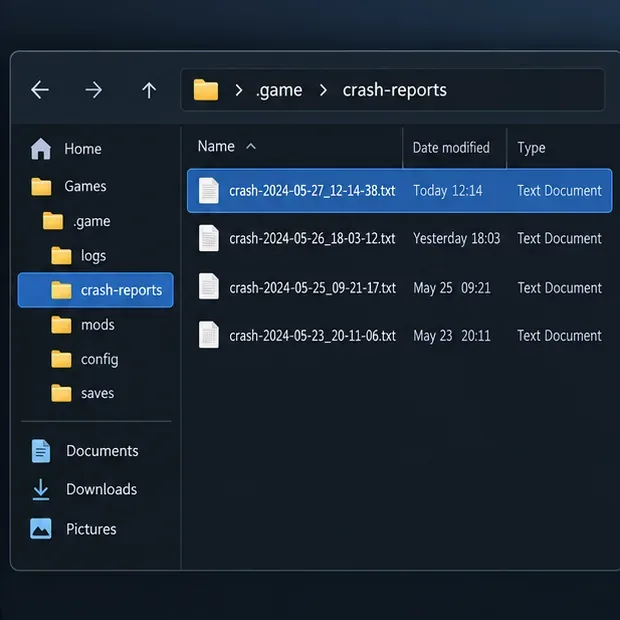
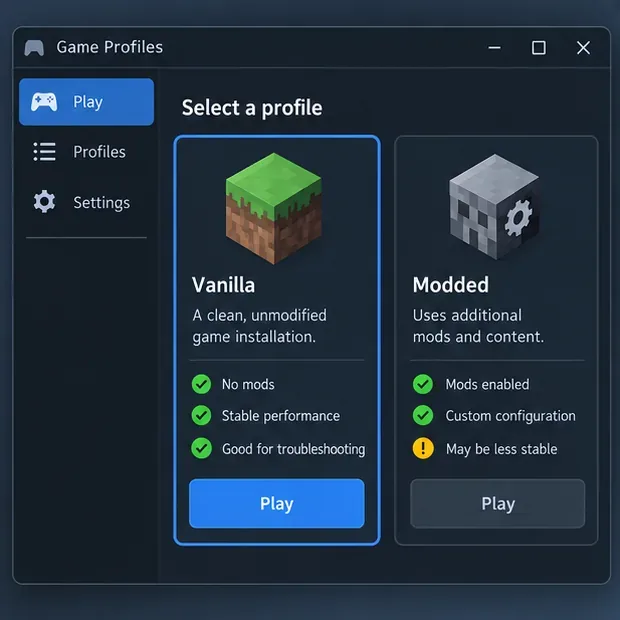
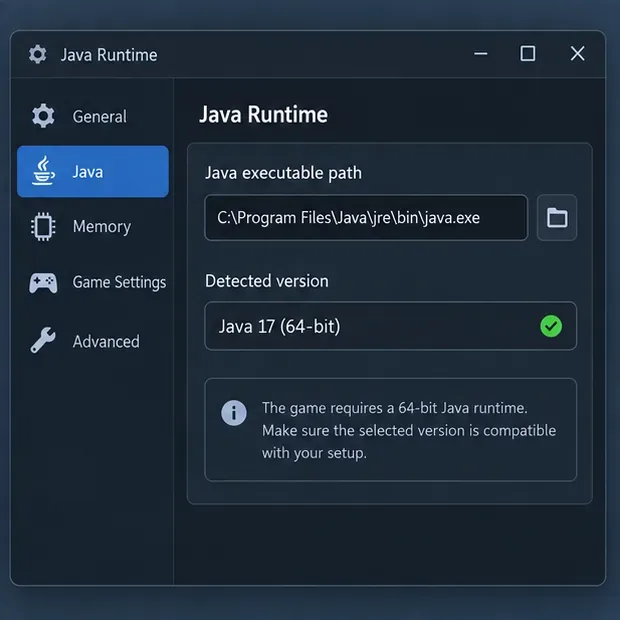
The images in this guide are generic illustrations. Their windows, paths, timestamps, version fields, and sample log lines are not screenshots from a tested installation or exact launcher interfaces.
Java indexes usually start at zero. A list with five entries has positions 0 through 4; requesting position 5 is out of range. Oracle describes IndexOutOfBoundsException as a runtime exception thrown when an index into something such as an array, string, or vector is outside its range. ArrayIndexOutOfBoundsException and StringIndexOutOfBoundsException are more specific subclasses.
A crash report may show a line such as java.lang.IndexOutOfBoundsException: Index 5 out of bounds for length 5. The exact wording varies by Java version and the code that throws the exception. This is an indexing error, not the same as OutOfMemoryError. Adding memory with -Xmx is not a general fix for an invalid index.
For the official Minecraft Launcher, Java crash reports are normally in the crash-reports folder under the game directory. The latest game log is in logs/latest.log. Common default game-directory locations are:
%appdata%\.minecraft~/Library/Application Support/minecraft~/.minecraftA third-party launcher may store each instance in its own directory, so use that launcher's instance-folder option or documentation. For a server crash, inspect the server console and server log as well as the client report.
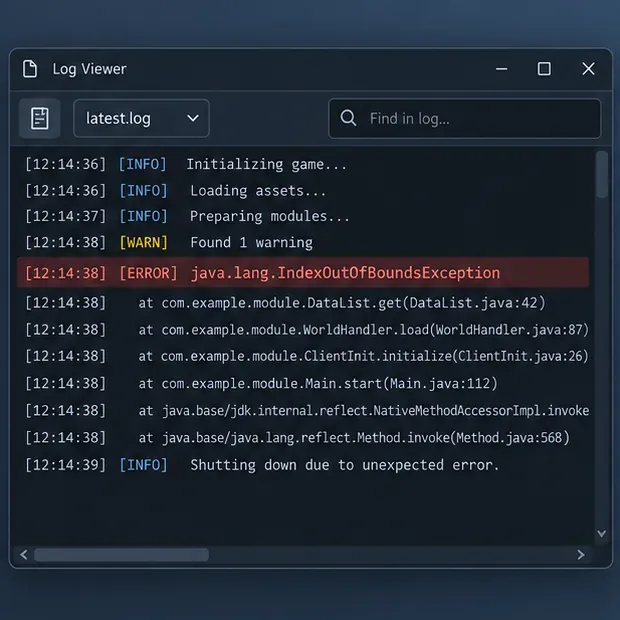
Search the report for IndexOutOfBoundsException, then read the frames immediately below it and the nearby “suspected” or mod sections, if present. Note the exact game version, loader, mod list, and what you were doing when the crash occurred. A mod name in a frame is a useful lead, but it is not automatic proof that the mod alone is at fault; incompatible interactions can involve more than one component.
Create or select a separate, unmodified profile for the same Minecraft version, with no mods or custom loader. Try the same action in a temporary new world. Do not use your only copy of an important save as the first test.
If the clean profile works, the problem is more likely tied to a mod, loader, resource pack, custom configuration, or data used by the original profile. That narrows the search; it does not identify a specific mod by itself. If the clean profile also crashes, keep the report and check whether the crash happens in a new world, during startup, or only after a particular action.
Do not install a random Java version just because an older guide recommends it. The required runtime depends on the Minecraft release and the launcher configuration. The official launcher normally manages the runtime for its game installation. If you selected a custom Java executable, use the requirement for your exact release or return to the launcher's managed runtime setting.
For a current example, Mojang's Minecraft Java Edition 26.1 release notes state that the game requires Java 25 and includes Microsoft's OpenJDK 25 distribution. That does not mean Java 25 should be forced onto older game versions or every third-party launcher. Check the release notes and the mod loader's compatibility requirements together.
Make a copy of the launcher instance or at least the mods folder before changing it. Confirm that every mod targets the installed Minecraft version and loader, and that its required dependencies are present. Then temporarily move a batch of mods out of the test instance and reproduce the crash. If the crash stops, restore the batch in smaller groups until the trigger is narrowed down.
Keep the original files rather than deleting them. Check the identified mod's project page or issue tracker for a release matching your version, known conflicts, or an update note. If no single mod explains the crash, test likely combinations and include the full report when asking the mod author for help.
If the crash happens only while opening one world, close Minecraft and make a separate backup of that world before trying further changes. You can copy the relevant save folder from saves to a safe location, or use the backup process recommended by Minecraft Support. Test a duplicate of the affected save and a fresh temporary world separately.
If a fresh world works but the copy of the affected world crashes, the trigger may involve saved world data, an entity or block added by a mod, or a version-specific game issue. That result does not prove the save is corrupted. Avoid deleting region files, editing level.dat, or running a repair utility unless the report points to a specific data problem and you have a verified backup.
If the crash occurs only when joining one server, ask the owner to check the server log at the matching time. The server may be running an incompatible plugin, mod, or game build even when your local client is current. A server operator should back up the server, verify that plugins match the server software and Minecraft version, and test changes on a copy or staging server where possible.
Players usually cannot repair a server-side plugin exception from their own computer. Share the relevant crash excerpt, your game version, and loader details with the operator. Do not post account tokens, private IPs, or unrelated personal information when sharing logs.
| Clue | Useful next check | Do not assume |
|---|---|---|
IndexOutOfBoundsException in a mod frame | Verify that mod, loader, dependencies, and game version; test on a copied profile. | That every mod is broken or the world must be deleted. |
| The crash appears only in one world | Back up the save, then compare a duplicate with a fresh test world. | That the exception itself proves world corruption. |
OutOfMemoryError appears instead | Use Minecraft Support's memory-allocation troubleshooting guidance. | That more RAM fixes an indexing exception. |
| Only one multiplayer server triggers it | Have the operator compare server logs, plugins, and server version. | That a client reinstall can fix a server plugin. |
Usually, no. The exception describes an invalid index. Change memory allocation only when the log points to a separate memory problem, such as OutOfMemoryError, and follow the current Minecraft Support instructions for your setup.
No. A crash while loading one save makes that save a useful diagnostic lead, but the cause could be modded data, a compatibility issue, or a game bug. Preserve a backup and compare a copy with a new world before considering repairs.
First record the exact game version, launcher, loader, and Java executable in use. Then match them to the release and mod requirements. With the official launcher, avoid overriding its managed Java runtime unless you have a specific compatibility reason.
Enable PUBG’s network statistics HUD to monitor ping and packet loss in a match. See where to find it, what the numbers mean, and what they cannot diagnose.
Learn how to import VALORANT crosshair codes, compare presets with manual settings and spectator copy, and fix common import issues.
Choose Dota 2 minimap size, hero icons, team colors, and background settings by readability, fewer misclicks, and clear results on your own display.
Fix Fortnite texture pop-in on PC with official steps for GPU drivers, file verification, DirectX 12, high-resolution textures, VRAM, SSDs, and stutter.
Learn what Heroes of the Storm minimap size and position options are verified, improve readability, and choose camera-click controls that suit you.
Set Super Smash Bros. Ultimate Quickplay to prefer hazards-off stages. Follow the Preferred Rules menu steps and learn why matchmaking may not always honor them.
Enable Server Latency and Packet Loss in Warzone to monitor connection quality, read the overlay, and use recurring spikes to guide troubleshooting.
Learn how to carry from mid lane in League of Legends by setting up waves, choosing safe roam windows, reading side lanes, and converting pressure into objectives.
Fix Minecraft Evoker spell problems with a safe vanilla test, version checks, log review, and a step-by-step way to isolate mod or datapack conflicts.
Fix PUBG stuck on Initializing on Steam with a focused checklist for PC service notices, launch options, game files, downloads, and connection issues.








