Clash of Clans base copy links let you share a village design with another player without placing every Wall, defense, and building by hand. To use one, open the shared link on a phone or tablet with Clash of Clans installed, review the layout in the game, and choose where to save it. To share your own design, open the Layout Editor and use the layout-sharing option.
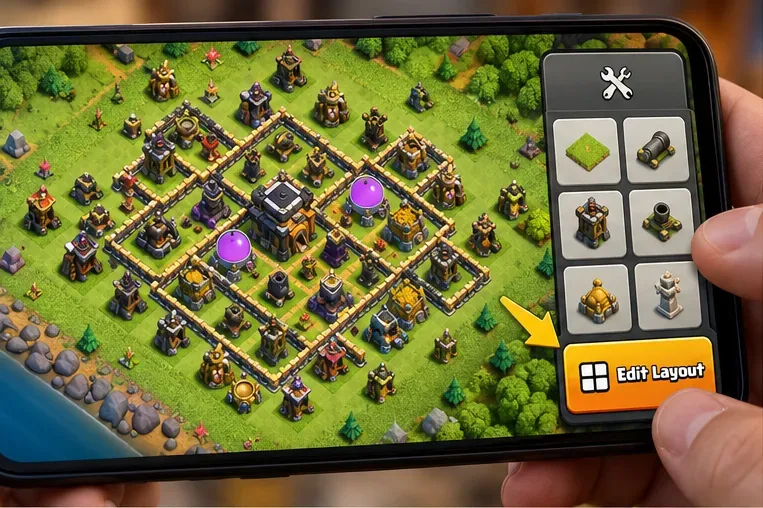
Important for October 2026: the route to the Layout Editor changed in the October 8 interface overhaul. If an older guide tells you to tap the old grid icon on the main village screen, open Build instead; the Edit Layout control appears at the lower right while that menu is open. Supercell explains the move in its October 8, 2026 UI guide.
What is a Clash of Clans base copy link?
A base link is an official Clash of Clans URL on the link.clashofclans.com domain. Its purpose is to tell the game which saved layout to open. Supercell has published its own downloadable war-base designs through links with an OpenLayout action, as shown in its official MCES War Bases post. A link is not a player-login link, and sharing a layout does not hand over your Supercell ID, Gems, or resources.
The link refers to a snapshot of the arrangement at the time it was shared. Editing your base afterward does not automatically change an old link. Supercell also cautioned when introducing the feature that links left unused for a long time may eventually stop working. If you rebuild your base or someone reports a dead link, share a fresh one rather than assuming the old URL has updated.
How to copy and share your base layout in 2026
1. Open the updated Layout Editor
Launch Clash of Clans and go to the village containing the layout you want. From the Home Village screen, tap the Build button at the bottom right. While the Build menu is open, tap Edit Layout near the lower-right edge. This location follows the October 2026 redesign; Builder Base also received Build-menu changes. If the screen looks different, check that the app has received the latest update.
2. Choose the right layout and find its sharing option
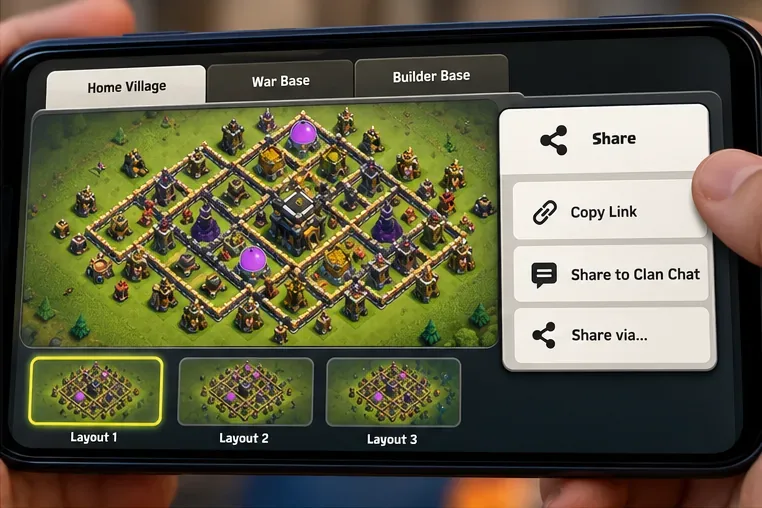
In the editor, select the saved Home Village, War Base, or Builder Base design you actually intend to distribute. Save any pending edits first. Look for the relevant share control on the selected design; the exact share sheet and button wording can vary by screen and version. Choose the action that copies the layout link or shares it to another app. Copying the design inside your own layout slots is different from creating a shareable URL.
3. Paste the link where another player can open it
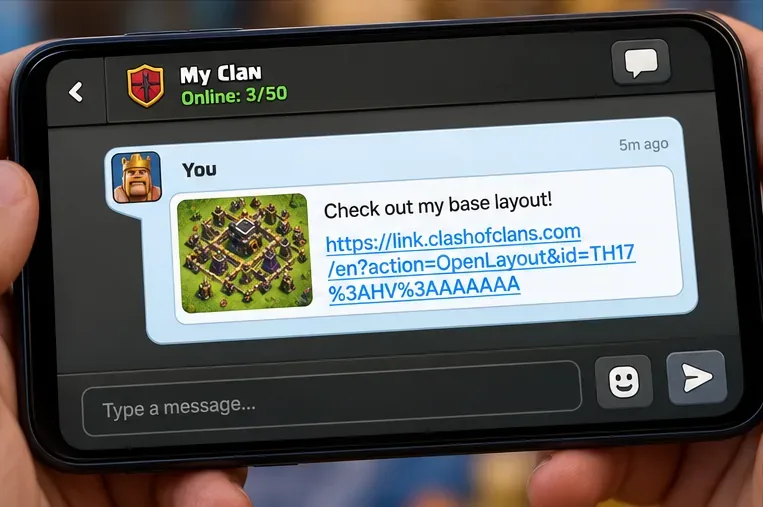
Paste the copied URL into clan chat, Discord, WhatsApp, or another message. On a phone, touch and hold the message field and select Paste; in other apps, use their ordinary paste controls. Add a short label such as “TH16 war base — anti-3-star” or “Builder Hall 10 defense” so clanmates know what the link is for. Before sending, make sure it is a complete https://link.clashofclans.com/ address rather than a screenshot or a truncated text preview.
How to import someone else's base copy link
4. Open the URL, preview the design, and choose a slot
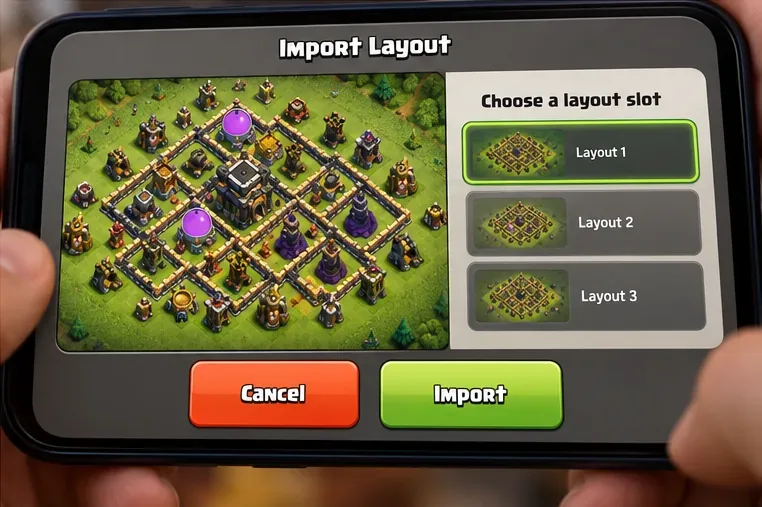
On the device where you play Clash of Clans, tap the shared URL. Depending on your operating system and messaging app, you may first see a prompt asking to open Clash of Clans. Allow the handoff, then review the layout that appears in the game. Select the appropriate saved-layout slot and follow the confirmation shown on your screen. If that slot already has a design you care about, preserve it elsewhere before replacing it; do not assume every import creates a new slot or automatically keeps the previous saved design.
After the import, inspect building positions and any warnings before making the design active. A layout link saves placement information, not upgrades, troop levels, magic items, or a guaranteed defensive result. You can adjust the copied design in the Layout Editor to suit your own village.
Which base types and levels are compatible?
| Layout type | What to check before copying | Practical advice |
|---|---|---|
| Home Village | Town Hall level and available buildings | Start with layouts made for your Town Hall to avoid missing or incompatible structures. |
| War Base | Town Hall level, defenses, traps, and war-layout slot | Check the defensive design in the war editor before relying on it for your next war. |
| Builder Base | Builder Hall level and available stages | Choose a Builder Base layout intended for your progression and inspect both stages when applicable. |
| Clan Capital district | District Hall level and editing permission | Only leaders and co-leaders can modify district layouts; the District Hall level must match the shared design. |
Supercell's earlier Copy Village Layout feature for visiting clanmates unlocked at Town Hall 4 for the Home Village and Builder Hall 4 for Builder Base, with a one-level-above-or-below allowance. That is a separate in-game copy flow, so do not assume the same rule guarantees that every external layout URL will import across mismatched levels. For Clan Capital, the official district-layout support page explicitly requires a matching District Hall level.
Why a Clash of Clans base link may not work
The link opens a browser but not the game
First make sure the official mobile game is installed and updated. Try tapping the full URL from a regular browser or trusted messaging app, and accept any open-in-app prompt. Some in-app browsers interfere with the handoff. If your device offers an option to open links in the Clash of Clans app, use it. Avoid installing a third-party APK or granting account access just to open a layout.
The shared link is expired, incomplete, or invalid
Check whether a message shortened the URL, removed characters after the question mark, or broke the link across lines. Ask the creator to generate and send a new base copy link, especially for an old design. A link that once worked is not necessarily permanent; Supercell's original layout-sharing explanation warned that long-unused links could be deactivated.
The layout is incompatible or looks different
Compare your Town Hall or Builder Hall level with the intended design. A layout may contain buildings your village cannot place, and seasonal changes or newly added defenses may also change what an older base includes. Do not rely on the claim that the game will always import a higher-level layout with gaps: the game may reject a design instead. Choose a matching-level link and inspect the result before saving or activating it.
You cannot find Edit Layout or the share button
For the October 2026 interface, open Build first. The October 15 follow-up from Supercell acknowledges that accessing the Layout Editor now takes extra taps, so this is a documented interface change rather than proof the feature was removed. See Supercell’s October 15 interface follow-up. Within the editor, select a saved layout before looking for its share action. If unavailable, save your changes and try again.
Copy links vs. copying a clanmate's village
These are related but different actions. A base copy link is meant for sharing a snapshot outside or inside the game and reopening it later. The in-game Copy Village Layout feature lets you visit a clanmate's village and copy an eligible design through the game's own village-visit interface. Supercell documented the feature in its Quality of Life Changes notes. Neither process clones the other player's account or buildings' upgrade levels.
Quick answers
Do base copy links update when I change my village?
No. They represent the arrangement that was shared. Generate a new link if you want your clan to receive your revised version.
Can you edit a layout after importing it?
Yes, where the game's Layout Editor permits editing. Review the imported design, make your changes, and save it in the slot you want to use.
Does a shared base link guarantee a good war or farming defense?
No. A shared layout is a starting design, not a performance certificate. Match it to your building inventory, check pathing and defense coverage, and use Friendly Challenges when you want to see how clanmates attack it.
Bottom line: for Clash of Clans base copy links in 2026, use Build → Edit Layout to reach your designs, share a fresh URL for the saved base you want, and inspect the destination slot when importing someone else's link. That small check prevents most of the frustration caused by older interface instructions, mismatched layouts, and dead URLs.









