How to Check Real-Time Server Latency in the PUBG HUD

Enable PUBG’s network statistics HUD to monitor ping and packet loss in a match. See where to find it, what the numbers mean, and what they cannot diagnose.
Short answer: Bandai Namco’s current TEKKEN 8 materials do not document a global setting that blocks every Ghost download. The documented flow is to choose another player’s Ghost from a profile in the Leaderboards or Lounge. If you are seeing a background download while playing on Steam, it may be a game update instead. Steam has separate controls for downloads during gameplay and for when TEKKEN 8 updates.
There is also an in-game AI learning control, but it affects how your own Ghost learns from battle behavior. It is not an automatic-download switch for other players’ Ghosts. The distinction matters: changing the wrong setting can stop training without stopping Steam updates, or delay a required patch without changing Ghost downloads.
A Ghost in TEKKEN 8 is an AI-controlled avatar that learns from a player’s battle behavior. A game update is a patch to TEKKEN 8 itself. Both use data, but they come from different systems. Bandai’s official game overview describes downloading other players’ AI Ghosts from the Lounge and Leaderboards; its online mode information says a downloaded Ghost is stored in Super Ghost Battle.
The latest official patch notes available when this guide was checked, version 3.02.02 dated September 10, 2026, say existing Ghost data is retained while character behavior changes are reflected in Ghost data. The notes do not list a global automatic Ghost-download setting. So if the goal is to stop other players’ Ghosts arriving without your selection, the supported first move is to avoid choosing Download Ghost on a player profile. If you mean Steam patch downloads that start while you are gaming, use the Steam steps below.
On the Steam version, open Steam’s Downloads page while you notice the activity. Look for a TEKKEN 8 item in the queue. If it is an update or install, Steam’s download controls apply. You can pause an active Steam transfer from the download page while you investigate, then choose a more convenient update policy.
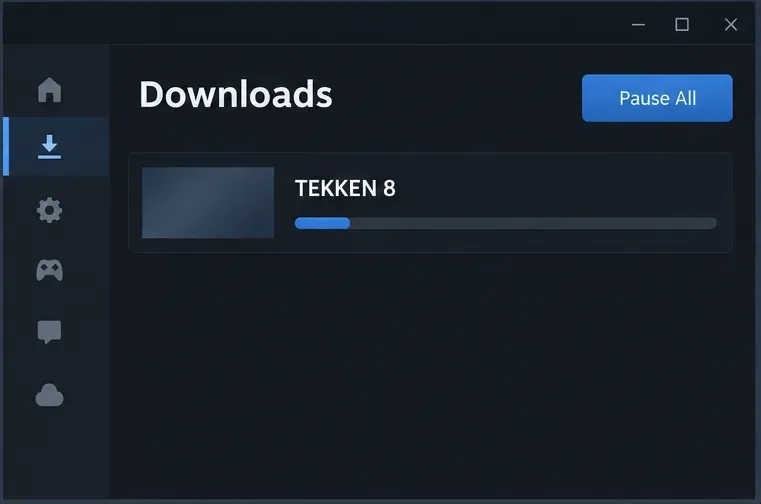
If the Steam Downloads page is idle, these settings cannot confirm what the game is exchanging with its online services. A network meter may show traffic without identifying whether it is Ghost data, matchmaking, account sync, or another game service. Do not delete save files or change router rules based on an unlabeled network reading alone.
In Steam, open Steam > Settings > Downloads and make sure Allow downloads during gameplay is unchecked. Steam Support says downloads normally pause when a game launches to prioritize that game’s network activity; checking this option allows them to continue. Leaving it unchecked prevents Steam-managed game downloads from running during gameplay under the normal client behavior.
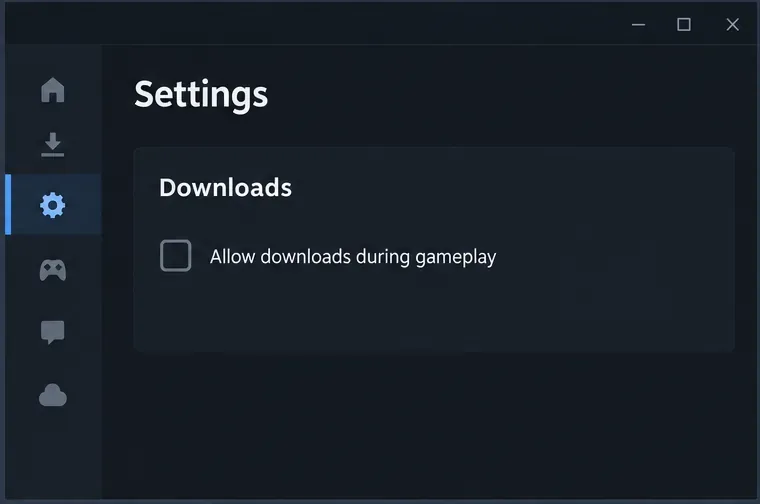
This setting is for Steam client downloads, such as game updates. It does not block TEKKEN 8’s online features, stop the game from connecting to Bandai Namco services, or disable the in-game Ghost download action. If you use the Epic Games Store or a console, this Steam setting does not apply.
To reduce surprise updates outside a play session, open Library, right-click TEKKEN 8, choose Properties, then open Updates. Under Automatic Updates, select Wait until I launch the game. Steam’s support information describes this as a per-game update policy. Depending on client version or language, the label may be phrased slightly differently.
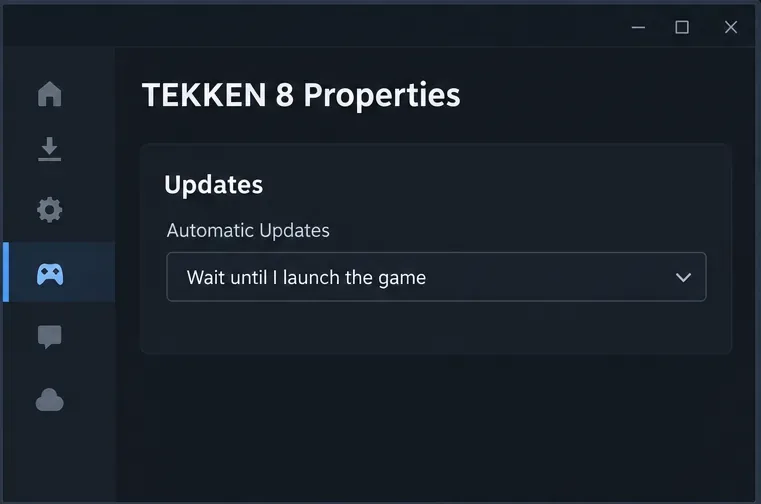
This delays the update; it does not permanently turn updates off. When a patch is required, Steam may need to download it before the game can start. That is useful if you want to choose when a large patch uses your connection, but it is not a way to play an outdated online version indefinitely. Keep the game updated before entering ranked or other online modes.
If you need Steam to download while you are doing something else and cannot pause it, return to Settings > Downloads, enable Limit download speed, and choose a cap suitable for your connection. A lower cap can reduce competition for bandwidth, although the update will take longer. Steam’s support page explains how to set a client download-speed limit.
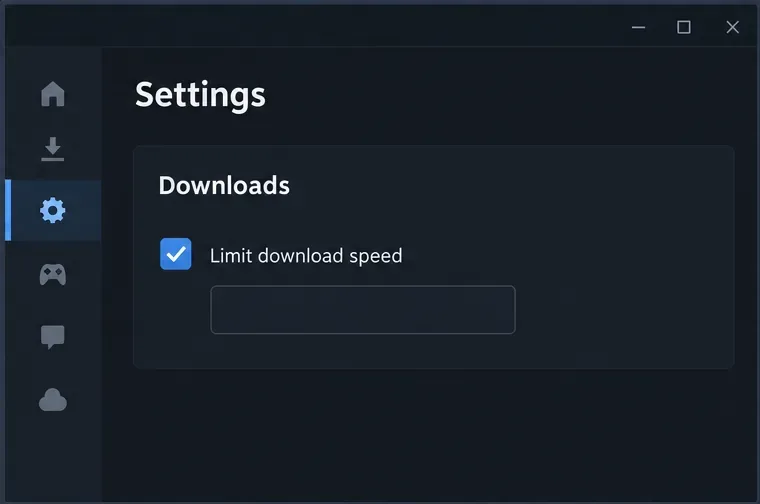
Use this as a compromise when a download cannot wait. If your specific problem is the game’s online responsiveness, pausing the Steam update is a clearer test than choosing an arbitrary speed. A speed cap affects Steam downloads; it cannot limit data exchanged directly by TEKKEN 8.
If your concern is your own Ghost learning from your play, go to the entrance of TEKKEN GHOST SHOWDOWN in TEKKEN FIGHT LOUNGE and speak to Max. Bandai added options there to turn AI learning on or off and to delete previous AI learning data. This changes the learning behavior of your own AI-controlled avatar. It does not disable downloading another player’s Ghost from a profile or stop Steam from patching the game.
Delete previous AI learning data only if you want to reset what your Ghost has learned. It is a separate action from turning learning off, and it does not serve as a general cleanup tool for every downloaded Ghost. Bandai’s published notes do not describe that control as a way to disable incoming Ghost downloads.
| What you notice | What to check | Relevant control |
|---|---|---|
| A TEKKEN 8 patch is downloading during a Steam session | Steam Downloads queue | Uncheck Allow downloads during gameplay; optionally set the per-game update policy |
| You see a player Ghost download option | Player profile in the Leaderboards or Lounge | Do not select Download Ghost unless you want that Ghost |
| Your own Ghost continues learning your behavior | Max at the TEKKEN GHOST SHOWDOWN entrance | Turn AI learning off; delete previous learning data only if you want a reset |
| Network activity appears but Steam is idle | Check the platform’s network monitor and note when it occurs | These Steam settings do not identify or block in-game service traffic |
These steps apply to the PC version on Steam. On PlayStation 5 or Xbox Series X|S, use the console’s own download queue and update controls for game patches; Steam instructions cannot change console downloads. Bandai’s current public materials reviewed for this guide do not document a platform-wide switch that disables all Ghost downloads automatically.
After changing Steam settings, watch the Downloads page during a short play session. If TEKKEN 8’s patch queue stays paused while the game is open, the Steam control is working as intended. Then separately avoid the in-game Download Ghost action if you do not want to add other players’ Ghosts. If the game still shows unexplained network traffic while Steam is idle, record the time, platform, and screen you were using and contact Bandai Namco support rather than removing local save data.
For the official feature descriptions, see Bandai Namco’s TEKKEN 8 Ghost overview, version 2.01 notes on Max and AI learning controls, and version 3.02.02 notes. Steam’s guides cover downloads during gameplay, download and update management, and download-speed limits.
Enable PUBG’s network statistics HUD to monitor ping and packet loss in a match. See where to find it, what the numbers mean, and what they cannot diagnose.
Learn how to import VALORANT crosshair codes, compare presets with manual settings and spectator copy, and fix common import issues.
Choose Dota 2 minimap size, hero icons, team colors, and background settings by readability, fewer misclicks, and clear results on your own display.
Fix Fortnite texture pop-in on PC with official steps for GPU drivers, file verification, DirectX 12, high-resolution textures, VRAM, SSDs, and stutter.
Learn what Heroes of the Storm minimap size and position options are verified, improve readability, and choose camera-click controls that suit you.
Set Super Smash Bros. Ultimate Quickplay to prefer hazards-off stages. Follow the Preferred Rules menu steps and learn why matchmaking may not always honor them.
Enable Server Latency and Packet Loss in Warzone to monitor connection quality, read the overlay, and use recurring spikes to guide troubleshooting.
Learn how to carry from mid lane in League of Legends by setting up waves, choosing safe roam windows, reading side lanes, and converting pressure into objectives.
Fix Minecraft Evoker spell problems with a safe vanilla test, version checks, log review, and a step-by-step way to isolate mod or datapack conflicts.
Fix PUBG stuck on Initializing on Steam with a focused checklist for PC service notices, launch options, game files, downloads, and connection issues.








