Buying Tinkle Shares in GTA 5: TNK Stock Guide
To profit from Tinkle (TNK) in GTA 5, buy the stock on BAWSAQ with each character before completing the Hitch Lift 1 random event. The stock tip is given when you deliver a stranded driver to Los Santos International Airport. This is separate from Lester’s Multi Target Assassination, which does not trigger the Tinkle tip. Buy first, complete the ride, then check your portfolio and sell when the gain stops rising.
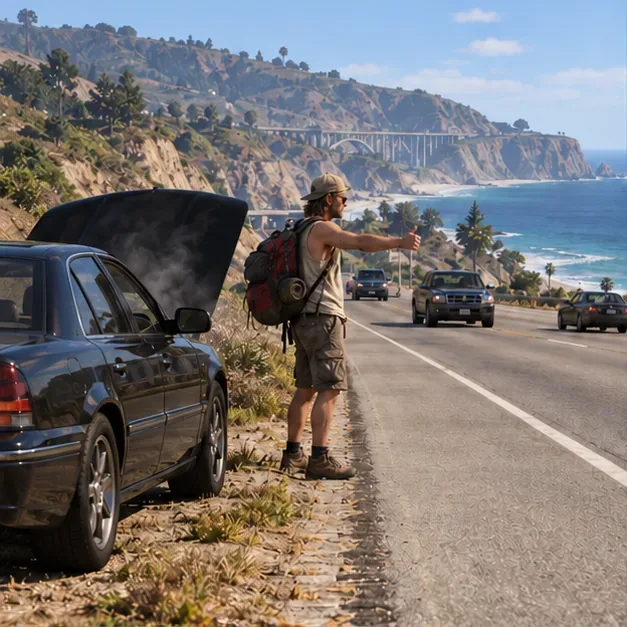
What moves Tinkle (TNK) stock in GTA 5?
Tinkle is a fictional company listed under the ticker TNK on the BAWSAQ exchange. You trade it in Story Mode through the Internet on a character’s in-game phone; these are fictional shares and do not represent a real company or investment.
The event that gives you the Tinkle stock tip is Hitch Lift 1, a free-roam encounter in Banham Canyon. A stranded driver asks for a ride to the airport and recommends Tinkle after you get him there. For the investment to benefit from the tip, purchase TNK before you pick him up. The Multi Target Assassination is a different event and is not the trigger for Tinkle’s rise.
Version note: Hitch Lift 1 is part of the later editions of GTA V. The original PlayStation 3 and Xbox 360 release does not include this specific random event, so this Tinkle-tip route is unavailable in those versions.
How to buy Tinkle shares in GTA 5
1. Save and prepare your characters
If you are saving the event for a larger return, wait until your protagonists have more cash to invest. Each character—Michael, Franklin, and Trevor—has a separate portfolio, so a purchase made by one does not cover the others. Make a manual save before investing so you can return to a point before the event if something goes wrong.
2. Open BAWSAQ and find TNK
Open the in-game phone using its default phone control: press Up on the D-pad on a controller or the Up Arrow on PC, unless you changed the bindings. Select the Internet app, open Money and Services, and choose BAWSAQ. Find Tinkle (TNK) in the listing. If you do not see BAWSAQ or it will not load, check the troubleshooting notes below.
This is an illustrative scene, not a screenshot of the BAWSAQ interface. 3. Buy TNK with each protagonist
Select Tinkle, review the current share price, and buy the amount you want. Switch characters and repeat the purchase for Michael, Franklin, and Trevor before starting the random event. Investing more cash increases the dollar value of a gain, but it also ties up more of that character’s money until you sell.

Each protagonist has a separate portfolio, so buy TNK on all three if you want all three to benefit. 4. Complete the Hitch Lift 1 ride
Travel to the Banham Canyon area along the Great Ocean Highway, near Inseno Road, and look for the stranded driver beside his disabled car. Accept the ride and take him to Los Santos International Airport by following the event marker. Avoid unnecessary stops. The Tinkle tip is delivered at the end of the ride, so do not wait until after the passenger’s advice to make your initial purchase.
5. Watch the price and sell your shares
After the event, return to BAWSAQ and check TNK in each character’s portfolio. The price can start moving around the event, so check it periodically rather than waiting a fixed number of sleeps or assuming a specific percentage. When the gain reaches a level you are happy with—or stops climbing—sell the shares. Repeat for the other two characters.
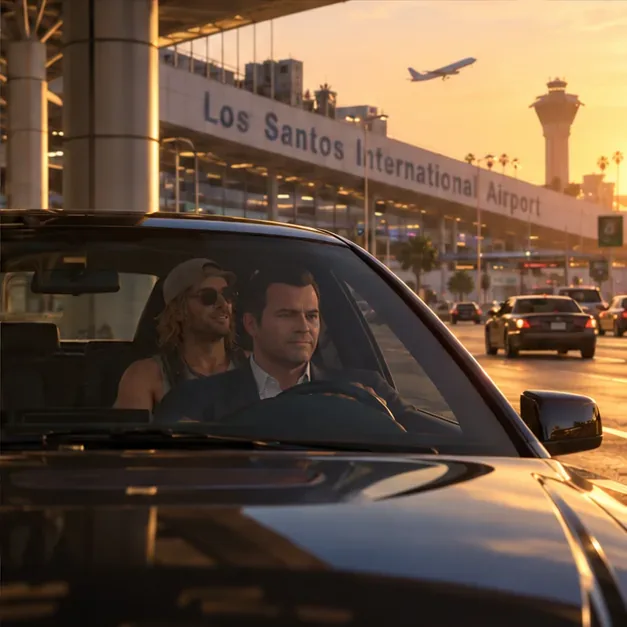
Los Santos International Airport is the Hitch Lift 1 drop-off point; this scene is illustrative, not a game screenshot.
How much can you make from Tinkle shares?
There is no guaranteed TNK percentage or universal peak that applies to every save. Your result depends on the price when you buy and when you sell. Use the portfolio’s current value rather than an online claim about a fixed return as your sell signal.
For a simple estimate, subtract what you paid from the sale value. For example, if a character invests GTA$10,000 and later sells for GTA$13,000, the gain is GTA$3,000, or 30%. That example explains the math; it is not a promise that Tinkle will rise by 30%. A larger starting balance creates a larger dollar gain only if the same percentage increase occurs.
Common Tinkle stock problems
BAWSAQ says the market is closed
Check that your platform and game launcher are connected, then reopen Story Mode and try again later. Rockstar says Story Mode generally does not require an internet connection, while some features and save syncing may require one. That means a playable offline story does not guarantee that every connected service will load. Check Rockstar Games service status and its offline-mode guidance if the exchange remains unavailable.
I cannot find the Hitch Lift event
Confirm that you are playing a later edition of GTA V and that the event has not already been completed in this save. The original PS3 and Xbox 360 editions do not have Hitch Lift 1. If you are on a later edition, return to the Banham Canyon road and look for the event marker near the stranded vehicle.
I already completed the Multi Target Assassination
That does not trigger or replace the Tinkle event. If Hitch Lift 1 is still available in your version and save, you can still buy TNK before completing that ride. Do not buy Tinkle expecting the assassination mission itself to move its price.
Frequently asked questions
Can I buy Tinkle shares after the airport ride?
You can open BAWSAQ afterward, but the stock tip has already been delivered and the price may have moved. For the intended strategy, buy before picking up the passenger.
Can I buy TNK on LCN instead of BAWSAQ?
No. Tinkle is listed on BAWSAQ. LCN is a separate exchange, so it cannot be used to buy TNK if BAWSAQ is unavailable.
Does this work in GTA Online?
No. This is a Story Mode stock-market strategy tied to a single-player random event. It is not a way to trade TNK shares in GTA Online.
For official game information, visit Rockstar’s Grand Theft Auto V page. PC players can also review Rockstar’s controls and settings tips if the phone’s default key has been remapped.









