How to Check Real-Time Server Latency in the PUBG HUD

Enable PUBG’s network statistics HUD to monitor ping and packet loss in a match. See where to find it, what the numbers mean, and what they cannot diagnose.
The best Xbox position for optimal airflow is whichever orientation lets every vent breathe and keeps the console stable. Xbox Series X and Series S are designed to work both vertically and horizontally; standing them upright does not automatically make them cooler or faster. Microsoft’s current Xbox ventilation guidance recommends leaving 4–6 inches (10–15 cm) of clearance around the console. Start with that space, keep vents uncovered, and choose the orientation that fits your room.
This guide focuses on the placement questions that matter: which vents to protect, how to use either orientation, when a TV shelf is too cramped, and what to do if the console displays an overheating warning. There is no verified temperature chart showing that vertical placement lowers Xbox temperatures by a fixed amount, so the advice below sticks to Microsoft’s guidance.
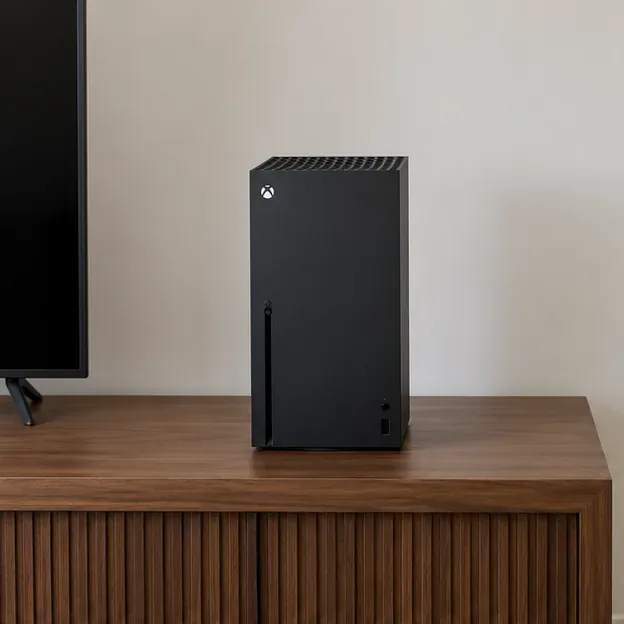
On the Xbox Series X, the large perforated top is the most visible exhaust area. The case also has ventilation openings around it, so do not press the console against a wall or wedge it between other devices. When the Series X is horizontal, use its designed flat side as the base and leave the vented surfaces open.
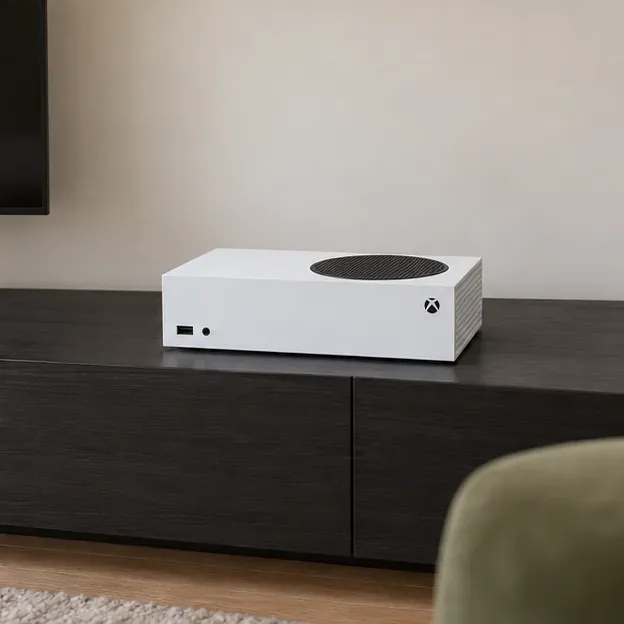
The Xbox Series S has a prominent black circular vent. Keep that large grille clear in either orientation, along with the other openings around the case. In a horizontal setup, place the console on its designed side so the circular vent faces upward; never set objects on that grille.
Xbox’s design overview explains that both Series X and Series S support vertical and horizontal placement without an additional stand. The models have different shapes, so check the vents on your own console before moving it and follow the orientation shown in the manufacturer’s setup instructions.
Use vertical placement when the console can stand securely and the space above it is open. Choose horizontal placement when a shelf has limited height, provided the console still has the full recommended clearance and its vents are not blocked. Neither orientation is a performance mode; this is a space and stability decision.
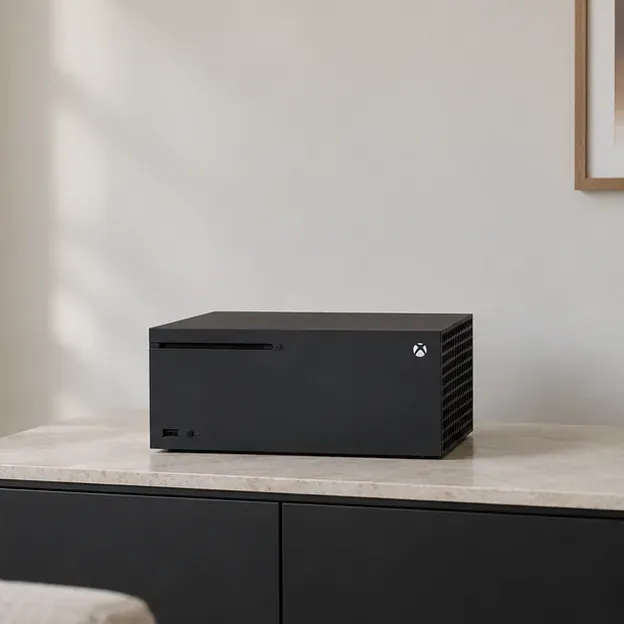
Set the console on a stable, hard surface rather than carpet, bedding, or a soft fabric-covered shelf. A level surface helps the Xbox sit as designed and keeps openings from being pressed against a cushion or floor covering. Route power, HDMI, and storage cables so they do not pull the console out of position.
Measure the open space around the console, including the area above the Series X’s top exhaust when it stands upright. Do not stack a receiver, another console, game cases, or decor on top. If the shelf is too shallow or the space above is too low to maintain clearance, use another shelf or position the Xbox outside the cabinet.
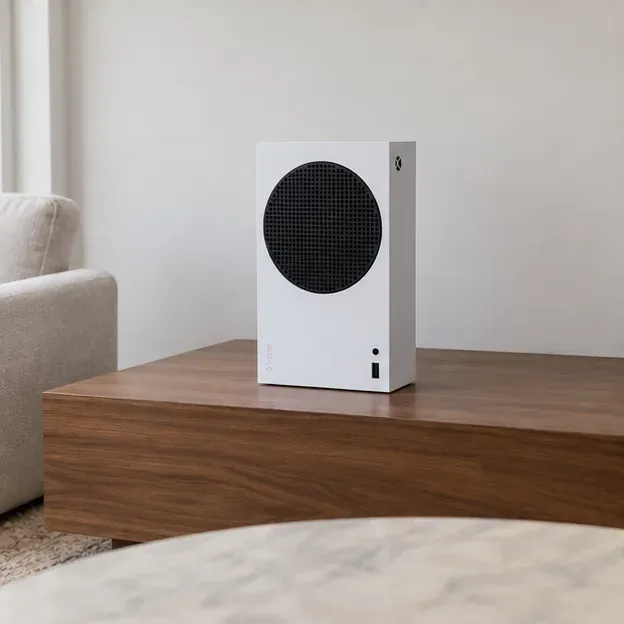
Avoid a closed cabinet, direct sun, a heater, and tightly packed electronics. These can trap or add heat, while dust and pet hair can collect around vents. Check the openings occasionally and clean visible dust from the exterior using the care method recommended for your model. Do not open the console to clean internal parts unless you are following an authorized repair process.
| Setup | Supported? | What to check |
|---|---|---|
| Series X vertical | Yes | Stable base; keep the top exhaust and surrounding vents clear. |
| Series X horizontal | Yes | Use the intended flat side; leave open space around the case. |
| Series S vertical | Yes | Keep the black circular vent open and the console stable. |
| Series S horizontal | Yes | Place it on its designed side with the circular vent facing up. |
| Closed or crowded cabinet | Avoid | Hot air can collect, and the recommended clearance may not be available. |
If the console shows a temperature warning, shuts down unexpectedly, or repeatedly behaves abnormally, stop the game and turn the Xbox off. Once it is safe to handle, move it to an open area, remove anything covering the vents, and let it cool before trying again. Warm air coming out during play can be normal; warmth by itself does not confirm a fault.
If the warning or shutdown returns after you have corrected the placement, use Xbox Support’s ventilation troubleshooting guidance and contact Xbox Support if needed. Avoid opening the console or relying on unofficial temperature-monitoring apps: they are not a substitute for the console’s warning system or an authorized service check.
For most setups, the right answer is simple: place the Xbox where its vents have open air, not where the console merely fits. That is the practical Xbox Series X|S airflow rule to use when choosing vertical or horizontal placement.
Enable PUBG’s network statistics HUD to monitor ping and packet loss in a match. See where to find it, what the numbers mean, and what they cannot diagnose.
Learn how to import VALORANT crosshair codes, compare presets with manual settings and spectator copy, and fix common import issues.
Choose Dota 2 minimap size, hero icons, team colors, and background settings by readability, fewer misclicks, and clear results on your own display.
Fix Fortnite texture pop-in on PC with official steps for GPU drivers, file verification, DirectX 12, high-resolution textures, VRAM, SSDs, and stutter.
Learn what Heroes of the Storm minimap size and position options are verified, improve readability, and choose camera-click controls that suit you.
Set Super Smash Bros. Ultimate Quickplay to prefer hazards-off stages. Follow the Preferred Rules menu steps and learn why matchmaking may not always honor them.
Enable Server Latency and Packet Loss in Warzone to monitor connection quality, read the overlay, and use recurring spikes to guide troubleshooting.
Learn how to carry from mid lane in League of Legends by setting up waves, choosing safe roam windows, reading side lanes, and converting pressure into objectives.
Fix Minecraft Evoker spell problems with a safe vanilla test, version checks, log review, and a step-by-step way to isolate mod or datapack conflicts.
Fix PUBG stuck on Initializing on Steam with a focused checklist for PC service notices, launch options, game files, downloads, and connection issues.








