How to Check Real-Time Server Latency in the PUBG HUD

Enable PUBG’s network statistics HUD to monitor ping and packet loss in a match. See where to find it, what the numbers mean, and what they cannot diagnose.
You line up a skill shot, release it, and watch it snap toward a minion or the wrong enemy. That can happen because Mobile Legends: Bang Bang separates several controls that sound alike: Targeting Method chooses how you select a target, Targeting Priority tells the game which target to favor when selection is automatic, and Assisted Aiming Mode can help aim toward nearby heroes. Adjusting one setting cannot correct every kind of miss.
For most heroes built around manually aimed shots, start with Select Targeting, keep Lowest HP Percent as a general priority, and test Assisted Aiming Mode both on and off in Practice. Use Lock-on only when you specifically want the selected enemy to remain the target. Then judge the result by whether the skill follows your intended direction and hits the intended target, not by whether an option is called “advanced.”
These recommendations draw on Mobile Legends’ design-team advice published by Apple and Moonton’s September 16, 2026 control-settings update. Menu layout and available labels can vary by game version, device, and language.
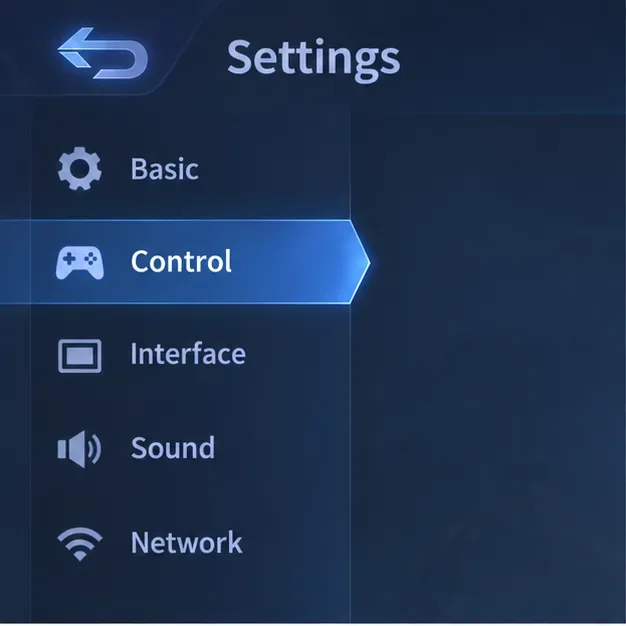
On the home screen, open Settings and choose Control. Find Targeting Method and begin with Select Targeting. The game design team’s guidance identifies Select Targeting as a strong default for most players because it lets you choose whether to attack heroes, minions, or turrets rather than relying on a single locked target.
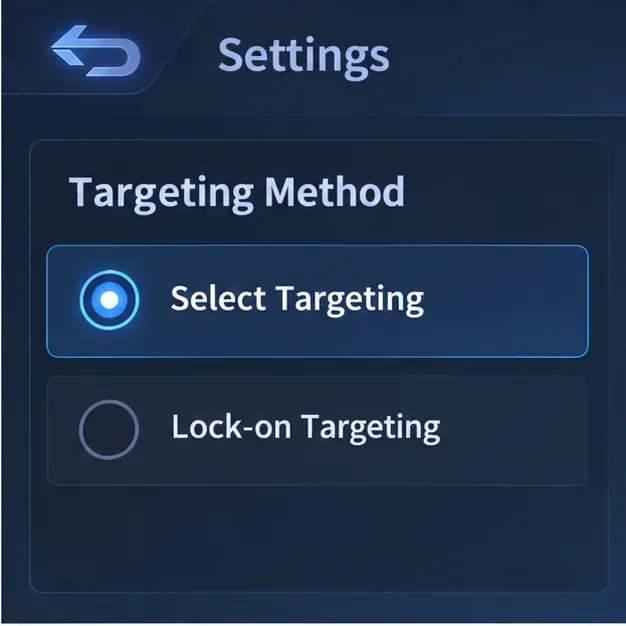
This is a useful starting point for a Franco hook, Selena arrow, Eudora stun, or another ability where direction and timing matter. If the skill offers a directional aiming indicator, aim it toward the enemy’s likely path instead of depending on a tap-to-cast selection. Aiming at where a moving opponent is going gives the projectile time to travel; aiming at the spot they just left often produces a clean-looking miss.
Targeting Priority is a fallback for moments when the game chooses a target automatically. MLBB’s design team recommends Lowest HP Percent as a general option for most players. It can help when a cast or attack is being selected automatically, but it is not a substitute for aiming a directional skill yourself. If you drag a skill toward a particular lane, changing priority alone will not teach the cast to lead a moving target.
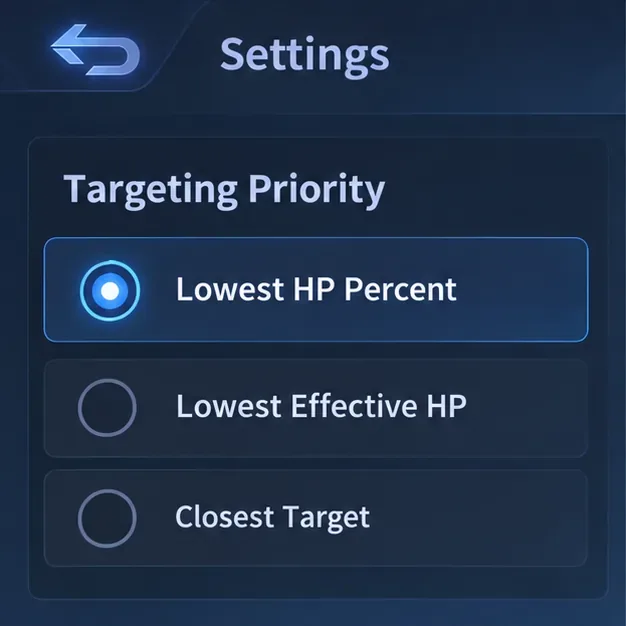
There is also a recent label change to account for. In its September 16, 2026 update, Moonton said it changed Lowest HP to Lowest Effective HP, factoring in the attacker’s penetration along with the target’s defense and health. Moonton said Lowest HP Percent and Closest Target remained unchanged. So if an older guide tells you to choose “Lowest HP,” look for “Lowest Effective HP” in the current version. The update concerns target priority; it does not make manually aimed skill shots more accurate by itself.
Consider Closest Target if your role often needs to hit the nearest enemy in front of you rather than chase a low-health hero behind the frontline. Use Lowest HP Percent when quick access to a weakened target matters. Neither choice is universally best for every hero, and neither replaces selecting a target or aiming the skill deliberately.
Moonton’s design-team tips describe Assisted Aiming Mode, under Advanced Control Mode, as an option that automatically targets nearby heroes and can make aiming easier. It is a reasonable first choice if you are new to touch aiming or often lose a target in a crowded fight.
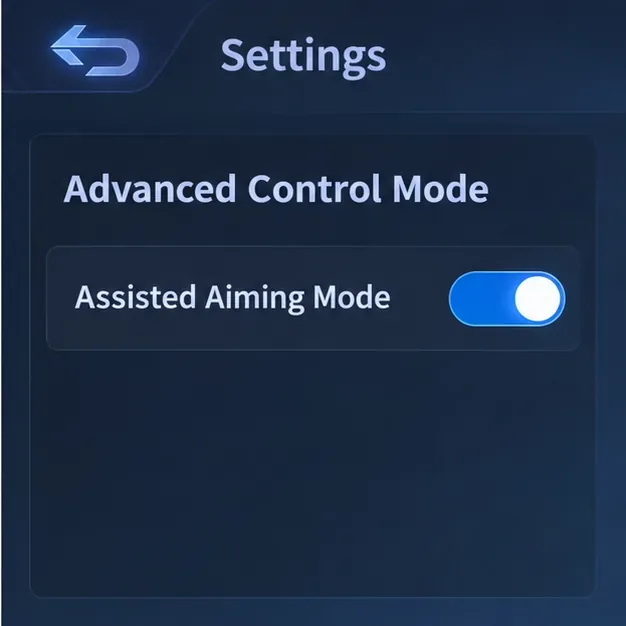
For a precise skill shot, however, assistance may not feel right in every situation. If the aiming behavior keeps favoring a nearby hero when you are trying to line up a specific direction, turn assistance off for a short practice test. That is a practical experiment, not a guarantee that the option causes every mis-aim: the effect can depend on the skill, target spacing, and current game version. Change one variable at a time so you can tell whether the reticle feels more predictable.
Lock-on is the situational alternative. The design team describes it as a way to attack only the hero you locked during combat, and notes it as an option for assassins who need to stay on one chosen opponent. It can help when your goal is to focus a particular hero through a crowded fight.
For a freely directed projectile, Select Targeting is usually the better baseline because you retain control over what to aim at. Try Lock-on only if you want target persistence and your skill behaves the way you expect while locked. If the shot starts following a locked target when you intended to place it along a path, switch back. MLBB also provides Individual Hero Settings, so you can keep a general control setup and customize a particular hero rather than changing the same controls for your whole roster.
Your setup is working when you can distinguish a directional miss from a target-selection mistake. If the shot travels along the line you aimed but misses a moving opponent, adjust timing and lead. If it selects a different nearby hero, review assisted aiming or lock-on. If a quick cast picks an unintended low-health target, revisit Targeting Priority. This simple check identifies which control to change next.
For more detail, read Apple’s Mobile Legends tips, including advice from Moonton’s game design team, and the official September 16, 2026 Mobile Legends control-settings update. The best targeting method is the one that leaves you in control of deliberate shots while keeping unwanted auto-selection to a minimum.
Enable PUBG’s network statistics HUD to monitor ping and packet loss in a match. See where to find it, what the numbers mean, and what they cannot diagnose.
Learn how to import VALORANT crosshair codes, compare presets with manual settings and spectator copy, and fix common import issues.
Choose Dota 2 minimap size, hero icons, team colors, and background settings by readability, fewer misclicks, and clear results on your own display.
Fix Fortnite texture pop-in on PC with official steps for GPU drivers, file verification, DirectX 12, high-resolution textures, VRAM, SSDs, and stutter.
Learn what Heroes of the Storm minimap size and position options are verified, improve readability, and choose camera-click controls that suit you.
Set Super Smash Bros. Ultimate Quickplay to prefer hazards-off stages. Follow the Preferred Rules menu steps and learn why matchmaking may not always honor them.
Enable Server Latency and Packet Loss in Warzone to monitor connection quality, read the overlay, and use recurring spikes to guide troubleshooting.
Learn how to carry from mid lane in League of Legends by setting up waves, choosing safe roam windows, reading side lanes, and converting pressure into objectives.
Fix Minecraft Evoker spell problems with a safe vanilla test, version checks, log review, and a step-by-step way to isolate mod or datapack conflicts.
Fix PUBG stuck on Initializing on Steam with a focused checklist for PC service notices, launch options, game files, downloads, and connection issues.








