Home
» 🎮 Esports
»
Battling Minecraft Elytra Errors: Fix Flight and Phantom Problems
Battling Minecraft Elytra Errors: Fix Flight and Phantom Problems
Battling Minecraft Elytra Errors: Fix Flight and Phantom Problems
If your Elytra will not open, your player drops out of a glide, a firework rocket gives no boost, or the game stutters in the air, check the symptom before changing settings. “Winged Woes” is a nickname for these separate problems, not an official Minecraft error code. Start by confirming the chest-slot and launch sequence, then check durability, rocket use, performance, and phantoms. These checks apply to both Java and Bedrock, though controls and menus vary by device.
Older guides sometimes label Elytra trouble as a Minecraft 1.21 bug. That does not identify a cause: Minecraft now uses year-based version numbers, and Java and Bedrock can have different release numbers. Update through the Launcher or your platform’s store and use the current release for your edition. See Mojang’s version-numbering explanation if an older guide’s version looks unfamiliar.
Quick checks for common Minecraft Elytra errors
What you see
Check first
Elytra will not deploy
It is equipped in the chest slot, has durability, and you press jump after stepping off a ledge.
You start gliding, then lose height
Gliding is a controlled descent; check the durability bar and avoid pitching sharply upward or into terrain.
A rocket does not boost
You are already gliding, have a Firework Rocket selected, and use the platform’s item-use control.
Flight hitches or the game crashes
Compare a local unmodded world with the affected world or server.
Phantoms interrupt a flight
Check the sleep cycle and nearby threats; this is a mob encounter, not an Elytra error.
Five steps to fix Minecraft Elytra problems
1. Check the Elytra slot and launch timing
Open your inventory and make sure the Elytra is in the chest armor slot. A chestplate in that slot prevents the Elytra from being worn. Then test from a safe, open ledge: step off, begin falling, and press the jump button to deploy the wings. Jumping repeatedly while standing on flat ground will not start a glide. On a keyboard the default jump control is usually Space, but remapped controls, controllers, and touch devices may differ.
A glide is not powered flight. It slows your fall and lets you steer; aiming down can build speed, while aiming up too aggressively or making a sharp turn can bleed speed. Practice over water or a clear landing area before using a rocket over dangerous terrain. Mojang’s Elytra guide describes the chest-slot and falling launch basics.
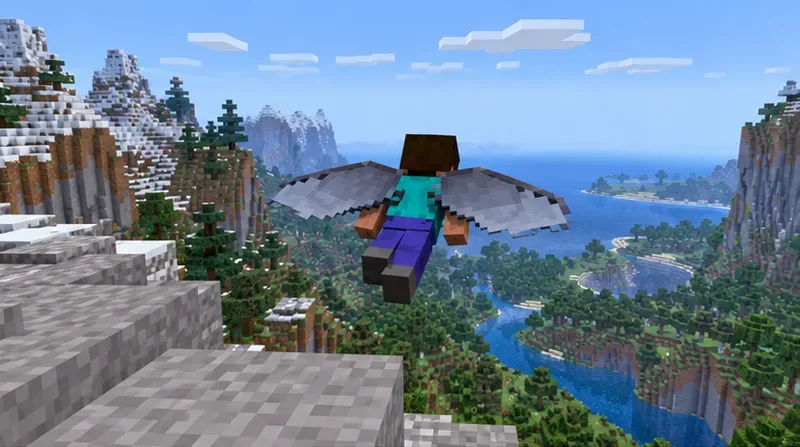
An Elytra-equipped player glides away from a mountain ledge; begin from a safe height and press jump after stepping into a fall.
2. Repair low Elytra durability before takeoff
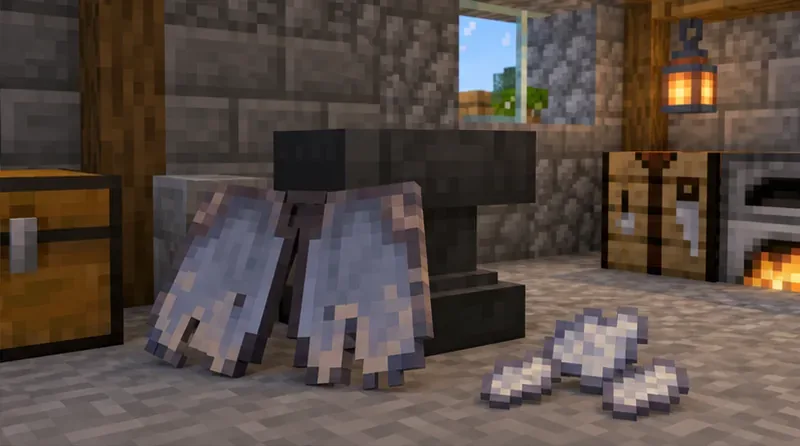
Inspect the durability bar before a long trip. A worn Elytra can make a routine glide end sooner than expected, which feels like a flight glitch if you are not watching the bar. In Survival, put the damaged Elytra and phantom membranes into an anvil; each membrane restores about one quarter of its durability. You can also combine two Elytra in an anvil. The anvil shows the result and experience cost before you accept it, so check that output before taking the item.
Unbreaking reduces durability loss, and Mending can repair the Elytra with experience orbs. They extend its useful life; they do not make a damaged item indestructible. Do not use commands copied from an old guide as a repair shortcut: syntax and item data can differ between Java, Bedrock, and versions. Mojang’s anvil guide confirms phantom membranes as the Elytra repair material.
A worn Elytra and phantom membranes beside an anvil show the standard repair setup.
3. Use the right item for an Elytra firework boost
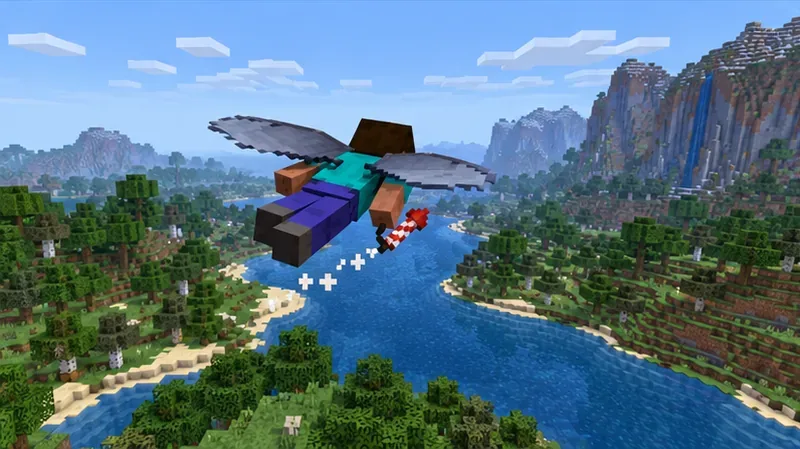
Equip a Firework Rocket in your active hand or hotbar and use it after your wings are already deployed. If nothing happens, confirm that the selected item is a rocket, not a Firework Star, and try the normal use-item control for your device. A rocket fired from a crossbow is ammunition; it is not the same input as using a rocket to boost an active Elytra glide.
Test the boost in open air with a clear route ahead. Rockets can send you into terrain or unloaded chunks at speed, so a sudden collision or brief hitch is not proof that the wings have failed. If a boost behaves differently from an older tutorial, check the release notes for your exact edition rather than assuming a 1.21-specific fix applies. For example, Mojang’s Java snapshot notes documented a change to how rockets are used while gliding.
A player boosts an active glide with a firework rocket over open terrain.
4. Separate an Elytra bug from Minecraft lag or add-on trouble
Reproduce the problem in a new local world with the same game edition. If the new world works, the issue may be tied to that save, its add-ons, or a server. If your character rubber-bands only in multiplayer while local play is smooth, reconnect and ask the Realm or server owner whether other players are affected. If frame rate drops as you fly into new terrain, reduce render distance and temporarily test without shaders, resource packs, or Java mods.
For Bedrock, back up the world before disabling behavior or resource packs, then deactivate optional packs one at a time. Packs can change or remove custom blocks and mobs when disabled. Follow the official Bedrock add-on troubleshooting steps. For Java, Minecraft Help recommends checking graphics drivers and testing without mods when diagnosing performance glitches; see its Java video and graphics troubleshooting guide.
There is no universal “set RAM to 4 GB” fix for Elytra lag. Java memory allocation that does not fit your system can itself cause stuttering or crashes. Check your available memory and the official Minecraft memory-allocation instructions before changing JVM arguments.
5. Treat phantoms as a separate mob problem
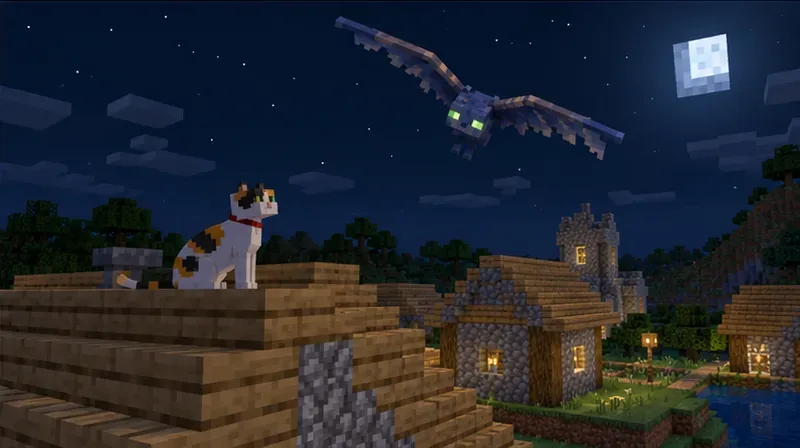
Phantoms are hostile flying mobs, not an Elytra glitch. They can appear at night after a player has gone several in-game days without sleeping. Sleep regularly to reset that trigger; a tamed cat nearby can also scare phantoms away. If you are traveling overnight, use a roof or shield for protection and deal with the mob before restarting a risky flight. Read Mojang’s pages on phantom behavior and cats.
A phantom circles above a village while a cat sits on a nearby roof; sleep and a tamed cat can help prevent interruptions.
When to report a Minecraft Elytra bug
If the same failure repeats in a fresh, unmodded world on the latest release, record your edition and version, device, exact steps, and whether the issue happens locally or only online. Keep a copy of the world before experimenting with packs or settings. Then search or submit a report through the official Minecraft issue tracker. A reproducible report is more useful than an unsupported success-rate claim or a blanket command that changes every world.
For most Minecraft Elytra errors, the fastest route is simple: verify the chest slot and launch timing, repair the wings, use a rocket while gliding, and isolate performance or mob issues from flight mechanics. Once you know which symptom you have, you can make the right fix without risking a valuable Survival world.