Apex Legends Heirloom Drop Chances Explained (2026): 0.045% Odds
As of October 16, 2026, EA lists the Heirloom Shards drop chance at 0.045% per Apex Pack—about 1 in 2,222 on a single opening. The often-repeated “one in 500” figure is not the per-pack rate. It refers to a conditional bad-luck guarantee: eligible Apex Packs can guarantee a shard drop by pack 500, provided your account meets EA’s Mythic eligibility rules. Several event pack types do not advance that counter.

That distinction matters if you are estimating how close you are to an Heirloom. The random chance is small, the pity counter is hidden, and “500 packs” does not mean every pack type you have ever opened. Here is what EA currently says, what the odds mean in practice, and how Heirloom Shards can be used.
Quick answer: the official Apex Legends Heirloom odds
- Published drop chance: 0.045% when opening an Apex Pack, according to EA’s current FAQ.
- Plain-language equivalent: roughly 1 chance in 2,222 for an individual pack.
- Bad-luck protection: a shard drop is guaranteed within 500 eligible Apex Packs if your account remains eligible for the bonus.
- Important exclusions: Collection Event, Thematic Event, Milestone Event, Collection Retro, and replacement-item packs do not count toward the 500-pack bonus counter.
- Use: Heirloom Shards are spent on eligible Mythic cosmetics in the Mythics Store; EA says Tier 1 Prestige skins cost 150 shards.
EA describes shards as a bonus drop from Apex Packs. Its official Apex Legends FAQ gives the 0.045% probability and explains the pack-count rules. EA’s currency and Apex Packs guide also says Heirloom Shards come through Apex Packs and are used in the Mythics Store.
What does a 0.045% drop chance mean?
A 0.045% chance is 0.00045 as a decimal probability. It is approximately one successful roll for every 2,222 pack openings on average, but “on average” is not a promise or a personal countdown. One player could receive shards early; another could open many packs without a random drop and rely on the guarantee.

To put the published rate in context, the table below shows the calculated chance of at least one random drop over multiple openings. These estimates use the same 0.045% probability for each roll and assume the rolls are independent; they are calculations from EA’s stated rate, not extra odds published by EA. They also do not replace the conditional 500-pack guarantee.
| Pack openings | Approximate chance of at least one random drop |
|---|---|
| 1 | 0.045% |
| 100 | 4.4% |
| 250 | 10.6% |
| 499 | 20.1% |
| 500 eligible packs | Guaranteed if the account meets the eligibility conditions |
The “1 in 2,222” expression describes the rate for each pack, not a schedule saying every 2,222nd pack will pay out. The “500” rule is a separate protection mechanism and is much more useful to a player who has reached its eligible-pack threshold.
How the 500-pack Heirloom guarantee works
EA says players cannot open more than 500 qualifying Apex Packs without receiving Heirloom Shards while they are eligible for the bonus. Eligibility depends on whether there is still a Base Mythic cosmetic in the Mythics Store that the account can obtain with shards. In practical terms, the guarantee is not active while you already own every available Base Mythic item or already have enough shards to obtain an unowned Base Mythic item. Collaboration items are excluded from this Base Mythic check.
When all available Base Mythic cosmetics are owned, pack openings during that period stop counting toward the 500-pack bonus. EA says counting resumes when more Base Mythic cosmetics are added to the Mythics Store. This is why an account’s total pack history may not match the number relevant to its current guarantee.
Which packs count toward the pity counter?
EA explicitly excludes the following from the Bonus Heirloom Shards counter:
- Collection Event Packs
- Thematic Event Packs
- Milestone Event Packs
- Collection Retro Packs
- Any packs that might provide replacement items
So, do not assume that 500 event packs—or 500 mixed pack openings—equal 500 eligible attempts. Check the pack type and the current EA FAQ if an event introduces a new pack category.
Can you see how many packs remain?
No in-game screen shows your lifetime Apex Pack total, according to EA’s currency guide. The guarantee counter is therefore not something you can read directly in your account. If you want to estimate your progress, keep your own record of qualifying packs opened and separate ordinary packs from the event and replacement pack types EA excludes. Treat any estimate as approximate, especially if you do not know when your last shard drop occurred or whether your Mythic eligibility changed.
What Heirloom Shards unlock
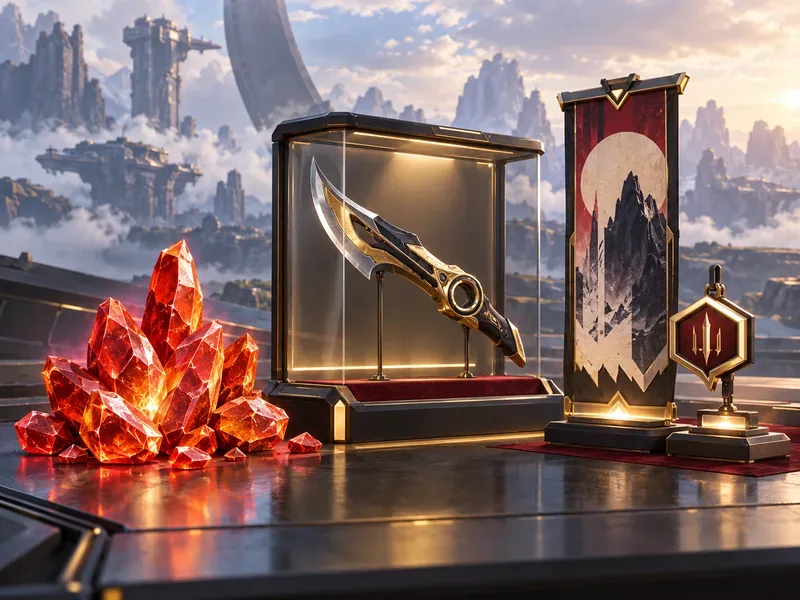
Heirloom Shards are a currency for eligible Mythic cosmetics in the in-game Mythics Store. Heirloom melee cosmetics and Prestige skins are among the Mythic rewards associated with shards. EA’s FAQ lists 150 Heirloom Shards as the price for Tier 1 of a Prestige skin; an EA Forums Heirlooms FAQ likewise describes a bonus shard drop as 150 shards. Check the current Mythics Store item description before spending, since the available items and event routes can change.
Some limited-time events can unlock a Mythic cosmetic directly as an event reward. That is a separate route to an item; it does not mean shards are sold as a standalone currency. Apex cosmetic items do not improve damage, movement, hit registration, or other gameplay performance. Choose based on the cosmetic you actually want, not on a competitive advantage.
How to get more Apex Packs
The practical way to take more chances is to earn or obtain more eligible Apex Packs. EA lists account leveling, Battle Pass rewards, and purchasing Packs through the Store as ways Packs are distributed. Pack availability and store offers can vary by season, region, or event, so check the current in-game rewards and EA’s Apex Packs guide for current details.
- Play and level up: account progression awards Apex Packs at intervals that depend on level.
- Review each Battle Pass: free and paid reward tracks may include packs, with the exact rewards changing over time.
- Check event rewards: events may offer packs or direct cosmetic milestones, but event packs do not necessarily count toward the 500-pack guarantee.
- Set a spending limit: buying eligible packs gives you more openings sooner; it does not change the stated drop rate for an individual pack.
There is no trick that makes the random roll more favorable. Playing more, claiming rewards, and opening eligible packs increase the number of attempts; they do not turn a 0.045% per-pack chance into a higher per-pack percentage.
Common questions about Apex Legends Heirloom drop chances
Is the Heirloom chance 0.2%?
EA’s current published FAQ lists 0.045% per Apex Pack. That is the figure to use for this 2026 guide. The 500-pack number describes the conditional guarantee, not a 0.2% drop chance.
Does opening 500 packs always guarantee shards?
It guarantees a drop only when the packs qualify for EA’s bonus counter and the account meets the Base Mythic eligibility conditions. The event and replacement pack categories listed above are excluded.
Can I buy Heirloom Shards directly?
EA’s currency guide identifies Apex Packs as the way to obtain Heirloom Shards. Limited-time events may offer a direct unlock for a specific cosmetic, which is different from purchasing shards themselves.
Are Heirlooms pay-to-win?
No. They are cosmetics. They can change the look of an item or character presentation, but they do not grant a gameplay advantage.
Sources and date checked
Odds and pack-counter details were checked against EA’s Apex Legends FAQ and Apex Legends currency guide on October 16, 2026. EA can change pack rules, Mythic availability, and event rewards; consult those pages and the in-game Store if a later update changes the system.









